
AUTO METER 880400
Auto Meter 880400 Ford Racing Series Electric Fuel Level Gauge User Manual
Model: 880400 | Brand: AUTO METER
Introduction
This manual provides comprehensive instructions for the installation, operation, and maintenance of your Auto Meter 880400 Ford Racing Series Electric Fuel Level Gauge. Please read this manual thoroughly before installation and use to ensure proper function and safety.
Product Overview
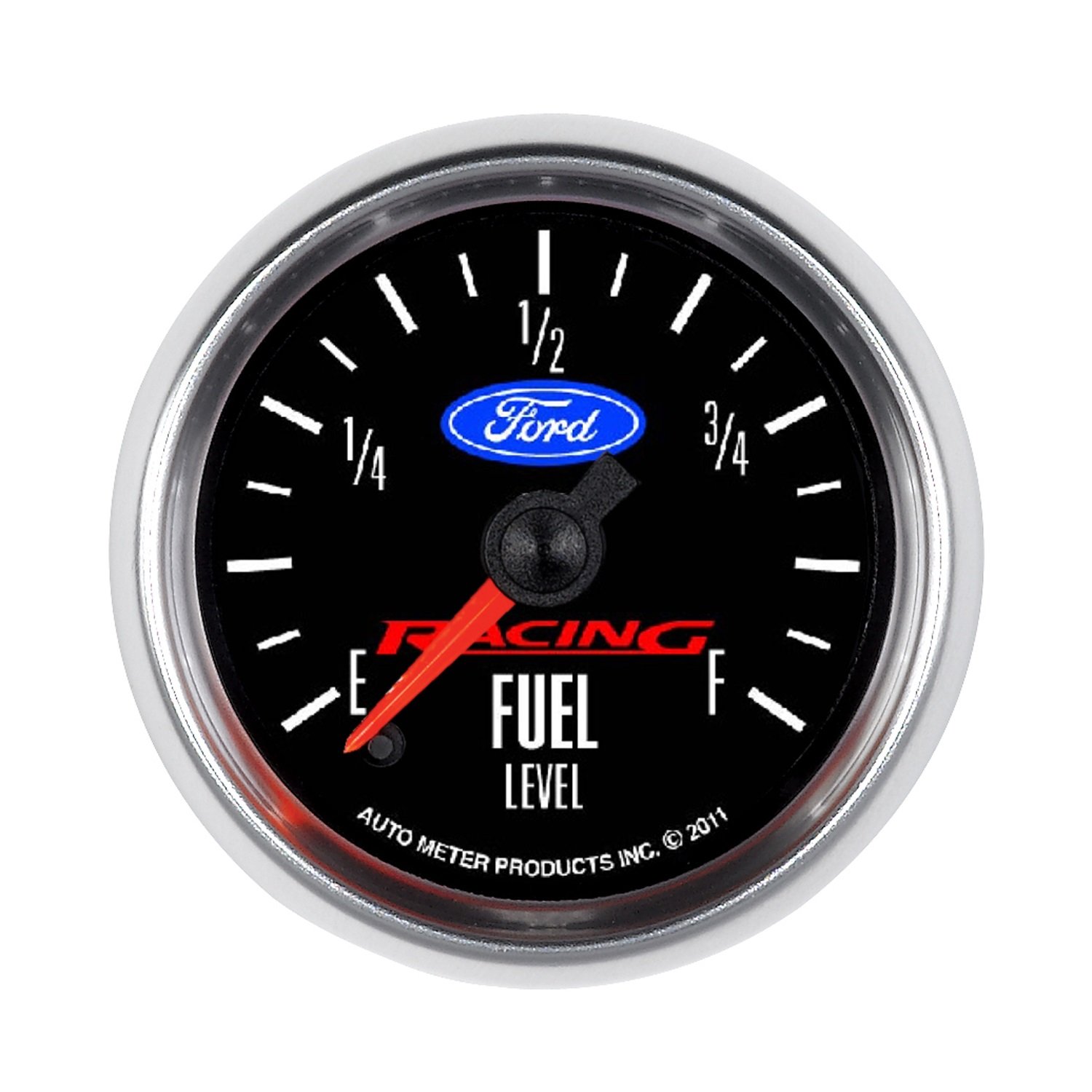
Image: The Auto Meter 880400 Ford Racing Series Electric Fuel Level Gauge. This gauge features a black face with white markings for Empty (E), 1/4, 1/2, 3/4, and Full (F). The "Ford" logo is prominently displayed in blue, with "RACING" in red below it, and "FUEL LEVEL" in white. A red pointer indicates the fuel level. The bottom edge reads "AUTO METER PRODUCTS INC. © 2011". The gauge is encased in a chrome bezel.
The Auto Meter 880400 is an electric fuel level gauge designed for automotive applications, specifically licensed for Ford Racing vehicles. It features a classic design with modern functionality, including LED lighting for clear visibility.
Key Features:
- Modern blue LED through-the-dial lighting for enhanced nighttime visibility.
- Adjustable scale with 7 preset ranges for common vehicle types (73E/10F, 16E/158F, 0E/30F, 0E/90F, 240E/33F, 107.5E/7F, 131E/12F).
- User-definable resistance setting, programmable anywhere between 0-280 ohms.
- Compatible with 12-volt and 16-volt electrical systems.
- Officially licensed Ford Racing design.
Package Contents
Verify that all components are present before beginning installation:
- AutoMeter 880400 Fuel Level Gauge (2 1/16", 0-280Ω Programmable, Ford Racing)
- 20 ft. wiring harness
- Mounting hardware
- Detailed instructions (this manual)
Setup and Installation
Proper installation is crucial for accurate gauge operation and safety. If you are not familiar with automotive electrical systems, it is recommended to seek professional assistance.
Tools and Materials Required:
- Drill and appropriate drill bits (for mounting hole, if not pre-existing)
- Wire strippers/crimpers
- Electrical tape or heat shrink tubing
- Multimeter (for testing connections)
- Safety glasses
Installation Steps:
- Disconnect Battery: Before starting any electrical work, disconnect the vehicle's negative battery terminal to prevent accidental short circuits.
- Mount the Gauge:
- Select a suitable location on your dashboard or gauge panel.
- If a hole is not present, carefully drill a hole of the correct diameter (refer to gauge specifications for exact size) using appropriate tools.
- Insert the gauge into the mounting hole and secure it using the provided mounting hardware.
- Wiring Connections: Refer to the detailed wiring diagram provided with your gauge kit. The 20 ft. wiring harness is designed to facilitate connections.
- Power (Ignition Switched 12V/16V): Connect the designated power wire from the gauge to a switched 12V or 16V power source that is active when the ignition is on.
- Ground: Connect the ground wire from the gauge to a clean, unpainted metal surface on the vehicle chassis or a dedicated ground point.
- Sender Input: Connect the sender input wire from the gauge to the output wire of your fuel level sending unit. Ensure this connection is secure and insulated.
- Lighting (Optional): Connect the lighting wire to a switched 12V source that activates with your vehicle's dash lights for gauge illumination.
- Resistance Setting (Programmable):
- The gauge supports user-definable resistance settings between 0-280 ohms.
- It also has 7 preset ranges. Consult your fuel sending unit's specifications to determine the correct resistance range (Empty to Full) for your application.
- Follow the specific programming instructions included in the detailed instructions to set the gauge to match your sender. This typically involves a calibration procedure with the fuel tank empty and full.
- Reconnect Battery: Once all connections are secure and insulated, reconnect the negative battery terminal.
Operating Instructions
Once installed and calibrated, the Auto Meter 880400 fuel level gauge operates automatically.
- Power On: When the vehicle's ignition is turned on, the gauge will power up and the pointer will indicate the current fuel level.
- Illumination: If connected, the blue LED through-the-dial lighting will activate with your vehicle's dash lights, providing clear visibility in low-light conditions.
- Reading the Gauge: The gauge face is marked with "E" for Empty, "1/4", "1/2", "3/4", and "F" for Full. The red pointer will move to indicate the approximate fuel level in your tank.
Maintenance
The Auto Meter 880400 fuel level gauge is designed for long-term, maintenance-free operation. Minimal maintenance is required.
- Cleaning: Clean the gauge face and bezel with a soft, damp cloth. Avoid abrasive cleaners or solvents that could damage the finish or lens.
- Connection Checks: Periodically inspect wiring connections to ensure they remain secure and free from corrosion.
- Sender Unit: The accuracy of the gauge depends on the proper functioning of your vehicle's fuel level sending unit. If you suspect inaccurate readings, inspect the sending unit.
Troubleshooting
If you experience issues with your fuel level gauge, refer to the following common troubleshooting steps:
| Problem | Possible Cause | Solution |
|---|---|---|
| Gauge reads incorrectly or erratically. |
|
|
| Gauge does not power on. |
|
|
| Illumination not working. |
|
|
If these steps do not resolve the issue, contact Auto Meter technical support for further assistance.
Specifications
- Model: 880400
- Type: Electric Fuel Level Gauge
- Gauge Size: 2 1/16 inches
- Resistance Range: User-definable 0-280 ohms, with 7 preset ranges (73E/10F, 16E/158F, 0E/30F, 0E/90F, 240E/33F, 107.5E/7F, 131E/12F)
- Voltage Compatibility: 12V and 16V systems
- Lighting: Blue LED through-the-dial illumination
- Bezel Finish: Bright anodized
- Dimensions: Approximately 5 x 5 x 5 inches (Product Dimensions)
- Weight: Approximately 9 ounces (Item Weight)
- Manufacturer Part Number: 880400
- UPC: 046074147166
- Country of Origin: USA
Warranty Information
Auto Meter products are manufactured to the highest quality standards. For specific warranty terms and conditions, please refer to the warranty statement included with your product packaging or visit the official Auto Meter website. Typically, Auto Meter offers a limited warranty against defects in materials and workmanship for a specified period from the date of purchase.
Please retain your proof of purchase for warranty claims.
Customer Support
For technical assistance, troubleshooting beyond this manual, or warranty inquiries, please contact Auto Meter customer support:
- Website: www.autometer.com
- Phone: Refer to the Auto Meter website for current contact numbers.
- Email: Refer to the Auto Meter website for current contact email.
When contacting support, please have your product model number (880400) and purchase information readily available.
Related documents880400


Ask a question about this manual
Ask about setup, troubleshooting, compatibility, parts, safety, or missing instructions. Manuals+ will review the question and use this page’s manual context to help answer it.