1. Introduction
This manual provides essential instructions for the safe and effective use of your Beurer Cristal GS 11 Glass Digital Scale. Please read these instructions carefully before first use and keep them for future reference. This digital scale is designed for personal weight measurement and features a modern design with a sturdy safety glass platform.
2. Safety Information
- Always place the scale on a firm, level surface. Uneven surfaces can lead to inaccurate measurements.
- Do not use the scale on wet or slippery floors. The glass surface can be slippery when wet, posing a risk of falling.
- Do not jump on the scale. Step onto it gently and stand still during measurement.
- The maximum weight capacity is 150 kg (330 lb / 23 st 8 lb). Do not exceed this limit.
- Keep the scale away from extreme temperatures, direct sunlight, and high humidity.
- This scale is for personal use only and is not intended for commercial or medical purposes.
- Keep batteries out of reach of children. If swallowed, seek immediate medical attention.
3. Package Contents
Verify that all items are present and undamaged upon unpacking:
- 1 x Beurer Cristal GS 11 Glass Digital Scale
- 1 x 3V CR2032 Battery (pre-installed or included separately)
- 1 x User Manual

Image: The Beurer Cristal GS 11 scale, highlighting its included instructions and 150 kg maximum load capacity.
4. Setup
4.1 Battery Installation
The scale requires one 3V CR2032 lithium battery. If the battery is not pre-installed, or if you need to replace it:
- Locate the battery compartment on the underside of the scale.
- Open the battery compartment cover.
- Insert the CR2032 battery with the positive (+) terminal facing upwards.
- Close the battery compartment cover securely.
4.2 Initial Placement
For accurate measurements, place the scale on a hard, flat surface. Avoid carpets or soft flooring, as these can affect accuracy.

Image: The Beurer Cristal GS 11 scale, illustrating its compact dimensions of 30 cm by 30 cm with a height of 2.1 cm.
4.3 Unit Selection
Most scales allow you to switch between measurement units (kilograms, pounds, or stones). Look for a small button on the underside of the scale, usually near the battery compartment, to toggle between kg/lb/st.
5. Operating Instructions
5.1 Weighing Process (Quick-Start Technology)
The Beurer Cristal GS 11 scale features Quick-Start technology, meaning it turns on automatically when you step on it.
- Ensure the scale is on a flat, stable surface.
- Gently step onto the center of the scale with bare feet.
- Stand still and wait for your weight to be displayed on the LCD screen. The display will flash a few times before showing the final stable weight.
- Step off the scale. The scale will automatically turn off after a few seconds to conserve battery life.

Image: The Beurer Cristal GS 11 digital scale showing a weight measurement on its LCD display.

Image: The Beurer Cristal GS 11 scale, highlighting its 150 kg maximum capacity and 100 g measurement increments.
6. Cleaning and Maintenance
- Clean the scale regularly with a damp cloth and a mild detergent.
- Do not use abrasive cleaning agents or immerse the scale in water.
- Wipe dry immediately after cleaning.
- Store the scale in a dry place when not in use.
7. Troubleshooting
| Problem | Possible Cause | Solution |
|---|---|---|
| Display shows "Lo" | Low battery. | Replace the 3V CR2032 battery. |
| Display shows "Err" or "O-Ld" | Overload. Weight exceeds 150 kg. | Reduce the load on the scale. |
| Inaccurate readings | Scale not on a flat surface, or moved during measurement. | Ensure the scale is on a hard, flat surface and stand still. Recalibrate by stepping on and off quickly. |
| No display | Battery incorrectly installed or completely drained. | Check battery orientation or replace the battery. |
8. Technical Specifications
- Model: Beurer Cristal GS 11
- Dimensions (L x W x H): 30 cm x 30 cm x 2.1 cm (approx. 11.8 x 11.8 x 0.8 inches)
- Weight: 1.5 kg (approx. 3.3 lbs)
- Maximum Capacity: 150 kg (330 lb / 23 st 8 lb)
- Graduation: 100 g (0.2 lb / 0.2 st)
- Display: LCD, 25 mm digit height
- Power Source: 1 x 3V CR2032 lithium battery
- Automatic Shut-off: Yes
- Overload Indicator: Yes
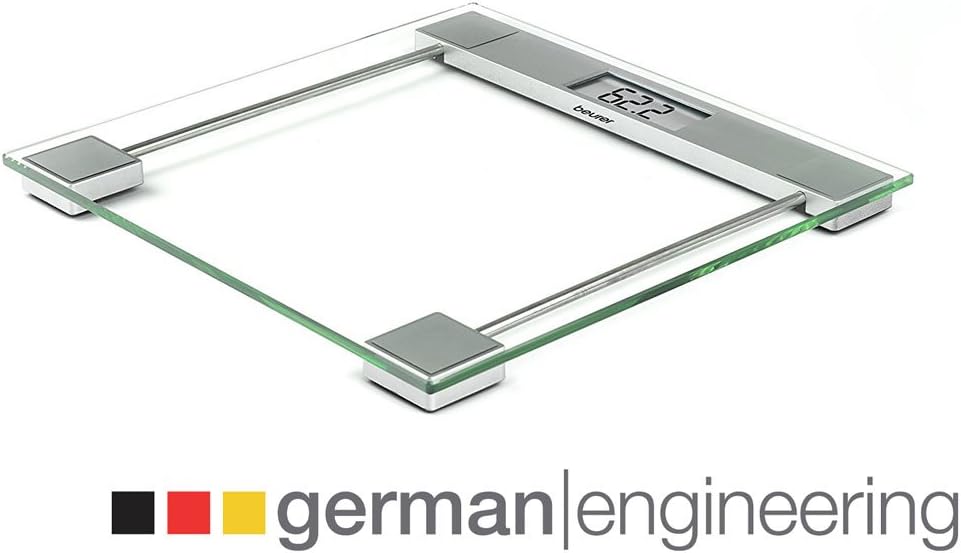
Image: The Beurer Cristal GS 11 scale, featuring the 'german|engineering' emblem, signifying quality and precision.
9. Warranty and Disposal
9.1 Warranty
The Beurer Cristal GS 11 Glass Digital Scale comes with a 5-year warranty from the date of purchase. This warranty covers defects in materials and workmanship under normal use. It does not cover damage resulting from misuse, accidents, or unauthorized modifications.
9.2 Disposal
Electronic devices and batteries must not be disposed of with household waste. Please dispose of them in accordance with local regulations at designated collection points. This helps protect the environment and human health.


