
1. Introduction
This manual provides detailed instructions for the ALFAJR Classic Watch WS-06S. Please read this manual carefully to understand the watch's features and functions, ensuring proper setup and operation. This watch is designed to assist users with prayer times, Qibla direction, and standard timekeeping features.
2. Product Overview
The ALFAJR Classic Watch WS-06S features a rectangular stainless steel case, a metal bracelet, scratch-resistant glass, and a Crystal FSTN LCD with blue EL backlight. It is water-resistant and offers a bilingual display in Arabic and English.
Key Features:
- Digital Display
- Azan Times for all cities worldwide
- Prayer Reminders
- Qibla Direction
- Hijri and Gregorian Calendars
- Qur'an Bookmark function
- Stopwatch
- Daily Alarms
- Battery level indicator
- 12-hour (AM/PM) or 24-hour time format display
Watch Components:

This image displays the front of the ALFAJR WS-06S watch, highlighting its digital screen which shows the date (16 MAY) and time (12:20), along with a smaller time (10:30) and an icon, likely indicating a prayer time or alarm. The watch features a sleek, rectangular stainless steel case and a matching metal bracelet.
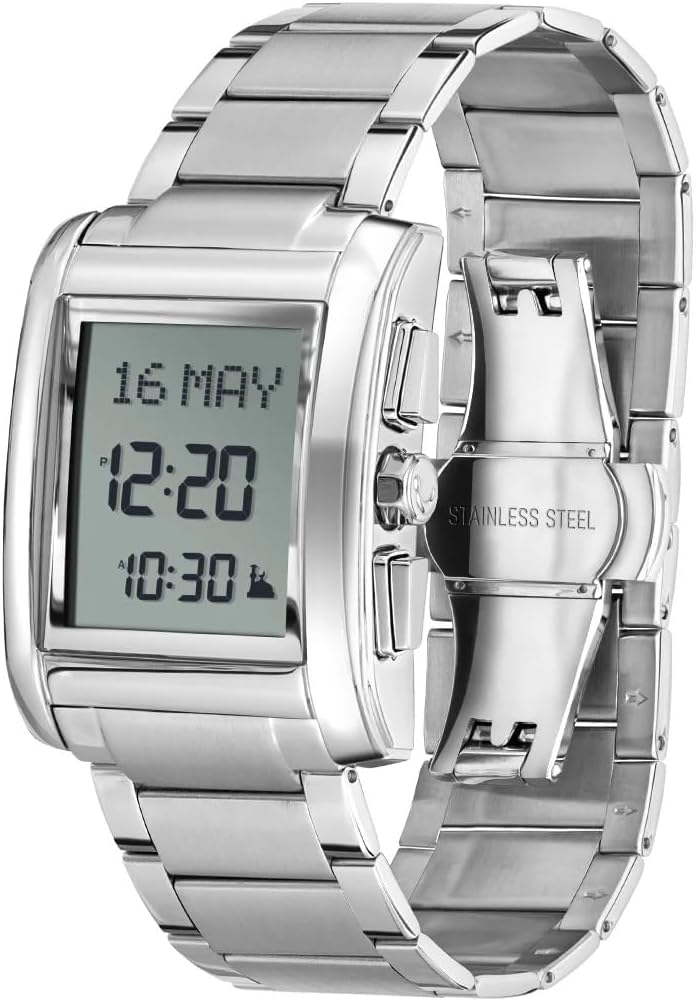
An angled perspective of the ALFAJR WS-06S watch, showcasing its polished stainless steel metal bracelet and the buttons located on the right side of the watch case. The digital display is visible, showing the date and time, similar to the front view.
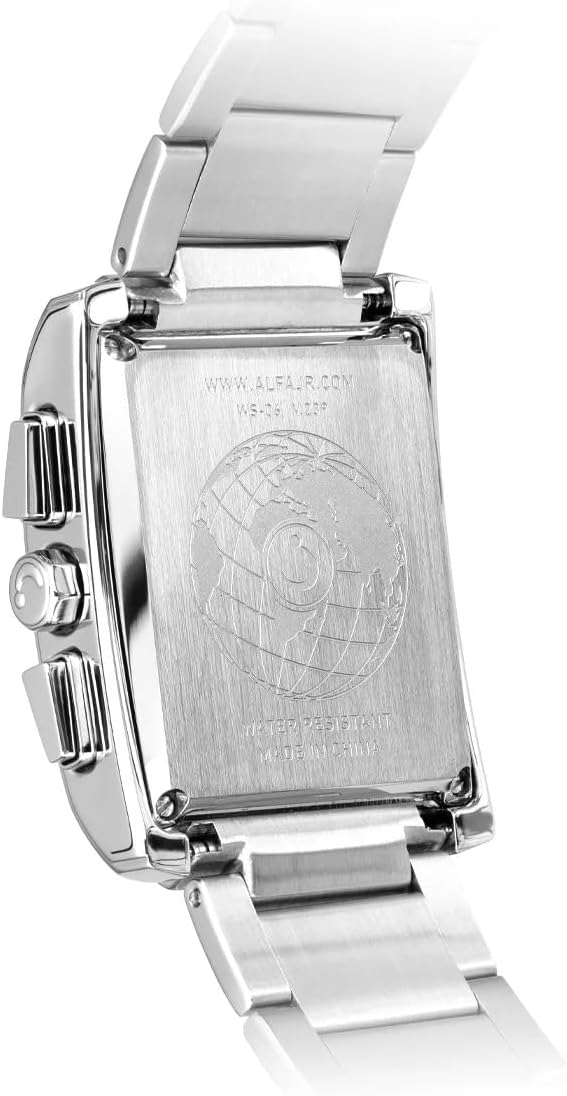
This image shows the reverse side of the ALFAJR WS-06S watch. The stainless steel backplate is engraved with the manufacturer's website (WWW.ALFAJR.COM), the model number (WS-06), and indicates 'WATER RESISTANT' and 'MADE IN CHINA'. A globe design is also visible in the center.
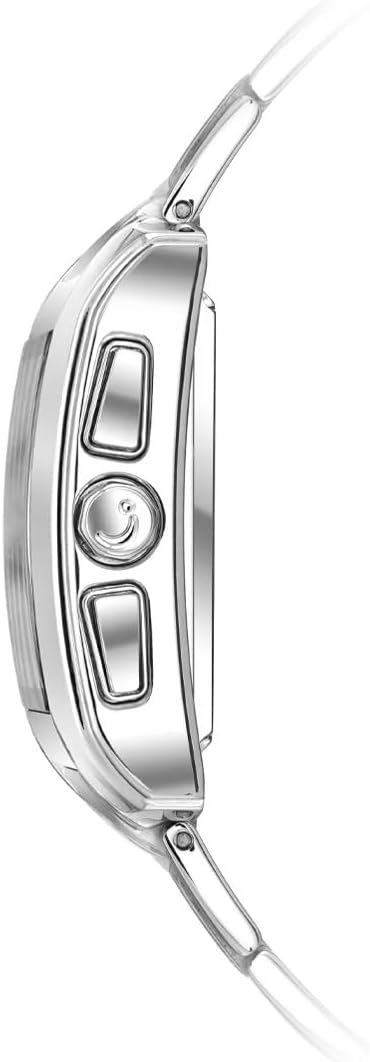
A close-up side view of the ALFAJR WS-06S watch, focusing on the three control buttons located on the right side of the watch case. These buttons are used for navigating menus and adjusting settings.
3. Setup
3.1 Initial Power On
Upon first use or after a battery change, the watch may require initial setup. Follow the on-screen prompts or proceed to set the basic parameters manually.
3.2 Setting Time and Date
- Press the Mode button (usually bottom right) to navigate to the Time Setting mode.
- Use the Adjust button (usually top right) to select the hour, minute, year, month, and day.
- Use the Set button (usually middle right) to change the values.
- Confirm settings by pressing the Mode button again or waiting for automatic exit.
3.3 Selecting Language
The watch supports both Arabic and English. To change the display language:
- Navigate to the Language Setting menu (refer to the watch's on-screen menu for exact navigation).
- Select either Arabic or English using the Adjust button.
- Confirm your selection.
3.4 Setting City for Azan Times
Accurate Azan times depend on the correct city setting. The watch has pre-programmed cities. If your city is not listed, you may need to set a nearby major city or manually adjust the prayer times.
- Enter the Azan City Setting mode.
- Browse through the list of cities using the Adjust buttons.
- Select your city or the closest major city.
- The watch will automatically calculate Azan times based on the selected city.
4. Operating Instructions
4.1 Azan Times and Prayer Reminders
The watch displays Azan times for all cities worldwide and provides prayer reminders.
- Viewing Azan Times: In the main display mode, press the Mode button to cycle through the different prayer times.
- Adjusting Azan Times: If needed, individual prayer times can be adjusted by entering the Azan Adjustment menu. This is useful for minor discrepancies or specific local prayer time calculations.
- Prayer Reminders: The watch will sound an alarm at each prayer time. This feature can be enabled or disabled in the settings.
4.2 Qibla Direction
The watch can display the Qibla direction relative to North. Ensure your current location is set correctly for accurate readings.
- Enter the Qibla mode (refer to the watch's menu for specific button presses).
- Hold the watch flat and rotate it slowly until the Qibla indicator points in the correct direction.
4.3 Stopwatch
The integrated stopwatch function allows for timing events.
- Navigate to the Stopwatch mode.
- Press the Start/Stop button to begin and end timing.
- Press the Reset button to clear the stopwatch.
4.4 Daily Alarms
In addition to prayer alarms, the watch includes daily alarms for general use.
- Enter the Daily Alarm setting mode.
- Set the desired alarm time using the Adjust and Set buttons.
- Enable or disable the alarm.
4.5 Calendar Display
The watch displays both Hijri and Gregorian calendars.
- Cycle through calendar views using the Mode button or a dedicated calendar button.
4.6 Qur'an Bookmark
This feature allows you to mark the last read Surah and Ayah in the Qur'an.
- Enter the Qur'an Bookmark mode.
- Set the Surah number and Ayah number using the Adjust buttons.
- The watch will store this information for future reference.
4.7 12/24 Hour Format
The time can be displayed in either 12-hour (AM/PM) or 24-hour format.
- Access the Time Format setting in the main menu.
- Toggle between 12H and 24H options.
5. Maintenance
5.1 Cleaning
To maintain the appearance of your watch:
- Wipe the watch case and bracelet with a soft, dry cloth.
- For stubborn dirt, a slightly damp cloth can be used, followed by immediate drying.
- Avoid using harsh chemicals or abrasive materials.
5.2 Water Resistance
The ALFAJR WS-06S is water-resistant. This means it can withstand splashes, rain, and brief immersion in water. However, it is not suitable for swimming, diving, or showering with hot water, as steam and prolonged water exposure can compromise the seals. Always ensure the crown and buttons are fully pushed in before any contact with water.
5.3 Battery Replacement
The watch features a battery level indicator. When the battery is low, it is recommended to have it replaced by a qualified watch technician to ensure the water resistance seal is maintained. Do not attempt to replace the battery yourself unless you have the proper tools and expertise.
6. Troubleshooting
- Display is blank: Check the battery level. If low, replace the battery.
- Incorrect Azan times: Verify that the correct city is selected in the settings. Ensure the date and time are set accurately.
- Buttons not responding: Ensure the watch is not in a locked mode. Try a soft reset (refer to specific model instructions if available, or remove and reinsert battery if possible).
- Qibla direction inaccurate: Ensure the watch is held flat and away from strong magnetic fields. Re-calibrate if a calibration option is available.
For issues not covered here, please contact ALFAJR customer support or your retailer.
7. Specifications
| Feature | Detail |
|---|---|
| Model Number | WS-06S |
| Case Material | Rectangular Stainless Steel |
| Display Type | Crystal FSTN LCD with Blue EL Back Light |
| Water Resistance | Yes (suitable for splashes, rain; not for swimming/diving) |
| Case Size | 30 x 40 mm |
| Product Dimensions | 11 x 3 x 1.4 cm |
| Weight | 50 gm (watch only), 230 g (packaged) |
| Language Options | Arabic & English |
| Manufacturer | China |
8. Warranty and Support
For warranty information, please refer to the documentation provided with your purchase or contact your retailer. For technical support or further assistance, please visit the official ALFAJR website or contact their customer service department. Keep your purchase receipt as proof of purchase for any warranty claims.