
Introduction
This manual provides instructions for the proper installation, operation, and maintenance of your PHONOCAR 04338 Fakra Car Radio Connector. Please read this manual thoroughly before use to ensure correct handling and to prevent damage.
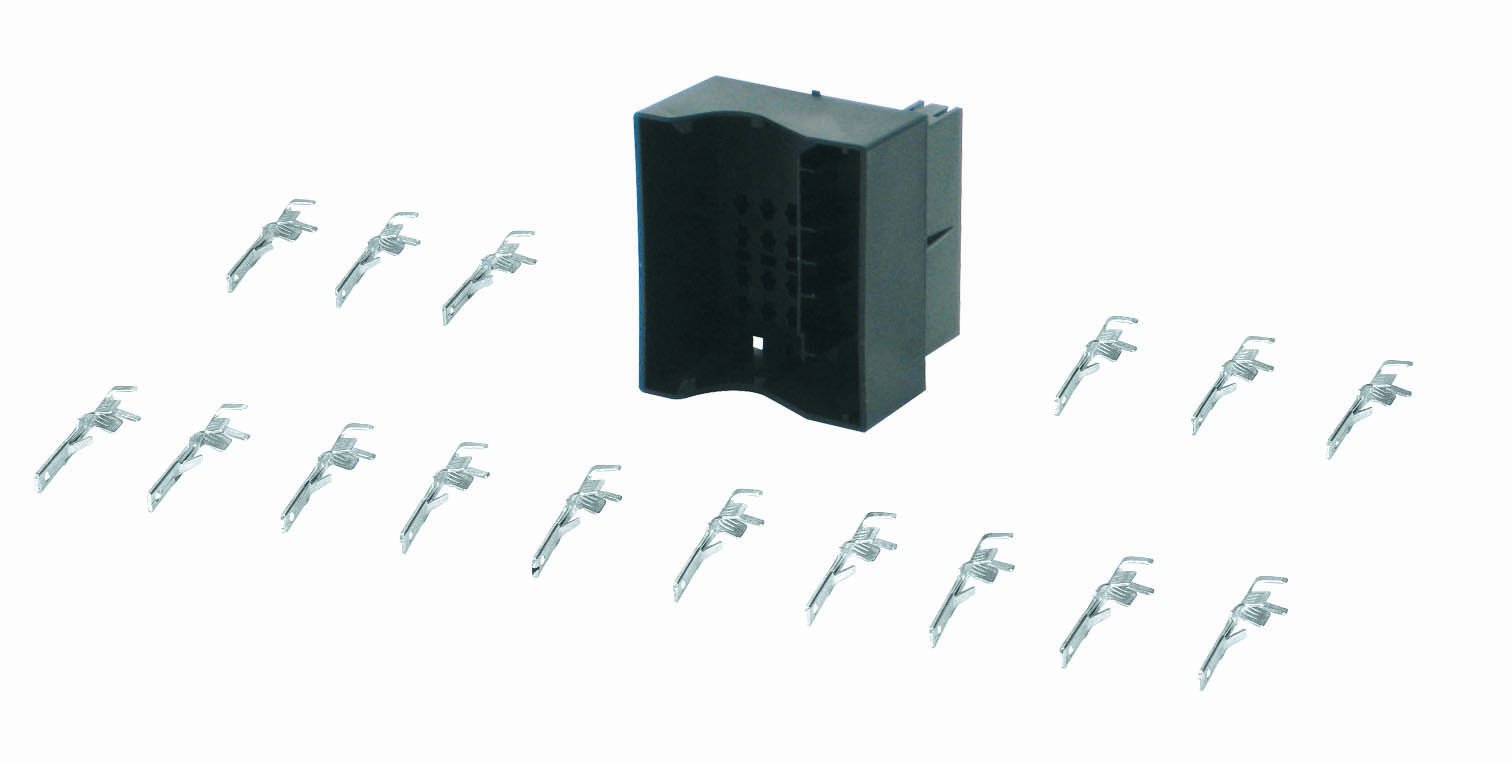
Image of the PHONOCAR 04338 Fakra Car Radio Connector, showing its design and components.
Setup and Installation
Package Contents
- 1x PHONOCAR 04338 Fakra Car Radio Connector (Female)
- Installation Kit (as part of the wiring kit)
Safety Precautions
- Ensure the vehicle's power is disconnected before attempting any installation.
- Consult a qualified professional if you are unsure about any installation steps or electrical connections.
- Do not modify the connector or its components.
- Keep out of reach of children.
Installation Steps
- Identify Connectors: Locate the existing Fakra connector on your car radio unit or the vehicle's wiring harness that requires connection.
- Align Connector: Carefully align the PHONOCAR 04338 female Fakra connector with the corresponding male Fakra connector. Ensure the keying (notches and tabs) matches to prevent incorrect insertion.
- Secure Connection: Gently push the connectors together until you hear or feel a distinct click. This indicates a secure and locked connection.
- Verify Connection: Lightly tug on the connector to confirm it is firmly seated and will not easily disconnect.
- Test Functionality: Reconnect the vehicle's power supply and test the car radio functionality to ensure proper signal transmission.
Operation
The PHONOCAR 04338 is a passive electrical connector designed to establish a secure and reliable signal path between compatible Fakra components in your car audio system. Once correctly installed, it operates automatically as an integral part of your car radio's wiring. No direct user interaction is required for its function during normal operation.
Maintenance
The PHONOCAR 04338 Fakra Car Radio Connector is designed for durability and requires minimal maintenance.
- Inspection: Periodically inspect the connector and its connection points for any signs of wear, corrosion, or looseness.
- Cleaning: Keep the connector free from dirt, dust, and moisture. If cleaning is necessary, use a dry, soft, lint-free cloth.
- Avoid Chemicals: Do not use harsh chemicals, solvents, or abrasive materials for cleaning, as these can damage the connector.
Troubleshooting
| Problem | Possible Cause | Solution |
|---|---|---|
| No signal or intermittent signal from car radio after installation. | Loose connection; Damaged connector; Incorrect Fakra type. | Ensure the connector is securely seated and clicked into place. Disconnect and reconnect. Inspect the connector for any visible damage. Verify that the existing car radio connector is compatible with the PHONOCAR 04338. |
| Connector does not fit or cannot be fully inserted. | Incompatible Fakra type or incorrect alignment. | Double-check the keying and type of both connectors. Do not force the connection. Ensure correct alignment before pushing. |
Specifications
- Model: PHONOCAR 04338
- Product Type: Fakra Car Radio Connector (Female)
- Dimensions: Approximately 25 x 8.2 x 3.8 cm (9.8 x 3.2 x 1.5 inches)
- Weight: Approximately 120 grams (4.2 ounces)
- Color: Assorted (Multicolor)
- Manufacturer: Phonocar
Warranty Information
This PHONOCAR product comes with a manufacturer's warranty of 1 year from the date of purchase. This warranty covers defects in materials and workmanship under normal use. It does not cover damage resulting from improper installation, accident, abuse, misuse, unauthorized modification, or normal wear and tear. Please retain your proof of purchase for any warranty claims.
Support
For technical assistance, product inquiries, or warranty support, please contact your retailer or visit the official PHONOCAR website.
PHONOCAR Official Store: Visit Store