
Introduction
The LUX Minute Minder is a classic mechanical kitchen timer designed for simplicity and reliability. This manual will guide you through its proper use and care to ensure optimal performance.
Setup
The LUX Minute Minder requires no batteries or complex setup. Simply place it on a stable, flat surface in your kitchen or desired location.
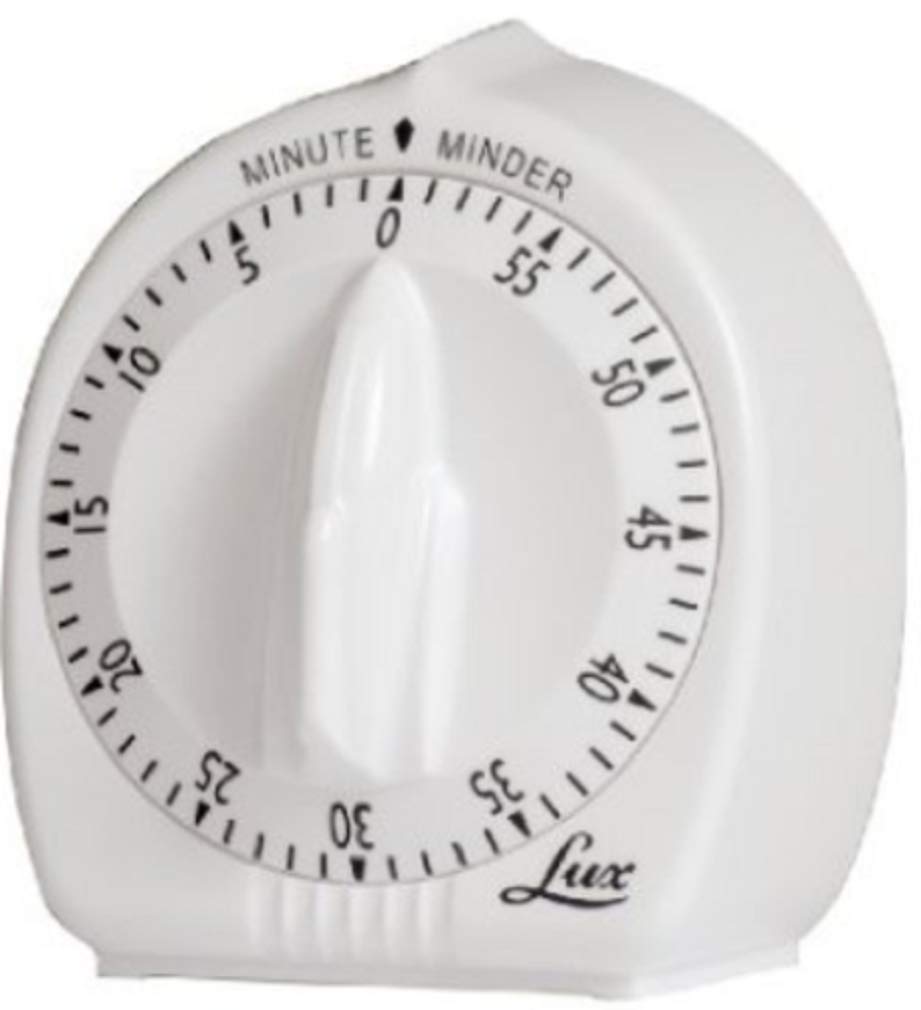
Image: The LUX Minute Minder mechanical kitchen timer, showing its simple white design and clear minute markings.
Operating Instructions
- Wind Fully: To activate the timer mechanism, turn the dial clockwise completely to the 60-minute mark. This step is crucial for the timer to function correctly and for the bell to ring.
- Set Time: After winding, turn the dial counter-clockwise to your desired time setting. The timer will begin counting down immediately.
- Alarm: The timer will emit an audible bell sound when the set time has elapsed.
Note: For optimal accuracy, especially for shorter durations, always ensure the timer is fully wound to 60 minutes before setting your desired time.
Maintenance
- Cleaning: Wipe the exterior of the timer with a soft, damp cloth. Do not use abrasive cleaners or immerse the timer in water.
- Handling: Avoid dropping the timer, as impacts can damage the internal mechanical components and affect its accuracy or ringing function.
- Storage: Store the timer in a dry place away from extreme temperatures.
Troubleshooting
Problem: Timer does not ring or rings faintly.
Possible Solutions:
- Ensure the timer was fully wound clockwise to the 60-minute mark before setting the desired time. This action charges the spring mechanism for the bell.
- Check for any obstructions around the ringer mechanism or the timer's base.
- If the issue persists, the internal mechanism may be damaged.
Problem: Timer is inaccurate.
Possible Solutions:
- Always wind the timer fully to 60 minutes before setting your desired time.
- Mechanical timers may have slight variations in accuracy, especially for very short durations (e.g., under 5 minutes). For applications requiring pinpoint accuracy, a digital timer might be more suitable.
Specifications
| Brand | LUX |
| Model | Minute |
| Color | White |
| Product Dimensions | 4.5"D x 12.5"W x 6.8"H |
| Item Weight | 4 ounces |
| UPC | 021079000678 |
| Screen Size (Dial Diameter) | 4.5 Inches |
| Number of Settings (Intervals) | 11 (referring to major markings on the dial) |
Warranty Information
This LUX product is covered by a standard manufacturer's warranty. For specific details regarding warranty coverage, duration, and claims, please refer to the original product packaging or contact LUX customer support directly.
Customer Support
For further assistance, technical support, or any inquiries not covered in this manual, please contact LUX customer support. Contact information can typically be found on the product packaging or the official LUX website.
