
1. Introduction
The Cata E 100 GT is a silent bathroom extractor fan designed to maintain a fresh and humidity-free environment in your bathroom. Featuring a modern white glass front and a perimeter extraction system, this fan efficiently removes odors and condensation. Its low power consumption and high energy efficiency make it an ideal solution for effective and quiet ventilation in bathrooms and small utility spaces.

Figure 1: Front view of the Cata E 100 GT extractor fan.
2. Safety Information
Please read all safety instructions carefully before installation and use. Failure to follow these instructions may result in electric shock, fire, or personal injury.
- Electrical Installation: All electrical connections must be performed by a qualified electrician in accordance with local wiring regulations and standards.
- Power Disconnection: Always disconnect the power supply before performing any installation, maintenance, or cleaning tasks.
- Ventilation: Ensure adequate ventilation in the room where the fan is installed to prevent backflow of gases from open-flued appliances.
- Children and Vulnerable Persons: This appliance is not intended for use by persons (including children) with reduced physical, sensory, or mental capabilities, or lack of experience and knowledge, unless they have been given supervision or instruction concerning use of the appliance by a person responsible for their safety.
- Temperature Limits: The thermal protector allows operation at ambient temperatures up to 40°C. Do not expose the unit to temperatures exceeding this limit.
- Damage: Do not operate the fan if the power cord or plug is damaged, or if the unit has been dropped or damaged in any way. Contact qualified service personnel for repair.
3. Product Overview
The Cata E 100 GT extractor fan combines modern design with high performance for optimal bathroom ventilation. Key features include:
- Perimeter Extraction System: Ensures efficient air circulation and removal of humidity and odors.
- White Glass Front: Provides an elegant and modern aesthetic, easy to clean.
- Integrated Timer: Allows programming of operating time from 3 to 15 minutes after activation.
- Thermal Protector: Ensures safe operation at ambient temperatures up to 40°C.
- Low Noise Level: Operates at a minimum sound level of 31 dB for quiet performance.
- High Airflow: Maximum airflow of 115 m³/h for rapid and effective ventilation.
- Low Power Consumption: Maximum power of 8 W (220-240V 50/60Hz, Class B).

Figure 2: Overview of key features and cleaning process for the E-Glass series.
4. Components Included
The standard package for the Cata E 100 GT includes the following components:
- Cata E 100 GT Extractor Fan Unit
- Mounting hardware (screws, wall plugs)
- Instruction Manual
- Timer Module: Electronic timer adjustable between 3 and 15 minutes.
- Note: Other control types (Standard, Hygro, PIR) may be available in different models or configurations. This manual focuses on the TIMER model.
5. Setup & Installation
The Cata E 100 GT extractor fan is designed for wall mounting. Ensure the installation area has a 100 mm diameter opening for the outlet duct.
- Choose Location: Select a suitable wall location in the bathroom, away from direct water spray, ensuring proper air circulation.
- Prepare Opening: Create a circular opening of 100 mm diameter in the wall for the fan's outlet.
- Disconnect Power: Before any electrical work, ensure the main power supply to the installation area is switched off at the circuit breaker.
- Mounting: Secure the fan body to the wall using appropriate screws and wall plugs. Refer to the dimensions diagram for precise measurements.
- Electrical Connection: Connect the fan to the electrical supply (220-240V 50/60Hz) according to the wiring diagram provided in the full installation guide (not included in this manual, consult a qualified electrician). Ensure proper grounding.
- Attach Front Panel: Once the electrical connections are secure and tested, attach the glass front panel.
- Restore Power: Switch on the main power supply.
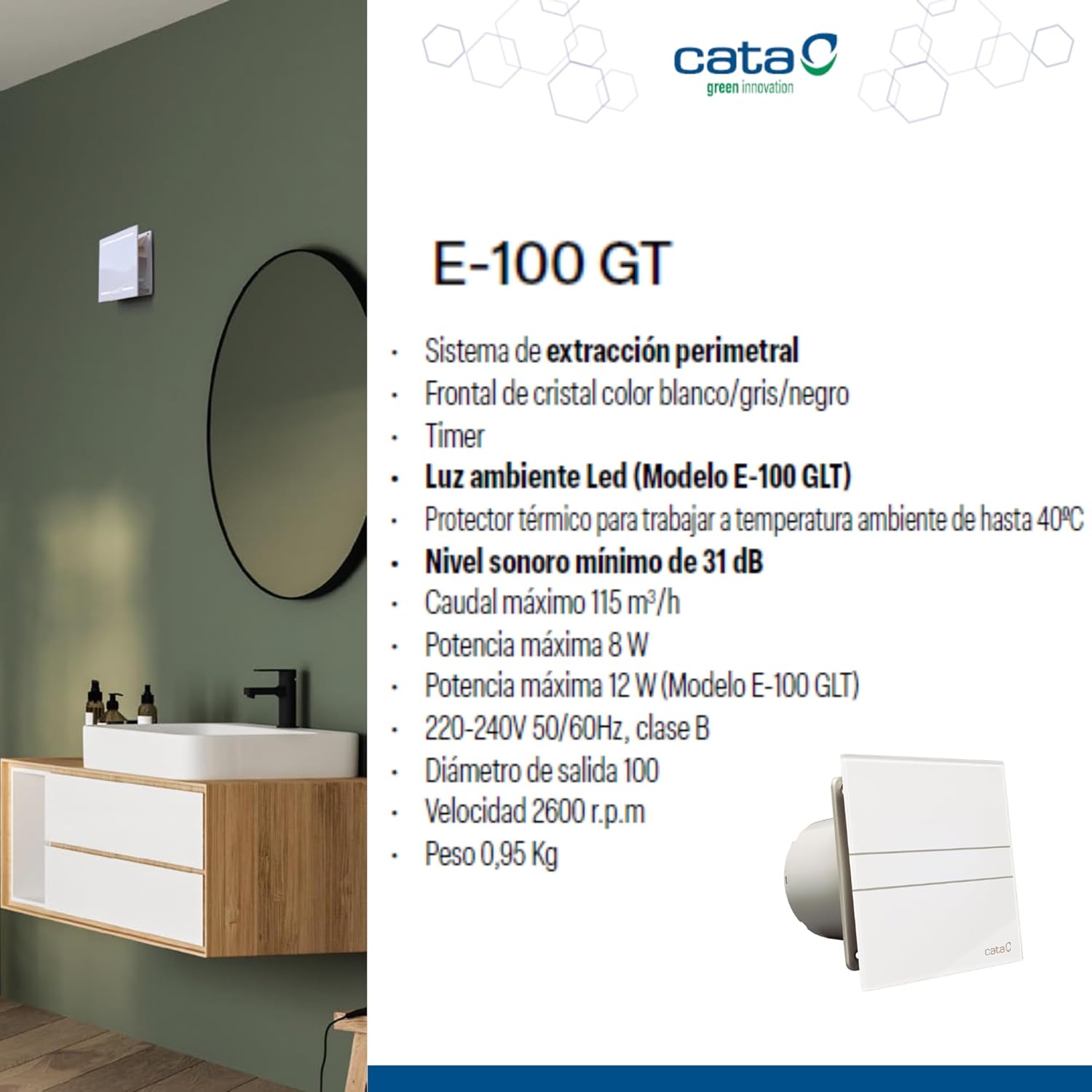
Figure 3: Dimensions of the Cata E 100 GT extractor fan (in mm).
6. Operating Instructions
The Cata E 100 GT with timer functionality operates as follows:
- Activation: The fan typically activates when the light switch in the bathroom is turned on, or via a separate switch connected to the fan.
- Timer Function: After the fan is activated and then switched off (e.g., by turning off the light), the integrated electronic timer will keep the fan running for a pre-set duration. This duration can be adjusted between 3 and 15 minutes.
- Timer Adjustment: To adjust the timer duration, carefully remove the front panel (refer to maintenance section for guidance). Locate the timer adjustment dial or screw on the fan unit. Use a small screwdriver to set the desired run-on time.
- Continuous Operation: For continuous operation, the fan will run as long as the power supply is active. The timer function only engages after the main power signal is interrupted.
7. Maintenance
Regular cleaning ensures optimal performance and longevity of your Cata E 100 GT extractor fan.
- Disconnect Power: Always ensure the power supply to the fan is disconnected at the main circuit breaker before cleaning or performing any maintenance.
- Remove Front Panel: The glass front panel is designed for easy removal. Gently pull or unclip the front panel as shown in Figure 2 (or similar diagrams in the full manual) to access the fan interior.
- Clean Front Panel: Wash the glass front panel with mild soap and water. Dry thoroughly with a soft cloth. Avoid abrasive cleaners.
- Clean Fan Interior: Use a soft brush or vacuum cleaner to remove dust and debris from the fan blades and interior housing. Do not use water directly on electrical components.
- Reassemble: Once all parts are clean and dry, carefully reattach the front panel.
- Restore Power: Switch on the main power supply.
8. Troubleshooting
If you encounter issues with your Cata E 100 GT extractor fan, refer to the following common problems and solutions:
| Problem | Possible Cause | Solution |
|---|---|---|
| Fan does not turn on. | No power supply; loose wiring; faulty switch. | Check circuit breaker. Ensure all connections are secure (consult electrician). Test switch. |
| Fan is excessively noisy. | Accumulated dust/debris on blades; loose mounting; obstruction in ducting. | Disconnect power and clean fan blades. Check mounting screws. Inspect ducting for blockages. |
| Timer function not working. | Incorrect timer setting; wiring issue; faulty timer module. | Adjust timer setting (see Operating Instructions). Verify wiring (consult electrician). |
| Insufficient air extraction. | Blocked air outlet/inlet; fan blades dirty; undersized fan for room. | Clean fan and check for obstructions. Ensure proper ducting. |
If the problem persists after attempting these solutions, please contact a qualified technician or Cata customer support.
9. Specifications
| Feature | Detail |
|---|---|
| Model Number | E 100 GT |
| Dimensions (D x W x H) | 9.4 cm x 15 cm x 15 cm |
| Weight | 0.1 kg (100 g) |
| Power Consumption | 8 W |
| Voltage | 220-240 V, 50/60 Hz |
| Airflow Capacity | 115 m³/h |
| Speed | 2600 RPM |
| Noise Level | 31 dB |
| Outlet Diameter | 100 mm |
| Number of Speeds | 2 |
| Material (Front) | Glass (White Crystal) |
| Material (Blades) | Alloy Steel |
| Special Features | Lightweight, Thermal Protector, Timer |
| Recommended Use | Bathroom, Air Circulation, Ventilation |
10. Warranty & Support
Warranty: This product is covered by the manufacturer's warranty. Please refer to the warranty card included with your purchase or visit the official Cata website for detailed warranty terms and conditions. Keep your proof of purchase for warranty claims.
Customer Support: For technical assistance, spare parts, or any questions regarding the operation or maintenance of your Cata E 100 GT extractor fan, please contact Cata customer support. Contact details can typically be found on the manufacturer's website or in the product packaging.
Online Resources: For additional information, FAQs, or updated manuals, please visit the official Cata website: www.cata.es