
Introduction
This manual provides detailed instructions for the installation, operation, and maintenance of your United Pacific CML6872R 18LED Side Marker Light. This product is specifically designed for 1968-1972 Chevrolet and GMC trucks, offering enhanced visibility and a classic aesthetic with modern LED technology. Please read all instructions carefully before proceeding with installation or use.
Product Overview
The United Pacific CML6872R is an 18LED side marker light featuring a durable injection-molded polycarbonate lens and a stylish stainless steel trim. Its sealed electronics ensure longevity and resistance to environmental elements. This unit operates on a 12-volt DC system and is designed to replace existing side marker lights on compatible truck models.
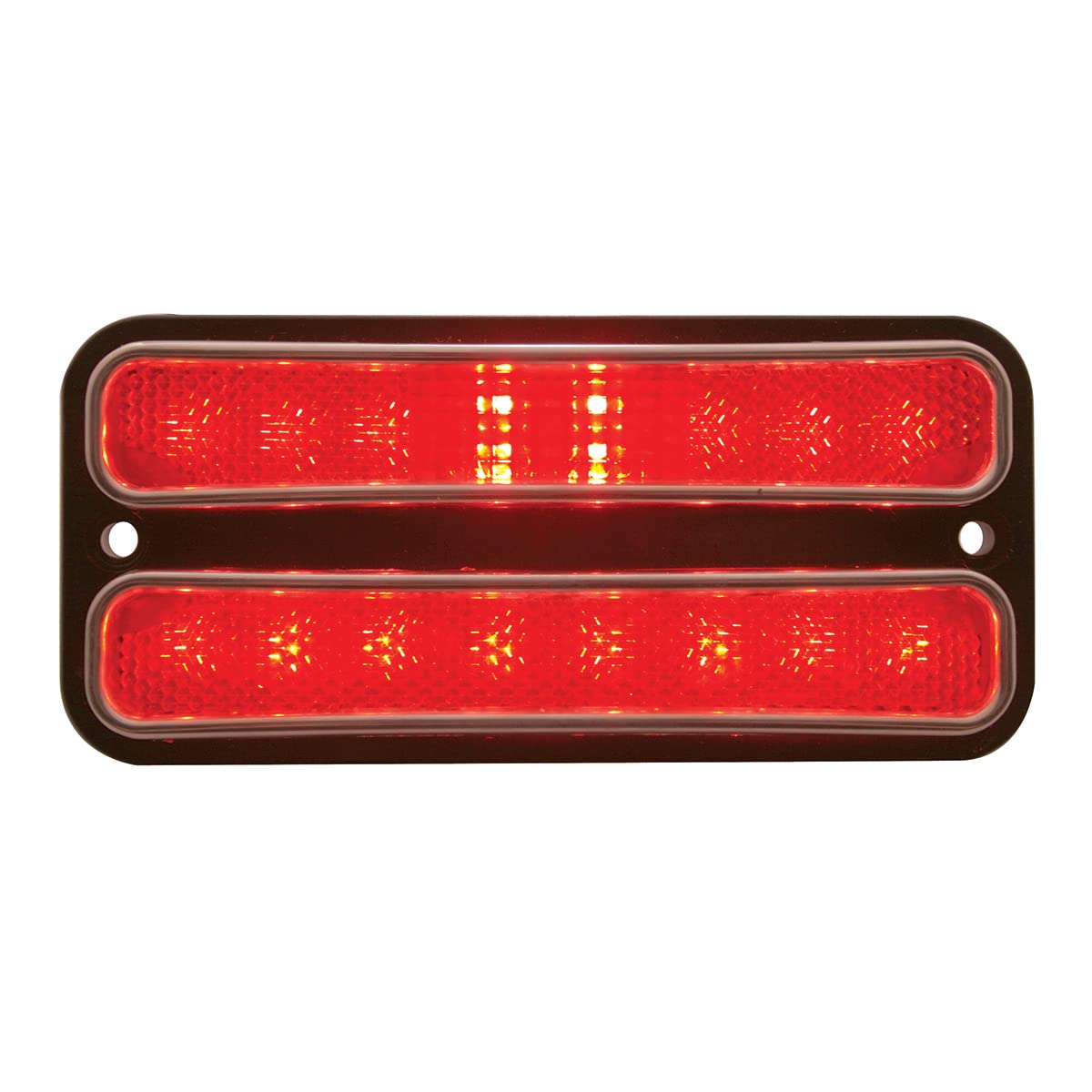
Figure 1: United Pacific CML6872R 18LED Red Side Marker Light. This image displays the complete side marker light unit with its red lens and stainless steel trim.
Safety Information
- Always disconnect the vehicle's battery before performing any electrical work to prevent electrical shock or damage to the vehicle's electrical system.
- Wear appropriate personal protective equipment, such as safety glasses and gloves, during installation.
- Ensure all wiring connections are secure and properly insulated to prevent short circuits.
- Verify that the product is compatible with your vehicle's voltage system (12V DC).
Package Contents
The following items are included with your purchase:
- One (1) United Pacific 18 LED Side Marker Light with Stainless Steel Trim (Red)
Note: If you require two units for both sides of your vehicle, please ensure you order two separate units.
Setup & Installation
Installation of the CML6872R side marker light is designed to be straightforward, requiring no modifications to your vehicle's existing structure. The unit features an easy electrical connection with a 194 plug.
Installation Steps:
- Preparation: Ensure the vehicle's ignition is off and the battery is disconnected.
- Remove Old Light: Carefully remove the existing side marker light from your truck. This typically involves unscrewing mounting fasteners and disconnecting the electrical connector.
- Connect New Light: Connect the 194 plug of the new United Pacific 18LED Side Marker Light to your vehicle's existing wiring harness. Ensure a secure connection.
- Mount New Light: Position the new side marker light into the opening and secure it using the original mounting fasteners. Do not overtighten.
- Test Functionality: Reconnect the vehicle's battery and test the side marker light to ensure it functions correctly with your vehicle's lighting system.
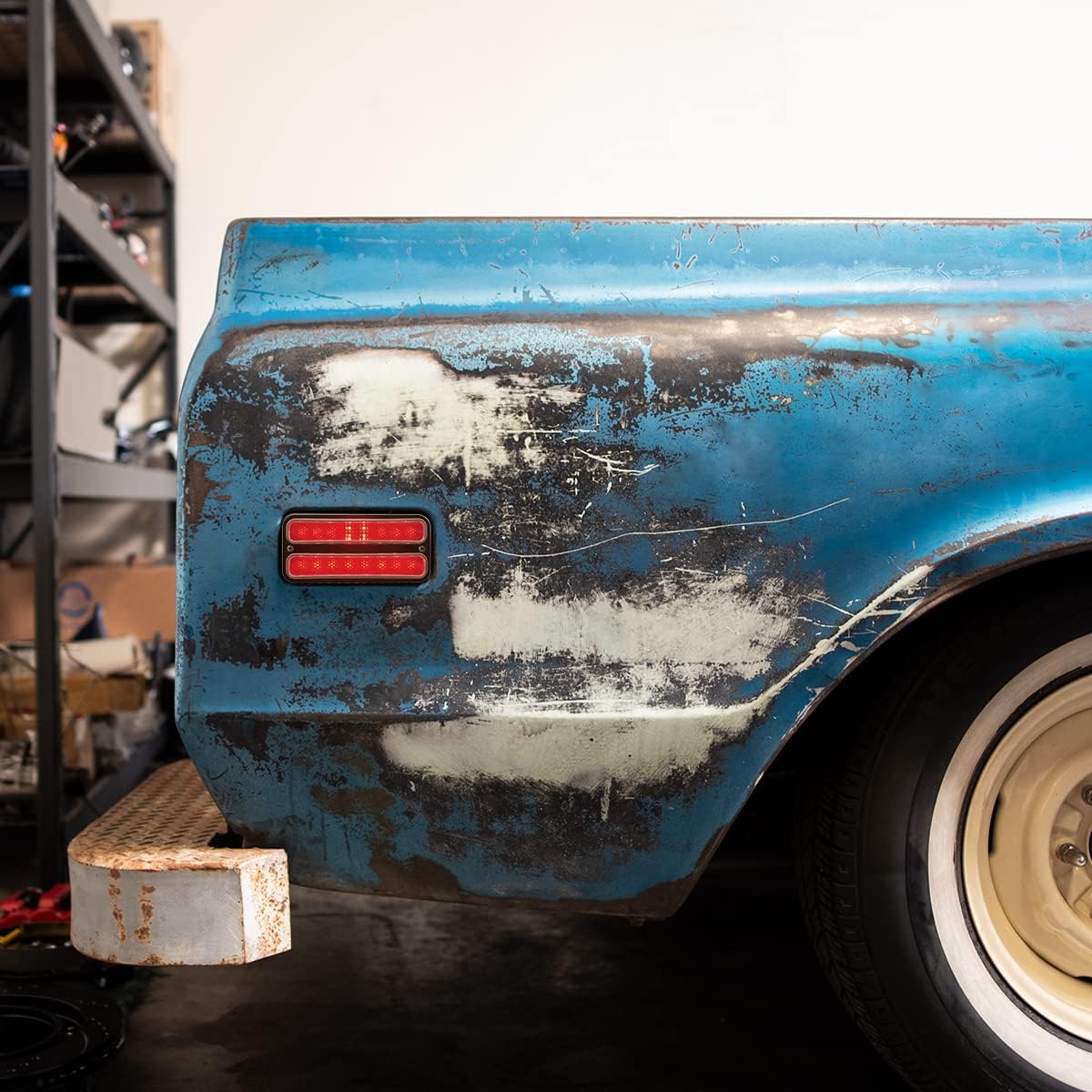
Figure 2: The United Pacific CML6872R 18LED Side Marker Light installed on the side of a classic truck. The red LED light is clearly visible, demonstrating its integration into the vehicle's design.
Helpful Installation Video:
Video 1: United Pacific Industries LED lights, Plug and Play. This video demonstrates the plug-and-play installation process for United Pacific LED lights, which is applicable to this side marker light.
Operating Instructions
The United Pacific CML6872R 18LED Side Marker Light operates automatically with your vehicle's existing lighting system. When your vehicle's parking lights or headlights are activated, the side marker light will illuminate. No manual operation is required for this specific component.
Product in Action:
Video 2: Unboxing LEDGlow RestoLights Kit for 1967-1972 Chevrolet C10. While an unboxing, this video provides a visual context of similar lighting products for the same vehicle type, showing how they appear and function.
Video 3: LEDGlow RestoLights Kit for 1967-1972 Chevrolet C10. This video showcases the LED lights in operation on a 1967-1972 Chevrolet C10, demonstrating their brightness and visual impact.
Maintenance
The CML6872R LED side marker light is designed for minimal maintenance due to its sealed electronics and durable construction. However, periodic inspection and cleaning are recommended to ensure optimal performance and appearance.
- Cleaning: Use a soft cloth and mild automotive cleaning solution to clean the lens. Avoid abrasive cleaners or harsh chemicals that could damage the polycarbonate.
- Inspection: Regularly check the light for any signs of damage, cracks, or loose connections. Ensure the stainless steel trim remains securely attached.
- Wiring: Periodically inspect the wiring for fraying, corrosion, or damage. Address any issues promptly to maintain electrical integrity.
Troubleshooting
If you encounter issues with your side marker light, refer to the following troubleshooting guide:
| Problem | Possible Cause | Solution |
|---|---|---|
| Light does not illuminate | No power to the light; Loose or faulty wiring connection; Blown fuse. | Check vehicle's fuse box; Inspect wiring connections for continuity; Ensure the 194 plug is fully seated. |
| Light is dim or flickers | Poor electrical connection; Insufficient voltage; Corrosion on contacts. | Clean and secure all electrical connections; Verify vehicle's 12V DC system is functioning correctly. |
| Moisture inside the lens | Seal compromise. | While the unit is sealed, extreme conditions can sometimes cause condensation. If persistent, inspect for damage to the housing or seal. |
Specifications
| Feature | Detail |
|---|---|
| Brand | United Pacific |
| Model Number | CML6872R |
| Light Source Type | LED (18 LEDs) |
| Color | Red |
| Voltage | 12 Volts DC |
| Auto Part Position | Left (Note: Product is sold as one unit, position depends on installation) |
| Product Dimensions | 7.9 x 4.05 x 1.4 inches |
| Item Weight | 5.9 ounces |
| Special Features | Sealed Electronics, Stainless Steel Trim |
| Fit Type | Vehicle Specific Fit (1968-1972 Chevy & GMC Trucks) |
Warranty & Support
For warranty information or technical support, please refer to the official United Pacific website or contact their customer service department. Keep your purchase receipt for warranty claims.