
Introduction
This manual provides essential information for the proper installation, use, and maintenance of your LG Electronics MCK49049101 Dryer Lint Filter Cover. Please read these instructions carefully before proceeding to ensure correct operation and to prevent damage.
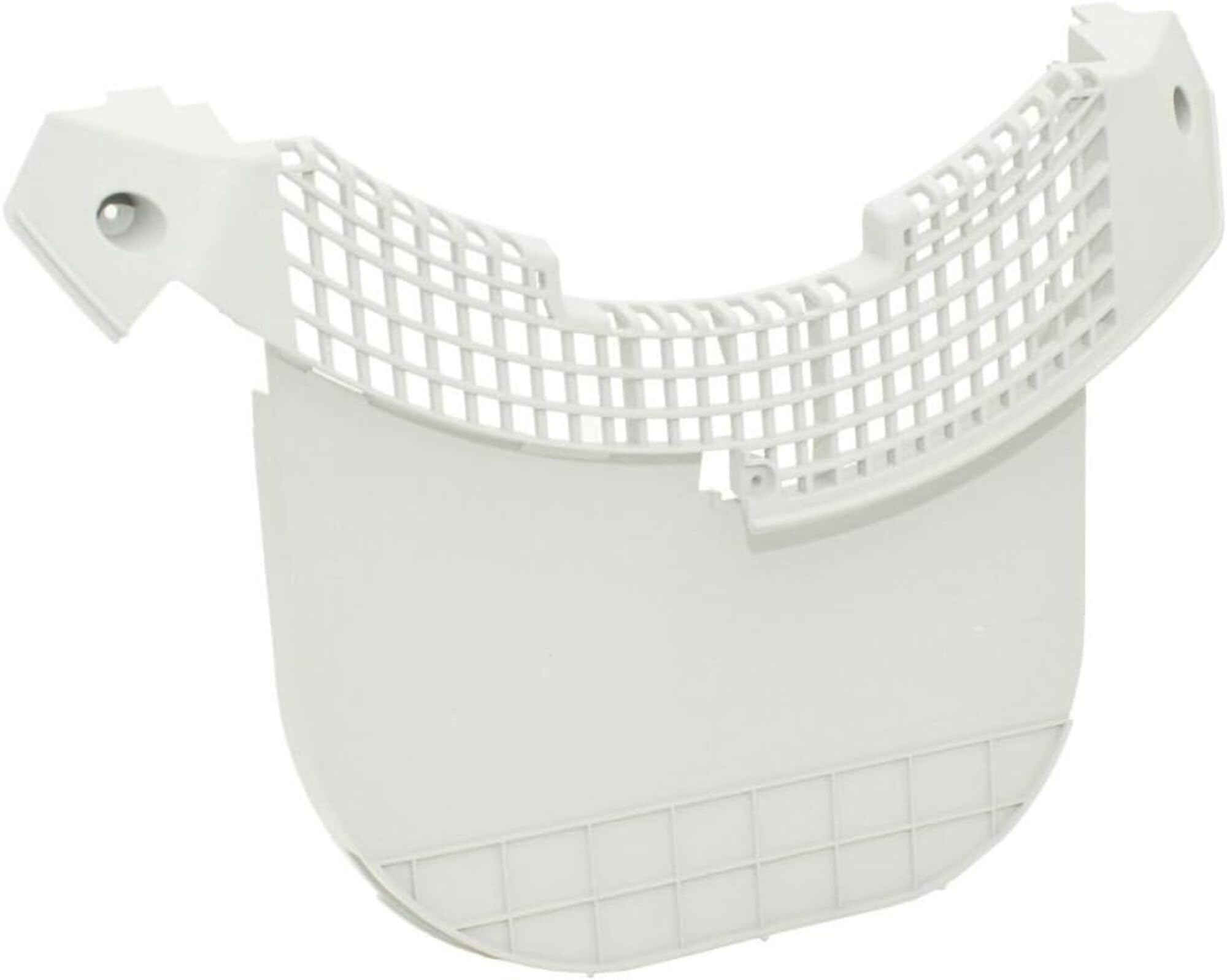
Image: The LG Electronics MCK49049101 Dryer Lint Filter Cover, shown in gray. This component is designed to house the lint filter within compatible LG dryer models.
Safety Information
Always disconnect power to the dryer before attempting any installation, maintenance, or repair. Wear appropriate personal protective equipment, such as gloves, to prevent injury. Refer to your dryer's main instruction manual for specific safety precautions related to your appliance.
Compatibility
The LG Electronics MCK49049101 Dryer Lint Filter Cover is compatible with various LG Electronics dryer models. It is crucial to verify compatibility with your specific dryer model before installation. Refer to your dryer's original manual or the product listing for a comprehensive list of compatible models. Some known compatible models include: DLE2601R, DLE2601W, DLE2701V, DLE3050W, DLE3170W, DLE3180W, DLE3300W, DLEX2801L, DLEX2801R, DLEX2801W, DLEX2901V, DLEX3001P, DLEX3001R, DLEX3001W, DLEX3250R, DLEX3250V, DLEX3250W, DLEX3360R, DLEX3360V, DLEX3360W, DLEX3370R, DLEX3370V, DLEX3370W, DLEX3470V, DLEX3470W, DLEX3550V, DLEX3550W, DLEX3570V, DLEX3570W, DLEX3650V, DLEX3875V, DLEX3875W, DLEX3885C, DLEX3885W, DLEX3900K, DLEX4070V, DLEX4070W, DLEX4270V, DLEX4270W, DLEX4370K, DLEX4370W, DLG2602R, DLG2602W, DLG2702V, DLG3051W, DLG3171W, DLG3181W, DLGX2802L, DLGX2802R, DLGX2802W, DLGX2902V, DLGX3002P, DLGX3002R, DLGX3002W, DLGX3251R, DLGX3251V, DLGX3251W, DLGX3361R, DLGX3361V, DLGX3361W, DLGX3371R, DLGX3371V, DLGX3371W, DLGX3471V, DLGX3471W, DLGX3551V, DLGX3551W, DLGX3571V, DLGX3571W, DLGX3651V, DLGX3876V, DLGX3876W, DLGX3886C, DLGX3886W, DLGX4071V, DLGX4071W, DLGX4271V, DLGX4271W, DLGX4371K, DLGX4371W, LSDE388VS, LSDG389VS.
Setup and Installation
- Disconnect Power: Before beginning, ensure the dryer is unplugged from the electrical outlet or that the circuit breaker supplying power to the dryer is turned off.
- Access Lint Filter Housing: Open the dryer door. The lint filter housing is typically located at the bottom of the dryer opening.
- Remove Old Cover (if applicable): If replacing an existing cover, carefully remove any screws securing the old lint filter cover. Note the position of any clips or sensors. Some models may have four screws inside and two outside. Be cautious of the dryness sensor attached to the bottom, which may be clipped in and connected to a wire harness. Avoid using excessive force to prevent breaking clips.
- Clean Area: While the housing is accessible, vacuum any accumulated lint from the dryer's lint trap area.
- Install New Cover: Position the new LG MCK49049101 Dryer Lint Filter Cover into place. Ensure it aligns correctly with the dryer opening and any mounting points.
- Secure Cover: Reinstall any screws that were removed. Ensure the cover sits flush and securely. If a dryness sensor was disconnected, reattach it carefully.
- Test Fit: Insert your lint filter into the new cover to ensure it fits flush and securely without any gaps. The filter should sit properly within the cover to prevent clothes from snagging and lint from bypassing the filter.
- Restore Power: Once the new cover is securely installed and the lint filter is in place, restore power to the dryer.
Note: Some users have reported that older dryer models may require a new lint filter (e.g., LG part ADQ56656401) to ensure a proper fit with this lint filter cover, as design changes may have occurred over time. Always verify the fit of your existing lint filter with the new cover. If your lint filter does not sit flush, consider replacing it with a compatible version.
Operating Instructions
The lint filter cover itself does not require operational steps. Its function is passive, providing the housing for the removable lint filter. Ensure the lint filter is always properly seated within this cover before operating the dryer.
- Before Each Load: Always remove and clean the lint filter before starting a new drying cycle.
- Proper Seating: After cleaning, reinsert the lint filter firmly into the lint filter cover. Ensure it sits flush and securely to prevent lint bypass and potential damage to clothing or the dryer.
Maintenance
Regular maintenance of the lint filter cover ensures optimal dryer performance and longevity.
- Regular Inspection: Periodically inspect the lint filter cover for any signs of wear, cracks, warping, or damage. A damaged cover can snag clothes or allow lint to enter the dryer's exhaust system.
- Cleaning: If lint or debris accumulates on the cover itself, wipe it clean with a damp cloth. Avoid abrasive cleaners.
- Lint Trap Area: During lint filter cleaning, also check the area around the lint filter cover for any accumulated lint and remove it.
Troubleshooting
This section addresses common issues related to the lint filter cover.
| Problem | Possible Cause | Solution |
|---|---|---|
| Lint filter does not sit flush in the cover. |
|
|
| Clothes are snagging or tearing. |
|
|
| Excessive lint accumulation outside the filter. |
|
|
Specifications
- Part Number: MCK49049101
- Brand: LG Electronics
- Type: Dryer Lint Filter Cover
- Color: Gray
- Material: Plastic
- Item Weight: Approximately 0.01 Ounces
- Included Components: 1 x Lint Filter Cover
- UPC: 095225456152
Warranty Information
According to manufacturer specifications, this product is sold without a warranty. Please refer to your point of purchase for their return or exchange policies, if applicable.
Support
For further assistance or inquiries regarding this product, please contact LG Electronics customer support or refer to the official LG website for your region. When contacting support, please have your dryer's model number and the part number (MCK49049101) available.
LG Electronics Official Website: www.lg.com