
Introduction
This manual provides detailed instructions for the installation, operation, maintenance, and troubleshooting of your PIKO G Scale Reed Switch Assembly, Model 35267. Please read this manual thoroughly before use to ensure proper function and longevity of the product.
Setup and Installation
The PIKO G Scale Reed Switch Assembly (35267) is designed for use with G scale model train layouts to detect the presence of a train. It typically works by sensing a magnet attached to the underside of a locomotive or rolling stock.
Components:
- Reed Switch Assembly (Model 35267)
- Connecting wires (if not integrated)
- Mounting hardware (screws, clips, etc. - not always included, check packaging)
Installation Steps:
- Identify Placement: Determine the desired location on your G scale track where train detection is required. This could be for signaling, automated accessories, or track occupancy indication.
- Mount the Reed Switch: Securely attach the reed switch assembly to the track bed or adjacent to the track. Ensure the switch is positioned so that a magnet on the train will pass directly over or very close to it. The exact mounting method may vary based on your layout and the specific design of the assembly.
- Connect Wiring: Connect the reed switch to your control system, signal, or accessory. Refer to the wiring diagram of your specific control unit for correct connections. Reed switches typically have two wires and act as a simple open/close contact.
- Test Functionality: Place a locomotive or car with a magnet over the installed reed switch. Verify that the connected accessory or signal responds as expected. Adjust the position of the reed switch or magnet if necessary to achieve reliable detection.
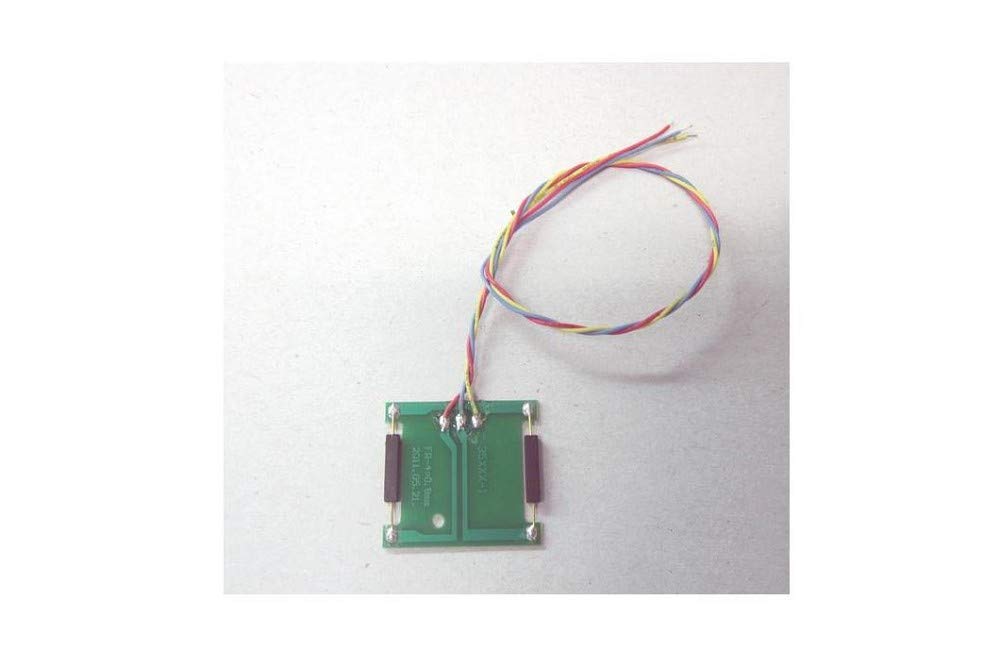
Image: PIKO G Scale Reed Switch Assembly (Model 35267). This image shows the general appearance of the reed switch assembly, which is used to detect the presence of G scale model trains on a track.
Operating Instructions
The PIKO G Scale Reed Switch Assembly operates passively, meaning it does not require external power to function as a switch. It is activated by a magnetic field.
- When a train equipped with a magnet passes over the reed switch, the magnetic field causes the internal contacts of the switch to close.
- This closure completes an electrical circuit, sending a signal to the connected device (e.g., a signal light, a sound module, or a relay for track power control).
- Once the magnet moves away, the contacts open, breaking the circuit and deactivating the connected device.
Ensure that the magnets on your rolling stock are strong enough and positioned correctly to reliably trigger the reed switch.
Maintenance
The PIKO G Scale Reed Switch Assembly is designed for durability and requires minimal maintenance.
- Cleaning: Periodically inspect the reed switch for dust, dirt, or debris. Gently clean with a soft, dry cloth. Avoid using harsh chemicals or abrasive materials.
- Inspection: Check the wiring connections regularly to ensure they are secure and free from corrosion or damage.
- Environmental Conditions: While designed for G scale outdoor use, prolonged exposure to extreme weather conditions (heavy rain, snow, direct sunlight) can affect longevity. Consider protective measures if installed in exposed outdoor environments.
- Storage: If removing the assembly for storage, keep it in a clean, dry place away from strong magnetic fields.
Troubleshooting
If your reed switch assembly is not functioning as expected, consider the following:
| Problem | Possible Cause | Solution |
|---|---|---|
| Switch does not activate. |
|
|
| Switch activates erratically. |
|
|
Specifications
- Model Number: PIKO 35267
- Product Type: G-Reed Switch Assembly
- Gauge: G Scale
- Manufacturer: PIKO
- Recommended Age: 15 years and up
- ASIN: B00ACGFZ3Y
Warranty and Support
For specific warranty information, please refer to the documentation provided with your purchase or contact your retailer. PIKO products are generally covered by a manufacturer's warranty against defects in materials and workmanship.
For technical support or further assistance, please contact PIKO customer service or your authorized PIKO dealer. Contact details can typically be found on the official PIKO website or product packaging.
