
Kalorik CMM39732BK
Kalorik Immersion Blender 3-in-1 User Manual
Model: CMM39732BK
Introduction
This manual provides essential information for the safe and efficient operation, maintenance, and troubleshooting of your Kalorik Immersion Blender 3-in-1. Please read all instructions carefully before first use and retain this manual for future reference.
Product Overview
The Kalorik Immersion Blender 3-in-1 is a versatile kitchen appliance designed for various food preparation tasks. It features a powerful 200-watt motor and comes with multiple attachments for blending, chopping, and whisking.

Figure 1: Kalorik Immersion Blender with all included attachments, including the main unit, whisk, chopper, and mixing cup.
Key Features:
- 2-speed switch control
- Large, detachable stainless steel shaft
- Comes with chopper, blender, whisk, mixing cup, and stand
- Stores neatly on countertop with the included accessories holder
- 200-watt AC Motor
Safety Instructions
Always follow basic safety precautions when using electrical appliances to reduce the risk of fire, electric shock, and/or injury to persons, including the following:
- Read all instructions.
- To protect against electric shock, do not immerse the motor unit, cord, or plug in water or other liquid.
- Close supervision is necessary when any appliance is used by or near children.
- Unplug from outlet when not in use, before putting on or taking off parts, and before cleaning.
- Avoid contact with moving parts.
- Do not operate any appliance with a damaged cord or plug or after the appliance malfunctions, or has been dropped or damaged in any manner.
- The use of attachments not recommended or sold by the manufacturer may cause fire, electric shock, or injury.
- Do not use outdoors.
- Do not let cord hang over edge of table or counter, or touch hot surfaces.
- Do not place on or near a hot gas or electric burner, or in a heated oven.
- Do not use appliance for other than intended household use.
- Blades are sharp. Handle carefully.
Setup
Before first use, unpack all components and wash the detachable parts (stainless steel shaft, whisk, chopper blade, mixing cup) in warm soapy water. Rinse thoroughly and dry. The main motor unit should only be wiped with a damp cloth.
Assembling the Immersion Blender:
- Align the stainless steel blending shaft with the motor unit.
- Twist the shaft clockwise until it locks securely into place.
- To detach, twist counter-clockwise and pull apart.
Assembling the Whisk Attachment:
- Attach the whisk accessory to the motor unit by aligning and twisting until secure.
- Ensure it is firmly locked before operation.

Figure 2: The main unit of the Kalorik Immersion Blender with the whisk attachment securely connected.
Assembling the Chopper Attachment:
- Place the chopper blade onto the center pin inside the chopper bowl.
- Add ingredients to the chopper bowl.
- Place the chopper lid onto the bowl, ensuring it is properly seated.
- Attach the motor unit to the chopper lid by aligning and twisting until secure.

Figure 3: The Kalorik Immersion Blender in use with the chopper attachment, demonstrating its function for processing ingredients.
Operating Instructions
Using the Immersion Blender:
- Ensure the blending shaft is securely attached to the motor unit.
- Plug the appliance into a standard electrical outlet.
- Immerse the blending shaft into the ingredients. For best results, ensure the blade guard is fully submerged.
- Press and hold the desired speed button (I for low, II for high) on the motor unit to activate.
- Move the blender up and down gently to ensure even blending.
- Release the button to stop operation.
- Unplug the appliance after use.
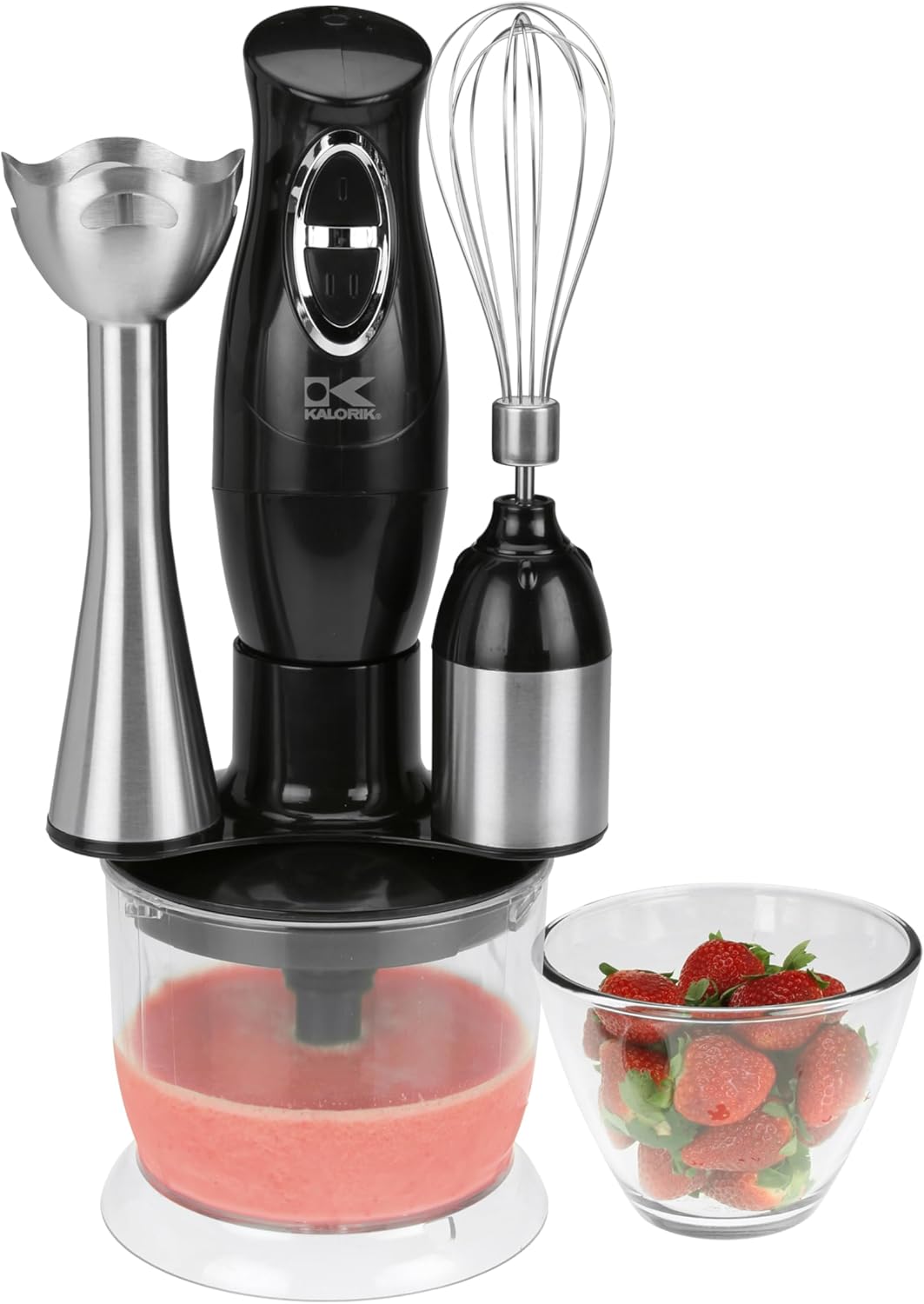
Figure 4: The Kalorik Immersion Blender actively blending a red liquid, likely a smoothie or soup, in a clear mixing bowl. Fresh strawberries are visible nearby, indicating its use for fruit preparations.
Using the Whisk:
- Attach the whisk accessory to the motor unit.
- Plug the appliance into an outlet.
- Place the whisk into the ingredients to be whipped (e.g., cream, egg whites).
- Press and hold the desired speed button.
- Move the whisk gently to incorporate air.
- Release the button to stop.
- Unplug after use.
Using the Chopper:
- Assemble the chopper as described in the Setup section.
- Plug the appliance into an outlet.
- Press and hold the desired speed button to chop ingredients. Use short pulses for coarse chopping, or hold longer for finer results.
- Do not overload the chopper bowl.
- Release the button to stop.
- Unplug after use.
Maintenance and Cleaning
Proper maintenance ensures the longevity and optimal performance of your Kalorik Immersion Blender.
Cleaning:
- Always unplug the appliance before cleaning.
- Motor Unit: Wipe the motor unit with a damp cloth. Do not immerse it in water or any other liquid.
- Blending Shaft, Whisk, Chopper Blade, Mixing Cup, Chopper Bowl: These parts are dishwasher safe. Alternatively, they can be washed by hand in warm, soapy water. Rinse thoroughly and dry immediately.
- Chopper Lid: The chopper lid should be wiped clean with a damp cloth. Do not immerse in water.
- Handle the chopper blade with extreme care as it is very sharp.
Storage:
The appliance comes with an accessories holder for neat storage on your countertop. Ensure all parts are clean and dry before storing.

Figure 5: All individual components of the Kalorik Immersion Blender laid out, including the main motor unit, whisk attachment, chopper bowl, chopper lid, chopper blade, stainless steel blending shaft, and the mixing cup.
Troubleshooting
| Problem | Possible Cause | Solution |
|---|---|---|
| Appliance does not turn on. | Not plugged in; power outlet not active; attachment not properly secured. | Ensure plug is firmly in outlet; check circuit breaker; ensure attachment is twisted and locked into place. |
| Motor stops during operation. | Overheating due to continuous use or overload; ingredients too thick. | Unplug and let cool for 15-20 minutes; reduce amount of ingredients or add liquid to thin mixture. |
| Poor blending/chopping results. | Ingredients too large; not enough liquid (for blending); blade not sharp (rare). | Cut ingredients into smaller pieces; add more liquid; ensure blade is correctly installed. |
| Excessive vibration or noise. | Attachment not properly secured; foreign object caught in blade. | Re-attach securely; unplug and check for obstructions around the blade. |
If the problem persists after attempting these solutions, please contact customer support.
Specifications
- Model Name: Immersion Blender
- Model Number: CMM39732BK
- Brand: Kalorik
- Color: Black
- Product Dimensions: 5.43"D x 5.43"W x 14.09"H
- Blade Material: Stainless Steel
- Special Feature: Detachable Attachment
- Capacity: 1.9 Pounds (approx. 20-Oz Mixing Cup)
- Controls Type: Push Button
- Item Weight: 3.04 Pounds
- Is Dishwasher Safe: Yes (for detachable parts)
- Container Material: Stainless Steel (shaft), Plastic (mixing cup, chopper bowl)
- Manufacturer: Team International Group of America, Inc
- UPC: 683405162230, 848052002029
Warranty and Support
For warranty information and customer support, please refer to the warranty card included with your product or visit the official Kalorik website. Keep your purchase receipt for warranty claims.
Kalorik Customer Service: For assistance, please visit www.kalorik.com/support or contact their customer service line.
Ask a question about this manual
Ask about setup, troubleshooting, compatibility, parts, safety, or missing instructions. Manuals+ will review the question and use this page’s manual context to help answer it.