
1. Introduction
This manual provides essential instructions for the proper use and maintenance of your Veridian Healthcare Infrared Thermometer, Model 09-348. This device is designed for non-contact temperature measurement of the forehead for individuals of all ages, as well as for measuring the temperature of objects or liquids. Please read these instructions thoroughly before use to ensure accurate readings and safe operation.
Key Features:
- Non-invasive, touch-free measurements.
- Measures body temperature (forehead) and object/liquid temperature.
- 1-second readout.
- Fever alert icon for easy interpretation.
- Silent mode for quiet measurements.
- Fahrenheit/Celsius switchable.
- Memory recall for up to 30 readings.
- Backlit display.
- Automatic shut-off.

2. Setup
2.1 Battery Installation
Your thermometer requires two AAA batteries. These are typically included with the product. To install or replace batteries:
- Locate the battery compartment cover on the back of the thermometer.
- Slide the cover off in the direction indicated by the arrow.
- Insert two AAA batteries, ensuring the correct polarity (+ and -) as marked inside the compartment.
- Replace the battery compartment cover until it clicks securely into place.
2.2 Initial Power On
After battery installation, press the 'MEASURE' button to turn on the thermometer. The display will briefly show all segments, followed by the last measured temperature or a standby screen.

3. Operating Instructions
3.1 Selecting Measurement Mode (Body/Object)
The thermometer has two measurement modes: Body Mode (for human forehead temperature) and Object Mode (for surfaces or liquids). To switch between modes, press the 'MODE' button. The display will show an icon indicating the selected mode (a person icon for Body Mode, a signal icon for Object Mode).
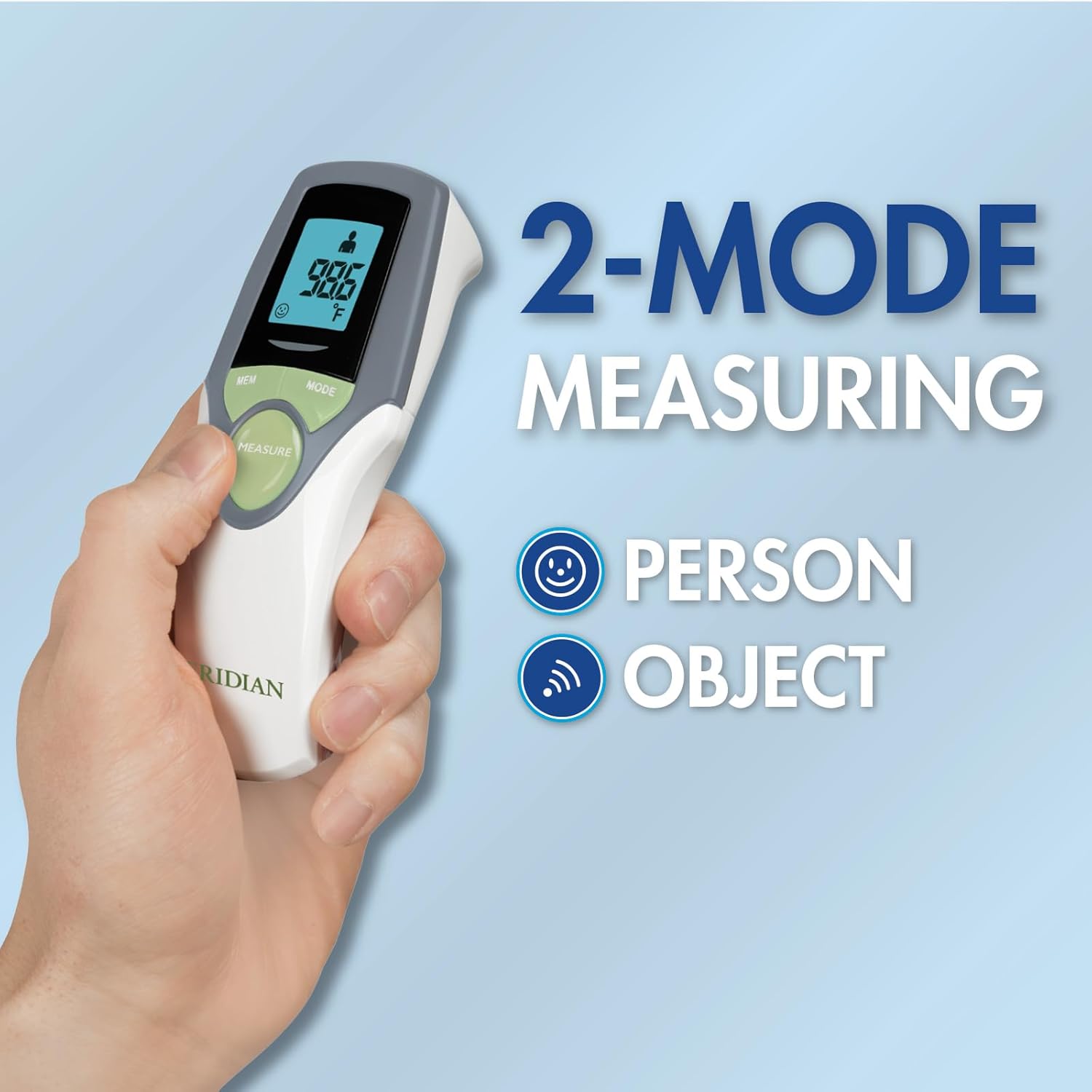
3.2 Taking a Forehead Temperature (Body Mode)
Ensure the thermometer is in Body Mode (person icon displayed).
- Point the thermometer at the center of the forehead, approximately 1 to 2 inches (2.5 to 5 cm) away. Do not touch the skin.
- Press and release the 'MEASURE' button.
- The temperature reading will appear on the display within 1 second. A beep will sound upon completion (unless silent mode is active).
- The display will show a smiley face for normal temperature or a frowny face for a fever alert.


3.3 Taking Object/Liquid Temperature (Object Mode)
Ensure the thermometer is in Object Mode (signal icon displayed).
- Point the thermometer at the surface of the object or liquid you wish to measure. Maintain a distance of 1 to 2 inches (2.5 to 5 cm).
- Press and release the 'MEASURE' button.
- The temperature reading will appear on the display within 1 second.
3.4 Switching Between Fahrenheit and Celsius
With the thermometer turned on, press and hold the 'MODE' button for approximately 3 seconds. The unit of measurement (°F or °C) on the display will change. Release the button when your desired unit is shown.
3.5 Silent Mode (Night Mode)
To activate or deactivate silent mode, press and hold the 'MEM' button for approximately 3 seconds. An icon (e.g., a moon or speaker with a line through it) may appear on the display to indicate silent mode is active. In silent mode, the thermometer will not beep after a measurement, which is useful for not disturbing a sleeping individual.

3.6 Memory Recall
The thermometer stores the last 30 temperature readings. To access these readings:
- With the thermometer turned on, press the 'MEM' button.
- Each press of the 'MEM' button will cycle through the stored readings, starting from the most recent.

4. Maintenance
4.1 Cleaning
To ensure hygiene and accurate readings, clean the thermometer regularly:
- Wipe the thermometer body with a soft, dry cloth.
- For the probe tip (the part that measures temperature), gently wipe with an alcohol swab or a cloth dampened with isopropyl alcohol.
- Do not immerse the thermometer in water or any other liquid.
- Do not use abrasive cleaners or harsh chemicals.
4.2 Storage
Store the thermometer in a cool, dry place, away from direct sunlight, extreme temperatures, and humidity. Keep it out of reach of children.
5. Troubleshooting
- Inaccurate Readings: Ensure the thermometer is in the correct mode (Body for forehead, Object for surfaces). Verify the distance from the measurement surface is 1-2 inches. Avoid taking measurements immediately after the subject has been in an extreme temperature environment (e.g., coming indoors from cold weather). Allow the thermometer to acclimate to room temperature for at least 30 minutes before use.
- Display Not Turning On: Check battery installation and ensure batteries are not depleted. Replace batteries if necessary.
- Error Message on Display: Refer to the specific error code in the full instruction manual for detailed guidance. Common errors may indicate ambient temperature outside operating range or a measurement failure.
- No Beep Sound: Check if silent mode is activated. Deactivate silent mode by pressing and holding the 'MEM' button for 3 seconds if you wish to hear the beep.
6. Specifications
| Feature | Specification |
|---|---|
| Model Number | 09-348 |
| Product Dimensions | 5 x 2 x 1 inches |
| Weight | 3.2 ounces |
| Power Source | 2 AAA batteries (included) |
| Display Type | Digital, Backlit LCD |
| Connectivity Technology | Infrared |
| Special Feature | Non-Contact |
| Age Range (Description) | All Ages |
| Memory Recall | Last 30 readings |
| Product Care Instructions | Hand Wash Only |
7. Warranty and Support
7.1 Warranty Information
The Veridian Healthcare Infrared Thermometer Model 09-348 comes with a 3-year limited warranty. Please retain your proof of purchase for warranty claims. For specific terms and conditions of the warranty, refer to the detailed warranty card included in your product packaging or contact Veridian Healthcare customer service.
7.2 Customer Support
For any questions, technical assistance, or warranty inquiries, please contact Veridian Healthcare customer support. Contact information can typically be found on the product packaging or on the official Veridian Healthcare website.


