1. Introduction
This manual provides essential information for the proper use and handling of Quality Chart Paper, specifically designed for Bionet Cardiocare 2000 and Cardiotouch 3000 Electrocardiograph (ECG) machines. Adhering to these instructions will help ensure accurate and reliable ECG recordings.
2. Product Overview
The Quality Chart Paper is a thermal recording paper engineered for compatibility with Bionet Cardiocare 2000 and Cardiotouch 3000 ECG devices. Each roll measures 215 mm in width and 25 meters in length, featuring a standard grid pattern for precise ECG waveform interpretation. This product is supplied in packs of 5 rolls.

Image 2.1: A single roll of ECG chart paper, partially unrolled, displaying the characteristic pink grid lines on a white background. The paper is designed for thermal printing in electrocardiograph machines.
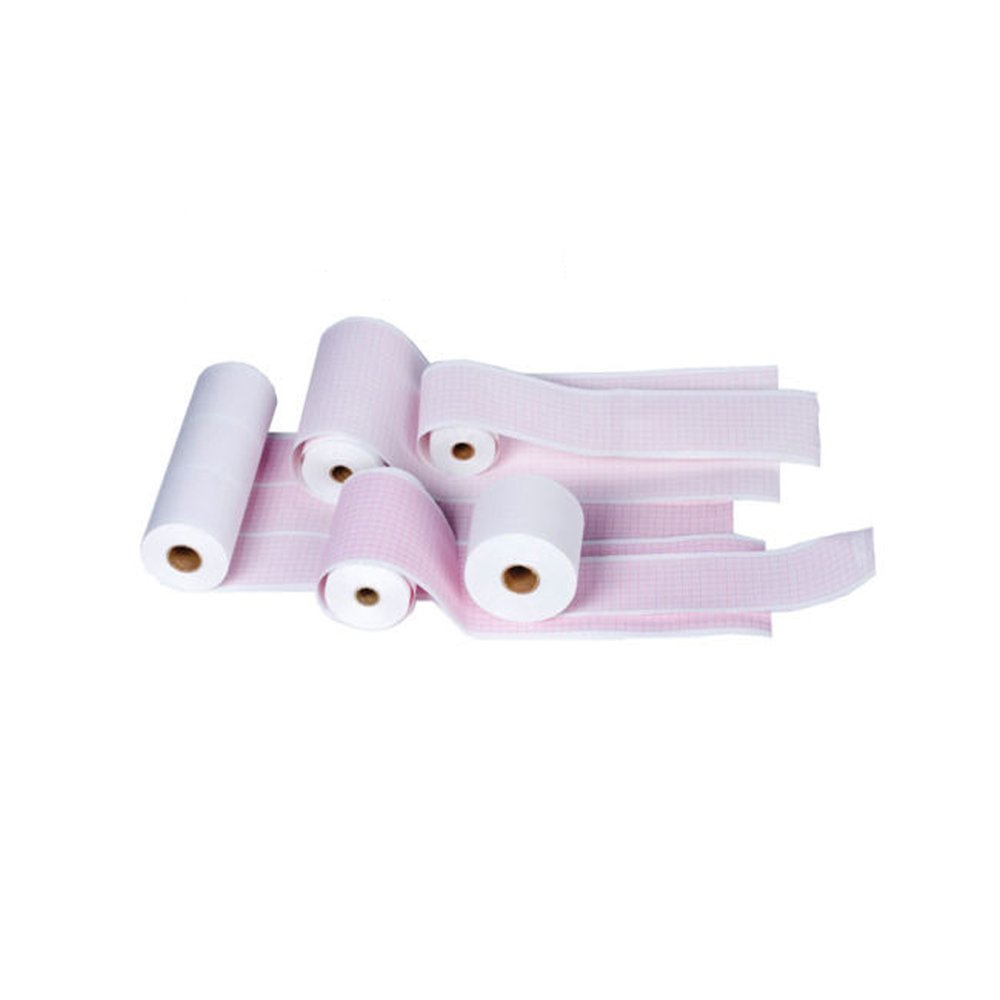
Image 2.2: An assortment of ECG chart paper rolls, some partially unrolled, illustrating the different dimensions and grid designs available. This image highlights the variety of thermal papers used in medical diagnostics.
Key Features:
- Dimensions: 215 mm (width) x 25 meters (length) per roll.
- Compatibility: Specifically for Bionet Cardiocare 2000 and Cardiotouch 3000 ECG machines.
- Type: Thermal recording paper.
- Quantity: 5 rolls per package.
3. Setup: Loading the Chart Paper
Proper loading of the chart paper is crucial for uninterrupted and accurate ECG recordings. Refer to your specific Bionet ECG machine's user manual for detailed instructions on opening the paper compartment.
- Power Off: Ensure the ECG machine is powered off before loading or replacing paper to prevent accidental operation or damage.
- Open Paper Compartment: Locate and open the paper compartment cover on your Bionet Cardiocare 2000 or Cardiotouch 3000 machine.
- Remove Old Roll (if applicable): If replacing an empty roll, carefully remove the core of the used paper.
- Insert New Roll: Place the new 215mm x 25m chart paper roll into the compartment. Ensure the paper feeds from the bottom of the roll, with the grid side facing upwards towards the thermal print head. The leading edge of the paper should be positioned correctly for the machine to grip it.
- Feed Paper: Gently pull a small length of paper (approximately 5-10 cm) out of the machine's paper exit slot.
- Close Compartment: Securely close the paper compartment cover. Ensure it latches properly to prevent paper jams during operation.

Image 3.1: Close-up view of multiple rolls of ECG chart paper, showcasing different grid colors and patterns. This illustrates the type of paper to be loaded into compatible ECG machines.
4. Operating Considerations
Once the paper is loaded, the ECG machine is ready for operation. Follow the instructions in your Bionet Cardiocare 2000 or Cardiotouch 3000 user manual for performing an ECG test.
- Print Quality: Ensure the paper is correctly aligned and the thermal print head is clean for optimal print quality.
- Paper Feed: Monitor the paper feed during printing to prevent jams or misfeeds.
- End of Roll: The machine typically indicates when the paper roll is nearing its end. Replace the roll promptly to avoid interruption during a critical recording.
5. Maintenance and Storage
Proper maintenance and storage of the chart paper are essential to preserve its quality and ensure reliable performance.
Storage:
- Environment: Store paper rolls in a cool, dry place, away from direct sunlight and excessive heat or humidity. Ideal storage temperature is between 10°C and 25°C (50°F and 77°F) with relative humidity between 40% and 60%.
- Packaging: Keep unused rolls in their original packaging until ready for use to protect them from dust, light, and moisture.
- Chemicals: Avoid contact with chemicals, solvents, or adhesive tapes, as these can degrade the thermal coating and affect print quality.
Handling:
- Handle paper rolls by the edges to avoid transferring oils or dirt to the thermal surface.
- Do not bend or crease the paper, as this can cause feeding issues or affect print accuracy.
6. Troubleshooting
This section addresses common issues related to the chart paper. For machine-specific troubleshooting, consult your Bionet ECG machine's user manual.
| Problem | Possible Cause | Solution |
|---|---|---|
| Blank or Faint Print |
|
|
| Paper Jams |
|
|
| Inconsistent Grid Lines |
|
|
7. Specifications
| Attribute | Value |
|---|---|
| Product Type | ECG Chart Paper (Thermal) |
| Brand | Quality Chart Paper |
| Model Compatibility | Bionet Cardiocare 2000, Bionet Cardiotouch 3000 |
| Paper Width | 215 mm |
| Paper Length | 25 meters |
| Quantity | 5 Rolls per package |
| Product Dimensions (per roll, approximate) | 5 x 1.8 x 1.8 inches (based on package dimensions) |
| Weight (5 rolls, approximate) | 3.9 Pounds |
8. Support and Warranty
For product support, inquiries, or warranty information, please contact your supplier or the manufacturer, Quality Chart Paper. Refer to your purchase documentation for specific contact details.
Always ensure you are using genuine Quality Chart Paper for optimal performance and to maintain the validity of your ECG machine's warranty, if applicable.


