1. Product Overview
The Philips 420851 is a 40-watt G25 halogen decorative globe light bulb designed to provide crisp, soft white lighting. This dimmable bulb is suitable for various residential applications, including bathroom vanities and decorative light fixtures. It features a standard medium base and offers immediate full brightness upon activation, with no warm-up period.
Key features include:
- Dimmable Functionality: Allows for adjustment of light intensity to create desired ambiance.
- Soft White Light (2800 Kelvin): Produces a warm and inviting light appearance.
- Standard Medium Base: Compatible with common light fixtures.
- Instant Full Brightness: No delay in illumination.
- Energy Efficiency: Estimated annual energy cost of $4.82 (based on 3 hours/day at 11¢/kWh).
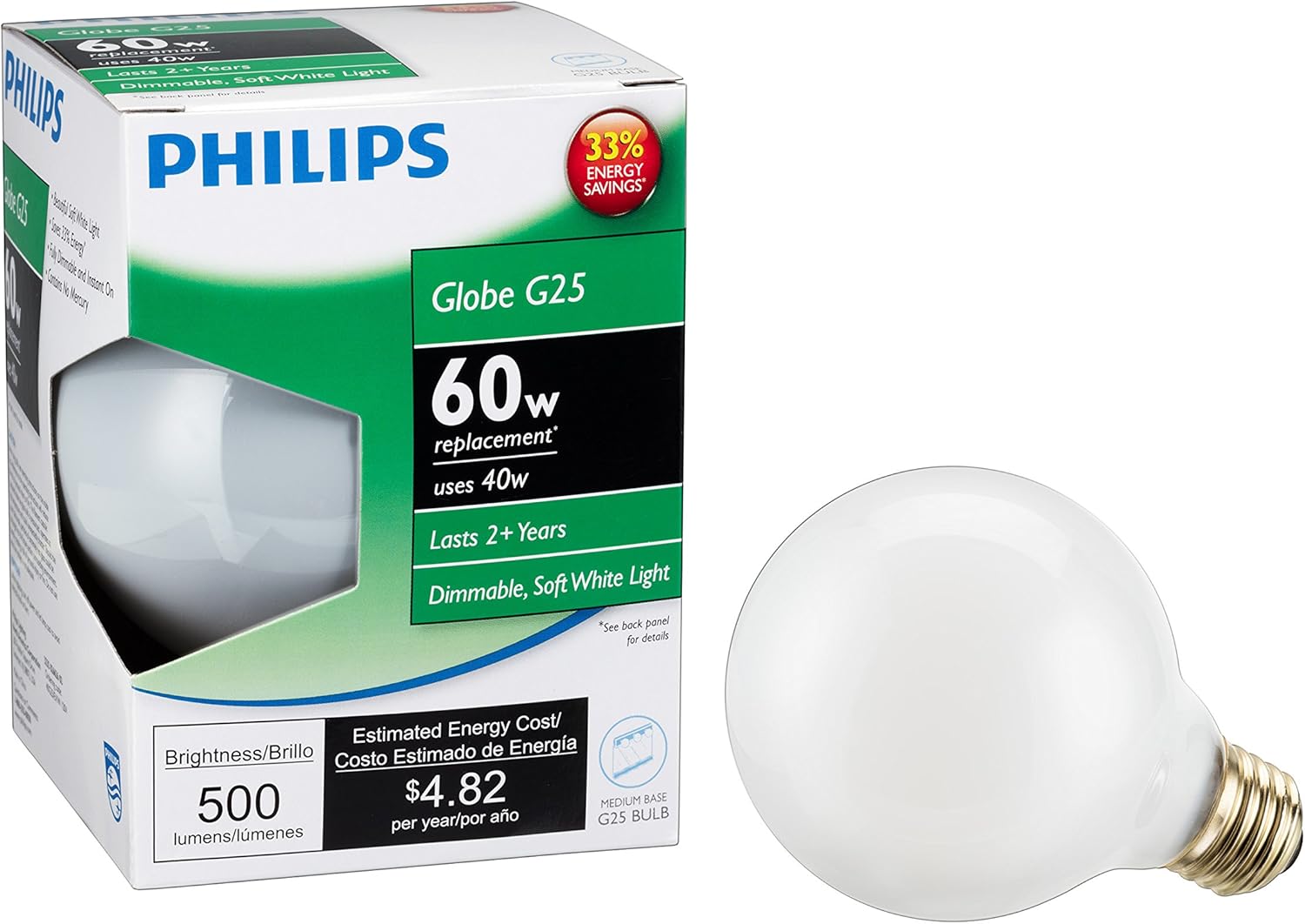
Image 1.1: The Philips 420851 G25 Halogen Decorative Globe Light Bulb shown with its retail packaging.
2. Safety Information
Please read and understand all safety instructions before installing or using this product. Failure to follow these instructions may result in electric shock, fire, or other hazards.
- Power Off: Always turn off the power to the fixture at the circuit breaker or fuse box before installation, removal, or inspection.
- Cool Down: Allow the bulb to cool completely before handling. Halogen bulbs can become very hot during operation.
- Proper Wattage: Do not exceed the maximum wattage rating of your light fixture. This bulb is 40 watts.
- Dry Hands: Ensure your hands are dry when handling the bulb.
- Indoor Use Only: This bulb is designed for indoor use in dry locations.
- Dimmable Compatibility: This bulb is dimmable. Ensure your dimmer switch is compatible with halogen bulbs.
- Disposal: Dispose of used bulbs according to local regulations.
3. Installation
Follow these steps to properly install your Philips 420851 G25 Halogen Decorative Globe Light Bulb:
- Turn Off Power: Before beginning, ensure the power to the light fixture is turned off at the main circuit breaker or fuse box.
- Remove Old Bulb (if applicable): If replacing an existing bulb, allow it to cool down completely. Then, carefully unscrew the old bulb counter-clockwise from the socket.
- Unpack New Bulb: Carefully remove the new Philips 420851 bulb from its packaging. Avoid touching the glass portion of the bulb directly with bare hands, as oils can reduce bulb life. Use a clean cloth or gloves if necessary.
- Screw In New Bulb: Gently screw the new bulb clockwise into the light fixture's socket until it is snug. Do not overtighten.
- Restore Power: Once the bulb is securely installed, restore power to the fixture at the circuit breaker or fuse box.
- Test: Turn on the light switch to confirm proper operation.

Image 3.1: The Philips 420851 G25 Halogen Decorative Globe Light Bulb, ready for installation.
4. Operation
The Philips 420851 bulb operates like a standard light bulb with added dimmable functionality.
- Turning On/Off: Use your existing light switch to turn the bulb on or off. The bulb will illuminate to full brightness instantly.
- Dimming: If connected to a compatible dimmer switch, adjust the dimmer control to achieve your desired light level. This allows for creating various ambiances, from bright task lighting to soft accent lighting.
5. Maintenance
This halogen bulb requires minimal maintenance. Follow these guidelines to ensure optimal performance and longevity:
- Cleaning: If the bulb requires cleaning, ensure the power is off and the bulb is completely cool. Gently wipe the glass with a soft, dry, lint-free cloth. Do not use liquid cleaners or abrasive materials.
- Replacement: When the bulb reaches the end of its life (approximately 2500 hours), replace it with a new Philips 420851 40-watt G25 Halogen Decorative Globe Light Bulb or an equivalent specification. Follow the installation steps outlined in Section 3.
6. Troubleshooting
If your Philips 420851 bulb is not functioning as expected, consider the following common issues and solutions:
| Problem | Possible Cause | Solution |
|---|---|---|
| Bulb does not light up. | No power to the fixture. | Check the circuit breaker or fuse. Ensure the light switch is on. |
| Bulb is not screwed in properly. | Turn off power, then carefully re-screw the bulb into the socket until snug. | |
| Bulb has reached end of life. | Replace the bulb with a new one. | |
| Bulb flickers or dims unexpectedly. | Loose connection. | Turn off power, then carefully re-screw the bulb into the socket. |
| Incompatible dimmer switch. | Ensure your dimmer switch is rated for halogen bulbs. Consult an electrician if unsure. |
7. Specifications
Detailed technical specifications for the Philips 420851 40-watt G25 Halogen Decorative Globe Light Bulb:
| Specification | Value |
|---|---|
| Brand | Philips |
| Model Number | 420851 |
| Light Type | Halogen |
| Wattage | 40 watts |
| Bulb Shape Size | G25 |
| Incandescent Equivalent Wattage | 40 Watts |
| Specific Uses For Product | Decoration |
| Light Color | Soft White |
| Voltage | 120 Volts |
| Color Temperature | 2800 Kelvin |
| Brightness | 500 Lumens |
| Shape | Globe (G25) |
| Material | Glass |
| Indoor/Outdoor Usage | Indoor |
| Power Source | Corded Electric |
| Color Rendering Index (CRI) | 100 |
| Average Life | 2500 Hours |
| Product Dimensions | 4.44 x 3.13 x 3.13 inches |
| Item Weight | 1.12 ounces |
| Dimmable | Yes |

Image 7.1: Lighting Facts label detailing brightness, estimated annual energy cost, life, and light appearance (2800K).

Image 7.2: A visual guide to color temperatures, illustrating how 2800K (Soft White) provides a warm ambiance.
For more information on Philips EcoVantage products, visit: Philips EcoVantage
8. Warranty and Support
This Philips 420851 40-watt G25 Halogen Decorative Globe Light Bulb is covered by a 2-year manufacturer's warranty.
For warranty claims or technical support, please contact Philips customer service. Keep your proof of purchase for warranty validation.
For general inquiries or to find contact information, please visit the official Philips website or refer to the contact details provided on the product packaging.


