
1. Introduction
The Adam CPWplus-200P Bench Scale is engineered for precise and reliable weighing in various industrial and commercial environments. This manual provides comprehensive instructions for the safe and efficient setup, operation, maintenance, and troubleshooting of your scale. Please read this manual thoroughly before using the device to ensure optimal performance and longevity.
2. Safety Information
- Always operate the scale on a stable, level, and vibration-free surface.
- Do not exceed the maximum weight capacity of 440 lb (200 kg) to prevent damage to the scale.
- Keep the scale away from direct sunlight, extreme temperatures, and high humidity.
- Avoid exposing the scale to strong electromagnetic fields.
- Disconnect the AC adapter during cleaning or when the scale is not in use for extended periods.
- Use only the specified AC adapter or recommended AA batteries.
3. Package Contents
Verify that all items listed below are present in your package:
- CPWplus-200P Bench Scale Platform
- Indicator with Aluminum Pillar
- AC Power Adapter
- User Manual
4. Product Overview
The Adam CPWplus-200P features a robust design for demanding environments.
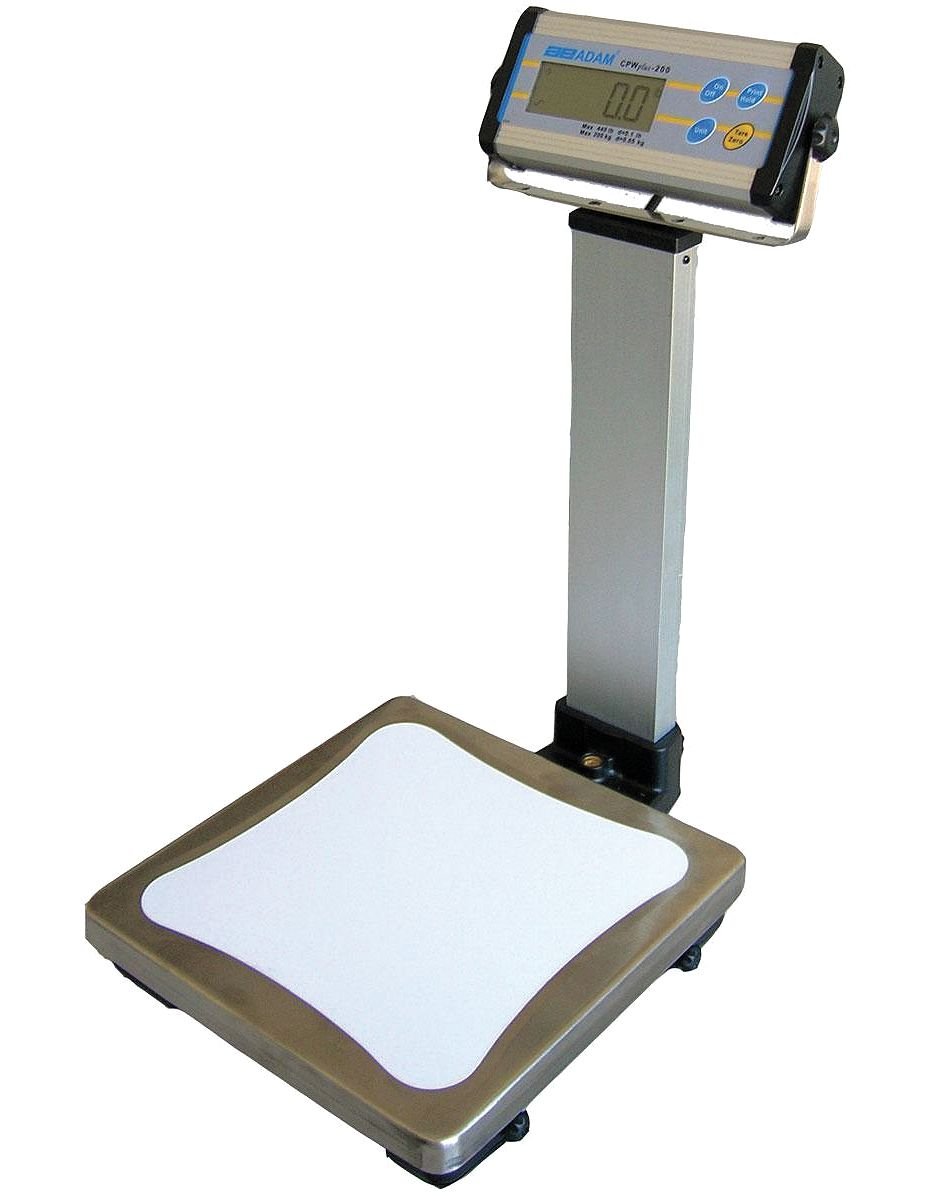
Image 1: Adam CPWplus-200P Bench Scale. This image shows the complete bench scale assembly, including the large steel platform and the indicator mounted on its aluminum pillar.
Key Components:
- Weighing Platform: Constructed from durable steel with a stainless steel weighing pan for easy cleaning and corrosion resistance.
- Indicator: Features a large, backlit LCD display for clear readings in various lighting conditions. It can be mounted on the pillar, wall, or propped on a table and tilted for optimal viewing.
- Pillar: An aluminum pillar supports the indicator, allowing for flexible placement.
- Connectivity: An integrated RS-232 port allows connection to a computer or printer for data recording.
- Power Options: Operates via the included AC adapter or six standard AA (LR6) batteries for up to 60 hours of mobile use.
5. Setup
- Unpack the Scale: Carefully remove all components from the packaging. Retain packaging for future transport or storage.
- Assemble the Pillar: Securely attach the aluminum pillar to the weighing platform base.
- Mount the Indicator: Attach the indicator to the top of the pillar using the integrated bracket. Ensure it is firmly secured. The indicator can also be wall-mounted or used freestanding.
- Position the Scale: Place the scale on a firm, level, and stable surface, away from drafts, vibrations, and direct heat sources.
- Connect Power:
- AC Power: Plug the AC adapter into the scale's power input and then into a suitable wall outlet.
- Battery Power: Open the battery compartment on the indicator and insert six AA (LR6) batteries, observing correct polarity. Close the compartment securely.
- Initial Power On: Press the [ON/OFF] button to turn on the scale. Allow a few seconds for the display to stabilize.
6. Operating Instructions
6.1 Basic Weighing
- Ensure the scale is powered on and the display shows zero.
- Carefully place the item to be weighed onto the center of the weighing pan.
- Wait for the reading to stabilize. The weight will be displayed on the LCD.
- Remove the item from the pan. The display should return to zero or a negative value if tare was applied.
6.2 Taring (Zeroing)
To weigh an item in a container, you can tare the weight of the container:
- Place the empty container on the weighing pan.
- Press the [TARE] button. The display will show zero, indicating the container's weight has been tared.
- Place the item to be weighed into the container. The display will show only the net weight of the item.
- To clear the tare, remove the container and item, then press [TARE] again.
6.3 Unit Selection
The scale can display weight in kilograms (kg) or pounds (lb).
- Press the [UNIT] button to cycle through available weighing units.
- The selected unit will be indicated on the display.
6.4 Hold Function (Dynamic Weighing)
The programmable hold function is useful for weighing unstable samples, such as animals, or in environments with slight movement.
- Place the unstable item on the platform.
- Press the [HOLD] button. The scale will average the weight over a short period and display a stable reading.
- Press [HOLD] again to exit the function.
6.5 Auto-Off Function
To conserve battery life, the scale features an auto-off function that powers down the device after a period of inactivity. Refer to the full manual for instructions on how to enable or disable this feature and adjust its timing.
7. Calibration
The CPWplus-200P scale features an automatic external calibration system. Regular calibration ensures the accuracy of your scale. For detailed step-by-step instructions on performing external calibration, please refer to the dedicated section in the complete user manual or contact Adam Equipment support.
8. Maintenance
- Cleaning: Wipe the stainless steel weighing pan and the indicator with a damp cloth and mild detergent. Do not use abrasive cleaners or immerse the scale in water.
- Battery Replacement: If using battery power, replace all six AA batteries when the low battery indicator appears on the display.
- Storage: When not in use for extended periods, store the scale in a dry, dust-free environment. Remove batteries if storing for several months.
9. Troubleshooting
If you encounter issues with your scale, refer to the following common problems and solutions:
| Problem | Possible Cause | Solution |
|---|---|---|
| Scale does not turn on | No power, dead batteries, faulty AC adapter | Check AC adapter connection, replace batteries, try a different power outlet. |
| Inaccurate readings | Unstable surface, scale not level, calibration needed, overload | Ensure stable surface, level the scale, perform calibration, do not exceed capacity. |
| Display shows "Err" or other error codes | Overload, internal fault | Remove weight from platform. If error persists, power cycle the scale. If still present, contact support. |
10. Specifications
| Feature | Detail |
|---|---|
| Model Number | CPWplus-200P |
| Weight Capacity Maximum | 440 Pounds (200 kg) |
| Readout Accuracy | 0.05kg / 0.1lb |
| Display Type | LCD, Backlit |
| Product Dimensions | 21 x 18 x 9 inches |
| Item Weight | 20 Pounds |
| Material Type | Aluminum (Pillar), Steel (Platform), Stainless Steel (Weighing Pan) |
| Power Source | AC Adapter or 6x AA (LR6) Batteries |
| Connectivity | RS-232 Port |
| Special Features | Durable and Versatile Construction, Programmable Hold Function, Auto-Off |
11. Warranty and Support
The Adam CPWplus-200P Bench Scale is covered by a one-year warranty from the date of purchase, provided it is used according to the manufacturer's recommendations. This warranty covers defects in materials and workmanship.
For technical support, warranty claims, or further assistance, please contact Adam Equipment customer service. Refer to the official Adam Equipment website for contact information and detailed warranty terms.


