
1. Product Overview
This document provides instructions for the installation and maintenance of the genuine Smeg Dishwasher Delay Button Cover, model 766412005. This grey button cover is a direct replacement part designed for various Smeg dishwasher models, ensuring proper functionality of the delay start feature.
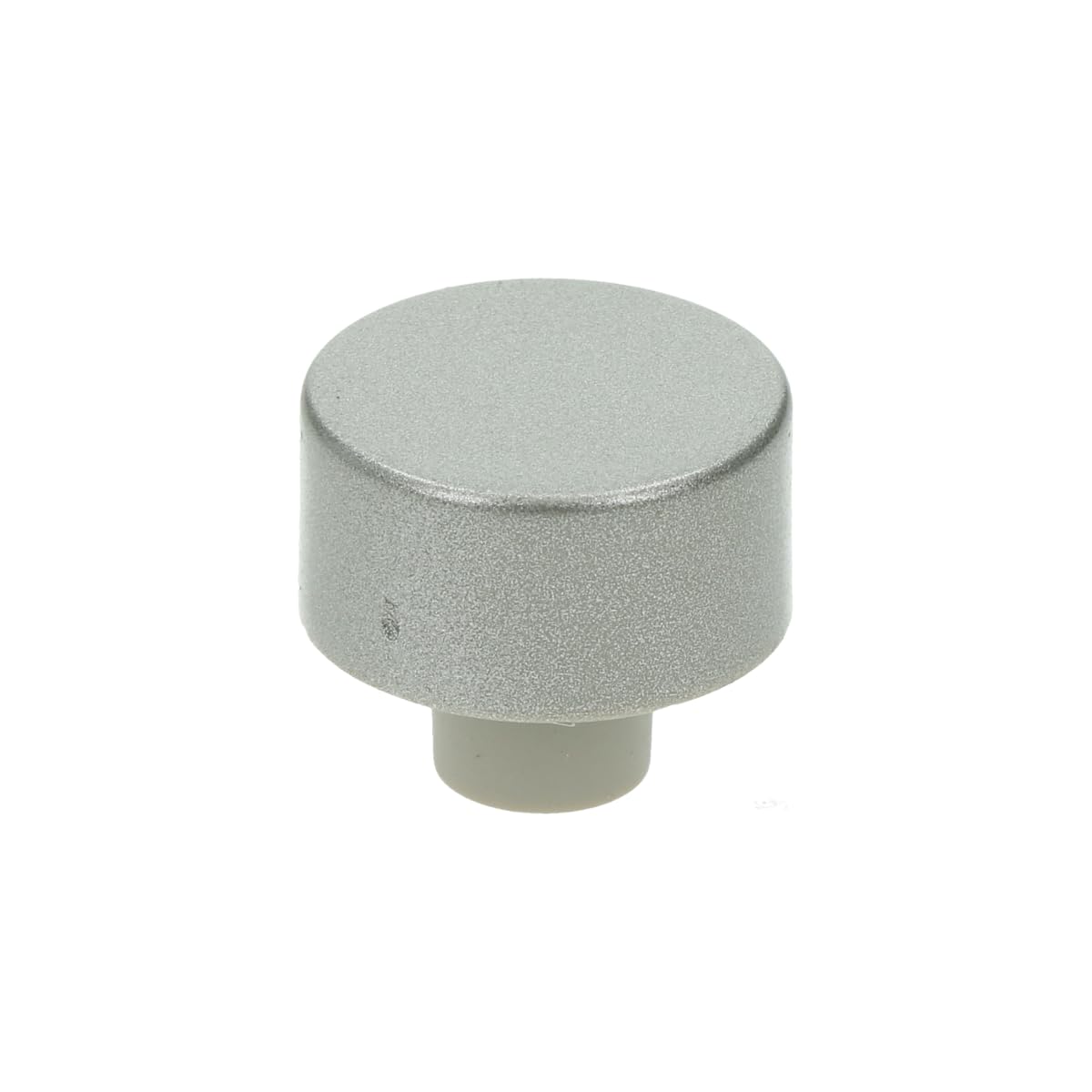
Image 1.1: The genuine Smeg grey delay button cover. This component is designed to fit over the delay function button on compatible Smeg dishwashers.
Key Features:
- Genuine Smeg replacement part.
- Designed for the delay start function button.
- Manufacturer code: 766412005.
- Color: Grey.
Compatible Models:
This button cover is suitable for a wide range of Smeg dishwasher models. Please refer to your appliance's service manual or the product listing for a comprehensive list of compatible models, including but not limited to: apa6148X, cse68X3, DD410S, DF612FAS, LSA4647X, LVS1453X, PL1107X, SA614X, SNZ643S, and many others.
2. Safety Information
Always prioritize safety when performing any maintenance or repair on an appliance. Failure to follow these safety guidelines may result in injury or damage to the appliance.
- Disconnect Power: Before attempting any installation or replacement, ensure the dishwasher is completely disconnected from the main power supply. Turn off the circuit breaker or unplug the appliance.
- Use Appropriate Tools: While this specific part may not require specialized tools, always use the correct tools for any related tasks.
- Handle with Care: Components can have sharp edges or delicate parts. Handle with care to avoid injury or damage.
- Professional Assistance: If you are unsure about any step or uncomfortable performing the installation, consult a qualified technician.
3. Installation Instructions
This section outlines the general steps for replacing the delay button cover. Specific dishwasher models may vary slightly. No special tools are typically required for this replacement.
- Power Disconnection: Ensure the dishwasher is unplugged from the electrical outlet or the circuit breaker supplying power to the dishwasher is switched off.
- Locate the Button: Identify the delay function button on your dishwasher's control panel. The old button cover will be located here.
- Remove Old Cover: Gently pry off the existing delay button cover. This can often be done by hand, applying slight pressure around the edges. If it's stubborn, a small, flat non-metallic tool (like a plastic spudger) can be used carefully to avoid scratching the panel.
- Inspect the Mechanism: Once the old cover is removed, inspect the underlying button mechanism to ensure it is clean and undamaged.
- Install New Cover: Align the new Smeg delay button cover (model 766412005) with the button mechanism. Press it firmly into place until it clicks or sits flush with the control panel. Ensure it is securely seated and does not wobble.
- Test Functionality: Reconnect the dishwasher to the power supply. Press the newly installed button cover to verify that the delay function button operates correctly and feels responsive.

Image 3.1: A close-up view of the button cover's internal structure, showing the fitting mechanism. This design allows for easy snap-on installation onto the dishwasher's control panel button.
4. Operating Instructions
This button cover is a cosmetic and protective component for the dishwasher's delay start button. Its operation is directly tied to the functionality of the underlying electronic button. Once installed, simply press the button cover to activate or adjust the delay start feature as per your dishwasher's specific operating instructions.
5. Maintenance
To ensure the longevity and appearance of your delay button cover:
- Cleaning: Wipe the button cover with a soft, damp cloth. Avoid abrasive cleaners or harsh chemicals, as these can damage the finish.
- Inspection: Periodically check the button cover for any signs of wear or damage. If it becomes loose or cracked, consider replacing it to maintain the aesthetic and protective integrity of your dishwasher's control panel.
6. Troubleshooting
| Problem | Possible Cause | Solution |
|---|---|---|
| Button cover is loose after installation. | Not fully seated or incorrect alignment. | Gently press the button cover firmly until it clicks into place. Ensure it is correctly aligned with the underlying button mechanism. |
| Delay function does not respond when button is pressed. | Underlying electronic button issue, or power not connected. | Ensure the dishwasher is properly connected to power. If the issue persists, the problem may lie with the internal electronic button or control board, requiring professional service. This button cover is a cosmetic part and does not affect electronic functionality. |
| Button cover does not fit. | Incorrect part for your dishwasher model. | Verify that model 766412005 is compatible with your specific Smeg dishwasher model. Refer to your appliance's manual or Smeg's official compatibility list. |
7. Specifications
| Brand: | Smeg |
| Model Number: | 766412005 |
| Color: | Grey |
| Type of Controls: | Button (Cover) |
| Part Type: | Delay Button Cover |
| Country of Origin: | China |
8. Warranty and Support
As a genuine Smeg replacement part, this product is subject to Smeg's standard warranty terms for spare parts. For specific warranty details, claims, or technical support, please contact Smeg customer service or visit their official website. Keep your purchase receipt as proof of purchase.
Smeg Official Website: www.smeg.com