
Lexon LA87N
Lexon Prism Speaker LA87N Instruction Manual
Model: LA87N
Introduction
Thank you for choosing the Lexon Prism Speaker. This portable Bluetooth speaker is designed to deliver quality audio with convenient connectivity. This manual provides detailed instructions on how to set up, operate, and maintain your speaker to ensure optimal performance and longevity.
Please read this manual carefully before using the product and retain it for future reference.
Package Contents
Ensure all items are present in the package:
- Lexon Prism Speaker (Model LA87N)
- USB Charging Cable
- User Manual (this document)
Setup
1. Charging the Speaker
Before first use, fully charge the Lexon Prism Speaker.
- Locate the USB charging port on the speaker.
- Connect one end of the provided USB charging cable to the speaker's charging port.
- Connect the other end of the USB cable to a compatible USB power adapter (not included) or a computer's USB port.
- The charging indicator light will illuminate, typically red, during charging. It will turn off or change color (e.g., blue or green) when fully charged.
- A full charge typically takes approximately 2-3 hours.
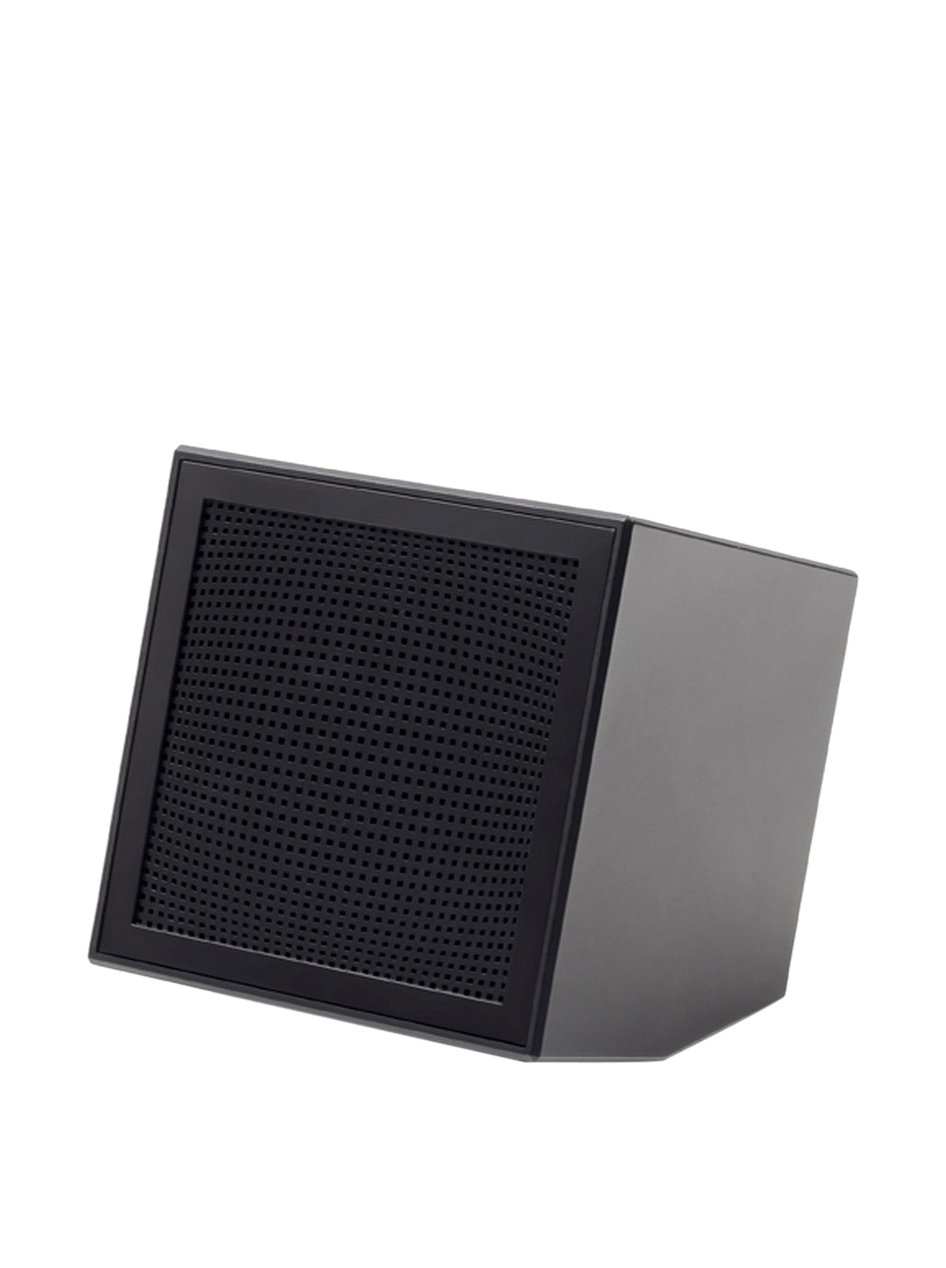
Image: The Lexon Prism Speaker, a compact black cube with a speaker grille, ready for use.
Operating Instructions
1. Powering On/Off
- To power on: Press and hold the power button (usually marked with a power symbol) for a few seconds until you hear an audible tone or see an indicator light.
- To power off: Press and hold the power button again for a few seconds until you hear an audible tone or the indicator light turns off.
2. Bluetooth Pairing
Pair your Lexon Prism Speaker with a Bluetooth-enabled device (e.g., smartphone, tablet, computer).
- Ensure the speaker is powered on and in pairing mode. The Bluetooth indicator light will typically flash rapidly.
- On your device, go to the Bluetooth settings and enable Bluetooth.
- Search for available devices. The speaker should appear as "Lexon Prism" or a similar name.
- Select "Lexon Prism" from the list to connect.
- Once successfully paired, you will hear a confirmation tone, and the Bluetooth indicator light will stop flashing and remain solid.
- The speaker will automatically attempt to reconnect to the last paired device when powered on.
3. Audio Playback
After successful pairing, you can play audio from your connected device. Use your device's controls for:
- Playing/Pausing music
- Adjusting volume
- Skipping tracks (if supported by speaker controls)
The speaker itself may have basic controls for volume and playback, refer to the physical buttons on your device.
Maintenance and Care
- Cleaning: Use a soft, dry cloth to wipe the surface of the speaker. Do not use abrasive cleaners, alcohol, or chemical solvents, as these may damage the finish.
- Storage: Store the speaker in a cool, dry place away from direct sunlight and extreme temperatures when not in use for extended periods.
- Water Exposure: This speaker is not waterproof. Avoid exposing it to water, rain, or excessive moisture.
- Impact: Avoid dropping the speaker or subjecting it to strong impacts, which can damage internal components.
Troubleshooting
| Problem | Possible Solution |
|---|---|
| Speaker does not power on. | Ensure the speaker is fully charged. Connect it to a power source using the USB cable and allow it to charge for at least 30 minutes before attempting to power on again. |
| Cannot pair with Bluetooth device. |
|
| No sound or low volume. |
|
| Sound distortion. |
|
Specifications
| Feature | Detail |
|---|---|
| Model Number | LA87N |
| Brand | Lexon |
| Power Output | 3 Watts |
| Connectivity Technology | Bluetooth, USB |
| Power Source | Battery Powered |
| Material | ABS |
| Dimensions (L x W x H) | 8 x 8 x 8 cm |
| Weight | 405 grams |
| Color | Black |
Warranty and Support
Lexon products are manufactured to the highest quality standards. For information regarding warranty coverage, terms, and conditions, please refer to the warranty card included with your purchase or visit the official Lexon website.
If you encounter any issues not covered in the troubleshooting section or require further assistance, please contact Lexon customer support through their official website or the contact information provided with your product documentation.
Please have your model number (LA87N) and proof of purchase ready when contacting support.
Ask a question about this manual
Ask about setup, troubleshooting, compatibility, parts, safety, or missing instructions. Manuals+ will review the question and use this page’s manual context to help answer it.