
1. Introduction
This manual provides comprehensive instructions for the installation, operation, and maintenance of the AtlasIED EFT-36 High Power Top-Mounting Fan Panel. The EFT-36 is engineered to deliver efficient and quiet heat dissipation for equipment housed in 36-inch deep racks. This unit provides a powerful airflow of 550 cubic feet per minute (CFM) and is designed to mount on top of the rack, thereby conserving valuable vertical rack space.
2. Safety Information
WARNING: To reduce the risk of electric shock, fire, or injury, always follow basic safety precautions.
- Read and understand all instructions before installing or operating the fan panel.
- Ensure the power supply is disconnected before performing any installation, maintenance, or cleaning procedures.
- Do not block the fan's air intake or exhaust vents. Maintain adequate clearance for proper airflow.
- This unit is designed for indoor use only. Do not expose to water or excessive humidity.
- Connect the unit only to a properly grounded 115 Volt AC power source as specified.
- Do not operate the unit if the power cord or plug is damaged.
- Keep hands and foreign objects away from moving fan blades.
3. Package Contents
Verify that all items are present in the package before proceeding with installation.
- AtlasIED EFT-36 High Power Top-Mounting Fan Panel
- Mounting Hardware (screws, washers)
- Instruction Manual (this document)
4. Setup and Installation
The EFT-36 fan panel is designed for top-mounting on standard 36-inch deep equipment racks.
- Prepare the Rack: Ensure the equipment rack is stable, properly secured, and has adequate clearance above for the fan unit and airflow.
- Position the Fan Panel: Carefully place the AtlasIED EFT-36 fan panel onto the top surface of the 36-inch deep rack. Align the mounting holes on the fan panel with the corresponding holes on the rack.
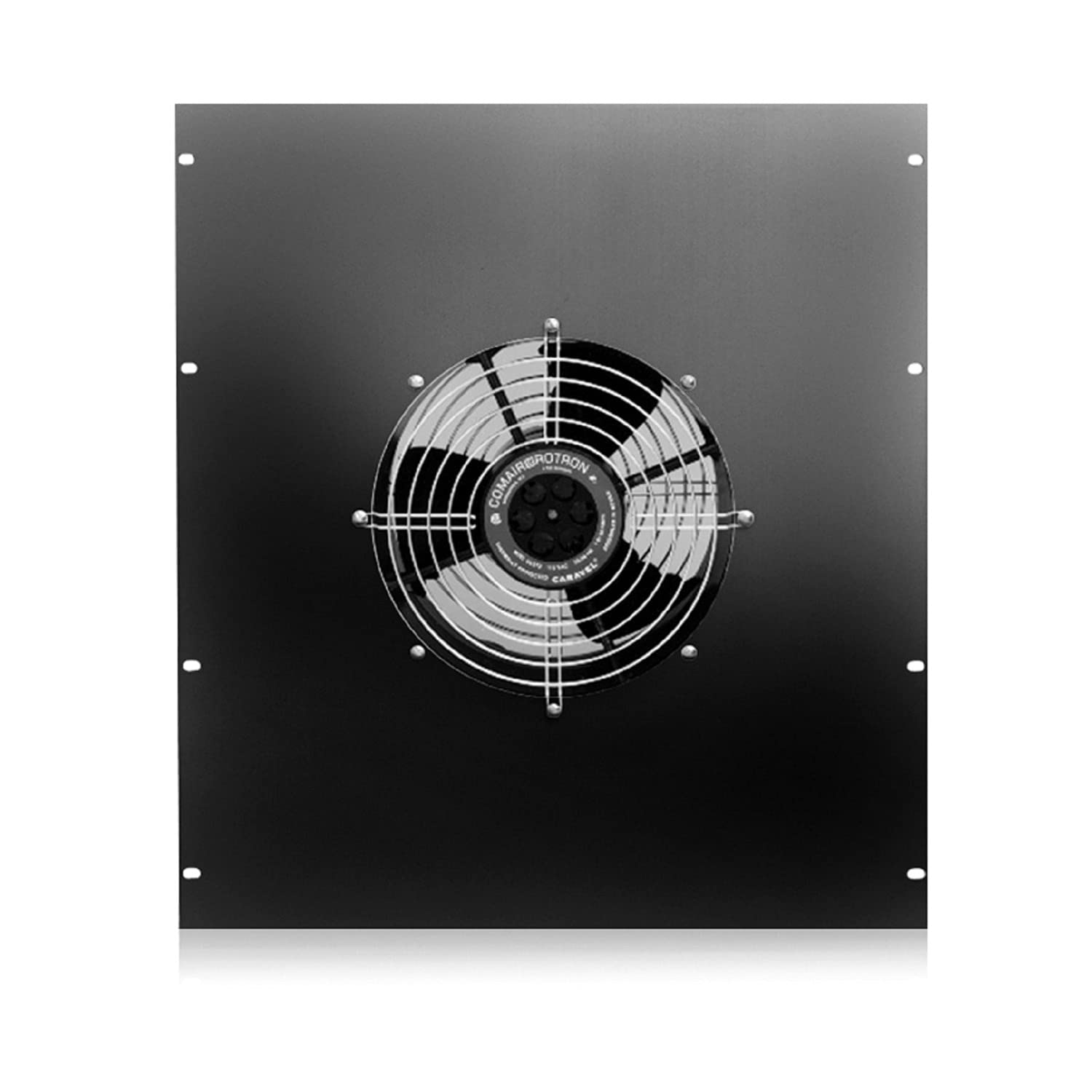
Image 1: AtlasIED EFT-36 High Power Top-Mounting Fan Panel. This image shows the overall design of the fan panel, highlighting its top-mounting configuration and the protective grilles over the fan openings.
- Secure the Unit: Using the provided mounting hardware (screws and washers), securely fasten the fan panel to the rack. Ensure all screws are tightened to prevent vibration during operation.
- Connect Power: Plug the power cord from the fan panel into a standard 115 Volt AC grounded power outlet. Verify that the power source meets the unit's electrical requirements.
5. Operation
Once properly installed and connected to a power source, the AtlasIED EFT-36 fan panel is designed for continuous, automatic operation.
- The fan unit will begin to operate immediately upon receiving power, drawing hot air out of the rack enclosure.
- Monitor the temperature of the equipment within the rack to ensure that the fan panel is effectively dissipating heat.
- The unit is engineered for quiet operation, minimizing noise in studio or office environments.
6. Maintenance
Regular maintenance ensures optimal performance and longevity of your AtlasIED EFT-36 fan panel.
- Power Disconnection: Always disconnect the fan panel from the power source before performing any cleaning or maintenance.
- Dust Removal: Periodically inspect the fan blades and protective grilles for dust and debris accumulation. Use a soft brush, a dry cloth, or a low-power vacuum cleaner to gently remove any buildup.
- Avoid Liquids: Do not use liquid cleaners, solvents, or abrasive materials directly on the fan unit or its components.
- Inspect Cables: Check the power cord for any signs of damage, fraying, or wear. Replace if necessary.
7. Troubleshooting
If you encounter issues with your AtlasIED EFT-36 fan panel, refer to the following troubleshooting guide.
| Problem | Possible Cause | Solution |
|---|---|---|
| Fan is not operating. | No power supply. Damaged power cord/plug. | Ensure the power cord is securely plugged into a live 115V AC outlet. Check the circuit breaker. Inspect the power cord for damage; replace if necessary. |
| Insufficient cooling. | Blocked airflow. Excessive dust on fan blades. Incorrect installation. | Ensure air intake and exhaust vents are clear. Clean fan blades and grilles as per maintenance instructions. Verify the unit is correctly installed and sealed to the rack top. |
| Excessive noise or vibration. | Loose mounting hardware. Obstruction hitting fan blades. Fan motor issue. | Tighten all mounting screws. Disconnect power and check for any foreign objects inside the fan housing. If the issue persists after checking the above, contact customer support. |
8. Specifications
| Brand | AtlasIED |
| Model | EFT-36 |
| Airflow | 550 CFM (Cubic Feet Per Minute) |
| Voltage | 115 Volts |
| Wattage | 19 watts |
| Electric Fan Design | Exhaust Fan |
| Compatibility | 36-inch deep equipment racks |
| Manufacturer | AtlasIED |
9. Warranty and Support
For detailed warranty information, technical assistance, or to inquire about replacement parts, please contact AtlasIED customer service. You can find contact information and additional resources on the official AtlasIED website: www.atlasied.com.