Introduction
Thank you for purchasing the Panasonic KX-TG3611BX Cordless Telephone. This manual provides detailed instructions for the proper setup, operation, and maintenance of your new telephone. Please read this manual thoroughly before using the product to ensure safe and optimal performance.
The KX-TG3611BX features FHSS (Frequency Hopping Spread Spectrum) technology for clear sound and enhanced digital security, preventing eavesdropping. Key features include a hands-free speakerphone, Caller ID compatibility, a convenient handset locator, and a selection of ringer patterns. The handset operates on easily replaceable AAA-type rechargeable batteries.
Setup
1. Unpacking and Checking Contents
Carefully remove all items from the packaging. Ensure the following components are present:
- Handset
- Base Unit
- AC Adapter for Base Unit
- Telephone Line Cord
- Rechargeable AAA Batteries (2)
- User Manual
2. Battery Installation
Before initial use, install the supplied rechargeable AAA batteries into the handset. Open the battery compartment cover on the back of the handset, insert the batteries according to the polarity markings (+ and -), and close the cover securely.

Image: The Panasonic KX-TG3611BX cordless telephone, showing the handset docked in its black base unit. The handset features a digital display and a standard telephone keypad.
3. Connecting the Base Unit
Connect the AC adapter to the base unit and plug it into a standard electrical outlet. Connect one end of the telephone line cord to the base unit and the other end to your telephone wall jack.
4. Initial Charging
Place the handset on the base unit. The handset will begin charging. For optimal battery life, charge the handset for at least 7 hours before its first use. The battery indicator on the handset display will show the charging status.
Video: A product demonstration showing the Panasonic KX-TG3611BX Cordless Telephone being unboxed, batteries installed, and key features like the display, speakerphone, Caller ID, and handset locator being demonstrated.
Operating Instructions
1. Making and Receiving Calls
- To Make a Call: Press the TALK button, then dial the phone number.
- To Receive a Call: When the phone rings, press the TALK button.
- To End a Call: Press the OFF button or place the handset back on the base unit.
2. Using the Speakerphone
During a call, press the SP-PHONE button to activate the hands-free speakerphone. Press it again to switch back to the earpiece.

Image: A woman is shown preparing a salad while talking on the Panasonic cordless phone using the hands-free speakerphone function, highlighting its convenience for multitasking.
3. Display Features
The handset features a 1.3-inch amber backlit LCD, providing clear visibility for numbers and menu options.
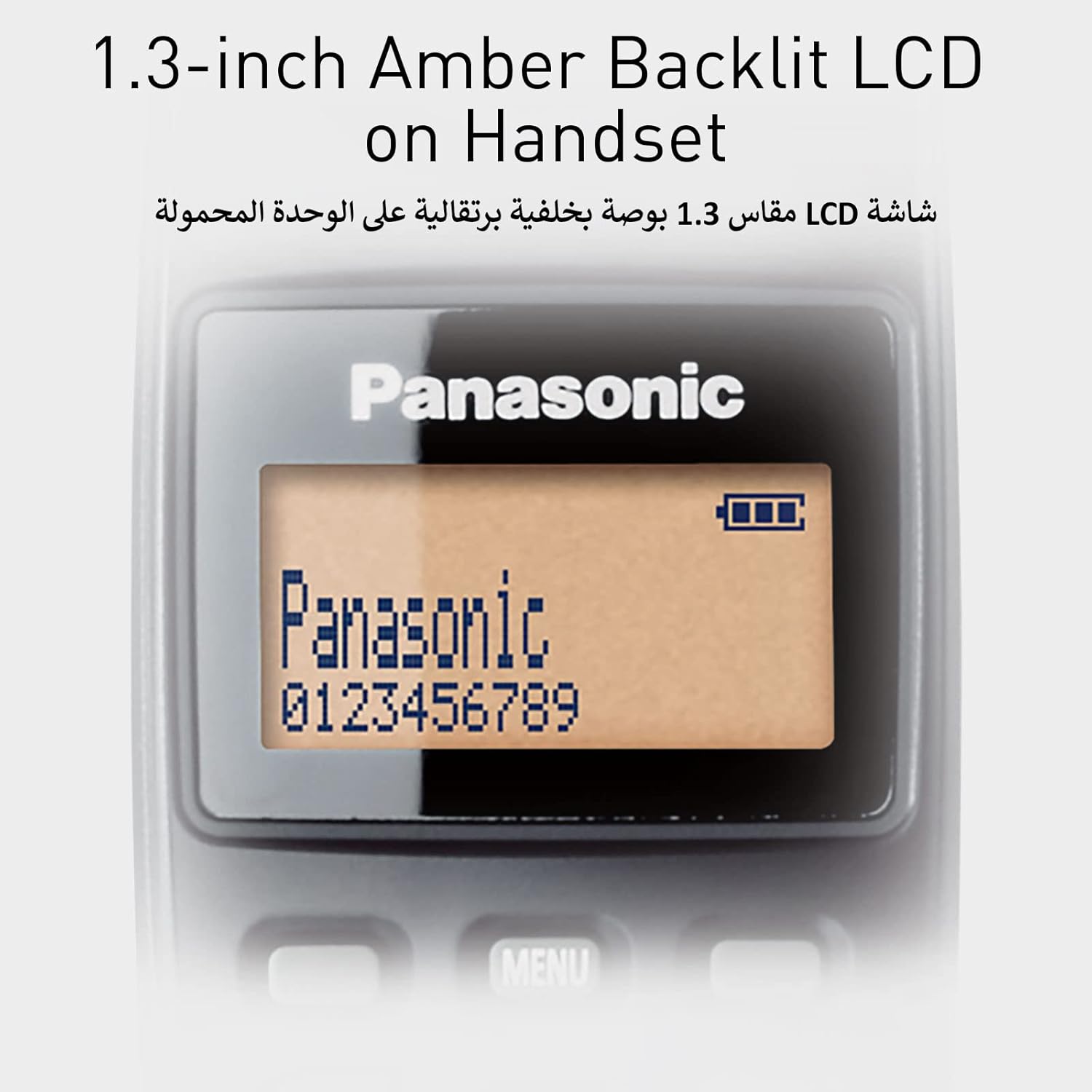
Image: A close-up view of the Panasonic handset's 1.3-inch amber backlit LCD screen, displaying 'Panasonic' and a phone number, illustrating its clear visibility.
4. Caller ID
If you subscribe to Caller ID service, the caller's number or name (if registered in your phonebook) will be displayed on the handset screen during an incoming call.

Image: A woman is holding the Panasonic cordless phone, looking at the screen which displays Caller ID information, demonstrating the feature's utility.
5. Ringer Patterns
The phone offers 7 ringer patterns (3 tones, 4 melodies) that can be selected and linked to pre-programmed phonebook data. This allows for distinct ringers based on the incoming Caller ID.

Image: An illustration depicting different musical notes and speech bubbles, representing the customizable ringer ID feature that allows users to link specific ringers to pre-programmed phonebook contacts.
6. Handset Locator
If you misplace your handset, simply press the locator button on the base unit. The handset will ring, allowing you to easily find it.

Image: An illustration showing a finger pressing a button on the base unit, with sound waves emanating from a distant handset, demonstrating the handset locator feature.
Maintenance
1. Cleaning the Unit
Wipe the exterior of the handset and base unit with a soft, dry cloth. Avoid using abrasive cleaners, waxes, or solvents. Do not immerse the unit in water or allow liquids to enter the casing.
2. Battery Care
Use only the specified rechargeable AAA batteries. Non-rechargeable batteries may cause damage or malfunction. If the phone will not be used for an extended period, remove the batteries from the handset to prevent leakage.
3. Storage
Store the telephone in a cool, dry place away from direct sunlight and extreme temperatures. Ensure the base unit and handset are kept away from dust to maintain proper charging connections.
Troubleshooting
If you experience issues with your Panasonic KX-TG3611BX, please refer to the following common problems and solutions:
- No Dial Tone: Ensure the telephone line cord is securely connected to both the base unit and the wall jack. Check if the AC adapter is properly plugged into the base unit and a working electrical outlet.
- Cannot Make or Receive Calls: Verify that the handset is charged. Check if the base unit has power. Ensure the telephone line is active.
- Poor Sound Quality (Static, Noise): Move the handset closer to the base unit. Ensure the base unit is not too close to other electrical appliances (e.g., microwave ovens, computers) that may cause interference. Check for loose connections.
- Handset Not Charging: Ensure the handset is correctly placed on the base unit. Clean the charging contacts on both the handset and the base unit with a dry cloth. Verify the AC adapter is connected and powered.
- Handset Display is Blank: Check if the batteries are installed correctly and fully charged. If the issue persists, the batteries may need replacement.
If the problem persists after trying these solutions, please contact customer support.
Specifications
- Model Number: KX-TC3611BX
- Telephone Type: Cordless
- Color: Black
- Screen Diagonal: 1.3 inches (3.3 cm)
- Batteries: 2 x AAA rechargeable batteries (included)
- Product Dimensions: 17.4 x 16 x 17.3 cm
- Weight: 500 g (approximate)
- Technology: FHSS (Frequency Hopping Spread Spectrum)
- Ringer Patterns: 7 (3 tones, 4 melodies)
- Standby Time: Up to 11 days

Image: A diagram illustrating the approximate dimensions of the Panasonic KX-TG3611BX handset and base unit, including height, width, and screen size.
Warranty and Support
Warranty Information
This product is covered by a manufacturer's warranty. Please refer to the warranty card included in your product packaging for specific terms, conditions, and duration. Keep your purchase receipt as proof of purchase for warranty claims.
Customer Support
For technical assistance, troubleshooting beyond this manual, or warranty service, please contact Panasonic customer support. Contact information can typically be found on the Panasonic official website or in the documentation provided with your product.