Introduction
The Monoprice USB 2.0 A Male/B Female Adaptor (Model 100363) is designed to connect USB devices. This coupler features a male USB A type connector on one end and a female USB B type connector on the other. It is compatible with USB 2.0 specifications and is backward compatible with USB 1.0/1.1 connections. This adaptor is useful for converting a USB A to B M/M cable into a USB A M/M cable configuration.
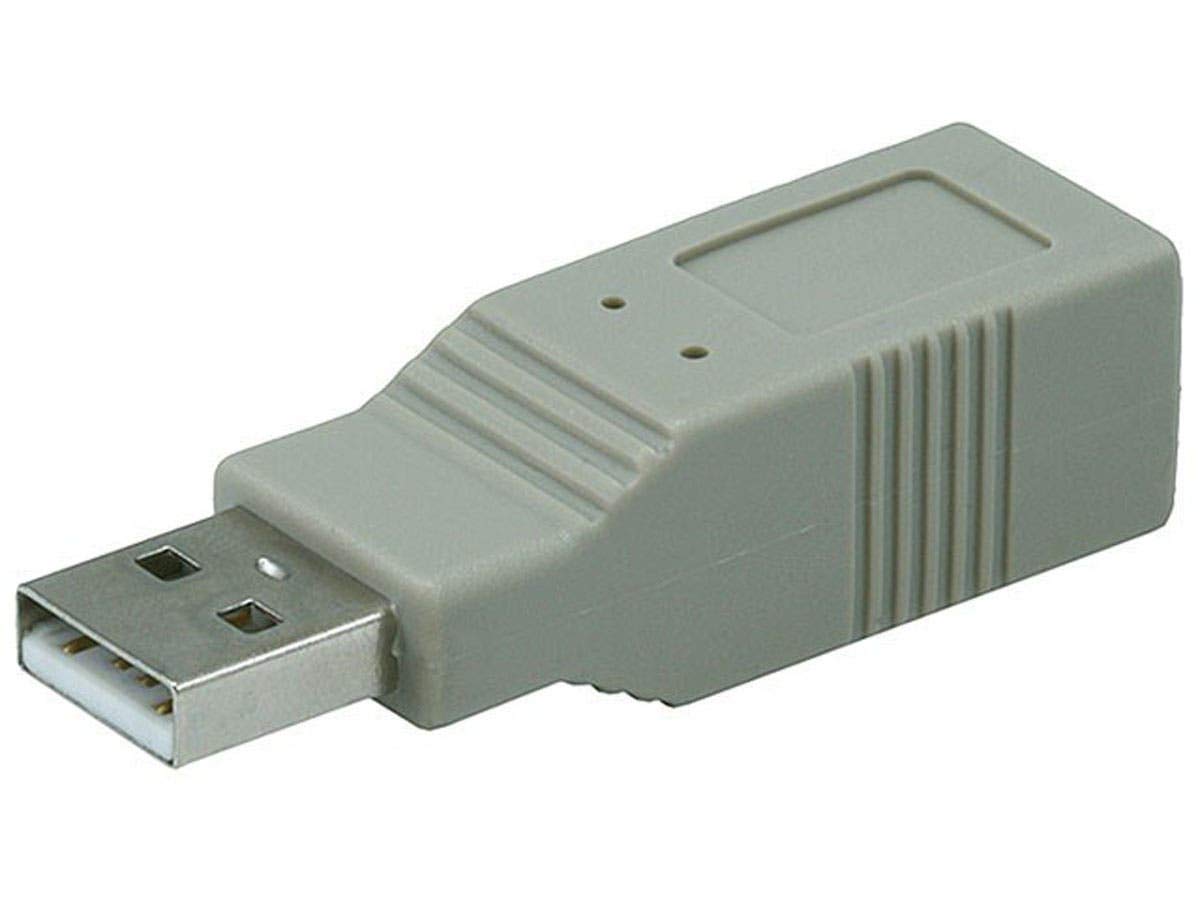
Image 1: Monoprice USB 2.0 A Male/B Female Adaptor. This image displays the grey adaptor, clearly showing the USB A male connector on one side and the USB B female port on the other, illustrating its compact design.
Setup
- Identify Connectors: Locate the USB A male connector and the USB B female connector on the adaptor.
- Connect to Host Device: Insert the USB A male end of the adaptor into a compatible USB A female port on your host device (e.g., computer, laptop, USB hub).
- Connect Peripheral Cable: Insert the USB B male end of your peripheral cable (e.g., printer cable, scanner cable) into the USB B female port of the adaptor.
- Verify Connection: Ensure both connections are secure. The adaptor should be recognized automatically by most operating systems.

Image 2: USB A Male Connector. This image provides a detailed view of the USB A male connector, which plugs into a computer or host device.

Image 3: USB B Female Port. This image shows the USB B female port, designed to receive a USB B male cable from a peripheral device.
Note on Cable Length: The maximum reliable length for standard USB cables is approximately 15 feet (4.5 meters). For extensions beyond this length, an active USB extender cable is recommended to maintain signal integrity.
Operating Instructions
Once connected, the Monoprice USB 2.0 A Male/B Female Adaptor functions as a pass-through coupler, allowing data transfer and power delivery between your host device and the connected peripheral. No additional drivers or software are required for its operation.
- Ensure all devices are powered on and correctly connected.
- The adaptor supports USB 2.0 data transfer speeds (up to 480 Mbps) and is backward compatible with USB 1.0/1.1 speeds.
- Use the adaptor to convert a USB A-to-B male-to-male cable into a USB A male-to-male configuration, or to extend an existing USB B female port.
Maintenance
This adaptor requires minimal maintenance.
- Cleaning: Use a soft, dry cloth to wipe the exterior of the adaptor. Avoid using liquid cleaners or solvents.
- Storage: Store the adaptor in a cool, dry place away from direct sunlight and extreme temperatures when not in use.
- Handling: Avoid bending or twisting the connectors excessively to prevent damage.
Troubleshooting
| Problem | Possible Cause | Solution |
|---|---|---|
| Device not recognized. | Loose connection, faulty cable, or excessive cable length. |
|
| Slow data transfer. | Using USB 1.0/1.1 devices/ports, or signal degradation over long cables. |
|
| Physical damage to adaptor. | Improper handling or storage. |
|
Specifications
- Model: 100363
- Brand: Monoprice
- Connector 1: USB 2.0 Type A Male
- Connector 2: USB 2.0 Type B Female
- Compatibility: USB 2.0, backward compatible with USB 1.0/1.1
- Dimensions (LxWxH): Approximately 3.1 x 0.9 x 0.8 inches (7.87 x 2.29 x 2.03 cm)
- Weight: Approximately 0.16 ounces (4.5 grams)
- Color: Grey
- Material: Plastic housing, metal connectors
Important Information
This product may contain chemicals known to the State of California to cause cancer and birth defects or other reproductive harm. For more information, please visit www.P65Warnings.ca.gov.


