1. Introduction
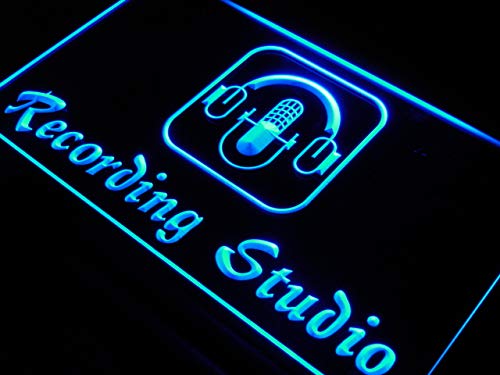
This manual provides essential instructions for the safe and efficient use of your ADVPRO i801-b Recording Studio Microphone Bar Neon Light Sign. Please read this manual thoroughly before installation and operation. Keep it for future reference.
2. Safety Information
- Ensure the power outlet matches the sign's voltage requirements.
- Do not expose the sign to water or high humidity. This product is for indoor use only.
- Avoid placing the sign near heat sources or in direct sunlight for prolonged periods.
- Do not attempt to open or modify the sign's housing. This may void the warranty and pose a safety risk.
- Handle the sign with care to prevent damage to the acrylic panel.
- Always unplug the sign before cleaning or performing any maintenance.
3. Package Contents
Verify that all items are present in your package:
- ADVPRO i801-b Recording Studio Microphone Bar Neon Light Sign
- Power Adapter with ON/OFF Switch (5 ft / 1.5m wire)
- Hanging Chain


4. Setup
- Unpack the Sign: Carefully remove the sign and all accessories from the packaging. Inspect for any damage.
- Choose a Location: Select a suitable indoor location for your sign. Ensure it is away from direct moisture and excessive heat. The sign is designed for wall mounting or hanging.
- Mounting:
- For Hanging: Attach the provided hanging chain to the two loops on the top bar of the sign. Securely hang the sign from a sturdy hook or fixture.
- For Wall Mounting: The sign can be directly mounted to a wall using appropriate hardware (not included) through the mounting points on the top bar. Ensure the wall can support the sign's weight.
- Connect Power: Insert the power adapter plug into the sign's power input port. Then, plug the power adapter into a standard electrical outlet. Ensure the correct plug type (US, UK, AU, EU) is used for your region.

5. Operating Instructions
Operating your ADVPRO neon sign is straightforward:
- Power On: Once the sign is securely mounted and the power adapter is plugged into an outlet, locate the ON/OFF switch on the power cord. Flip the switch to the 'ON' position. The sign will illuminate.
- Power Off: To turn off the sign, flip the ON/OFF switch to the 'OFF' position.
The sign is designed for continuous operation. Its LED technology ensures consistent brightness and low heat emission.
6. Maintenance
The ADVPRO i801-b sign requires minimal maintenance:
- Cleaning: To clean the acrylic surface, first unplug the sign. Use a soft, dry, or slightly damp cloth to gently wipe away dust or smudges. Avoid abrasive cleaners or solvents, as these can damage the acrylic.
- Inspection: Periodically check the power cord and connections for any signs of wear or damage. If any damage is found, discontinue use and contact customer support.
- No periodic refills or gas replacement is needed due to its LED design.
7. Troubleshooting
| Problem | Possible Cause | Solution |
|---|---|---|
| Sign does not light up. | Power cord not plugged in, switch is off, or power outlet is not active. | Ensure the power adapter is securely plugged into both the sign and a working electrical outlet. Check that the ON/OFF switch is in the 'ON' position. Test the outlet with another device. |
| Sign flickers or dims. | Loose connection or unstable power supply. | Check all power connections to ensure they are snug. Try plugging the sign into a different outlet. |
| Sign appears dim or unevenly lit. | Dust accumulation on the acrylic panel. | Unplug the sign and gently clean the acrylic surface with a soft, dry cloth. |
If you experience issues not listed here, or if the problem persists after attempting the solutions, please contact AdvPro customer support.
8. Specifications
- Model: i801-b
- Brand: AdvPro
- Dimensions: 12" (W) x 8.5" (L)
- Color: Blue
- Material: Plastic (Acrylic)
- Light Type: LED Neon
- Mounting Type: Wall Mount / Hanging
- Power Cord Length: 5 ft (1.5m) with ON/OFF switch
- Technology: 3D, Surface, and Line engraving
9. Warranty and Support
AdvPro stands by the quality of its products. While specific warranty details are not provided in this manual, the product is backed by a 100% Money Back Guarantee, indicating a commitment to customer satisfaction.

For technical support, warranty claims, or any questions regarding your ADVPRO sign, please visit the official AdvPro store on Amazon or contact their customer service directly. You can find more information and contact options by visiting the AdvPro Store.


