
Introduction
This manual provides essential information for the safe and efficient use of your LG 42LM3400 42-inch 3D 1080p LED LCD TV. Please read it thoroughly before operating the television and retain it for future reference.
The LG 42LM3400 features a 42-inch Full HD 1080p LED display, offering a resolution of 1920 x 1080 pixels. It incorporates Direct LED backlighting and the Triple XD Engine for enhanced picture quality. This model also supports 3D viewing and includes a Resolution Upscaler.
Important Safety Instructions
- Power Source: Connect the TV only to an AC power source as indicated on the label. Ensure the power cord is securely plugged into the outlet and the TV.
- Ventilation: Do not block ventilation openings. Allow adequate space around the TV for proper airflow to prevent overheating.
- Water and Moisture: Do not expose the TV to rain or moisture. Do not place objects filled with liquids, such as vases, on or near the TV.
- Cleaning: Unplug the TV from the wall outlet before cleaning. Use a soft, dry cloth for cleaning. Do not use liquid cleaners or aerosol cleaners.
- Placement: Place the TV on a stable, level surface. Avoid placing it in direct sunlight or near heat sources.
- Servicing: Do not attempt to service this product yourself. Refer all servicing to qualified service personnel.
Package Contents
Verify that all items are present in the package:
- LG 42LM3400 42-inch LED LCD TV
- TV Stand
- Remote Control
- Power Cord
- User Manual (this document)
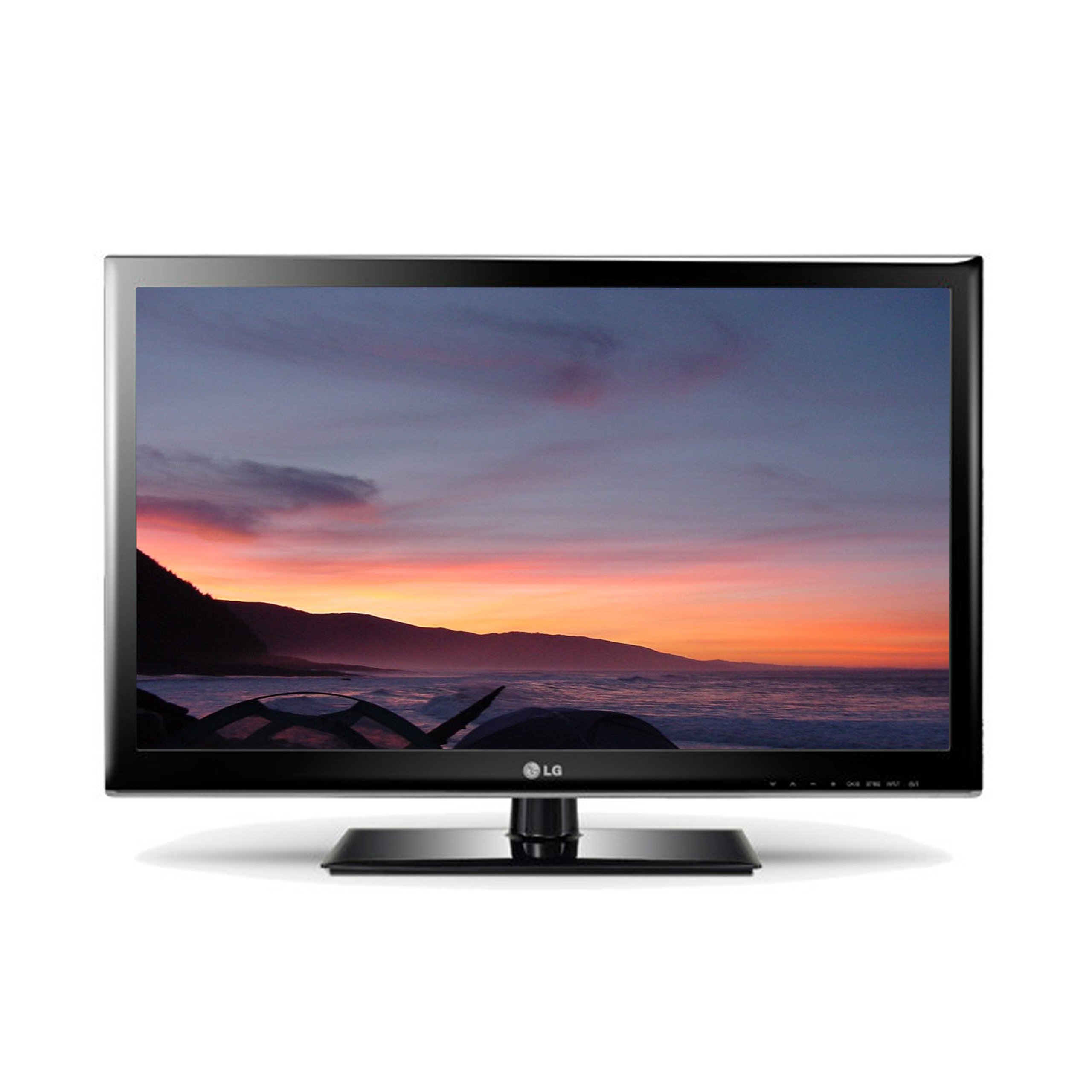
Image: The LG 42LM3400 TV shown with its included stand.
Setup Guide
Attaching the Stand
- Carefully place the TV screen-down on a soft, flat surface (e.g., a blanket or foam) to prevent damage.
- Align the stand base with the mounting holes on the bottom of the TV.
- Secure the stand to the TV using the provided screws. Ensure all screws are tightened firmly.
- Carefully lift the TV and place it on a stable, level surface.
Wall Mounting (Optional)
If you choose to wall mount your TV, ensure you use a VESA-compliant wall mount kit appropriate for the TV's size and weight. Follow the instructions provided with your wall mount kit. Remove the stand before wall mounting.
Connecting External Devices
The LG 42LM3400 offers various connection ports for external devices:
- HDMI Ports: Connect Blu-ray players, game consoles, cable/satellite boxes, or other HDMI-enabled devices using HDMI cables.
- Antenna/Cable Input: Connect an antenna or cable TV signal to the RF input port.
- Optical Digital Audio Out: For connecting to a soundbar or home theater system with an optical audio input.
- USB Ports: For connecting USB storage devices to view photos, videos, or listen to music.
Operating Your TV
Basic Functions
- Power On/Off: Press the Power button on the remote control or the TV to turn the TV on or off.
- Channel Selection: Use the CH ▲/▼ buttons to change channels or enter channel numbers directly using the numeric buttons.
- Volume Control: Use the VOL +/- buttons to adjust the volume level.
- Input Selection: Press the INPUT button to cycle through available input sources (HDMI, AV, Component, TV).
Using the Remote Control
The remote control allows you to access all TV functions. Point the remote control directly at the TV's remote sensor. Ensure there are no obstructions between the remote control and the TV.
Using 3D Features
Your LG 42LM3400 TV supports 3D viewing. To experience 3D content:
- Ensure you are watching 3D-compatible content (e.g., a 3D Blu-ray movie).
- Wear the passive 3D glasses provided or compatible LG passive 3D glasses.
- The TV should automatically detect 3D content. If not, you may need to manually activate 3D mode through the TV's picture settings menu.
Smart TV and Internet Services
The LG 42LM3400 provides access to various internet services. Connect your TV to your home network via an Ethernet cable or a compatible Wi-Fi adapter (sold separately) to access features such as:
- Web Browser
- Streaming applications like Hulu and Netflix
Navigate these services using your remote control. An on-screen keyboard will appear for text input.
Care and Maintenance
- Screen Cleaning: Gently wipe the screen with a soft, lint-free cloth. For stubborn marks, lightly dampen the cloth with water or a specialized screen cleaner, then wipe dry immediately. Do not spray liquid directly onto the screen.
- Cabinet Cleaning: Wipe the TV cabinet with a soft, dry cloth. Avoid using abrasive cleaners or solvents.
- Dusting: Regularly dust the ventilation openings to prevent dust buildup, which can affect performance.
- Storage: If storing the TV for an extended period, unplug it from the power outlet and cover it to protect against dust. Store in a cool, dry place.
Troubleshooting Guide
Before contacting customer support, refer to the following table for common issues and solutions:
| Problem | Possible Cause / Solution |
|---|---|
| No Power | Ensure the power cord is securely plugged into the TV and the wall outlet. Check if the outlet is functional. |
| No Picture, but Sound is Present | Check the input source. Ensure the external device (e.g., cable box) is powered on and connected correctly. |
| No Sound, but Picture is Present | Check the volume level. Ensure Mute is not activated. Verify audio cable connections for external devices. |
| Remote Control Not Working | Replace the batteries. Ensure there are no obstructions between the remote and the TV's sensor. |
| 3D Effect Not Visible | Ensure you are watching 3D content and wearing compatible 3D glasses. Check 3D settings in the TV menu. |
Technical Specifications
| Feature | Specification |
|---|---|
| Model Name | 42LM3400 |
| Screen Size | 42 Inches |
| Display Technology | LED |
| Resolution | 1080p (1920 x 1080) |
| Refresh Rate | 60 Hz |
| Display Type | Direct LED |
| Special Feature | Flat Screen, 3D Capable |
| Supported Internet Services | Browser, Hulu, Netflix |
| Connectivity Technology | Yes (Internet connectivity) |
| Control Method | Remote Control |
| Tuner Type | ATSC |
| Item Weight | 40 Pounds |
| Manufacturer | LG |
Warranty Information and Customer Support
For specific warranty details regarding your LG 42LM3400 TV, please refer to the warranty card included with your product or visit the official LG website. Warranty terms and conditions may vary by region and retailer.
If you encounter issues that cannot be resolved using the troubleshooting guide, or require further assistance, please contact LG Customer Support. Contact information can typically be found on the LG official website or in your product documentation.