Introduction
This manual provides essential instructions for the proper setup, operation, and maintenance of your Panasonic KX-TG3712SXB Digital Cordless Telephone. Please read this manual thoroughly before using the product to ensure optimal performance and longevity.
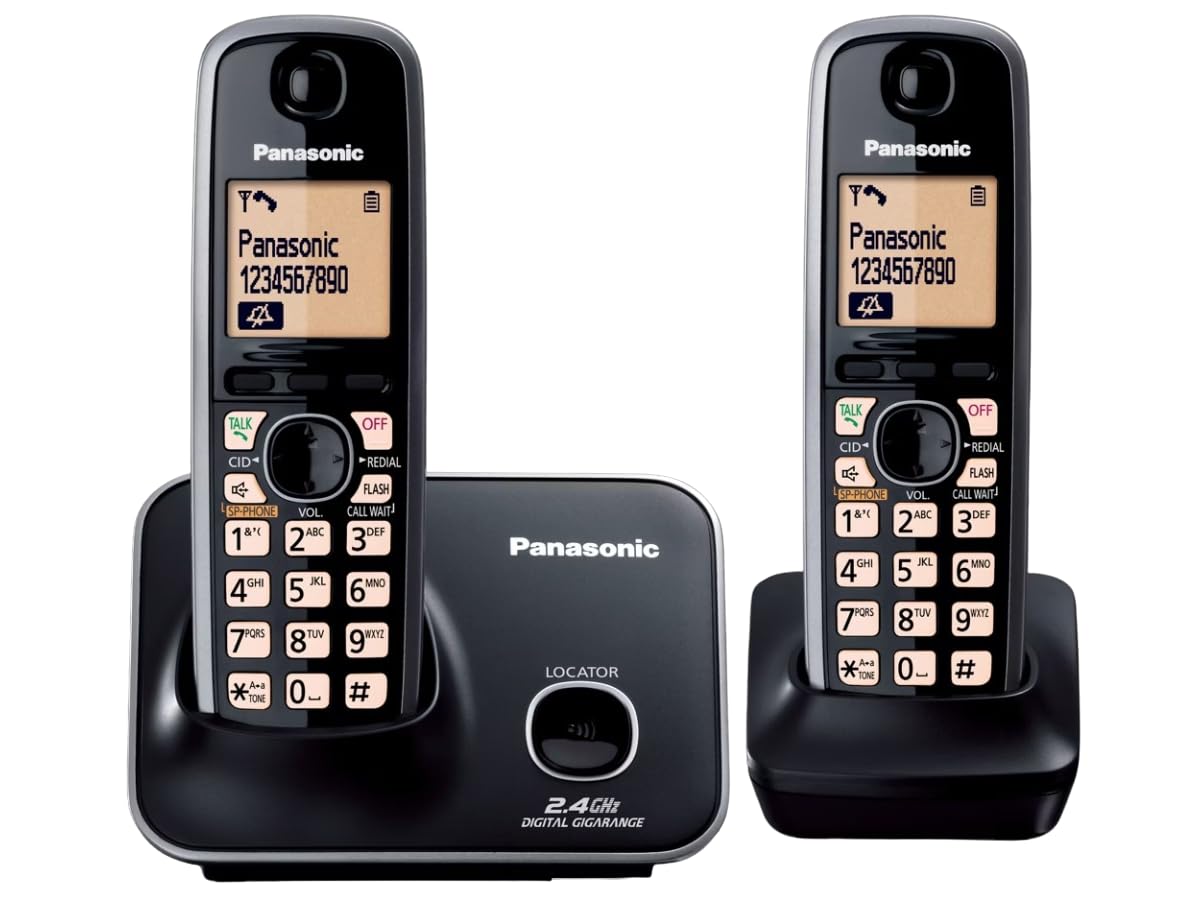
Image: The Panasonic KX-TG3712SXB Digital Cordless Telephone system, featuring two black handsets and a main base unit.
What's in the Box
Verify that all the following items are included in your product package:
- 1N ADAPTER (Power Adapter)
- 4N RECHARGEABLE CELL (Ni-MH Batteries)
- 1N LINE CORD (Telephone Line Cord)
- 1N Base set (Main Base Unit)
- 2N Handset (Cordless Handsets)
- User Guide (This manual)
Setup
1. Connecting the Base Unit
- Connect the telephone line cord to the LINE jack on the base unit and to your telephone wall jack.
- Connect the AC adapter to the POWER jack on the base unit and plug it into a standard electrical outlet.
2. Battery Installation
For each handset:
- Open the battery compartment cover on the back of the handset.
- Insert the rechargeable Ni-MH batteries according to the polarity markings (+ and -).
- Close the battery compartment cover securely.
3. Initial Charging
Place each handset on its respective charger or the main base unit. The charge indicator on the handset display will show charging status. Allow approximately 7 hours for the initial full charge. For optimal battery life, keep the handset on the charger when not in use.
Operating Instructions
Making Calls
- To make a call, pick up the handset and dial the number. Press the TALK button if the line is not automatically engaged.
- To end a call, press the OFF button or place the handset back on the base unit/charger.
Receiving Calls
- When the phone rings, press the TALK button on the handset to answer.
Caller ID
The handset's 1.8-inch LCD display shows the caller's name and number (if available and subscribed to Caller ID service). The phone stores up to 50 caller ID entries.

Image: A close-up view of the handset's LCD screen, displaying caller information.
Phonebook
Store up to 100 names and numbers in the phonebook for quick dialing. Refer to the detailed instructions in the full user guide for adding, editing, and deleting entries.
Intercom Function
Use the intercom feature to communicate between the two handsets. Press the INTERCOM button (if available) or follow the menu prompts to call the other handset.
Power Failure Talk System
In the event of a power outage, the system allows you to make and receive calls using one of the handsets, provided the base unit is connected to the telephone line. The handset draws power from its battery to enable basic communication.
Handset Locator
If a handset is misplaced, press the LOCATOR button on the main base unit. The misplaced handset(s) will ring, helping you to locate them.
Maintenance
Cleaning
Wipe the telephone and base unit with a soft, dry cloth. Avoid using abrasive cleaners, waxes, or solvents, as these can damage the finish.
Battery Care
- Use only the specified rechargeable Ni-MH batteries.
- Do not expose batteries to excessive heat or direct sunlight.
- If the phone will not be used for an extended period, remove the batteries from the handset.
Troubleshooting
| Problem | Solution |
|---|---|
| No dial tone | Ensure the telephone line cord is securely connected to both the base unit and the wall jack. Check if the AC adapter is properly plugged in. |
| Cannot make/receive calls | Check battery charge level. Ensure the base unit has power. Verify that the telephone line is active. |
| Handset not charging | Ensure the handset is correctly seated in the charger/base unit. Clean the charging contacts on both the handset and charger with a dry cloth. |
| Poor sound quality/static | Move closer to the base unit. Ensure no other 2.4 GHz devices are causing interference. Check the telephone line connection. |
Specifications
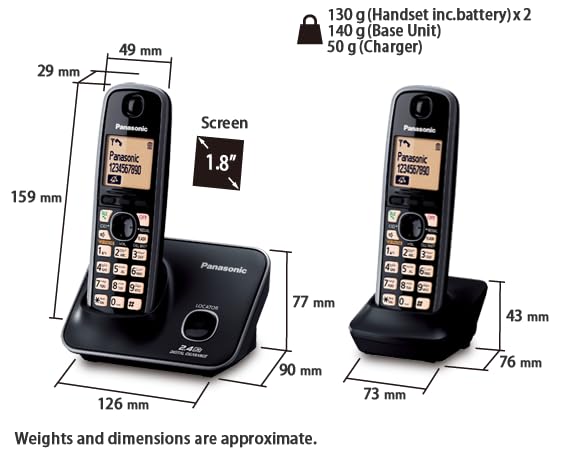
Image: Approximate dimensions and weights of the Panasonic KX-TG3712SXB handsets and base unit.
- Model: KX-TG3712SXB
- Frequency: 2.4 GHz Digital
- Display: Large 1.8-inch LCD
- Phonebook Capacity: 100 names and numbers
- Caller ID Memory: 50 names and numbers
- Talk Time: Approximately 10 hours
- Standby Time: Approximately 264 hours
- Batteries: Rechargeable Ni-MH (included)
- Color: Black
- Product Dimensions: 18.5 x 14.5 x 12.8 cm (Base unit and handsets)
- Item Weight: 1 kg
- Country of Origin: Malaysia
Warranty and Support
Warranty Information
This product comes with a 1-year manufacturer warranty from the date of purchase. Please retain your purchase receipt as proof of purchase for warranty claims.
Customer Support
For technical assistance, warranty service, or further inquiries, please contact Panasonic customer support. Refer to the official Panasonic website or your product packaging for the most current contact information.