1. Introduction
Thank you for choosing the Prestige PIC 2.0 V2 2000-Watt Induction Cooktop. This appliance is designed for efficient and convenient cooking using induction technology. Please read this manual carefully before operating the cooktop to ensure safe and optimal performance. Keep this manual for future reference.

Image 1.1: Prestige PIC 2.0 V2 Induction Cooktop in use.
2. What's in the Box
Upon unpacking, please ensure all the following items are present:
- Prestige PIC 2.0 V2 Induction Cooktop (Main Unit)
- User Manual
- Warranty Card
3. Product Overview
Familiarize yourself with the components of your induction cooktop:

Image 3.1: Key components of the Induction Cooktop.
- Microcrystal (Glass) Panel: The cooking surface where induction-compatible cookware is placed.
- Air Vent: Ensures proper cooling of the internal components. Do not block.
- Control Panel: Features feather touch buttons for various functions and a power consumption display.
- Base: Provides stability and houses the internal electronics.
The control panel includes feather touch buttons for easy operation and a display to show power consumption. It also features an anti-magnetic wall and an anti-skid steel ring for safety and stability.
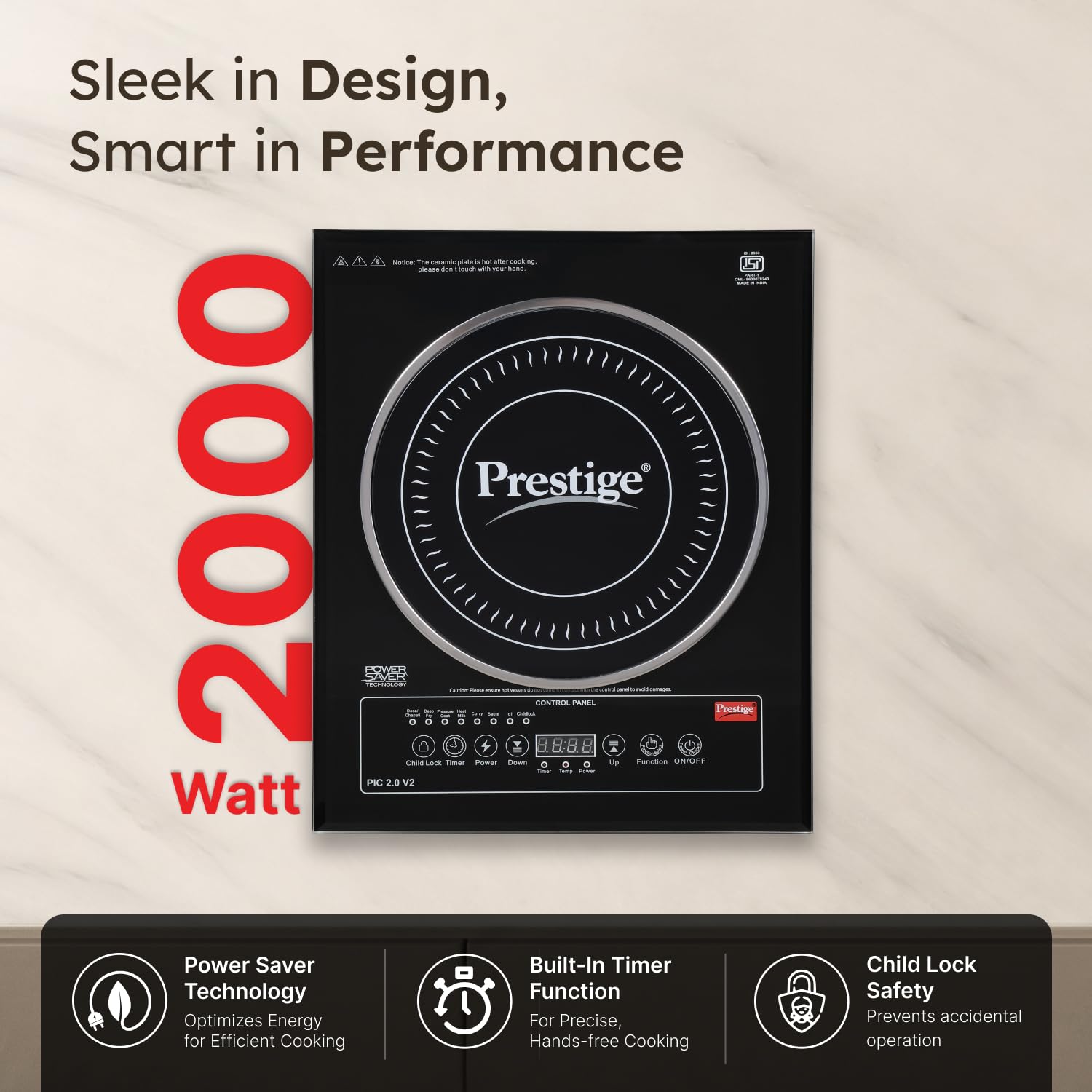
Image 3.2: Detailed view of the control panel.
4. Setup
Follow these steps for initial setup:
- Placement: Place the induction cooktop on a flat, stable, and heat-resistant surface. Ensure there is sufficient air ventilation around the appliance.
- Power Connection: Connect the power cord to a standard 230V electrical outlet. The cooktop operates at 2000W.
- Cookware: Use only induction-compatible cookware with a bottom diameter between 12cm and 26cm.
5. Operating Instructions
The Prestige PIC 2.0 V2 Induction Cooktop offers various features for convenient cooking:
5.1 Compatible Utensils
This induction cooktop works exclusively with induction base cookware. Compatible utensils include:
- Stainless Steel Pots
- Stainless Steel Rice Cookers
- Cast Iron Frying Pots
- Oil Boiling Pots
- Stainless Steel Water Jugs
- Cast Iron Pots
- Color Pots
- Grilling Iron Plate
5.2 Using the Control Panel
The cooktop features feather touch buttons for easy control. Simply place an induction-compatible vessel on the cooktop and press the ON/OFF button to start. Use the 'Up' and 'Down' buttons to adjust power or temperature settings.
5.3 Smart Preset Modes
The cooktop comes with 7 smart preset modes for various Indian dishes, allowing for effortless cooking at the touch of a button:

Image 5.1: Examples of dishes prepared using preset modes.

Image 5.2: Icons representing the 7 Smart Preset Modes.
- Dosa/Chapati
- Idly
- Pressure Cook
- Curry
- Deep Fry
- Saute
- Heat Milk
5.4 Additional Features
- Automatic Start Option: The cooktop can automatically start cooking when a compatible vessel is placed on it.
- Automatic Keep Warm Function: Maintains food at a warm temperature after cooking.
- Power Saver Technology: Optimizes energy consumption for efficient cooking.
- Child Lock: Prevents accidental operation, enhancing safety.
- Automatic Voltage Regulator: Protects the appliance from sudden power fluctuations, ensuring long-lasting performance. The cooktop is designed with up to 4KV high voltage surge protection.

Image 5.3: Cooktop featuring Automatic Voltage Regulator and High Voltage Surge Protection.
6. Care and Maintenance
Proper care ensures the longevity and performance of your induction cooktop:
- Cleaning: Allow the glass top to cool completely before cleaning. Do not pour water directly onto the hot surface or wipe with a wet cloth immediately after cooking, as this could cause the glass top to crack. Use a soft, damp cloth and mild detergent for cleaning.
- Storage: Do not keep hot vessels on the cooktop for extended periods after cooking, as this can affect the coil beneath.
- General Care: Avoid dropping heavy objects on the glass surface, as it is fragile.
7. Troubleshooting
Refer to the following table for common issues and their solutions:
| Symptom | Reason | Action |
|---|---|---|
| No Beep Sound when the power is switched on. | The power cord is not plugged properly. | Plug the power cord into the mains properly. If the appliance is still not working, contact the authorized service facility for repair. |
| No display at the display panel. | The power cord is not plugged properly. | Plug the power cord into the mains properly. If the appliance is still not working, contact the authorized service facility for repair. |
| Induction Cook-top stops working after consecutive short beep sounds. | The vessel is not suitable. | Ensure the vessel placed is one with induction base and has a base diameter of larger than 11 cm. |
| The heating stops abruptly when working. | Set temperature is reached. Once the set temperature is reached, the protection device will switch off the power. | If the food is not cooked, reset the temperature and start again. |
| Vessel is not getting heated up to required temperature/setting. | The bottom of the vessel is concave/convex and not flat. | Use only flat bottom vessel. |
For more detailed troubleshooting and error codes, please refer to the video below:
Video 7.1: Troubleshooting guidelines and error codes for the Prestige Induction Cooktop.
8. Specifications
Key technical specifications of the Prestige PIC 2.0 V2 Induction Cooktop:
| Feature | Detail |
|---|---|
| Model Number | PIC 2.0 V2 |
| Power | 2000 Watts |
| Voltage | 230V |
| Control Panel Type | Push button / Feather touch |
| Heating Elements | 1 |
| Color | Black |
| Power Source | Electric |
| Item Weight | 4 kg 860 g |
| Product Dimensions (LxWxH) | 39cm x 32cm x 6cm |

Image 8.1: Product dimensions and key features.
9. Warranty Information
The Prestige PIC 2.0 V2 Induction Cooktop comes with a 1-year warranty on the product from the date of purchase. Please refer to the warranty card included in the box for detailed terms and conditions.
10. Customer Support
For any queries, assistance, or service requests, please contact Prestige customer support:
- Phone: 1800-123-334411
- Operating Hours: 8 AM - 8 PM, all days