1. Overview
This manual provides essential information for the safe and efficient use of your Panasonic Viera TH-L42E5D 42-inch Full HD LED Television. Please read these instructions carefully before operating the television and retain them for future reference.
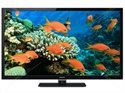
Figure 1: Panasonic Viera TH-L42E5D 42-inch Full HD LED Television. This image shows the front view of the black LED television with its stand.
Key Features:
- 150Hz Backlight Scanning: Enhances motion clarity for fast-moving scenes.
- IPS LED LCD Panel: Provides wide viewing angles and consistent color reproduction.
- Clear Panel: Reduces reflections and enhances contrast.
- VIERA Connect: Access to online content and services.
- Wide Viewing Angle: Ensures clear picture quality from various positions.
2. What's in the Box
Upon unpacking, ensure all the following items are present:
- Panasonic Viera TH-L42E5D Television Unit
- TV Stand
- Remote Control (Batteries not included)
- Power Cord
- User Manual (this document)
- Warranty Information
3. Setup Guide
3.1 Attaching the Stand
- Carefully place the TV screen-down on a soft, flat surface to prevent damage.
- Align the TV stand with the mounting holes on the bottom of the television.
- Secure the stand using the provided screws. Do not overtighten.
- Once the stand is securely attached, carefully lift the TV and place it on a stable, level surface.
Alternatively, for wall mounting, consult a professional installer and refer to the specific instructions provided with your wall mount kit. The TV supports both wall mount and table mount configurations.
3.2 Connecting Power
- Connect the power cord to the AC input on the back of the TV.
- Plug the other end of the power cord into a suitable electrical outlet.
3.3 Initial Setup
- Press the power button on the TV or remote control to turn on the television.
- Follow the on-screen instructions to complete the initial setup, including language selection, channel scanning (for ATSC tuner technology), and network connection.
4. Operating Instructions
4.1 Basic TV Functions
- Power On/Off: Press the POWER button on the remote control or TV.
- Volume Control: Use the VOL +/- buttons to adjust the volume.
- Channel Selection: Use the CH +/- buttons or number pad to change channels.
- Input Source: Press the INPUT or SOURCE button to select connected devices (e.g., HDMI, USB).
- Menu Navigation: Use the arrow keys and OK button to navigate on-screen menus.
4.2 Using the VIERA Remote App
The Panasonic Viera TH-L42E5D supports the VIERA remote app, allowing you to control your TV from a smartphone or tablet. Download the official Panasonic VIERA remote app from your device's app store and follow the in-app instructions for pairing with your television.
5. Smart Features (VIERA Connect)
Your Panasonic Viera TH-L42E5D is equipped with VIERA Connect, providing access to a range of internet-based services and applications. The television runs on an Android operating system.
5.1 Connecting to the Internet
To utilize VIERA Connect, the TV must be connected to the internet. This model supports wireless LAN connectivity (requires a wireless LAN adaptor, which may be sold separately).
- Navigate to the TV's network settings menu.
- Select your Wi-Fi network and enter the password if prompted.
- Once connected, you can access VIERA Connect services.
5.2 Available Features
- VIERA Connect Portal: Access various apps and web services.
- Skype while watching TV: Conduct video calls directly from your television (requires compatible camera, sold separately).
- Media Player: Play media files (e.g., MP3 audio, 1080p video) from connected USB devices. The TV has 2 USB ports.
- Supported Internet Services: Includes Facebook and Skype.
6. Maintenance and Care
6.1 Cleaning the TV
- Always unplug the TV from the power outlet before cleaning.
- Use a soft, dry cloth to wipe the screen and cabinet.
- For stubborn marks, lightly dampen the cloth with water or a mild, non-abrasive cleaner specifically designed for electronics.
- Never spray cleaner directly onto the screen or cabinet.
6.2 Safety Precautions
- Do not block ventilation openings on the TV.
- Avoid exposing the TV to direct sunlight, high temperatures, or excessive humidity.
- Keep the TV away from sources of strong magnetic fields.
- Do not attempt to repair the TV yourself. Refer all servicing to qualified personnel.
7. Troubleshooting
Before contacting customer support, please refer to the following common issues and solutions:
| Problem | Possible Cause / Solution |
|---|---|
| No Power |
|
| No Picture, but Sound is Present |
|
| No Sound, but Picture is Present |
|
| Remote Control Not Working |
|
8. Specifications
| Feature | Detail |
|---|---|
| Brand | Panasonic |
| Model | TH-L42E5D |
| Model Name | Viera LED |
| Screen Size | 42 Inches |
| Display Technology | LED (IPS LED LCD panel) |
| Resolution | 1080p (Full HD, 1920 x 1080 pixels) |
| Refresh Rate | 150 hertz (150Hz backlight scanning) |
| Aspect Ratio | 16:9 |
| Operating System | Android |
| Hardware Interface | USB |
| Total USB Ports | 2 |
| Audio Input | HDMI |
| Audio Output Mode | Stereo |
| Supported Audio Formats | MP3 |
| Speaker Surround Sound | 2.1 Channel Configuration |
| Audio Wattage | 10 Watts |
| Wattage (Power Consumption) | 84 Watts |
| Power Source | AC |
| Product Dimensions (LxWxH) | 24.7 x 99.7 x 65 Centimeters |
| Item Weight | 17 kg |
| Mounting Type | Wall Mount & Table Mount |
| Date First Available | 15 May 2013 |
9. Warranty and Support
This Panasonic Viera TH-L42E5D television comes with a standard brand warranty. For detailed information regarding warranty terms, conditions, and service procedures, please refer to the warranty card included with your product or visit the official Panasonic support website.
For further assistance, technical support, or to locate authorized service centers, please visit the product detail page on the retailer's website or the official Panasonic customer support portal.


