
Autel MD906 PRO
Autel MaxiDiag MD906 PRO OBD2 Scanner Instruction Manual
Model: MD906 PRO
Introduction
The Autel MaxiDiag MD906 PRO is a professional diagnostic tool designed for comprehensive vehicle system analysis and maintenance. This device provides advanced diagnostic capabilities for a wide range of vehicles, catering to both automotive professionals and enthusiasts.
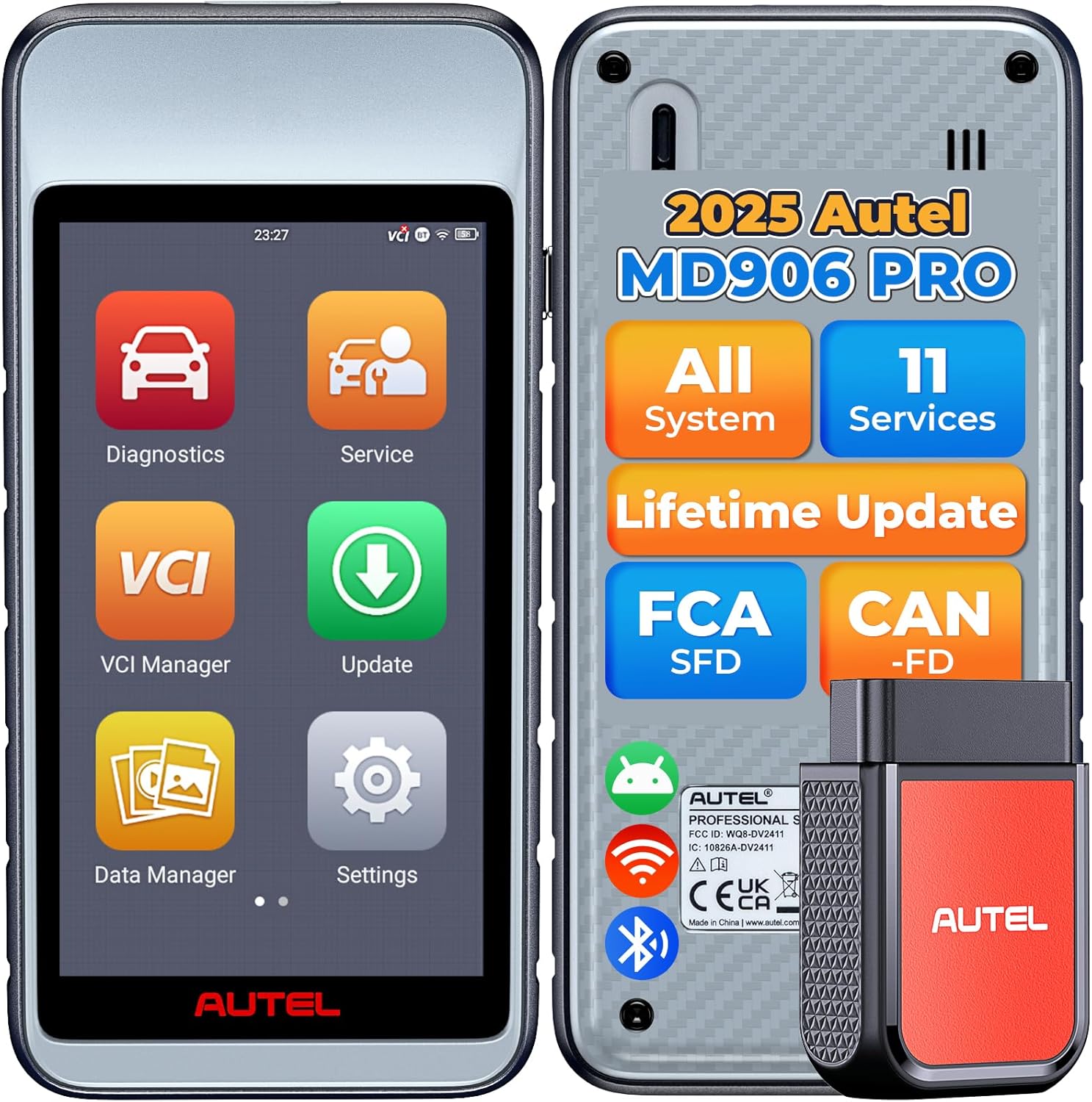
Image: The Autel MaxiDiag MD906 PRO diagnostic scanner with its wireless Vehicle Communication Interface (VCI) module.
Setup
1. Unpacking and Initial Inspection
Upon receiving your MaxiDiag MD906 PRO, carefully unpack all components. Verify that the package contains the scanner unit, VCI module, OBDII cable, USB cable, and power adapter. Inspect all items for any signs of damage.
2. Powering On the Device
The device is equipped with a 5000mAh Lithium Polymer battery. Ensure the device is sufficiently charged before first use. Connect the power adapter to the scanner and a power outlet to charge. Press and hold the power button to turn on the device.
3. Software Updates
It is recommended to update the software upon initial setup to ensure access to the latest vehicle coverage and functions. The MD906 PRO supports wireless updates via Wi-Fi.
- Connect the MD906 PRO to a stable Wi-Fi network.
- Navigate to the 'Update' application on the scanner's main menu.
- Follow the on-screen prompts to download and install available updates. This process does not require prior registration.
If encountering issues with updates, such as 'download failed' messages, consider formatting the SD card within the device (after backing up any existing data) and retrying the update process. Contact Autel customer support if problems persist.

Image: The Autel MD906 PRO features one-touch software upgrades via Wi-Fi, enhancing functionality and fixing bugs without requiring registration.
Operating the Device
1. Vehicle Connection
The MD906 PRO utilizes a wireless VCI (Vehicle Communication Interface) module for diagnostic communication. Plug the VCI module into the vehicle's OBDII port, typically located under the dashboard. The scanner connects to the VCI via Bluetooth, allowing for wireless diagnostics up to 33 feet (10 meters) away from the vehicle.

Image: The wireless VCI module allows for flexible diagnostic operations outside the vehicle, reducing cable clutter.
2. AutoVIN and Auto Scan
Upon connection, the MD906 PRO can automatically identify the vehicle's VIN (Vehicle Identification Number) and initiate a full system scan. This process quickly identifies all available control modules and retrieves diagnostic trouble codes (DTCs) across the vehicle's systems.

Image: The AutoVIN feature enables rapid vehicle identification and system scanning, typically completing in approximately 30 seconds.
3. Full System Diagnostics
The MD906 PRO provides access to all vehicle systems, including but not limited to:
- ECM (Engine Control Module)
- BCM (Body Control Module)
- ABS (Anti-lock Braking System)
- SAS (Steering Angle Sensor)
- EVAP (Evaporative Emission Control System)
- TPMS (Tire Pressure Monitoring System)
- BMS (Battery Management System)
Key diagnostic functions include:
- Retrieving ECU information
- Reading and clearing trouble codes (DTCs)
- Viewing live data in various formats (text, waveform, graph)
- Reviewing freeze frame data

Image: Overview of the Autel MD906 PRO's capabilities, including all system diagnostics and 11+ service functions.
4. 11+ Maintenance Services
The MD906 PRO offers a range of essential maintenance and reset services:
- Oil Reset: Resets the oil service mileage and maintenance light after an oil change.
- ABS Brake Bleeding: Performs brake bleeding to restore brake pedal feel.
- Injector Coding: Inputs new injector numbers to ensure proper engine operation.
- SAS Calibration: Resets the steering angle sensor to factory settings after steering-related repairs.
- Throttle Adaptation: Resets and calibrates the throttle body after replacement or cleaning.
- EPB Reset: Retracts electronic parking brake calipers for brake pad replacement.
- BMS Matching: Registers a new battery with the vehicle's Battery Management System.
- TPMS Reset (Indirect): Resets the tire pressure monitoring system indicator after tire replacement.
- DPF Regeneration: Manages Diesel Particulate Filter regeneration to clear blockages.
- AFS Headlamp: Resets or recalibrates the Adaptive Front-lighting System.
- A/F Setting: Adjusts the air/fuel ratio for optimal combustion efficiency.

Image: Visual representation of the 11 hot reset services available on the Autel MD906 PRO.
5. Complete OBD2 Functions
The device supports all 10 modes of OBDII testing for most 1996 and newer vehicles, including:
- Reading and Clearing DTCs
- Live Data Stream
- I/M Readiness Status (Smog Check)
- Freeze Frame Data
- O2 Sensor Test
- On-Board Monitor Test
- EVAP Test (Mode $08)
- Vehicle Information Access
- DTC Library Lookup

Image: The Autel MD906 PRO provides a comprehensive suite of OBD2 diagnostic tests.
6. Advanced Protocol Support
The MD906 PRO supports advanced communication protocols:
- CAN FD: Supports newer vehicles utilizing the CAN FD protocol, offering wider vehicle coverage and faster data transfer.
- FCA SGW Access: Provides access to the Security Gateway Module (SGW) for FCA vehicles (Dodge, Chrysler, Jeep, RAM, Alfa Romeo, Fiat, Maserati) from 2018 onwards. This typically requires registering an AutoAuth account and may involve an annual fee.
- VW SFD Support: Supports the SFD (Schutz Fahrzeug Diagnose) security gateway for V.A.G vehicles (VW, Audi, Skoda, Seat, Bentley, Lamborghini) from 2020 onwards. Access usually involves installing a Google Authenticator app, entering an Autel account name, and using a 16-digit secret to obtain an authentication code.

Image: Details on accessing FCA SGW and V.A.G SFD security gateways with the Autel MD906 PRO.
7. Data Management
The device facilitates efficient data handling:
- Graphic Live Data: Displays multiple PIDs (Parameter IDs) in real-time graphical format for detailed analysis.
- Cloud Storage: Diagnostic reports and data can be stored in the cloud for easy access and sharing.
- Wireless Printing: Test results can be printed wirelessly within Wi-Fi range.
- Pre & Post Scan Reports: Generate reports before and after repairs to document diagnostic findings.
- Remote Desk: Allows for remote expert assistance.

Image: The Autel MD906 PRO offers various data management features including Wi-Fi printing, cloud reports, and remote assistance.
Maintenance
- Software Updates: Regularly update the device software via Wi-Fi to ensure optimal performance and access to the latest vehicle models and functions.
- Cleaning: Use a soft, damp cloth to clean the device's screen and exterior. Avoid abrasive cleaners or solvents.
- Battery Care: To prolong battery life, avoid fully discharging the battery frequently. Store the device in a cool, dry place when not in use for extended periods.
Troubleshooting
- Update Issues: If software updates fail, ensure a stable internet connection. If the issue persists, consider backing up data and formatting the device's SD card before attempting the update again.
- Vehicle Compatibility: The MD906 PRO supports a wide range of vehicles (1996-2025+ models, 150+ brands). However, specific functions or vehicle models may have limitations. Always verify compatibility on the official Autel website's vehicle coverage list.
- Device Malfunction: If the device exhibits unexpected behavior, perform a factory reset (if available in settings) or contact Autel customer support for assistance.
Specifications
| Feature | Specification |
|---|---|
| Model | Autel MaxiDiag MD906 PRO |
| Operating System | Android 9.0 |
| Screen | 5.5-inch Touchscreen |
| Internal Memory | 64GB |
| Battery | 5000mAh Lithium Polymer |
| Connectivity | Wireless Bluetooth VCI, Wi-Fi |
| Supported Protocols | CAN FD, FCA SGW, VW SFD, Complete OBDII/EOBD |
| Vehicle Coverage | 1996-2025+ models, 150+ Brands |
| Item Weight | 1 pound |
| Product Dimensions | 14.57 x 3.94 x 8.66 inches |
| Voltage | 12 Volts |
Warranty and Support
The Autel MaxiDiag MD906 PRO comes with a 1-year quality warranty. Additionally, it includes lifetime free software updates, ensuring the device remains current with automotive technologies. For technical assistance or inquiries, Autel provides dedicated 365/24/7 customer support.
For further support, please refer to the contact information provided with your product or visit the official Autel website.
Related documentsMD906 PRO


Ask a question about this manual
Ask about setup, troubleshooting, compatibility, parts, safety, or missing instructions. Manuals+ will review the question and use this page’s manual context to help answer it.