1. Introduction
The Wiremold 2337A-WH NM Round Box EXT. 2300 White is designed to provide an extension for existing electrical installations, ensuring a secure and compliant connection point. This manual will guide you through the proper setup, operation, maintenance, and troubleshooting of your Wiremold product.
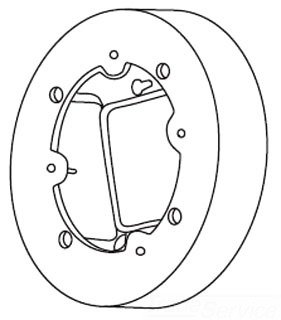
Figure 1: Wiremold 2337A-WH NM Round Box EXT. 2300 White, showing its circular design and internal mounting points.
2. Setup
Before beginning installation, ensure all power to the circuit is turned off at the main breaker. Always consult with a qualified electrician if you are unsure about any steps.
- Safety First: Disconnect power at the circuit breaker before starting any electrical work. Verify power is off using a voltage tester.
- Prepare Mounting Surface: Ensure the surface where the box will be mounted is clean, dry, and structurally sound.
- Position the Box: Place the Wiremold 2337A-WH box in the desired location, aligning it with existing conduit or wiring as needed.
- Secure Mounting: Use appropriate screws or fasteners (not included) to securely attach the box to the mounting surface through the designated mounting holes. Ensure the box is flush and stable.
- Wire Connections: Route electrical wires into the box through the appropriate knockouts. Make all necessary electrical connections according to local electrical codes and the specific requirements of your installation.
- Close and Cover: Once wiring is complete and connections are secure, attach any required cover plates or devices to the box.
3. Operating
The Wiremold 2337A-WH is a passive electrical enclosure designed to house and protect electrical connections. Its operation is dependent on the devices and wiring installed within it.
- Functionality: This box serves as an extension or junction point for electrical wiring, allowing for the safe termination and connection of conductors.
- Compatibility: Ensure that any devices, outlets, or switches installed within or connected to this box are compatible with its dimensions and electrical ratings.
- Post-Installation Check: After installation and re-energizing the circuit, verify that all connected devices function correctly and safely.
4. Maintenance
The Wiremold 2337A-WH requires minimal maintenance due to its durable construction. However, periodic checks are recommended to ensure continued safety and performance.
- Visual Inspection: Periodically inspect the box and its cover for any signs of damage, cracks, or discoloration.
- Secureness Check: Ensure the box remains securely mounted to its surface. Tighten mounting screws if any looseness is detected.
- Cleanliness: Keep the exterior of the box clean and free from dust or debris. Use a dry, soft cloth for cleaning. Do not use abrasive cleaners or solvents.
- Professional Inspection: For critical installations or if any electrical issues are suspected, consult a qualified electrician for a professional inspection.
5. Troubleshooting
This section addresses common issues that may arise during or after the installation of the Wiremold 2337A-WH. As this is a passive component, most issues relate to installation or connected devices.
| Problem | Possible Cause | Solution |
|---|---|---|
| Box is loose after installation. | Mounting screws are not tightened sufficiently or incorrect fasteners used. | Ensure power is off. Tighten mounting screws. If necessary, use appropriate anchors or longer screws for better grip. |
| Electrical device (outlet/switch) not working after installation. | Incorrect wiring connections, tripped breaker, or faulty device. | Ensure power is off. Double-check all wiring connections inside the box against wiring diagrams. Check the circuit breaker. Test the device itself. Consult an electrician if unsure. |
| Visible damage to the box. | Physical impact or improper handling. | If the box is cracked or severely damaged, it should be replaced immediately to ensure electrical safety. Disconnect power before replacement. |
6. Specifications
Key specifications for the Wiremold 2337A-WH NM Round Box EXT. 2300 White:
| Attribute | Value |
|---|---|
| Manufacturer | Wiremold |
| Part Number | 2337A-WH |
| Item Weight | 15 pounds |
| Product Dimensions | 20 x 18 x 15 inches |
| Item Model Number | 2337A-WH |
| Color | White |
| Item Package Quantity | 1 |
| Included Components | Electrical |
| Batteries Required? | No |
| ASIN | B008SDQ9AG |
| Date First Available | September 16, 2016 |
7. Warranty Information
Wiremold products are manufactured to high standards and are typically covered by a limited warranty against defects in materials and workmanship. For specific warranty terms and conditions, please refer to the official Wiremold website or contact their customer support. Keep your proof of purchase for warranty claims.
8. Support
For further assistance, technical support, or to inquire about replacement parts, please contact Wiremold customer service. You can typically find contact information on the official Wiremold website or through the retailer where you purchased the product.
Online Resources: Visit the official Wiremold website for product documentation, FAQs, and additional support resources.
Customer Service: Refer to your product packaging or the Wiremold website for direct contact numbers or email support.


