
Product Overview
The Baofeng BF-S112 is a compact and robust speaker microphone designed to enhance communication with compatible two-way radios. It provides clear audio output and a convenient Push-to-Talk (PTT) button, allowing users to operate their radio without needing to hold the main unit. Its durable construction and versatile clip make it suitable for various environments and applications.

Figure 1: Baofeng BF-S112 Two Way Radio Speaker, showing the speaker unit, coiled cable, and 2-pin connector.
Setup and Installation
Follow these steps to properly set up your Baofeng BF-S112 speaker microphone:
- Identify the Connector: The BF-S112 features a 2-pin connector with a 3.5mm stereo top pin for the earphone and a 2.5mm stereo bottom pin for the microphone. Ensure your two-way radio has a compatible dual-jack port.
- Connect to Radio: Carefully insert the 2-pin connector into the corresponding audio jack on your two-way radio. Ensure a firm and secure connection to prevent audio interruptions.
- Secure the Speaker Mic: Utilize the strong, rotatable clip located on the back of the speaker microphone to attach it to your clothing, belt, or other convenient location. This allows for hands-free operation and easy access.

Figure 2: Close-up view of the 2-pin connector, highlighting the 3.5mm and 2.5mm jacks.
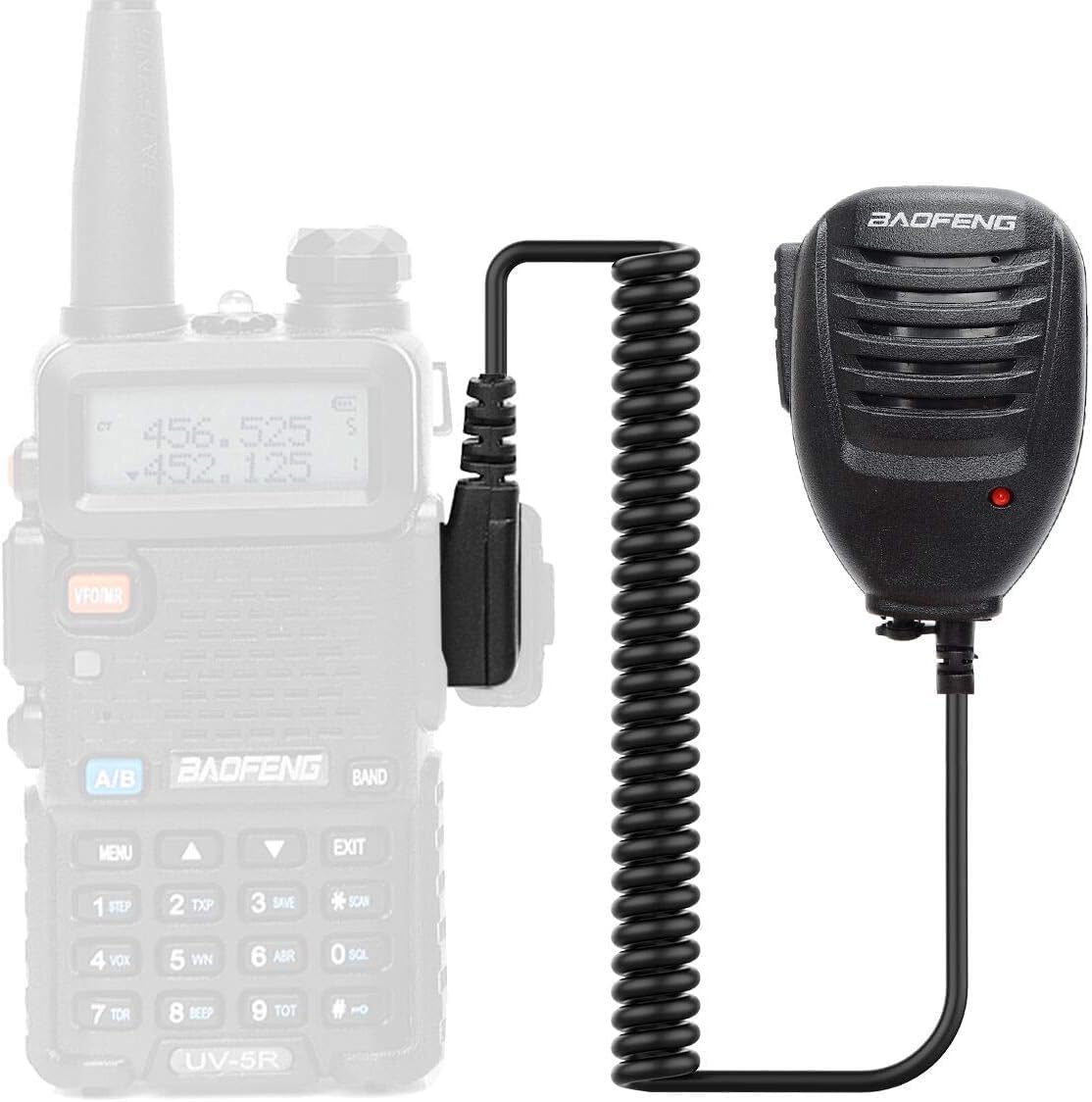
Figure 3: The speaker microphone connected to a compatible two-way radio.
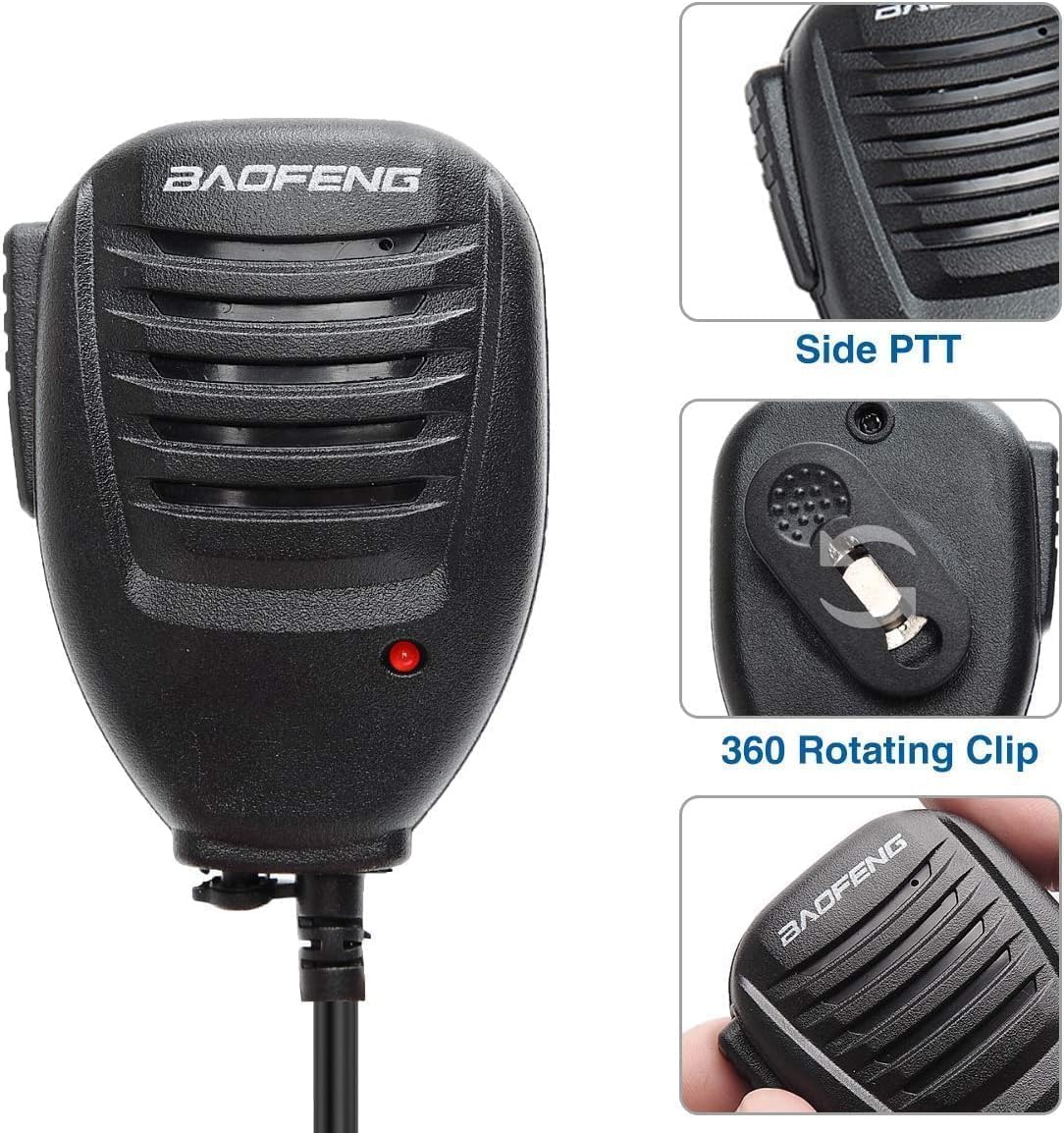
Figure 4: Detailed view of the side Push-to-Talk (PTT) button and the 360-degree rotating clip on the back of the speaker mic.
Operating Instructions
Once connected, the Baofeng BF-S112 speaker microphone simplifies radio communication:
- Receiving Audio: Audio from the radio will be routed through the speaker on the BF-S112. Adjust the radio's volume control to your desired listening level.
- Transmitting (Push-to-Talk - PTT): To transmit, press and hold the large Push-to-Talk (PTT) button located on the side of the speaker microphone. Speak clearly into the microphone grille. Release the PTT button when you have finished speaking to return to receive mode.
- Private Listening: For situations requiring privacy, connect a compatible 3.5mm earpiece (not included) to the earpiece socket located on the underside of the speaker microphone. This will mute the main speaker and route audio to the earpiece.

Figure 5: A user demonstrating the use of the Baofeng BF-S112 speaker microphone with a two-way radio.
Maintenance
Proper maintenance ensures the longevity and optimal performance of your speaker microphone:
- Cleaning: Use a soft, dry cloth to wipe down the exterior of the speaker microphone. For stubborn dirt, a slightly damp cloth can be used, but ensure no moisture enters the speaker grille or microphone opening. Avoid using harsh chemicals or abrasive cleaners.
- Cable Care: Avoid sharp bends, kinks, or excessive pulling on the coiled cable. Store the cable neatly to prevent tangling and damage to the internal wires.
- Storage: When not in use, store the speaker microphone in a clean, dry environment away from extreme temperatures, direct sunlight, and excessive dust.
Troubleshooting
If you encounter issues with your Baofeng BF-S112, consider the following:
- No Audio from Speaker:
- Ensure the 2-pin connector is fully and securely inserted into the radio's audio jack.
- Check the radio's volume level.
- If an earpiece is connected, ensure it is functioning correctly or remove it to test the main speaker.
- Distorted or Low Audio:
- Verify the connection is secure.
- Ensure the speaker grille and microphone opening are free from obstructions (e.g., dust, debris).
- Adjust the radio's volume.
- PTT Button Not Functioning:
- Confirm the speaker microphone is correctly plugged into the radio.
- Ensure the radio is powered on and in an active channel/frequency mode.
If problems persist after performing these checks, contact Baofeng customer support or your product retailer for further assistance.
Specifications
| Feature | Detail |
|---|---|
| Model Number | BF-S112 |
| Connectivity Technology | Auxiliary |
| Connector Type | 2-Pin (1x 3.5mm Ear, 1x 2.5mm Mic) |
| Microphone Form Factor | Handheld |
| Item Dimensions (L x W x H) | 5.4 x 3.2 x 2.6 inches |
| Item Weight | 0.01 ounces |
| Cable Length | Approximately 3 feet (914 mm) |
| Special Features | Rotatable Clip |
| Color | Black |
| Included Components | 1 x Original Baofeng Speaker |
Warranty and Support
For information regarding product warranty, returns, or technical support, please refer to the documentation provided with your purchase or contact the retailer from whom you purchased the Baofeng BF-S112 speaker microphone. You may also visit the official BAOFENG website for general support resources and contact information.