
1. Introduction
This manual provides essential information for the safe installation, operation, and maintenance of your Jacuzzi Signature Acrylic Corner Drop-In Bathtub with Jets, Model J5D6060WCR1XXW. Please read these instructions thoroughly before installation and use to ensure proper function and longevity of your product.
2. Safety Information
WARNING: Risk of Electric Shock. Connect only to a circuit protected by a ground-fault circuit interrupter (GFCI).
- Always ensure the bathtub is properly grounded according to local electrical codes.
- Do not operate the jetted system if the water level is below the jets.
- Avoid using electrical appliances near the bathtub.
- Do not use abrasive cleaners or harsh chemicals that could damage the acrylic surface or internal components.
- Supervise children at all times when they are near or in the bathtub.
- The slip-resistant surface is designed to enhance safety, but caution should always be exercised when entering or exiting the tub.
3. Product Overview
The Jacuzzi Signature Corner Drop-In Bathtub is designed to provide a therapeutic bathing experience with its advanced jet system and durable acrylic construction. This model features a center drain placement and right-hand equipment for convenient installation.
Key Features:
- Superior Jet Bath Experience: Patented POINTPRO jets deliver an invigorating massage.
- Innovative Jet System: Combines high volumes of water and air for a swirling, therapeutic bath.
- Slip-Resistant Surface: Ensures stability and safety during use.
- Convenient Design: Center drain placement and right-hand equipment for efficient water drainage and installation.
- Durable Acrylic Construction: High-quality acrylic ensures longevity and a sleek, modern aesthetic.
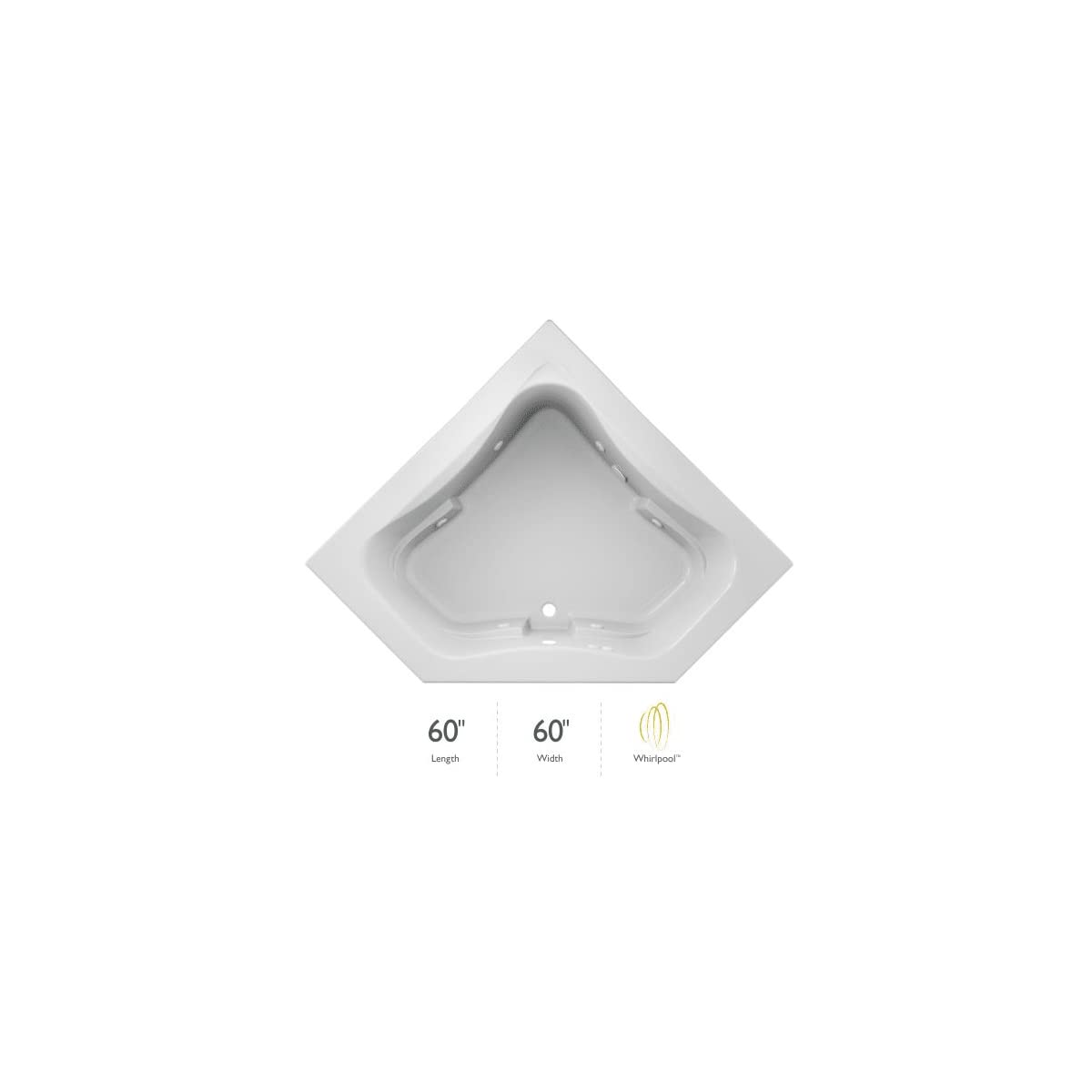
Figure 1: Top-down view of the Jacuzzi Signature Corner Drop-In Bathtub, highlighting its corner design and jet placement.

Figure 2: The Jacuzzi Signature Corner Drop-In Bathtub seamlessly integrated into a modern bathroom setting.
Hydrotherapy Experiences:
Jacuzzi bathtubs offer various hydrotherapy experiences. The Signature products, including this model, are designed for jetted massage.

Figure 3: Overview of various hydrotherapy options available in Jacuzzi bathtubs. This model focuses on the jetted massage experience.
Official Product Video:
Video 1: An official Jacuzzi video demonstrating the whirlpool bath experience and jet systems. This video showcases the powerful water and air mixture for therapeutic massage.
4. Setup and Installation
The Jacuzzi Signature Corner Drop-In Bathtub is designed for drop-in installation. Professional installation is recommended to ensure proper plumbing and electrical connections.
Pre-Installation Checks:
- Verify that the installation area can support the weight of the filled bathtub and occupant(s).
- Ensure adequate access for plumbing and electrical connections.
- Confirm that the electrical supply meets the requirements for the jetted system and is protected by a GFCI.
- Inspect the bathtub for any shipping damage before installation.
Installation Steps (Summary):
- Prepare the subfloor and framing for the corner drop-in configuration.
- Install the necessary plumbing for the center drain and water supply.
- Connect the electrical wiring for the jetted system, ensuring all connections are secure and waterproof.
- Carefully lower the bathtub into the prepared opening.
- Secure the bathtub according to manufacturer guidelines to prevent movement.
- Install the compatible drain kit (sold separately). Jacuzzi Signature compatible drain kit part numbers include PG35959, PG35817, PG35824, PG35826, PG35845, HP55826, HP55827, HP55845, LH33827, LH33826, LH33845.
- Perform a leak test before sealing the perimeter of the tub.

Figure 4: Illustration of the Jacuzzi Signature Corner Drop-In Bathtub during installation, showing the underside and potential plumbing connections.

Figure 5: A close-up view of the Jacuzzi Signature Drop-In Bathtub's interior, showing the jet placement and control panel area.
5. Operating Instructions
To operate your Jacuzzi Signature jetted bathtub, follow these steps:
- Fill the Bathtub: Ensure the water level is at least 2 inches above the highest jets before activating the system.
- Activate Jets: Locate the control button for the jets (typically on the rim of the tub or a nearby wall control). Press the button to turn the jetted system on.
- Adjust Jet Intensity: Some models allow for adjustment of jet intensity or direction. Refer to your specific control panel for details. The POINTPRO jets are designed to deliver a focused massage.
- Enjoy Your Bath: Relax and enjoy the therapeutic massage.
- Turn Off Jets: Press the control button again to turn off the jetted system before draining the tub.
- Drain the Bathtub: Open the center drain to empty the tub.
6. Maintenance
Regular maintenance will help keep your Jacuzzi bathtub in optimal condition.
Cleaning the Bathtub Surface:
- Use a soft cloth and a non-abrasive cleaner specifically designed for acrylic surfaces.
- Rinse thoroughly with clean water after cleaning.
- Avoid harsh chemicals, scouring pads, or abrasive brushes, as these can scratch or dull the acrylic finish.
Cleaning the Jet System:
- Periodically fill the tub with warm water and add a small amount of low-foaming detergent or a specialized jet cleaner.
- Run the jets for 10-15 minutes to circulate the cleaning solution.
- Drain the tub, then refill with clean water and run the jets for a few minutes to rinse the system.
7. Troubleshooting
If you encounter issues with your Jacuzzi bathtub, refer to the following common problems and solutions:
| Problem | Possible Cause | Solution |
|---|---|---|
| Jets do not activate. | No power, GFCI tripped, water level too low. | Check power supply, reset GFCI, ensure water is above jets. |
| Weak jet pressure. | Air intake blocked, pump issue, low water level. | Clear air intake, check pump for obstructions, ensure adequate water level. |
| Unusual noise from pump. | Debris in pump, air in system. | Run jets with clean water to flush, consult a professional if noise persists. |
| Water leaks. | Loose plumbing connection, damaged seal. | Immediately turn off power and water supply. Contact a qualified plumber or Jacuzzi service. |
For issues not listed here or if solutions do not resolve the problem, please contact Jacuzzi customer support.
8. Specifications
| Feature | Detail |
|---|---|
| Model Number | J5D6060WCR1XXW |
| Brand | Jacuzzi |
| Material | Acrylic |
| Color | White |
| Product Dimensions (L x W x H) | 60"L x 60"W x 22"H |
| Installation Type | Drop-In |
| Drain Placement | Center |
| Equipment Handing | Right Hand Equip |
| Capacity | 76 Gallons |
| Item Weight | 91 Pounds |
| UPC | 731352614767 |
9. Warranty and Support
Jacuzzi products are backed by a manufacturer's warranty. For warranty claims or technical support, please contact Jacuzzi Group customer service. When contacting support, ensure you have your proof of purchase and the product's serial number readily available, as these are often required for service.
For more information, visit the official Jacuzzi website or refer to the warranty documentation included with your purchase.


