
1. Introduction
This manual provides instructions for the Vivitar 16MP Digital Camera, model VS130. This compact point-and-shoot camera features a 16.1 Megapixel resolution, 4x digital zoom, and a 3-inch ultra-clear Full Touch Screen LCD. It operates with a rechargeable lithium-ion battery and includes advanced features for capturing vivid pictures.
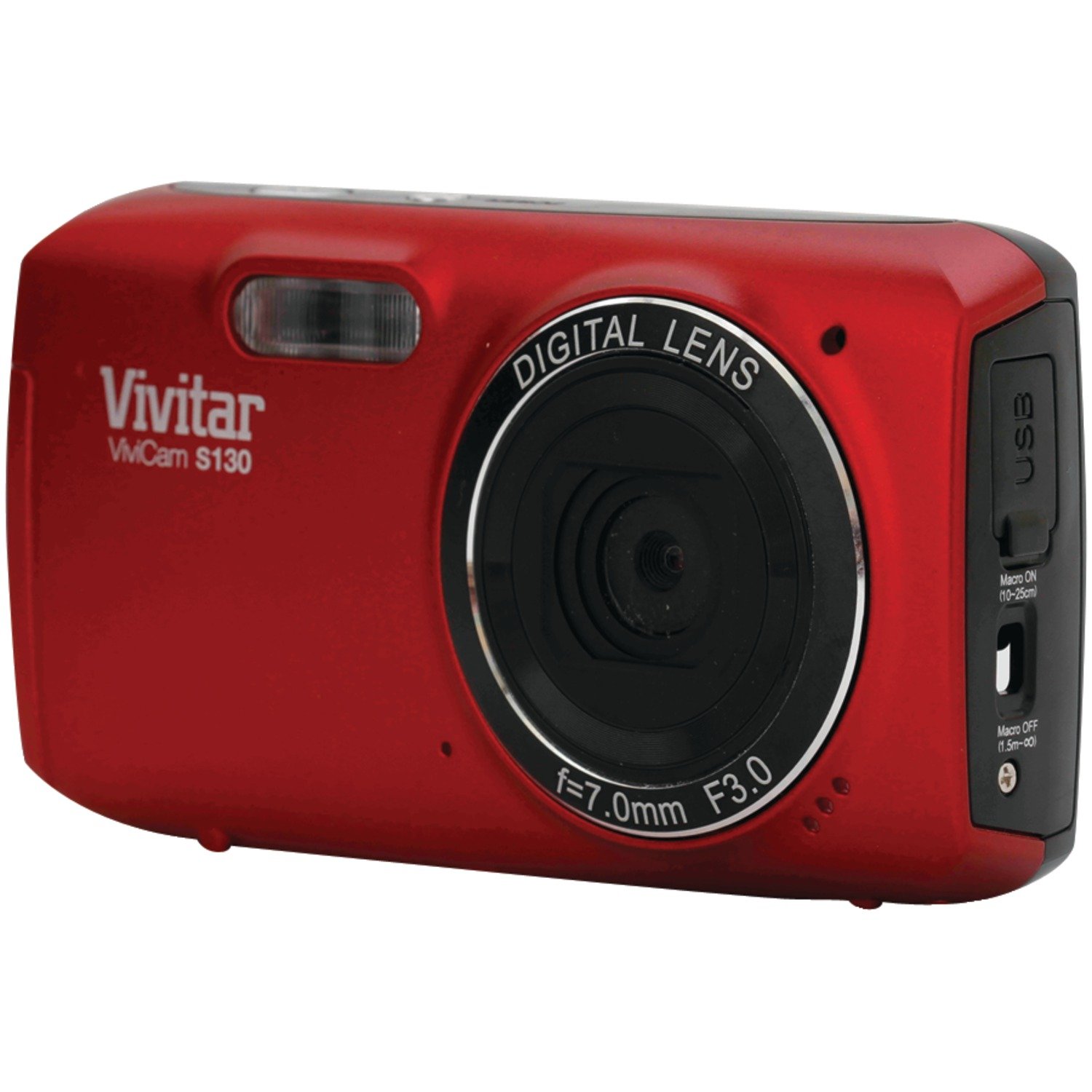
Image: Vivitar 16MP Digital Camera VS130, front view.
2. Setup
2.1. Battery Installation and Charging
The camera uses a rechargeable Lithium-Ion battery (included).
- Locate the battery compartment on the camera.
- Insert the battery, ensuring correct polarity.
- Close the battery compartment securely.
- Connect the camera to a power source using the provided charging cable to fully charge the battery before first use.
2.2. Memory Card Insertion
An SD (Secure Digital) memory card is required to store photos and videos. A memory card may not be included with the camera and might need to be purchased separately.
- Locate the memory card slot, usually near the battery compartment.
- Insert the SD card with the metal contacts facing the correct direction, as indicated by a diagram near the slot.
- Push the card gently until it clicks into place.
- To remove, push the card again until it springs out slightly, then pull it out.
3. Operating Instructions
3.1. Powering On/Off
Press and hold the power button to turn the camera on or off.
3.2. Taking Photos
The camera captures images at 16.1 Megapixels.
- Turn on the camera.
- Frame your shot using the 3-inch touch screen LCD.
- Press the shutter button halfway to focus, then fully to take the picture.
3.3. Using the Touch Screen
The 3-inch ultra-clear Full Touch Screen LCD allows for intuitive navigation through menus and settings. Tap icons to select options, swipe to browse photos, and use pinch-to-zoom gestures if supported.
3.4. Digital Zoom
Utilize the 4x digital zoom to magnify your subject. Zoom controls are typically accessible via the touch screen or dedicated buttons.
3.5. Special Features
- Anti-Shake Feature: This feature helps reduce blur caused by camera movement, resulting in clearer images. It is always active.
- Smile Detection: The camera can automatically detect smiles and capture a photo when a smile is detected. Enable this feature in the camera settings.
3.6. Recording Videos
The camera supports video recording at 1080p resolution in MP4 format.
- Switch the camera to video recording mode (usually an icon on the touch screen).
- Press the shutter button to start recording.
- Press the shutter button again to stop recording.
4. Maintenance
4.1. Cleaning the Camera
- Use a soft, lint-free cloth to clean the camera body.
- For the lens and touch screen, use a specialized lens cleaning cloth and solution. Avoid harsh chemicals.
4.2. Storage
Store the camera in a cool, dry place away from direct sunlight and extreme temperatures. Remove the battery if the camera will not be used for an extended period.
5. Troubleshooting
| Problem | Possible Cause / Solution |
|---|---|
| Camera does not power on. | Battery may be depleted. Ensure the battery is fully charged and correctly inserted. |
| Cannot take photos/videos. | Memory card may be full or not inserted correctly. Check card status or replace/format the card. |
| Images are blurry. | Ensure adequate lighting. Hold the camera steady. The Anti-Shake feature is active, but extreme movement can still cause blur. |
| Touch screen is unresponsive. | Restart the camera. Ensure the screen is clean and dry. |
| Flash does not activate automatically. | Check flash settings in the camera menu. Ensure it is set to 'Auto' or 'On' as desired. |
6. Specifications
| Feature | Detail |
|---|---|
| Model Name | VS130 |
| Photo Sensor Resolution | 16 MP (Effective Still Resolution: 16.1 MP) |
| Digital Zoom | 4x |
| Screen Size | 3 Inches (LCD, Full Touch Screen) |
| Image Stabilization | Digital (Anti-Shake feature) |
| Video Resolution | 1080p |
| Video Capture Format | MP4 |
| Supported File Format | JPEG |
| Flash Memory Type | SD |
| Battery Type | Lithium Ion (Rechargeable) |
| Manufacturer | Sakar International, Inc. |
7. Warranty and Support
For warranty information and technical support, please refer to the documentation included with your purchase or visit the official Vivitar website. Keep your proof of purchase for warranty claims.