
Eureka 98A
Contents
Eureka Model 98A Stick Broom Filter User Manual
Official instructions for installation, maintenance, and care.
Product Overview
The Eureka Model 98A Stick Broom Filter is an essential replacement part designed to maintain the optimal performance of your Eureka stick broom vacuum cleaner. This filter, also known by OEM part numbers 60693 and E-60693, effectively captures dust and debris, ensuring clean exhaust air and efficient vacuum operation.
Specifications
| Attribute | Value |
|---|---|
| Brand | Eureka |
| Model | 98A |
| OEM Part Numbers | 60693, E-60693 |
| Item Weight | 1 pounds |
| Material | Filter material (Broom refers to the vacuum type) |
| UPC | 616469466846 |
| Unit Count | 1.0 Count |
Installation (Setup)
Follow these steps to properly install your new Eureka Model 98A Stick Broom Filter:
- Power Off: Ensure your Eureka stick broom vacuum cleaner is unplugged from the power outlet before beginning any maintenance or installation.
- Locate Filter Compartment: Refer to your vacuum cleaner's specific user manual to locate the filter compartment. This is typically found near the dust cup or dirt collection area.
- Remove Old Filter: Carefully remove the old, dirty filter. Dispose of it according to local regulations.
- Insert New Filter: Place the new Eureka Model 98A filter into the compartment. Ensure it is seated correctly and securely. The filter is designed to fit snugly to prevent air leaks.
- Close Compartment: Close the filter compartment door or cover firmly until it latches.
- Test: Plug in your vacuum cleaner and perform a brief test to ensure proper operation.
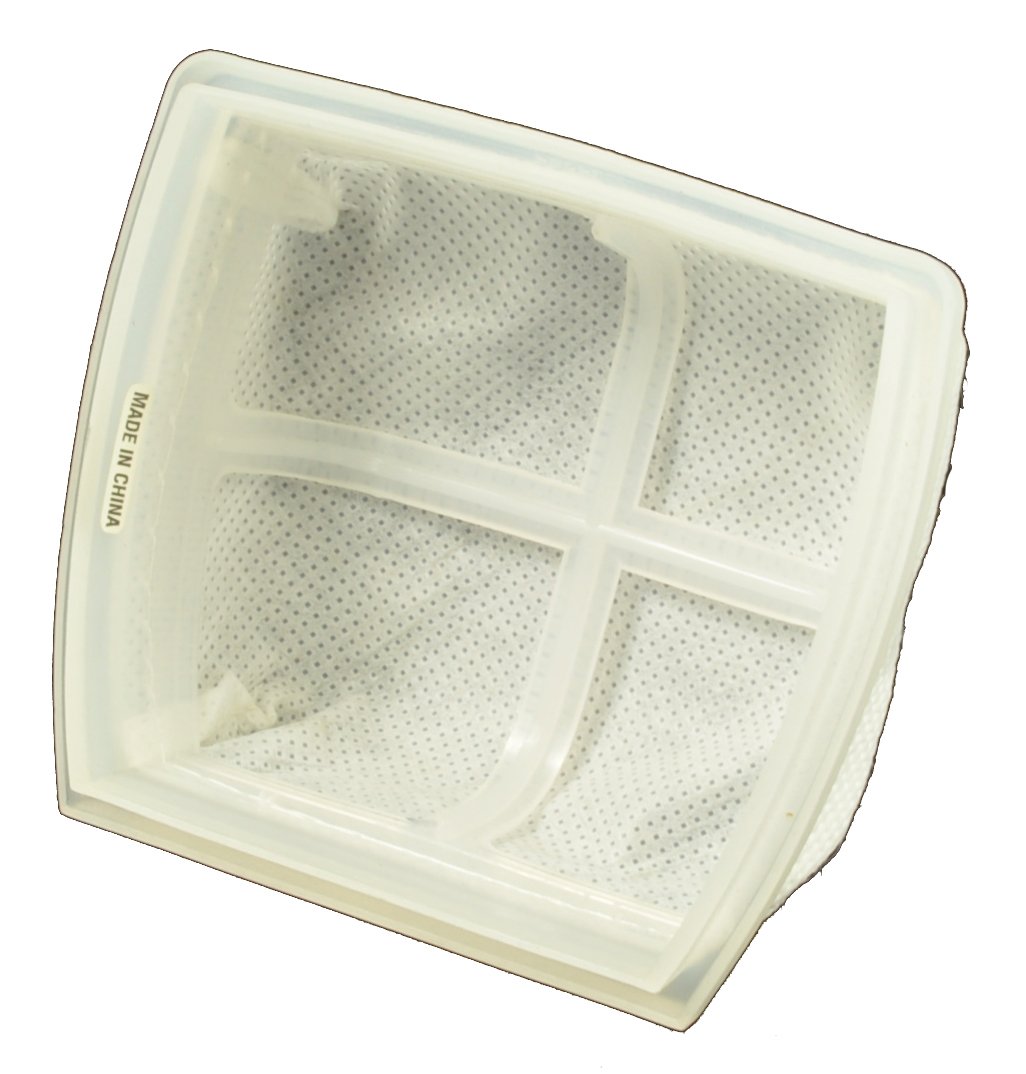
Image: The Eureka Model 98A Stick Broom Filter. This image shows the square-shaped filter with a white frame and a fine mesh filter material inside, designed to capture dust and debris. The text "MADE IN CHINA" is visible on one side of the frame.
Operation
The Eureka Model 98A Stick Broom Filter operates passively within your vacuum cleaner. Its primary function is to filter the air that passes through the vacuum, trapping fine dust particles and allergens before the air is expelled back into your environment. A clean filter is crucial for maintaining strong suction power and ensuring the longevity of your vacuum motor.
No specific user interaction is required for the filter's operation beyond its correct installation. The vacuum's normal use will engage the filter.
Maintenance
Regular maintenance of your filter is vital for optimal vacuum performance and air quality. While the Eureka Model 98A is a replacement filter, some general maintenance tips apply:
- Check Regularly: Inspect the filter periodically (e.g., every 1-3 months, depending on usage) for signs of heavy dirt accumulation or damage.
- Tapping/Shaking: For light dust, you may gently tap the filter against a trash can to dislodge loose debris. Do not wash this filter unless explicitly stated by your vacuum's manual, as it may damage the filter material.
- Replacement: Filters have a finite lifespan. Replace your Eureka Model 98A filter every 6-12 months, or sooner if you notice a decrease in suction power, increased motor noise, or visible damage to the filter. Heavy use or pet ownership may necessitate more frequent replacement.
Troubleshooting
If you experience issues related to your vacuum's performance after filter installation, consider the following:
- Reduced Suction:
- Ensure the filter is installed correctly and seated firmly in its compartment.
- Check if the filter is clogged with fine dust. If so, it may be time for a replacement.
- Verify that the dust cup is not full and that there are no blockages in the vacuum's hose or brush roll.
- Unusual Odors:
- A dirty filter can sometimes cause odors. Replace the filter if odors persist after cleaning the dust cup.
- Filter Does Not Fit:
- Double-check that you have purchased the correct filter model (Eureka Model 98A, OEM 60693/E-60693) for your specific Eureka stick broom vacuum cleaner. Refer to your vacuum's manual for compatible filter models.
Support
For further assistance or to purchase genuine Eureka replacement parts, please visit the official Eureka website or contact their customer support. Always refer to your specific vacuum cleaner's user manual for detailed instructions pertaining to your model.
Eureka Official Store: Visit the Eureka Store on Amazon
Documents and downloads
Ask a question about this manual
Ask about setup, troubleshooting, compatibility, parts, safety, or missing instructions. Manuals+ will review the question and use this page’s manual context to help answer it.