
LG 50PA4520
LG 50PA4520 50-inch Plasma Television User Manual
Model: 50PA4520
1. Introduction
This manual provides essential information for the safe and efficient operation of your LG 50PA4520 50-inch Plasma Television. Please read this manual thoroughly before operating your television and retain it for future reference.
2. Safety Information
Always follow basic safety precautions when using this product to reduce the risk of fire, electric shock, and injury to persons. Keep the television away from moisture and heat sources. Ensure proper ventilation. Do not block ventilation openings. Refer to the separate safety guide for detailed warnings and precautions.
3. What's in the Box
Verify that all components are present:
- LG 50PA4520 Plasma Television Unit
- Stand
- Remote Control
- AA Batteries (2)
- User Manual (this document)
- Power Cord
4. Setup
4.1. Physical Installation
The LG 50PA4520 television supports both table-top and wall-mount installations. Ensure the television is placed on a stable, level surface or securely mounted to a wall using a compatible wall mount kit (sold separately).
Table-Top Stand Installation:
- Carefully place the television screen-down on a soft, clean surface to prevent scratches.
- Attach the stand to the television using the provided screws, ensuring it is firmly secured.
- Place the television upright on a stable surface.
Wall Mount Installation:
For wall mounting, consult a professional installer. Use VESA-compliant mounting hardware appropriate for the television's weight and size. Refer to the wall mount kit's instructions for specific details.
4.2. Connecting Devices
The LG 50PA4520 features multiple connectivity options for external devices.
- HDMI (High-Definition Multimedia Interface): Connect high-definition devices such as Blu-ray players, gaming consoles, or set-top boxes using HDMI cables. The television supports uncompressed digital audio/video signals.
- PC Connectivity: Connect a computer to the television for use as a monitor.
- Antenna/Cable Input: Connect an antenna or cable TV source for broadcast television.
After connecting devices, power on the television and use the remote control to select the appropriate input source.
5. Operating Instructions
5.1. Basic Operation
- Power On/Off: Press the Power button on the remote control or the television unit.
- Volume Control: Use the Volume Up/Down buttons on the remote.
- Channel Selection: Use the Channel Up/Down buttons or the number pad on the remote.
- Input Source Selection: Press the "Input" or "Source" button on the remote to cycle through connected devices (HDMI, AV, PC, etc.).
5.2. Key Features
- Clear Voice II: This feature automatically enhances the sound of human voices, making dialogue clearer, especially when background noise is present. Activate or deactivate this feature through the audio settings menu.
- HDMI Control: When connected to an LG Home Entertainment System via HDMI, you can operate multiple devices (TV, Audio, DVD) with a single remote control. The system also supports automatic AV input search for convenience.
- Real Cinema 24p (3:3 Pull Down): Provides a cinematic viewing experience by displaying film content at its native 24 frames per second.
- Triple XD Engine: LG's advanced picture processing technology for enhanced color, contrast, and clarity.
- Cinema 3:2/2:2 Pull Down Mode: Optimizes the display of film-based content for smooth motion.
- Color Temperature Control: Adjust the color balance of the screen to your preference (e.g., warm, cool, standard).
- Resolution Upscaler: Improves the quality of lower-resolution content to near-HD levels.
- Audio Modes: Supports Mono, Stereo, Dual, Dolby Digital Decoder, and Virtual Surround sound for a versatile audio experience.
6. Maintenance
Proper maintenance ensures the longevity and optimal performance of your television.
- Screen Cleaning: Gently wipe the screen with a soft, dry, lint-free cloth. For stubborn marks, use a screen-specific cleaning solution applied to the cloth, not directly to the screen. Avoid harsh chemicals.
- Cabinet Cleaning: Wipe the television cabinet with a soft, dry cloth.
- Ventilation: Ensure that the ventilation openings on the back of the television are not blocked to prevent overheating.
- Power Cord: Regularly check the power cord for any damage. If damaged, replace it with an authorized LG replacement part.
7. Troubleshooting
Before contacting service personnel, refer to the following common issues and solutions:
- No Power:
- Check if the power cord is securely plugged into both the television and the wall outlet.
- Verify the wall outlet is functioning by plugging in another device.
- Ensure the power button on the remote or TV is pressed.
- No Picture/Sound:
- Confirm the correct input source is selected (e.g., HDMI 1, AV).
- Check all cable connections between the television and external devices.
- Adjust the volume if there is no sound.
- Remote Control Not Working:
- Replace the batteries in the remote control.
- Ensure there are no obstructions between the remote and the television's IR sensor.
- Poor Picture Quality:
- Check antenna/cable connections.
- Adjust picture settings (brightness, contrast, sharpness, color temperature) in the TV menu.
- If using an external device, check its output resolution settings.
8. Specifications
Detailed technical specifications for the LG 50PA4520 Plasma Television:
| Feature | Specification |
|---|---|
| Brand | LG |
| Model | 50PA4520 |
| Display Technology | Plasma |
| Screen Size | 50 Inches |
| Resolution | 1024 x 768 pixels (768p) |
| Aspect Ratio | 1.33:1 |
| Color Reproduction | 16 bit (Panel Output) |
| Hardware Interface | HDMI |
| Tuner Technology | ATSC |
| Audio Output Mode | Mono, Stereo, Surround |
| Speaker Configuration | 2 Channel |
| Power Source | AC |
| Product Dimensions (LxWxH) | 5.3 x 116.8 x 70.4 cm |
| Item Weight | 28.2 kg |
| Mounting Type | Wall Mount & Table Mount |
9. Warranty and Support
Your LG 50PA4520 Plasma Television comes with a 1 Year Warranty from the date of purchase. Please retain your purchase receipt for warranty claims.
For product installation assistance or any other support inquiries, please contact LG customer service or the provided support channels:
- Toll-Free Number: 1800 3000 9027 (for installation requests and general assistance)
- Online Support: Visit the official LG India website for further support resources and contact information.
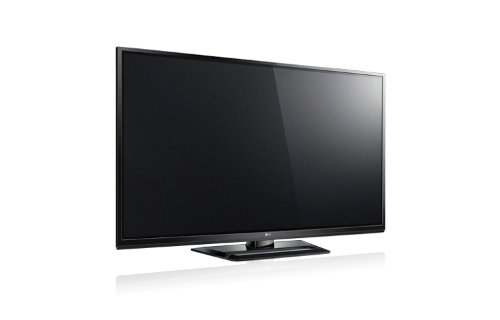
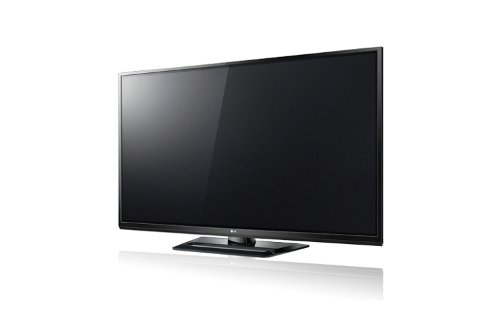
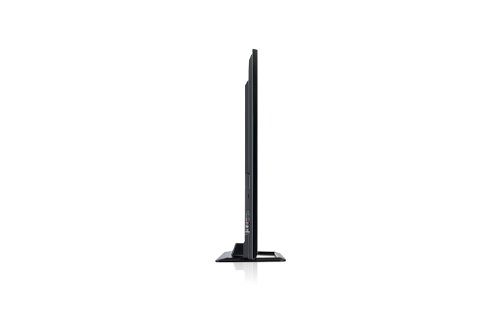
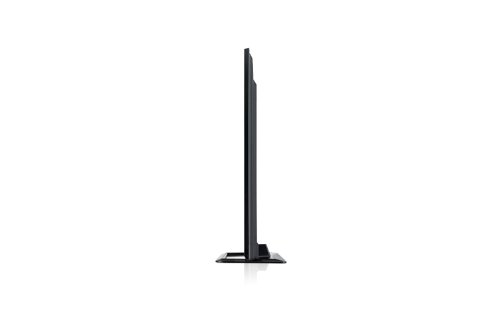
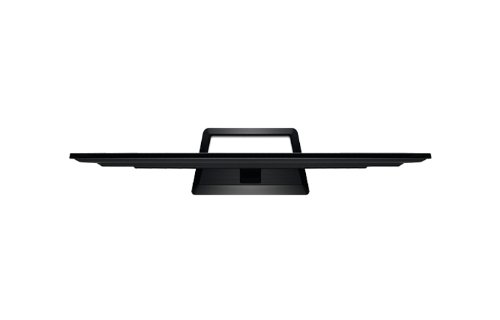
10. Product Views


Ask a question about this manual
Ask about setup, troubleshooting, compatibility, parts, safety, or missing instructions. Manuals+ will review the question and use this page’s manual context to help answer it.