
Introduction
This manual provides detailed instructions for the installation, operation, and maintenance of your Delta Faucet Celice Two Metal Lever Handle Kit, model RP71114RB. Please read these instructions carefully before beginning installation to ensure proper function and longevity of your product. Keep this manual for future reference.
Package Contents
Verify that all components are present before beginning installation:
- Two (2) Metal Lever Handles
- Two (2) Handle Bases/Escutcheons
- Two (2) Set Screws
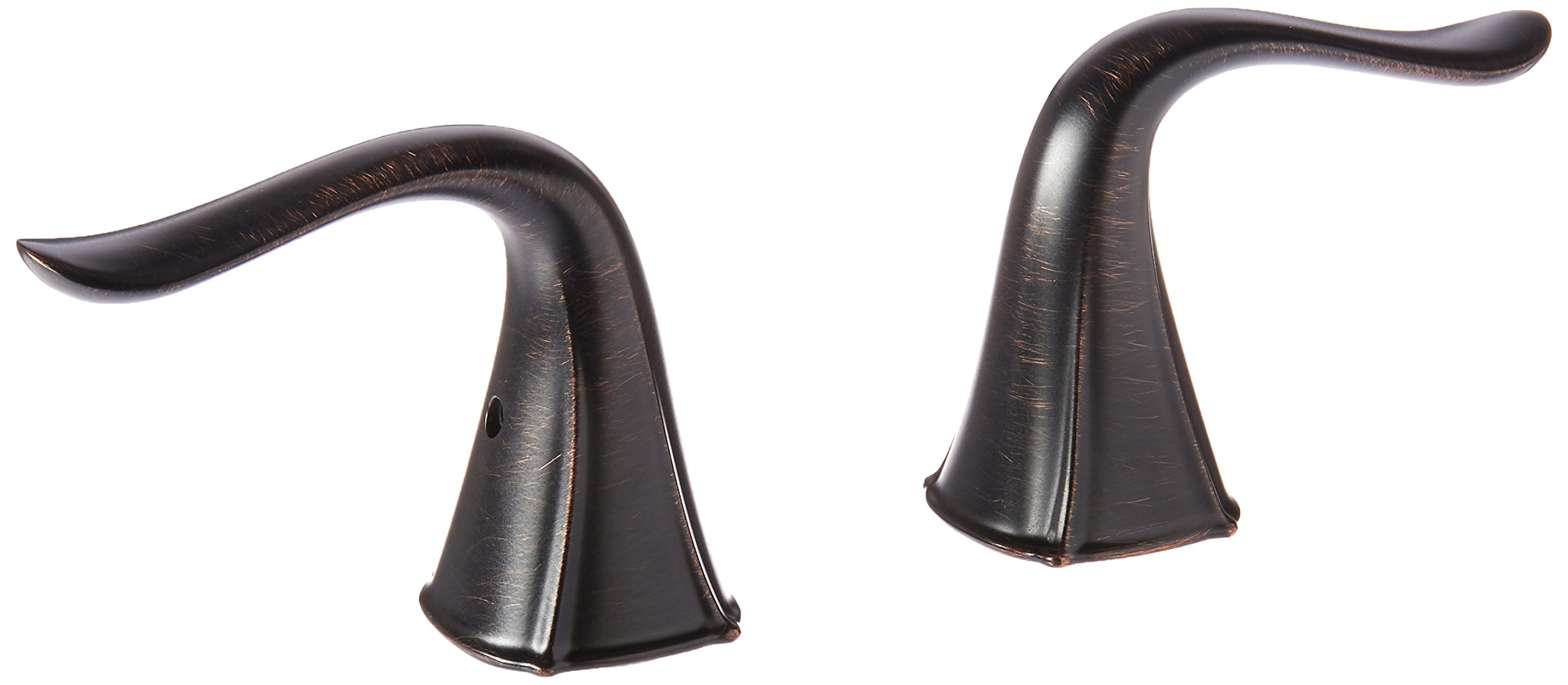
Image: Exploded view of the Delta Faucet Celice Two Metal Lever Handle Kit, showing the handle, set screw, and base. This kit includes two such assemblies.
Setup and Installation
Tools Required:
- Hex Wrench (often included with faucet, or appropriate size for set screw)
- Soft Cloth
Installation Steps:
- Turn off Water Supply: Locate the hot and cold water supply valves under the sink and turn them off completely.
- Remove Old Handles (if applicable): If replacing existing handles, loosen the set screw on the underside or back of the old handle with a hex wrench. Remove the old handle and any associated trim.
- Prepare the Faucet Stem: Ensure the faucet valve stems are clean and free of debris.
- Install Handle Base: Place the new handle base (escutcheon) over the valve stem on the faucet body. Ensure it sits flush.
- Position the Handle: Align the new metal lever handle onto the valve stem. The handle should be in the 'off' position (typically pointing forward or slightly outward).
- Secure the Handle: Insert the provided set screw into the hole on the side or back of the handle. Use the hex wrench to tighten the set screw firmly against the valve stem. Do not overtighten.
- Repeat for Second Handle: Follow steps 4-6 for the second handle.
- Turn on Water Supply: Slowly turn the hot and cold water supply valves back on.
- Check for Leaks: Inspect all connections for any signs of leaks. If leaks are present, turn off the water supply and re-tighten connections as needed.
Operating Instructions
The Celice Two Metal Lever Handle Kit provides precise control over water flow and temperature.
- Water Flow: Lift the lever handle to increase water flow. Push it down to decrease or stop the flow.
- Temperature Control: For two-handle faucets, the left handle controls hot water, and the right handle controls cold water. Rotate the handles to achieve the desired temperature mix.
Maintenance
Cleaning:
To maintain the finish of your Delta Faucet handles, follow these guidelines:
- Clean with a soft, damp cloth.
- Use only mild soap and water.
- Avoid abrasive cleaners, harsh chemicals, or polishes, as these can damage the finish.
- Wipe dry immediately after cleaning to prevent water spots.
General Care:
Periodically check the set screws for tightness. If a handle feels loose, gently tighten the set screw with the appropriate hex wrench.
Troubleshooting
| Problem | Possible Cause | Solution |
|---|---|---|
| Handle is loose | Set screw is loose or missing. | Tighten the set screw with a hex wrench. If missing, contact Delta Faucet for a replacement. |
| Water leaks from handle base | Improper installation or worn O-rings/gaskets (not part of this handle kit). | Ensure handle base is seated correctly. If leak persists, the issue may be with the faucet valve itself, requiring further inspection or professional assistance. |
| Handle does not turn smoothly | Debris under handle or worn valve stem (not part of this handle kit). | Remove handle and clean any debris. If the issue is with the valve stem, consult your faucet's specific manual or a plumber. |
Specifications
- Model Number: RP71114RB
- Brand: Delta Faucet
- Product Type: Two Metal Lever Handle Kit
- Finish: Venetian Bronze (as per product title, though not explicitly in specs)
- Product Dimensions: Approximately 13.97 x 9.53 x 5.08 cm (5.5 x 3.75 x 2 inches) per handle assembly
- Item Weight: Approximately 340 g (0.75 pounds)
- Quantity: 2 handles per kit
Warranty Information
Delta Faucet products are manufactured to high standards and undergo rigorous quality control. For specific warranty details, please refer to the official Delta Faucet website or the warranty card included with your original faucet purchase. Keep your proof of purchase for warranty claims.
You can typically find warranty information and registration at the official Delta Faucet website: www.deltafaucet.com
Support
If you require further assistance or have questions not covered in this manual, please contact Delta Faucet customer support. Contact information can be found on the official Delta Faucet website or by searching for 'Delta Faucet customer service' online.
Online resources and FAQs are often available at: www.deltafaucet.com