
1. Product Overview
The Western Digital WD Red Plus 2TB NAS Internal Hard Drive (Model WD20EFRX) is engineered for Network Attached Storage (NAS) systems. It is designed to handle the demands of small- to medium-sized business NAS environments and increased workloads for SOHO customers. This drive is suitable for archiving, sharing, and RAID array rebuilding on systems utilizing ZFS and other file systems. Built and tested for up to 8-bay NAS systems, it offers flexibility, versatility, and reliability for storing and sharing important files.

Image 1.1: Front view of the Western Digital WD Red Plus 2TB NAS Hard Drive, showing its label and specifications.
Key Features:
- Available in capacities ranging from 1-14TB with support for up to 8 bays.
- 5400 RPM performance class for balanced speed and power efficiency.
- Supports up to 180 TB/yr workload rate, defined as the amount of user data transferred to or from the hard drive.
- Features NASware firmware for enhanced compatibility and performance within NAS environments.
- Optimized for small or medium business NAS systems operating in a 24x7 environment.
- Utilizes CMR (Conventional Magnetic Recording) technology, distinguishing it from SMR (Shingled Magnetic Recording) drives.
2. Installation Guide
Proper installation is crucial for the optimal performance and longevity of your WD Red Plus NAS hard drive. Always ensure your NAS system is powered off and disconnected from the power source before beginning installation.
Physical Installation:
- Prepare your NAS enclosure: Refer to your NAS system's user manual for specific instructions on how to open the enclosure and access the drive bays.
- Mount the hard drive: Secure the WD Red Plus drive into a drive tray or directly into the bay, depending on your NAS model. Ensure all mounting screws are tightened to prevent vibration.
- Connect the drive: Slide the drive tray into the empty bay until it clicks into place, ensuring the SATA data and power connectors are properly seated.
- Close the enclosure: Reassemble your NAS enclosure according to its manual.
- Power on: Connect the NAS system to power and turn it on.

Image 2.1: A Western Digital WD Red Plus NAS Hard Drive being inserted into a compatible NAS system bay, illustrating the physical installation process.
Initial Setup (Software Configuration):
After physical installation, you will need to configure the drive within your NAS operating system. This typically involves:
- Accessing the NAS web interface or management software.
- Detecting the newly installed drive(s).
- Creating or expanding a storage pool/RAID array.
- Formatting the drive(s) and creating volumes.
Refer to your specific NAS system's documentation for detailed software setup instructions.
3. Operating the WD Red Plus Drive
WD Red Plus drives are designed for continuous 24/7 operation within NAS environments. Their NASware firmware optimizes performance, power consumption, and reliability for these demanding conditions.
Key Operational Aspects:
- Continuous Operation: These drives are built to run constantly, making them ideal for always-on data access and sharing.
- Data Access: Access your stored data through your NAS system's network protocols (e.g., SMB, NFS, FTP) from connected devices.
- RAID Optimization: NASware firmware enhances compatibility and performance in RAID arrays, ensuring data integrity and efficient rebuilding processes.
- Power Management: The 5400 RPM class contributes to lower power consumption and reduced operating temperatures, which are beneficial for long-term reliability in multi-drive systems.
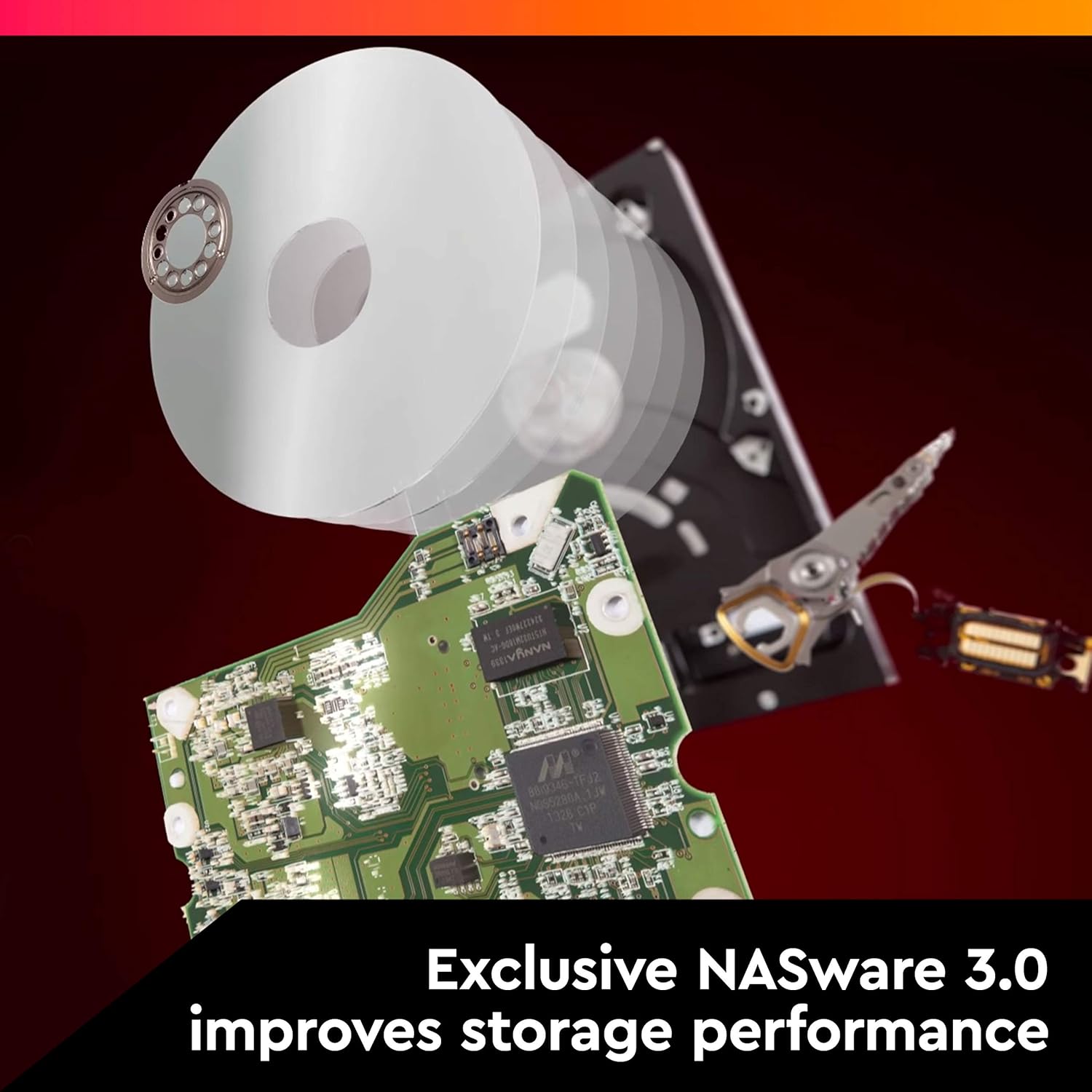
Image 3.1: An exploded view of a hard drive, highlighting its internal components and the role of NASware 3.0 in improving storage performance.
4. Maintenance
To ensure the long-term reliability and performance of your WD Red Plus hard drives, regular maintenance practices are recommended.
Recommended Maintenance:
- Monitor Drive Health: Regularly check the SMART (Self-Monitoring, Analysis and Reporting Technology) status of your drives through your NAS system's interface. This can help predict potential drive failures.
- Ensure Proper Cooling: Maintain adequate airflow within your NAS enclosure to prevent overheating. High temperatures can reduce drive lifespan.
- Regular Backups: While NAS systems with RAID offer data redundancy, they are not a substitute for backups. Implement a robust backup strategy for critical data.
- Firmware Updates: Keep your NAS system's firmware and, if applicable, your hard drive's firmware updated to benefit from performance improvements and bug fixes.
5. Troubleshooting
If you encounter issues with your WD Red Plus drive, consider the following troubleshooting steps:
Common Issues and Solutions:
- Drive Not Detected:
- Ensure the NAS is powered off before checking physical connections.
- Verify that the SATA data and power cables are securely connected to both the drive and the NAS backplane.
- Try the drive in a different bay or with different cables if available.
- Slow Performance:
- Check network connectivity and ensure your NAS is not overloaded.
- Monitor drive health (SMART data) for any warnings.
- Ensure your NAS firmware is up to date.
- Unusual Noises:
- Clicking, grinding, or repetitive noises can indicate a failing drive. Immediately back up any critical data and consider replacing the drive.
For persistent issues, consult your NAS system's support resources or contact Western Digital customer support.
6. Specifications
| Feature | Specification |
|---|---|
| Brand | Western Digital |
| Series | Red Plus |
| Model Number | WD20EFRX |
| Digital Storage Capacity | 2 TB |
| Hard Drive Interface | Serial ATA-600 |
| Hard Drive Rotational Speed | 5400 RPM |
| Hard Disk Form Factor | 3.5 Inches |
| Cache | 64 MB |
| Technology | CMR (Conventional Magnetic Recording) |
| Workload Rate | Up to 180 TB/yr |
| Compatible Devices | NASware firmware (PC; Mac) |
| Item Weight | 1.32 pounds |
| Product Dimensions (LxWxH) | 5.8 x 4 x 1 inches |
7. Warranty and Support
Western Digital stands behind its WD Red Plus NAS hard drives with comprehensive warranty and support services.
Warranty Information:
- The WD Red Plus drive comes with a 3-year limited warranty from the manufacturer.
- During a transition period, some WD Red Plus devices may be delivered with a "WD Red" label. Rest assured, the device received will be the CMR-version of WD Red, verifiable by the model number.

Image 7.1: A Western Digital WD Red Plus NAS Hard Drive displayed alongside a shield icon indicating a 3-year limited manufacturer's warranty.
Data Recovery Plans:
Optional data recovery plans are available for purchase to provide additional peace of mind:
- 2-year Data Recovery Plan
- 3-Year Data Recovery Plan
These plans offer professional data recovery services in case of unexpected data loss.
Customer Support:
For technical assistance, warranty claims, or further information, please visit the official Western Digital support website:


