Introduction
Welcome to your DEOLUX 32GB Class 10 SDHC Memory Card Twin Pack. These high-speed Secure Digital High Capacity (SDHC) cards are designed for optimal performance in devices requiring fast data transfer, such as digital cameras for HD video recording and high-speed photography. This manual provides essential information for proper use and care of your memory cards.
1. Setup and Installation
1.1 Inserting the Memory Card
Locate the memory card slot on your compatible device (e.g., digital camera, camcorder, card reader).
Ensure the memory card is oriented correctly, with the metal contacts facing the device's contacts.
Gently insert the card into the slot until it clicks into place. Do not force the card.

Image: Two DEOLUX 32GB SDHC Class 10 memory cards in their retail packaging, illustrating the product as a twin pack.
1.2 Formatting the Memory Card
For first-time use or after transferring data, it is recommended to format the memory card using your device's menu. Refer to your device's instruction manual for specific formatting procedures.
Formatting erases all data on the card, so back up any important files before proceeding.
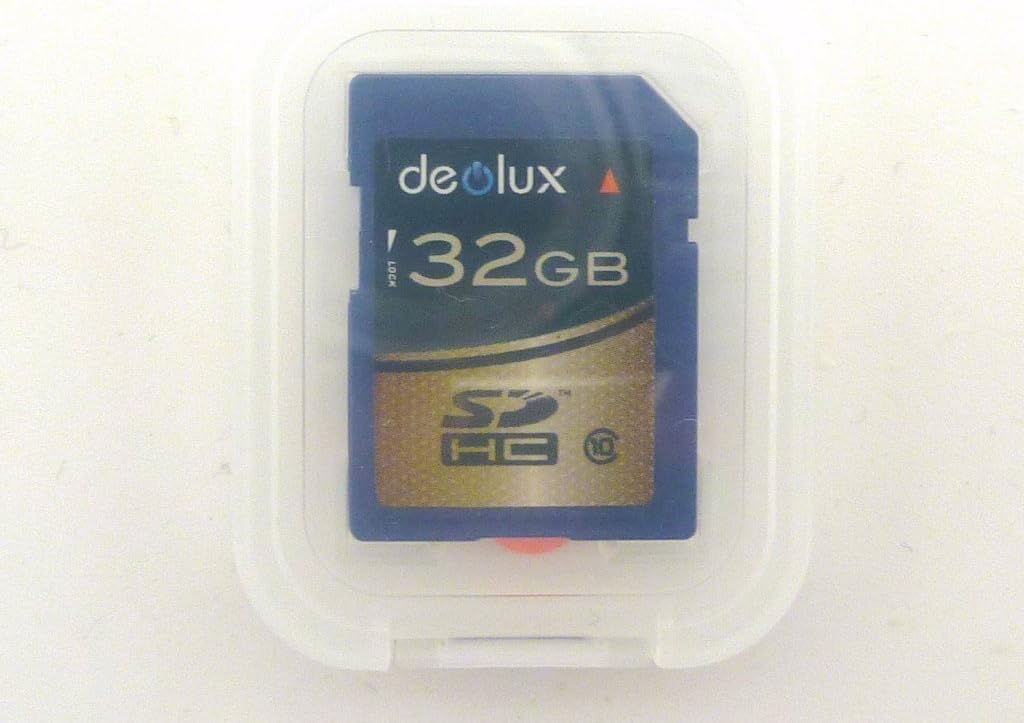
Image: A single DEOLUX 32GB SDHC Class 10 memory card in a clear protective case, showing the card's design and capacity.
2. Operating Instructions
2.1 Recording Photos and Videos
Once the card is inserted and formatted, your device will automatically detect it as storage.
Proceed with capturing photos or recording videos as per your device's operating instructions.
The Class 10 speed rating ensures smooth recording of Full HD video and rapid capture of high-resolution photos.
2.2 Transferring Data to a Computer
Option 1: Using a Card Reader
- Remove the memory card from your device.
- Insert the card into a compatible SD card reader connected to your computer.
- The card will appear as a removable drive. You can then copy files to your computer.
Option 2: Direct Device Connection
- Connect your device (e.g., camera) directly to your computer using a USB cable.
- Follow your device's instructions for transferring files.
Always safely eject the memory card or device from your computer before disconnecting.
3. Maintenance and Care
3.1 Protecting Your Data
- Regularly back up important data from your memory card to a computer or other storage device.
- Avoid removing the card while data is being written or read to prevent corruption.
3.2 Physical Care
- Store the memory card in its protective case when not in use to prevent dust, dirt, and static damage.
- Avoid exposing the card to extreme temperatures, direct sunlight, or moisture.
- Do not bend or apply excessive force to the card.
- The card is water-resistant, but prolonged submersion should be avoided.
4. Troubleshooting
4.1 Card Not Recognized
Issue: The device does not detect the memory card.
Solution:
- Ensure the card is inserted correctly and fully seated in the slot.
- Clean the metal contacts on the card with a soft, dry cloth.
- Try the card in another compatible device or card reader to determine if the issue is with the card or the device.
- If the card is new, try formatting it in a compatible device (if recognized).
4.2 Slow Performance / Data Transfer Errors
Issue: Photos or videos are slow to save, or data transfer is interrupted.
Solution:
- Ensure your device supports Class 10 SDHC cards for optimal speed.
- Format the card using your device's menu (after backing up data).
- Avoid filling the card to its absolute maximum capacity; leave some free space.
- Ensure your card reader and computer's USB port are high-speed compatible (e.g., USB 2.0 or 3.0).
4.3 Data Corruption
Issue: Files are unreadable or appear damaged.
Solution:
- Always safely eject the card from your computer or device.
- Avoid removing the card during read/write operations.
- If data is critical, specialized data recovery software or services may be required.
5. Specifications
- Model: 4332067201
- Capacity: 32 GB
- Flash Memory Type: SDHC (Secure Digital High Capacity)
- Speed Class: Class 10 (UHS-I compatible for optimal performance)
- Read Speed: Up to 17 MB/s (sustained)
- Write Speed: Up to 15 MB/s (sustained)
- Hardware Interface: SDHC
- Special Feature: Water Resistant
- Compatible Devices: Cameras, camcorders, and other devices supporting SDHC memory cards.
6. Warranty Information
This DEOLUX memory card comes with a Lifetime Warranty. Please retain your proof of purchase for warranty claims. For details on warranty terms and conditions, please refer to the manufacturer's official website or contact customer support.
7. Customer Support
For further assistance, technical support, or warranty inquiries, please visit the DEOLUX official website or contact their customer service department. Contact information can typically be found on the product packaging or the manufacturer's website.