
fireye EP160
Fireye EP160 Programmer Module User Manual
Model: EP160 | Brand: Fireye
1. Introduction
The Fireye EP160 Programmer Module is an integral component of the Flame-Monitor Burner Management Control System (P/N's E100 and E110). This module is designed to configure and control various operational characteristics of the burner system, ensuring safe and efficient performance. It is compatible with several other Fireye programmer modules, including EP161 (Extended MTFI), EP163 (Programmable), EP170 and EP174 (Early Spark Termination), EP165, EP166 (Pilot Stabilization), and EP177 (Early Spark Termination and Programmable Operating Parameters).
This manual provides essential information for the proper installation, setup, operation, and maintenance of your Fireye EP160 Programmer Module.
2. Safety Information
WARNING: Read all instructions thoroughly before installation or operation. Failure to follow these instructions could result in property damage, serious injury, or death.
- Ensure all power to the system is disconnected before installing, removing, or servicing the module.
- Installation and servicing must be performed by qualified personnel only.
- Verify all wiring connections comply with local and national electrical codes.
- Do not operate the module if it appears damaged.
- Refer to the Flame-Monitor Burner Management Control System manual for complete system safety guidelines.
3. Product Overview
The Fireye EP160 Programmer Module is a compact electronic device designed to slide into the Flame-Monitor control system. It features a series of DIP switches on its side for configuration and a standard connector for integration.

Figure 3.1: Front view of the Fireye EP160 Programmer Module, showing the 'PROGRAMMER TYPE EP160' label and 'CHECK/RUN SWITCH'.

Figure 3.2: Side view of the EP160 module, displaying a prominent warning label with installation instructions.

Figure 3.3: Side view of the EP160 module, clearly showing the bank of six DIP switches used for configuration.

Figure 3.4: Angled top view of the EP160 module, providing a comprehensive view of the warning labels and DIP switch settings table.
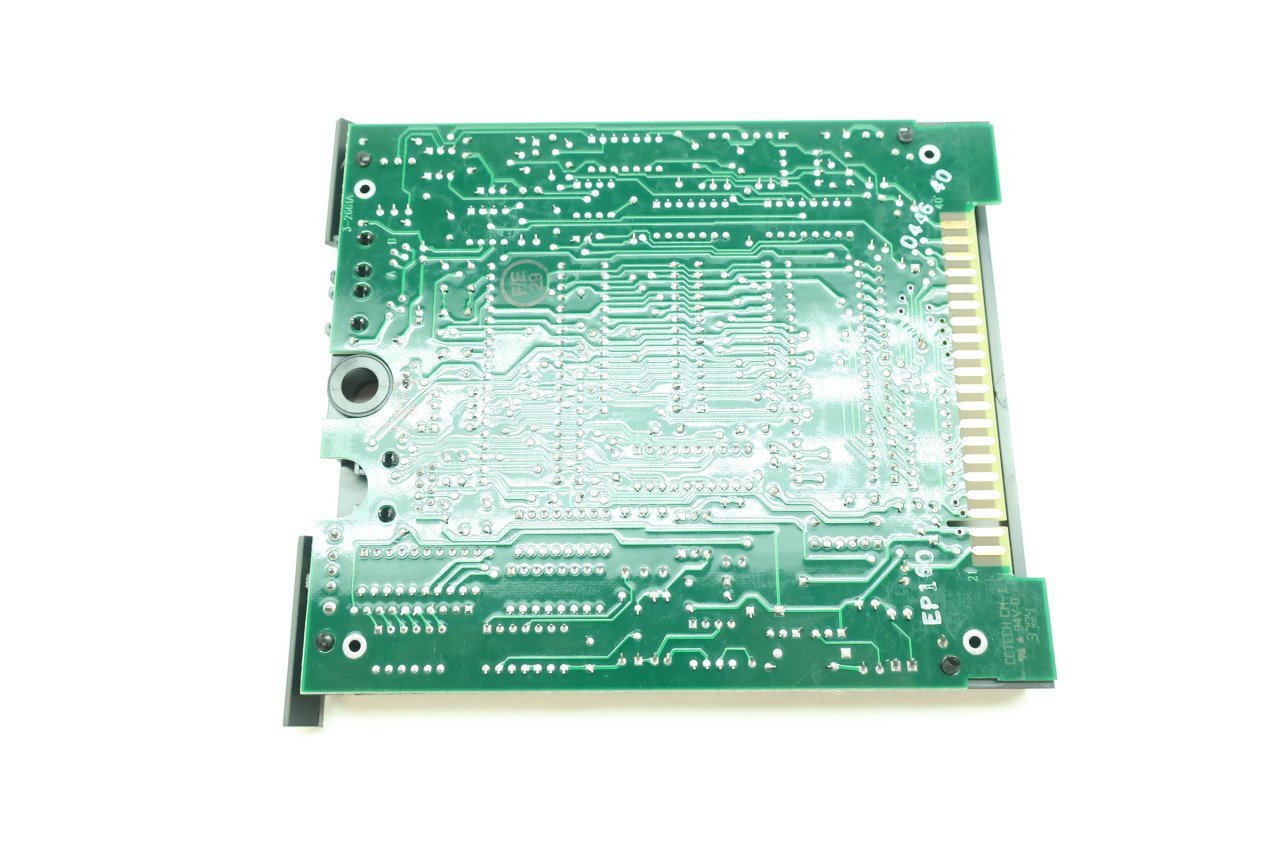
Figure 3.5: Underside view of the EP160 module, revealing the green circuit board with various electronic components and traces.

Figure 3.6: Close-up of the EP160 circuit board, showing the model number 'EP160' printed on the board and other manufacturing details.

Figure 3.7: Product label for a new Fireye EP160 Module Programmer, displaying part numbers and product description.
4. Setup and Configuration
The operational characteristics of the EP160 Programmer Module are primarily determined by six (6) DIP switches located on the side of the module. For models EP163 and EP177, characteristics are programmed via the ED510 Display Module, not by DIP switches.
4.1 DIP Switch Settings (EP160, EP161, EP170, EP174, EP165, EP166)
Carefully adjust the DIP switches using a small, non-conductive tool. Refer to the table below for specific functions:
| DIP Switch | Function (ON Position) | Function (OFF Position) |
|---|---|---|
| 1 | Forced Blower Motor Start Delay Enabled | Forced Blower Motor Start Delay Disabled |
| 2 | Inactive | Inactive |
| 3, 4, 5 | Extended Purge Timing (Specific combinations for 30 sec, 1 min, 2 min, 5 min, 10 min, 15 min) | Standard Purge Timing |
| 6 | Require 3-P Running Interlock Circuit to be Proven Open at Start of Cycle | 3-P Running Interlock Circuit Not Required at Start of Cycle |
For detailed timing configurations for DIP switches 3, 4, and 5, refer to the specific documentation provided with your Flame-Monitor Burner Management Control System or the Fireye Bulletin EP1601.
4.2 Programming via ED510 Display Module (EP163, EP177)
For EP163 and EP177 models, programming of operational parameters is performed through the Fireye ED510 Display Module. Consult the ED510 Display Module user manual for detailed instructions on navigating its interface and setting parameters.
5. Operating Parameters
Once configured, the EP160 module integrates seamlessly with the Flame-Monitor Burner Management Control System to manage the burner's operational cycle. The module's settings directly influence critical phases such as pre-purge, ignition, and main flame supervision.
- Forced Blower Motor Start Delay: If enabled via DIP switch 1, the system will introduce a delay before the blower motor starts, allowing for specific pre-ignition conditions to be met.
- Extended Purge Timing: DIP switches 3, 4, and 5 control the duration of the pre-purge cycle, ensuring adequate ventilation of the combustion chamber before ignition.
- 3-P Running Interlock Circuit: If enabled via DIP switch 6, the system requires the 3-P running interlock circuit to be proven open at the beginning of the operating cycle, enhancing safety by verifying certain conditions before burner operation.
The module continuously monitors flame presence and system interlocks during operation, initiating a safe shutdown if abnormal conditions are detected. Always ensure the module is securely seated in its slot within the Flame-Monitor system.
6. Maintenance
The Fireye EP160 Programmer Module is designed for robust and reliable operation with minimal maintenance requirements. Regular inspection of the module and its connections is recommended as part of the overall burner system maintenance schedule.
- Cleaning: Keep the module and its surrounding area clean and free from dust, dirt, and moisture. Use a soft, dry cloth for cleaning. Do not use abrasive cleaners or solvents.
- Connections: Periodically check that the module is securely seated in its socket and that all electrical connections are tight and free from corrosion.
- Environmental Conditions: Ensure the operating environment remains within the specified temperature and humidity ranges to prevent damage to the electronic components.
No user-serviceable parts are inside the module. Do not attempt to open or repair the module. Refer all servicing to qualified Fireye technicians.
7. Troubleshooting
If the Fireye EP160 Programmer Module or the associated burner system is not functioning as expected, consider the following troubleshooting steps:
- No Power/Module Not Responding:
- Verify that the Flame-Monitor Burner Management Control System has power.
- Ensure the EP160 module is fully and correctly inserted into its slot.
- Check all wiring connections to the Flame-Monitor system for looseness or damage.
- Incorrect Operation/Timing Issues:
- Review the DIP switch settings (Section 4.1) to ensure they match the desired operational characteristics.
- For EP163/EP177 models, verify programming via the ED510 Display Module.
- Consult the Flame-Monitor Burner Management Control System manual for system-specific error codes or diagnostic procedures.
- System Lockout:
- Identify the cause of the lockout (e.g., flame failure, interlock not proven). The Flame-Monitor system typically provides diagnostic indicators.
- Address the underlying issue before attempting to reset the system.
If problems persist after performing these checks, contact Fireye technical support or a qualified service technician. Do not attempt unauthorized repairs.
8. Technical Specifications
| Specification | Detail |
|---|---|
| Product Dimensions | 9 x 9 x 4 inches |
| Item Weight | 8 ounces |
| Item Model Number | EP160 |
| Manufacturer | Fireye Inc |
| Country of Origin | United States |
| ASIN | B008HQ80WO |
| National Stock Number | 4530-01-222-0297 |
| Date First Available | July 5, 2012 |
9. Warranty and Support
For information regarding the warranty of your Fireye EP160 Programmer Module, please refer to the warranty documentation provided with your Flame-Monitor Burner Management Control System or contact Fireye Inc. directly.
For technical support, service, or to inquire about replacement parts, please contact Fireye customer service or your authorized Fireye distributor. Ensure you have the model number (EP160) and any relevant system information ready when contacting support.
Fireye Inc. Contact Information:
Please refer to the official Fireye website or product packaging for the most current contact details.
Related documentsEP160


Ask a question about this manual
Ask about setup, troubleshooting, compatibility, parts, safety, or missing instructions. Manuals+ will review the question and use this page’s manual context to help answer it.