1. Introduction
This manual provides instructions for the installation, operation, maintenance, and troubleshooting of the Honeywell T631C-1020 Agricultural Temperature Controller. This device is designed for precise temperature regulation in agricultural environments, such as greenhouses, operating within a temperature range of 70 to 140 degrees Fahrenheit with a 2-degree differential. It is compatible with 24, 120, or 240 VAC power supplies.
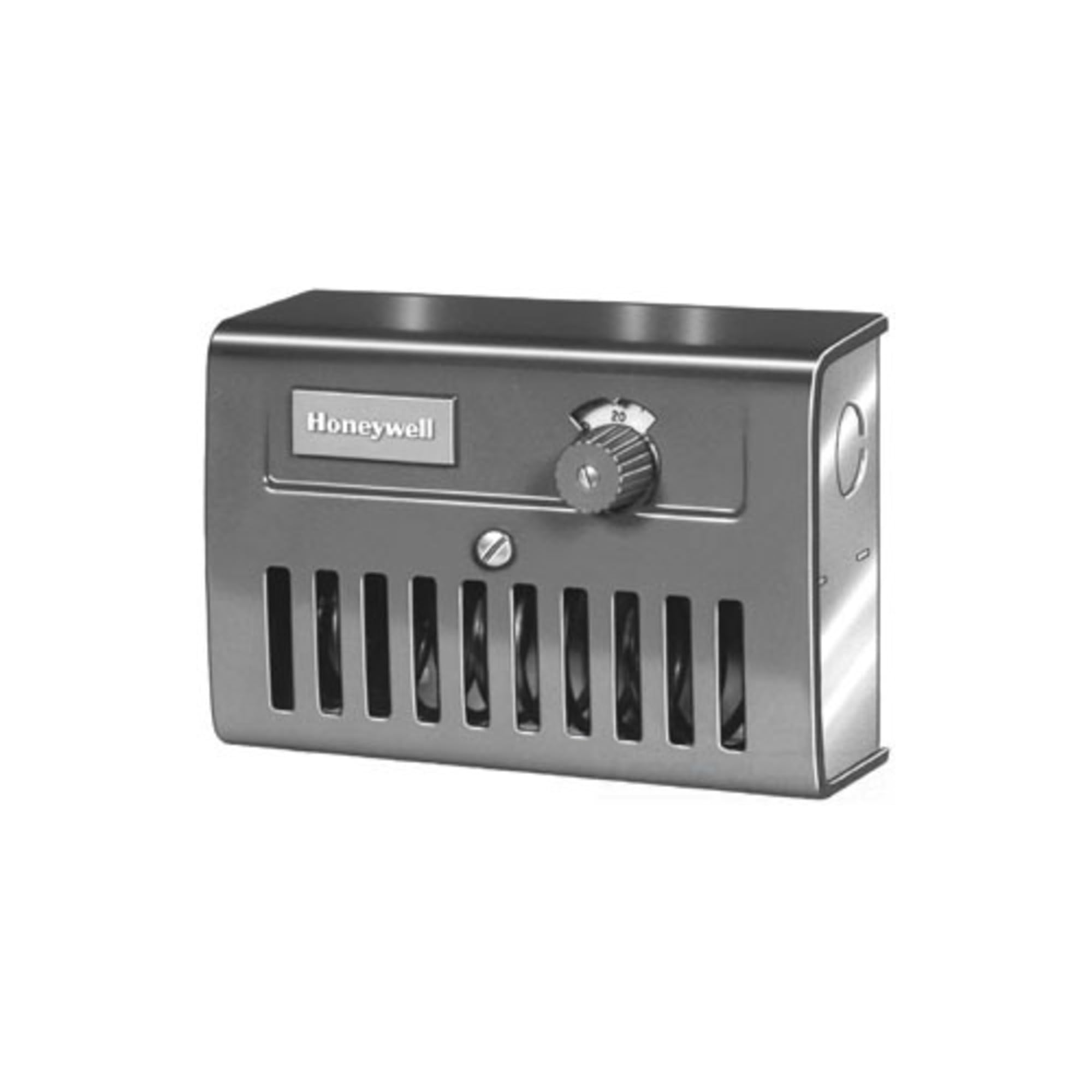
Image showing the front view of the Honeywell T631C-1020 Temperature Controller, typically used in agricultural settings. It features a robust casing and a clear temperature adjustment dial.
2. Safety Information
Read all instructions carefully before installing or operating this device. Failure to follow these instructions could result in property damage, personal injury, or death. All wiring must comply with local electrical codes and ordinances. Installation should be performed by a qualified electrician.
- Disconnect power before installation or servicing to prevent electrical shock.
- Ensure the power supply voltage matches the controller's specifications (24, 120, or 240 VAC).
- Do not operate the controller with damaged wiring or components.
- Keep the controller away from water and excessive moisture.
3. Setup
3.1 Mounting
Mount the controller in a location that is easily accessible for adjustments and away from direct sunlight, heat sources, or drafts that could affect its temperature sensing accuracy. Ensure the mounting surface is stable and can support the weight of the unit. Use appropriate fasteners for the mounting surface.
3.2 Wiring
The T631C-1020 controller requires electrical connection to a power source and the controlled device (e.g., fan, heater). Refer to the wiring diagram provided inside the controller's cover for specific connections. Ensure all connections are secure and insulated. Verify the power supply voltage (24, 120, or 240 VAC) before connecting.
- Power Input: Connect the appropriate voltage supply to the designated terminals.
- Load Output: Connect the controlled device (e.g., ventilation fan, heating element) to the output terminals.
- Grounding: Ensure the controller is properly grounded according to local electrical codes.
3.3 Sensor Placement
The temperature sensing element should be placed in the area where temperature control is critical. Avoid placing the sensor near heat-generating equipment, cold drafts, or in direct sunlight, as this can lead to inaccurate readings and inefficient operation. Ensure adequate air circulation around the sensor.
4. Operating Instructions
4.1 Setting the Temperature
To set the desired temperature, rotate the adjustment dial on the front of the controller to the desired Fahrenheit value within the 70 to 140°F range. The controller will then activate or deactivate the connected device to maintain the set temperature.
4.2 Understanding the Differential
The T631C-1020 features a fixed 2-degree Fahrenheit differential. This means that if the set point is 100°F, the controller will activate the connected device when the temperature deviates by 2°F from the set point. For example, in a heating application, it might turn on at 98°F and turn off at 100°F. In a cooling application, it might turn on at 102°F and turn off at 100°F.
4.3 Indicator Lights (If Applicable)
Some models may include indicator lights to show the status of the output (e.g., 'ON' when the controlled device is active). Consult the specific model's labeling for details on any visual indicators.
5. Maintenance
The Honeywell T631C-1020 is designed for reliable operation with minimal maintenance. However, periodic checks can ensure optimal performance.
- Cleaning: Periodically wipe the exterior of the controller with a soft, dry cloth to remove dust and debris. Do not use abrasive cleaners or solvents.
- Inspection: Annually inspect wiring connections for tightness and signs of wear or corrosion. Ensure the temperature sensing element is clean and unobstructed.
- Calibration Check: While the unit is factory calibrated, if you suspect inaccurate readings, compare the controller's readings with a known accurate thermometer placed near the sensor. If significant discrepancies are found, professional servicing may be required.
6. Troubleshooting
If the controller is not functioning as expected, perform the following basic checks before seeking professional assistance.
- No Power:
- Check the circuit breaker or fuse for the power supply.
- Verify all wiring connections are secure.
- Controlled Device Not Activating/Deactivating:
- Ensure the set temperature is appropriate for the current ambient temperature and the desired operation (heating/cooling).
- Check the wiring to the controlled device.
- Verify the controlled device itself is functional.
- Inaccurate Temperature Reading/Control:
- Check the sensor placement; ensure it is not affected by drafts, direct sunlight, or heat sources.
- Clean any dust or debris from the sensor.
- Controller Runs Constantly:
- The ambient temperature may be consistently outside the differential range of the set point.
- Verify the set temperature is correct.
If these steps do not resolve the issue, contact a qualified service technician.
7. Specifications
| Feature | Specification |
|---|---|
| Model Number | T631C1020 |
| Operating Temperature Range | 70 to 140°F |
| Differential | 2°F |
| Voltage Compatibility | 24/120/240 VAC |
| Manufacturer | Honeywell |
| Item Weight | 2 Pounds |
| Material | Alloy Steel |
| Display Type | LCD or LED (Note: May vary by specific sub-model or revision) |
8. Warranty
This product is sold with No Warranty as per manufacturer specifications. Please refer to your point of purchase for any return or exchange policies.
9. Support
For technical assistance or further inquiries regarding the Honeywell T631C-1020 Temperature Controller, please contact Honeywell customer support or visit the official Honeywell website. Ensure you have your model number (T631C1020) available when seeking support.
Official Honeywell Website: www.honeywell.com


