
1. Introduction
The MAXXUS LifePlate 1.0 is a compact vibration plate designed for home fitness. It utilizes 3D vibrations to engage muscles, supporting various exercises for full-body workouts, muscle toning, and relaxation. This manual provides essential information for the safe and effective use of your LifePlate 1.0.
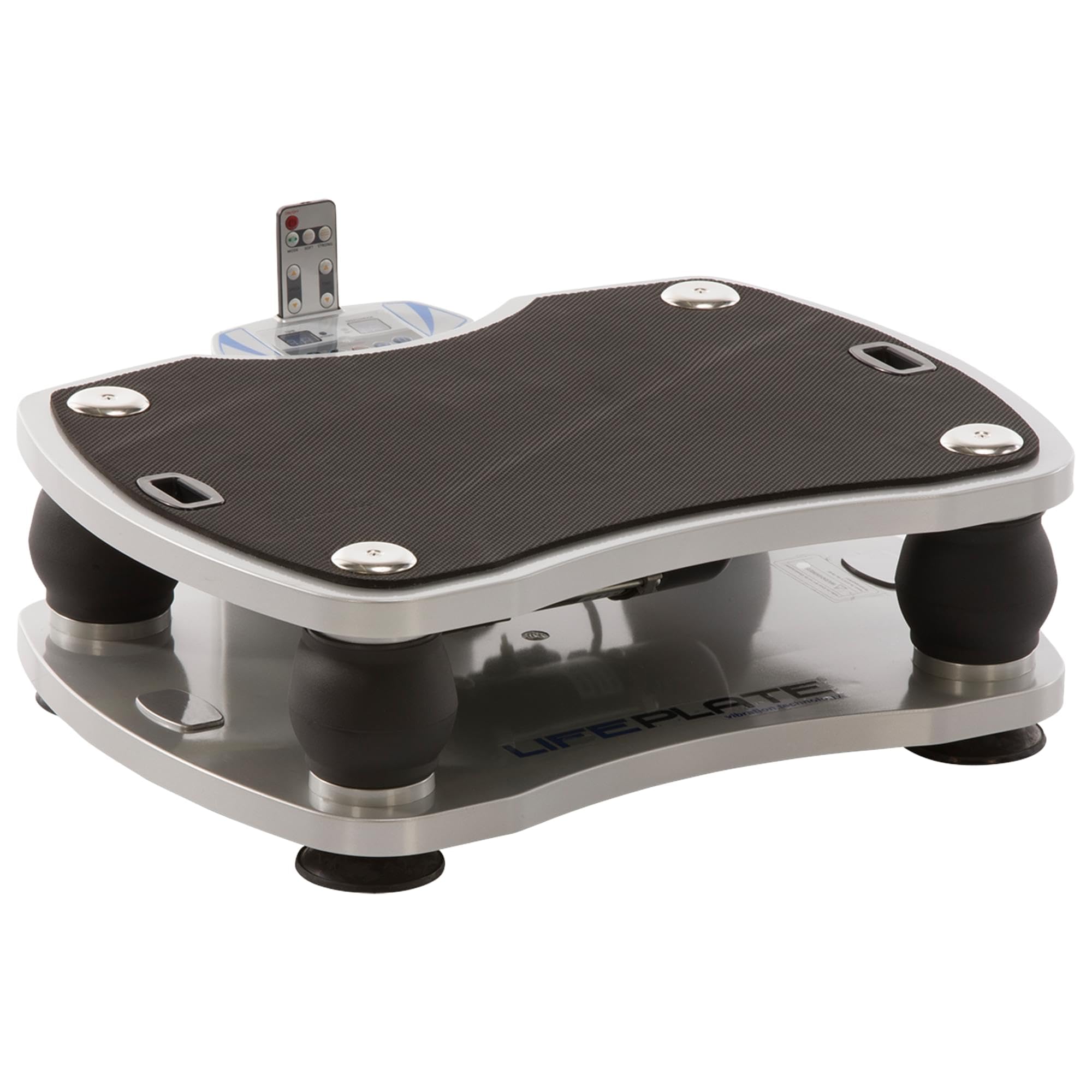
Image 1.1: The MAXXUS LifePlate 1.0 Vibration Plate. This image shows the compact design of the vibration plate, suitable for home use.
2. Safety Instructions
Read all instructions carefully before using the LifePlate 1.0. Failure to follow these instructions may result in injury or damage to the product.
- Consult a Physician: Before starting any new exercise program, especially with a vibration plate, consult your doctor. This is particularly important if you have pre-existing medical conditions, are pregnant, or have recently undergone surgery.
- Maximum User Weight: Do not exceed the maximum user weight of 100 kg.
- Stable Surface: Always place the vibration plate on a firm, level, and non-slip surface. Ensure there is adequate clear space around the unit.
- Children and Pets: Keep children and pets away from the equipment during operation.
- Power Connection: Use only the provided power cord. Ensure the power outlet is properly grounded. Unplug the unit from the power source when not in use or before cleaning.
- Avoid Overuse: Do not use the vibration plate for excessively long periods. Follow recommended workout durations.
- Proper Posture: Maintain correct posture during exercises to prevent injury. If you experience pain or discomfort, stop immediately.
- Moisture: Do not expose the unit to water or excessive moisture. Do not operate with wet hands.
- Damage: Do not use the unit if it is damaged or malfunctioning. Contact customer support for assistance.
3. Package Contents
Verify that all components are present in the package:
- MAXXUS LifePlate 1.0 Vibration Plate
- Remote Control
- Training Straps (with Velcro fasteners)
- Training Poster / Exercise Guide
- Power Cord
4. Setup
Follow these steps to set up your LifePlate 1.0:
- Unpack: Carefully remove all components from the packaging. Retain packaging for future storage or transport.
- Placement: Place the vibration plate on a flat, stable, and non-slip surface. Ensure there is at least 1 meter of clear space around the unit for safe operation.
- Power Connection: Insert the power cord into the power input port on the unit, then plug the other end into a standard electrical outlet.
- Training Straps: If desired, attach the training straps to the designated attachment points on the sides of the vibration plate. Ensure they are securely fastened.
5. Operating Instructions
The LifePlate 1.0 can be controlled via the console on the unit or the handheld remote control.
5.1 Powering On/Off
- Locate the main power switch on the unit. Flip the switch to the 'ON' position to power on the device.
- The LCD display will illuminate.
- To power off, flip the main power switch to the 'OFF' position.
5.2 Using the Remote Control
The remote control allows for convenient adjustment of settings during your workout.
- Ensure the remote has working batteries.
- Point the remote control towards the display panel of the vibration plate.
- Buttons typically include: Power, Program Selection, Speed/Amplitude Up/Down, Time.
5.3 Programs and Settings
The LifePlate 1.0 offers both manual control and pre-set programs:
- Manual Mode: Allows you to manually adjust the vibration speed and amplitude to your preference. Use the speed/amplitude buttons on the console or remote.
- Pre-set Programs: The unit features 4 pre-set training programs. These programs automatically vary vibration speeds and amplitudes over a set duration. Select a program using the 'Program' button on the console or remote.
- Time Adjustment: Adjust the workout duration using the time setting buttons.
5.4 Using Training Straps
The included training straps can be used for upper body exercises while standing or sitting on the plate.
- Attach the straps securely to the designated points.
- Hold the large grips firmly.
- Perform exercises such as bicep curls, tricep extensions, or shoulder presses while the plate is vibrating.
5.5 Workout Guidelines
- Start with shorter durations and lower intensity settings, gradually increasing as your body adapts.
- Maintain a slightly bent knee posture to absorb vibrations effectively.
- Refer to the included training poster for recommended exercises and postures.
6. Maintenance
Regular maintenance ensures the longevity and optimal performance of your LifePlate 1.0.
- Cleaning: Disconnect the power cord before cleaning. Wipe the unit with a soft, damp cloth. Do not use abrasive cleaners or solvents, as these can damage the surface.
- Storage: Store the vibration plate in a cool, dry place, away from direct sunlight and extreme temperatures. If storing for an extended period, cover the unit to protect it from dust.
- Inspection: Periodically inspect the power cord, training straps, and the unit for any signs of wear or damage. If any damage is found, discontinue use and contact customer support.
7. Troubleshooting
If you encounter issues with your LifePlate 1.0, refer to the following common troubleshooting steps:
- Unit does not power on:
- Ensure the power cord is securely plugged into both the unit and the electrical outlet.
- Check that the main power switch is in the 'ON' position.
- Verify the electrical outlet is functional by plugging in another device.
- Remote control is not working:
- Check and replace the batteries in the remote control.
- Ensure there is a clear line of sight between the remote and the unit's display panel.
- Unusual noise or vibration:
- Immediately stop using the unit.
- Inspect the area around and under the plate for any obstructions.
- If the noise persists, contact customer support.
8. Specifications
| Feature | Specification |
|---|---|
| Dimensions (L x W x H) | 56 x 50 x 20.5 cm |
| Training Surface | 53 x 40 cm |
| Item Weight | 11 kg |
| Maximum User Weight | 100 kg |
| Vibration Type | 3D, Vertical |
| Damping System | Steel springs |
| Number of Programs | 4 (including manual mode) |
| Controls | Remote control, Console |
| Display Type | LCD |
| Power Source | Mains powered |
| Material | Plastic |
| Included Components | Vibration plate, Remote control, Training straps, Training poster |
9. Warranty and Support
The MAXXUS LifePlate 1.0 comes with a 24-month warranty from the date of purchase. This warranty covers manufacturing defects under normal use.
For warranty claims, technical support, or any questions regarding your product, please contact your retailer or the MAXXUS customer service department. Please have your proof of purchase and product model information ready when contacting support.

