1. Product Overview
The Sterling ProCharge Ultra 1240 is a marine-grade, power factor corrected battery charger designed to set a new standard in features, performance, and price. It incorporates years of experience in the battery charging industry to provide a feature-rich, high-performance solution. This exceptionally efficient charger operates on any global AC power source between 90-260 volts, requiring less input power and producing less waste heat, all within a remarkably small and lightweight footprint. It offers eleven pre-programmed battery charging curves, including one user-customizable profile, and allows real-time voltage or current output monitoring on its digital display or an optional remote control.
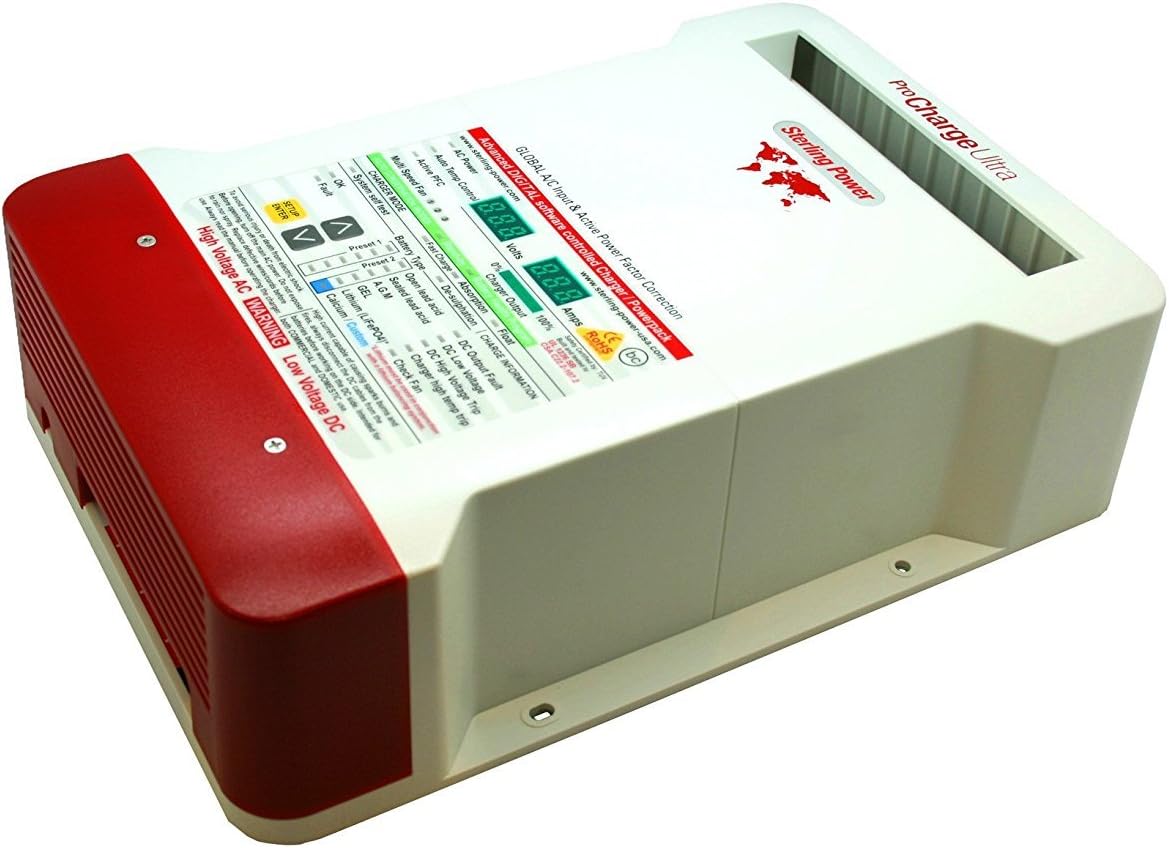
Figure 1: Angled view of the Sterling ProCharge Ultra 1240.
2. Key Features
- Eleven Pre-Programmed Battery Charge Curves: Includes profiles for LiFePO4, GEL, AGM, Calcium, and Flooded Lead Acid Batteries, plus one user-customizable battery profile. Settings are easily adjusted directly from the charger, eliminating the need for a computer.
- Four-Step Battery Charging Profile: Designed to extend battery life by ensuring full charge conditioning. The battery will enter a float and energy-save mode upon completion of charging to prevent overcharging.
- User-Friendly Interface: Features two digital meters that display real-time current and voltage measurements.
- Three Isolated Outputs: Capable of directing all output to a single battery if required.
- Global AC Power Compatibility: Operates on 90VAC-270VAC, allowing for worldwide usage.
- All-Digital Design: Ensures maximum efficiency and cool running operation.
- Award-Winning Innovation: Recognized with Sail Magazine's Pittman Innovation Award in the Systems category.
- Optional Remote Control: Can be surface, recess, or flush-mounted over 30 feet away from the battery charger for convenient monitoring (available separately).
3. Setup and Installation
Proper installation is crucial for the safe and efficient operation of your Sterling ProCharge Ultra. Always ensure the main AC power is turned off before beginning any installation or maintenance. Do not expose the unit to rain or spray. Replace defective wires/cords before use. Always read the full manual before operating the charger.
3.1 Mounting the Charger
Select a dry, well-ventilated location for mounting the charger. Ensure there is adequate space around the unit for air circulation and access to connections. Use appropriate fasteners to secure the charger to a stable surface.

Figure 2: Side view of the charger showing wiring connections. Ensure proper ventilation and secure mounting.
3.2 Electrical Connections
Connect the AC input power to the charger. Ensure the voltage matches the charger's specifications (90-270VAC). Connect the DC output cables to your battery banks. The charger features three isolated outputs, allowing for flexible connection to multiple battery banks. Always ensure correct polarity (+ to + and - to -) to prevent damage to the charger and batteries. High current capable of causing sparks, burns, and fires; always disconnect the DC cables from the batteries before working on the DC side.
Note: This product does not come with a power cord or cabling. These must be sourced separately.
4. Operating Instructions
The ProCharge Ultra offers various operating modes and battery type settings to optimize charging for different battery chemistries.
4.1 Front Panel Display and Controls

Figure 3: Detailed view of the charger's front panel, showing digital displays for Volts and Amps, charger mode indicators, battery type selection, and charge information/fault indicators.
The front panel provides real-time information on voltage and current output. Use the SETUP/ENTER button and the UP/DOWN arrows to navigate through menus and select settings.
4.2 Selecting Battery Type
The charger supports eleven pre-programmed battery charge curves. It is essential to select the correct battery type for optimal charging and battery longevity. Available types include:
- Open Lead Acid
- Sealed Lead Acid
- AGM
- GEL
- Lithium (LiFePO4) - Lithium batteries must be used in conjunction with a lithium balancing system.
- Calcium / Custom
Refer to your battery manufacturer's specifications for the recommended charging profile.
4.3 Charger Modes: BC vs. PS
The Sterling ProCharge Ultra operates in two primary modes: BC (Battery Charger) Mode and PS (Power Supply) Mode.
- BC (Battery Charger) Mode: This mode is compliant with California Energy Commission (CEC) regulations. In BC mode, once the batteries are deemed full, the charger will physically turn itself off and enter a "sleep mode," ceasing to put power into the battery. It will re-engage if the battery voltage drops to approximately 12.8V. This mode prioritizes energy efficiency by shutting down when not actively needed for charging.
- PS (Power Supply) Mode: This is the traditional battery charger mode, where the charger maintains a constant float voltage (e.g., 13.8V for a gel battery) even after the battery is fully charged. This ensures continuous power supply and constant floating of the batteries, which some users prefer for long-term maintenance or when the charger is also powering DC loads.
To switch between modes, consult the full user manual for the specific button sequence or menu navigation. The display will show "PS" when in Power Supply mode.
5. Maintenance
Regular maintenance ensures the longevity and optimal performance of your ProCharge Ultra. Always disconnect AC and DC power before performing any maintenance.
- Cleaning: Periodically clean the exterior of the charger with a soft, dry cloth. Do not use abrasive cleaners or solvents. Ensure ventilation openings are free from dust and debris.
- Connections: Regularly inspect all electrical connections for tightness and corrosion. Loose or corroded connections can lead to poor performance or overheating.
- Ventilation: Ensure the area around the charger remains clear to allow for proper airflow and prevent overheating. The unit features a multi-speed fan for cooling.
- Environmental Conditions: Protect the charger from excessive moisture, direct sunlight, and extreme temperatures.
6. Troubleshooting
This section provides solutions to common issues you might encounter with your Sterling ProCharge Ultra. For more complex problems, contact customer support.
| Problem | Possible Cause | Solution |
|---|---|---|
| Charger not turning on. | No AC input power; loose connections; internal fault. | Check AC power source and connections. Ensure all cables are securely attached. If problem persists, contact support. |
| No DC output. | Incorrect battery type selected; DC output fault; battery not connected. | Verify battery type setting. Check DC connections to batteries. Look for "DC Output Fault" indicator on the display. |
| Charger shuts off unexpectedly (in BC mode). | Battery is fully charged (normal operation for BC mode). | This is expected behavior for CEC compliant (BC) mode. If continuous float is desired, switch to PS (Power Supply) mode. |
| Overheating / "Charger high temp trip" indicator. | Insufficient ventilation; blocked fan. | Ensure adequate space around the charger. Clear any obstructions from the fan and ventilation openings. |
7. Technical Specifications
| Specification | Value |
|---|---|
| Model Number | PCU1240 |
| Brand | STERLING |
| Output Voltage | 12 Volts (DC) |
| Output Current | 40 Amps |
| Input Voltage | 90-270 Volts (AC) |
| Product Dimensions | 10.24 x 3.54 x 8.46 inches |
| Item Weight | 7 pounds (3.18 Kilograms) |
| Color | White |
| Manufacturer | Sterling Power |
8. Warranty and Support
The Sterling ProCharge Ultra includes a 5-year manufacturer's warranty. For warranty claims, technical assistance, or further support, please contact Sterling Power directly or refer to their official website for contact information.
Warning: This product can expose you to chemicals which is [are] known to the State of California to cause cancer and birth defects or other reproductive harm.


