
Introduction
The Life Fitness Club Series Treadmill is designed to provide a premium, gym-like workout experience in the comfort of your home. Featuring robust construction and advanced workout programs, this treadmill is built for durability and performance, offering a smooth and effective cardio workout.
What's in the Box
- Life Fitness Club Series Treadmill
- Wireless Chest Strap
- User Manual (this document)
Setup
The Life Fitness Club Series Treadmill is designed for minimal assembly.
Unpacking
Carefully remove all packaging materials. Ensure all components listed in "What's in the Box" are present.

Image Description: A large cardboard box containing the main treadmill unit, indicating careful unpacking is required.

Image Description: A separate cardboard box labeled "Treadmill Console", suggesting the console is packaged separately.
Placement
Place the treadmill on a flat, stable surface. Ensure adequate clearance around the unit for safe operation and maintenance. The treadmill weighs approximately 431 pounds, so consider its placement carefully.

Image Description: The Life Fitness Club Series Treadmill positioned in a room, showcasing its overall size and design.
Power Connection
Connect the power cord to a dedicated 20-amp outlet. The treadmill operates on corded electric power.
Operating Instructions
Console Overview
The console features an LED display and intuitive controls for various workout parameters.
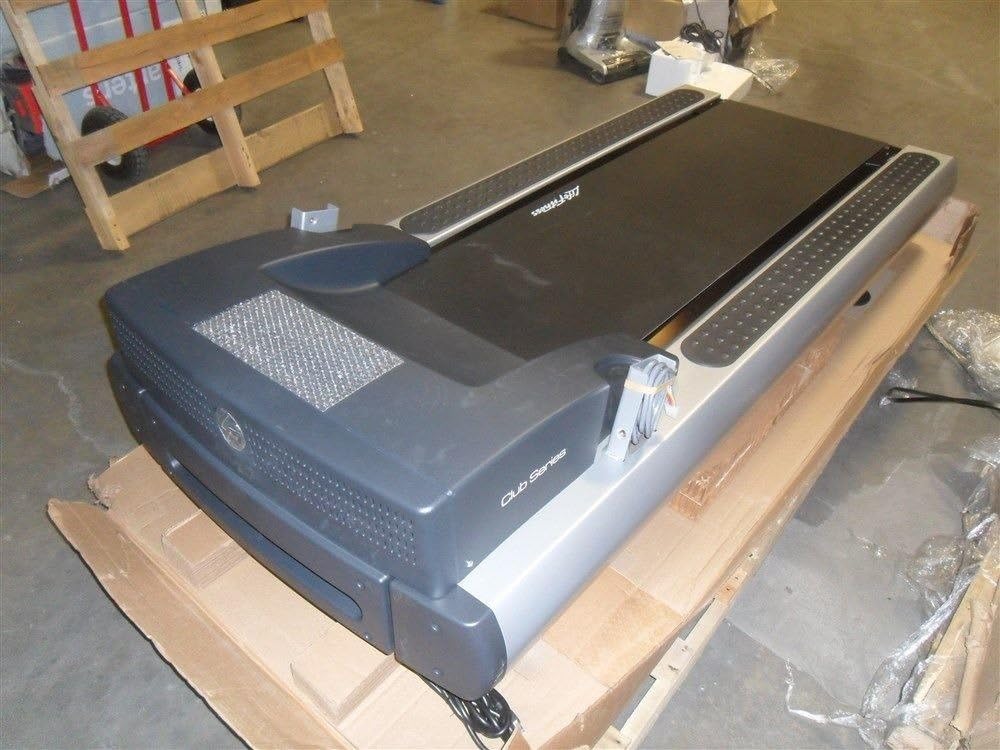
Image Description: A close-up view of the Life Fitness Club Series Treadmill console, showing the LED display, numerical keypad, and various program buttons.
Quick Start
To begin a workout quickly, press the "Quick Start" button. The treadmill will begin at a default speed and incline.
Workout Programs
The treadmill offers several pre-programmed workouts to suit different fitness goals:
- Manual: Control speed and incline manually.
- Fat Burn: Designed to maximize fat burning.
- Cardio: Focuses on cardiovascular endurance.
- Zone Training: Allows you to train within specific heart rate zones.
- Random: Provides a varied workout experience.
- Hill: Simulates uphill walking or running.
- Personal Trainer: Create and save up to 6 personalized workouts.
- Fit Test: Assesses your fitness level.
- Speed Interval: Alternates between high and low speeds.
Adjusting Speed and Incline
Use the arrow buttons on the console to adjust the speed (up to 12 MPH) and incline (up to 30%) during your workout.
Heart Rate Monitoring
The treadmill includes a Polar wireless heart rate monitoring system (wireless chest strap included). You can also monitor your heart rate by gripping the metal sensors on the handlebars.
Safety Features
The treadmill is equipped with a safety clip. Attach the clip to your clothing. If you accidentally fall or move too far back, the clip will detach, immediately stopping the treadmill. There is also an emergency stop button on the console.

Image Description: A close-up of the treadmill console showing the red emergency stop button and the slot for the safety clip, which is attached to a black cord.
Pausing and Cool Down
Press the "Pause" button to temporarily stop your workout. Press "Cool Down" to initiate a gradual reduction in speed and incline, helping your body recover.
Maintenance
Regular maintenance ensures the longevity and optimal performance of your treadmill.
- Keep the treadmill clean by wiping it down after each use.
- Periodically check the running belt for alignment and tension.
- Ensure the power cord is not damaged and is securely plugged in.
- Refer to the detailed maintenance schedule in the included User Manual for specific instructions.
Troubleshooting
If you encounter any issues with your treadmill, refer to the following common solutions:
- Treadmill not powering on: Check power cord connection and ensure it's plugged into a functional outlet. Verify the safety clip is correctly inserted.
- Belt slipping: The running belt may need adjustment or lubrication. Consult the full User Manual for detailed instructions or contact customer support.
- Unusual noises: Inspect the treadmill for any loose parts or obstructions. If the noise persists, discontinue use and contact customer support.
Specifications
| Feature | Detail |
|---|---|
| Brand | Life Fitness |
| Model Name | Club Series |
| Part Number | CST-0100C-01 |
| Item Weight | 431 Pounds |
| Material | Alloy Steel |
| Maximum Speed | 12 Miles per Hour |
| Maximum Incline Percentage | 30 |
| Maximum Horsepower | 3 Horsepower |
| Maximum Weight Recommendation | 400 Pounds |
| Display Type | LED |
| Special Feature | Heart Rate Monitor, LED Display, Manual, Shock Absorption |
| Shock Absorption System | FlexDeck Shock Absorption System (reduces impact by nearly 30%) |
| Control Program Name | My Workout Control Program |
| Assembly Required | No |
| Included Components | Wireless Chest Strap, User Manual |
| Item Dimensions (LxWxH) | 83 x 37 x 63.5 inches |
| UPC | 790716000578, 790716001414 |
Warranty and Support
Warranty Information
- Labor: 1 year warranty
- Electrical and Mechanical Parts: 10 years warranty
- Frame, Lifespring Shock Absorbers, and Motor: Lifetime warranty
Customer Support
For further assistance, troubleshooting, or warranty claims, please contact Life Fitness customer support. Visit the official Life Fitness website for contact details.
Visit the Life Fitness Store on AmazonNote: No official product videos from the seller were available for embedding based on the provided criteria.


