
1. Introduction
Thank you for purchasing the iHome IB5L Colortunes Noise Isolating Earphones. This manual provides essential information for the proper setup, operation, and maintenance of your earphones. Please read this guide thoroughly before use to ensure optimal performance and longevity of your product.
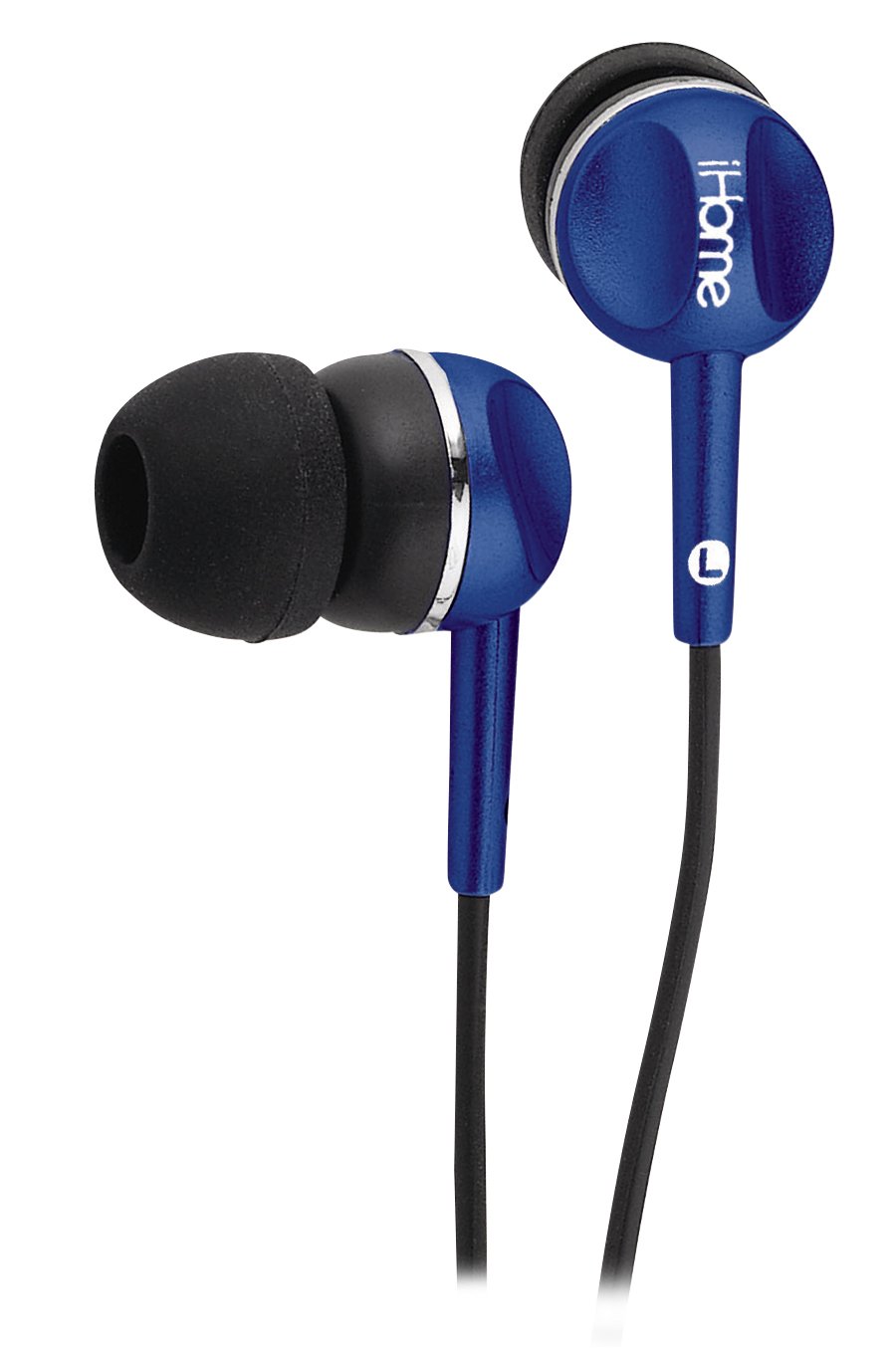
Figure 1: iHome IB5L Colortunes Noise Isolating Earphones (Blue model shown).
2. Safety Information
To prevent damage to your hearing or the earphones, please observe the following safety precautions:
- Avoid listening at high volume levels for extended periods. Prolonged exposure to loud sounds can cause permanent hearing damage.
- Do not use earphones in situations where inability to hear ambient sounds could be dangerous, such as while driving, cycling, or walking in traffic.
- Keep earphones away from water and moisture.
- Do not attempt to disassemble or modify the earphones. This will void the warranty and may cause damage.
- Keep out of reach of children.
3. Package Contents
Please check that all items are present in your package:
- iHome IB5L Colortunes Noise Isolating Earphones
- Multiple sizes of soft ear cushions (typically small, medium, large)
Note: The number and type of ear cushions may vary.
4. Setup
4.1 Choosing the Right Ear Cushions
Selecting the correct size of ear cushions is crucial for both comfort and effective noise isolation. Experiment with the different sizes provided to find the best fit for your ears.
- Gently remove the pre-installed ear cushions by pulling them off the earphone nozzle.
- Select a different size ear cushion.
- Carefully push the new ear cushion onto the earphone nozzle until it is securely attached.
- Test the fit. A good fit should feel comfortable and create a seal that blocks out most ambient noise.
4.2 Connecting the Earphones
The iHome IB5L earphones feature a standard 3.5mm audio jack for wired connectivity.
- Locate the 3.5mm audio jack on your audio device (e.g., smartphone, tablet, MP3 player).
- Insert the 3.5mm plug of the earphones firmly into the audio jack of your device.
- Ensure the connection is secure to prevent audio interruptions.
5. Operating Instructions
5.1 Wearing the Earphones
Once the correct ear cushions are attached, gently insert the earphones into your ear canals. Adjust them until they feel snug and comfortable. The noise-isolating design relies on a good seal within your ear canal.
5.2 Audio Playback
After connecting the earphones to your audio device:
- Start playing audio on your device.
- Adjust the volume on your audio device to a comfortable listening level.
- The earphones do not have built-in volume controls; all audio adjustments are made via the connected device.
5.3 Noise Isolation
These earphones are designed with noise-isolating properties. This means they physically block out external sounds by creating a seal in your ear canal, rather than actively canceling noise electronically. A proper fit is essential for effective noise isolation.
6. Maintenance
6.1 Cleaning
- Ear Cushions: Detachable ear cushions can be gently wiped with a damp cloth and mild soap if necessary. Ensure they are completely dry before reattaching.
- Earphone Body: Use a soft, dry cloth to wipe the body of the earphones. Do not use harsh chemicals or abrasive materials.
- Audio Jack: Keep the 3.5mm audio jack clean and free of dust or debris.
6.2 Storage
When not in use, store your earphones in a clean, dry place, preferably in a protective pouch to prevent tangling and damage to the cable or earphone units.
7. Troubleshooting
| Problem | Possible Cause | Solution |
|---|---|---|
| No sound or low volume |
|
|
| Poor sound quality (e.g., distorted, muffled) |
|
|
| Earphones fall out easily or are uncomfortable |
|
|
8. Specifications
- Model: IB5L
- Connectivity Technology: Wired
- Form Factor: In Ear
- Noise Control: Sound Isolation
- Cable Feature: Detachable (referring to ear cushions, not cable itself)
- Material: Plastic
- Product Dimensions: 5.5 x 1.9 x 1.2 inches
- Item Weight: 0.8 ounces
- Manufacturer: iHOME
- UPC: 047532897319
9. Warranty and Support
iHome products are designed and manufactured to the highest quality standards. For detailed warranty information, product support, or to register your product, please visit the official iHome website or contact their customer service department.
Official iHome Website: www.ihome.com
Please retain your proof of purchase for any warranty claims.

