
1. Introduction and Overview
The Sena SMH10-10 is a Bluetooth v3.0 + EDR Class 1 Stereo Headset with long-range Bluetooth Intercom, engineered specifically for motorcycle riders. This system allows for hands-free mobile phone calls, stereo music listening, voice instructions from GPS navigation, and full-duplex intercom conversations with passengers or other riders.
Designed for seamless integration and ease of use, the SMH10-10 enhances your riding experience by keeping you connected and entertained. Its robust design and intuitive controls ensure reliable performance in various riding conditions.

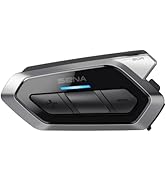
Image: Sena SMH10-10 highlighting key features.
2. What's in the Box
Your Sena SMH10-10 package includes the following components:
- Sena SMH10-10 Bluetooth Headset Unit
- Speaker/Microphone Clamp Unit
- USB Power and Data Cable
- 3.5mm Stereo Audio Jack Cable
- Glued Surface Mounting Adapter
- Microphone Sponges
- Speaker Pads
- Velcro Pads
- Allen Wrench (for installation)
- Microphone Cap
- User Manual
- Warranty Card

Image: Sena SMH10-10 headset with included speakers and boom microphone.
3. Key Features
- Universal Intercom: Communicate with Bluetooth headsets not manufactured by Sena.
- Intercom Range: Up to 900 meters (980 yards) in open terrain for clear communication between riders.
- Bluetooth Connectivity: Pair with other Bluetooth devices for phone calls, music streaming, and GPS directions.
- Advanced Noise Control: Reduces ambient noise effects during intercom conversations, ensuring clear audio.
- Voice-Activated Digital Assistant: Access 'Hey Google' or 'Hey Siri' for hands-free control.
- Music Sharing: Share your music with one other rider during intercom conversations.
- Intuitive Jog Dial: Easy-to-access and glove-friendly button operations for seamless control.

Jog Dial for Easier Control
Advanced Noise Control

Intercom Range up to 900 Meters

Connect with Non-Sena Devices
4. Setup and Installation
The Sena SMH10-10 is designed for easy installation on most helmet types. The standard clamp included in the packaging will fit a wide variety of helmets. For modular helmets or those requiring extra wire length, alternative clamps and microphone options are available as separate accessories.
Follow these general steps for installation:
- Remove cheek pads and any necessary internal padding from your helmet to access the speaker and microphone areas.
- Attach the speaker/microphone clamp unit to the side of your helmet. Ensure it is positioned correctly to avoid interference with the helmet's moving parts (e.g., visor, modular chin bar).
- Secure the clamp using the provided Allen wrench.
- Install the speakers into the helmet's speaker pockets, using the provided Velcro pads if necessary. Route the speaker wires neatly under the helmet's padding.
- Attach the boom microphone (or wired microphone, if preferred) and position it appropriately for clear voice pickup.
- Reinstall the helmet's internal padding and cheek pads, ensuring all wires are tucked away and do not cause discomfort.
For a visual guide on installation, please refer to the official Sena video below:
Video: Official Sena 'SMH10 Motorcycle Bluetooth Headset Tech Talk' providing detailed installation and usage instructions.
5. Operating Instructions
5.1 Power On/Off
- To Power On: Press and hold the Jog Dial and the Phone Button simultaneously until you hear "Hello".
- To Power Off: Press and hold the Jog Dial and the Phone Button simultaneously until you hear "Goodbye".
5.2 Volume Control
Adjusting the volume is simple using the Jog Dial:
- Increase Volume: Rotate the Jog Dial clockwise.
- Decrease Volume: Rotate the Jog Dial counter-clockwise.
The SMH10-10 saves volume levels for previously connected profiles (phone, music, intercom) and will return to these saved levels when reconnected. Adjusting volume in standby mode applies to all profiles.
5.3 Phone Pairing and Calls
To pair your SMH10-10 with your smartphone:
- Ensure the unit is powered on.
- Press and hold the Phone Button until you hear "Phone Pairing" and see red and blue flashing lights.
- On your smartphone, go to Bluetooth settings and select "Sena SMH10" from the list of available devices.
- Once paired, you will hear "Your headset is paired" and the light will change to a blue flashing light.
Once paired, you can:
- Answer/End Call: Single press the Phone Button.
- Make Call: Use your phone's voice assistant (e.g., Siri, Google Assistant) by pressing the Phone Button.

Image: Bluetooth pairing with your phone for on-the-go access.
5.4 Intercom Communication
The SMH10-10 supports 4-way intercom conferencing. To pair with other Sena units:
- Ensure both units are powered on.
- On both units, press and hold the Jog Dial until you hear "Intercom Pairing" and see red flashing lights.
- Once both units are in intercom pairing mode, press the Jog Dial on either unit.
- The units will connect, and you will hear "Intercom Connected". The lights will change from red flashing to blue flashing.
To initiate an intercom conversation after pairing, simply tap the Jog Dial. To end, tap it again.

Image: Communicate with other riders using Group Intercom.
6. Maintenance
To ensure the longevity and optimal performance of your Sena SMH10-10, follow these maintenance guidelines:
- Cleaning: Regularly wipe the unit with a soft, damp cloth. Avoid using harsh chemicals or abrasive cleaners.
- Charging: Charge the unit using the provided USB power and data cable. The charging port is located on the back of the unit, typically under a rubber flap for protection. A full charge takes approximately 2.5 hours.
- Storage: When not in use for extended periods, store the unit in a cool, dry place.
- Water Resistance: The unit is water-resistant, but it is not waterproof. Avoid submerging it in water.
7. Troubleshooting
If you encounter any issues with your Sena SMH10-10, consider the following:
- No Power: Ensure the unit is fully charged. Check the charging cable and power source.
- Pairing Issues: Ensure both devices are in pairing mode and within range. Try resetting the unit to factory settings and attempting to pair again.
- Audio Quality: Check microphone and speaker placement within the helmet. Ensure Advanced Noise Control is functioning correctly.
- Firmware Updates: Sena frequently releases firmware updates to improve performance and compatibility. Connect your unit to a computer via the USB cable and use the Sena Device Manager software to check for and install updates. This can resolve many common issues.
For more detailed troubleshooting, refer to the full user manual or visit the Sena support website.
8. Specifications
| Feature | Detail |
|---|---|
| Talk Time | 12 hours |
| Standby Time | 10 days |
| Working Distance (Intercom) | Up to 900 meters (980 yards) in open terrain |
| Bluetooth | v3.0 + EDR |
| Audio | Built-in SBC Codec, 48kHz (DAC) sample rate |
| Battery Charging Time | 2.5 hours |
| Battery Type | Lithium polymer battery |
| Headset Dimensions | 84.1 mm x 56.5 mm x 38.6 mm (3.3 in x 2.2 in x 1.5 in) |
| Headset Weight | 60 g (3.01 oz) |
| Noise Control | Active Noise Cancellation |
| Water Resistance Level | Water Resistant |
9. Warranty and Support
The Sena SMH10-10 comes with a 2-year warranty against workmanship defects. Please refer to the warranty card included in your product packaging for full details and terms.
For technical support, firmware updates, or additional product information, please visit the official Sena website or contact their customer service.
10. Important Safety Information
This item complies with US Federal Motor Vehicle Safety Standard 218 (FMVSS 218) (DOT FMVSS No. 218 Certified).
Always prioritize safety while riding. Ensure the device is securely installed and does not obstruct your vision or control of the motorcycle. Avoid excessive volume levels that may impair your ability to hear surrounding traffic sounds. Use phone and intercom features responsibly and only when it is safe to do so.


