
Monster MH INS OE SLV NC CUA
Monster Inspiration Active Noise-Canceling Over-Ear Headphones User Manual
Model: MH INS OE SLV NC CUA
Product Overview
The Monster Inspiration Active Noise-Canceling Over-Ear Headphones are designed to provide an immersive audio experience by significantly reducing ambient noise. Featuring comfortable earcups and a durable design, these headphones are suitable for extended listening sessions. They offer versatile connectivity with various devices through included cables and allow for personalization with interchangeable headbands.

Image: Front view of the Monster Inspiration Over-Ear Headphones in silver, showcasing the earcups and headband.
Key Features:
- Active Noise-Canceling: Reduces external noise for focused listening.
- Comfortable Design: Super-comfortable earcups for all-day wear.
- Interchangeable Headbands: Personalize your headphones with different headband styles (additional headbands sold separately).
- ControlTalk Cables: Includes cables for controlling music and phone calls on Apple devices (iPad, iPhone, iPod) and a ControlTalk Universal cable for Androids, tablets, and other devices.
- Wired Connectivity: Standard 3.5mm jack for reliable audio connection.
- Skype Compatibility: Fully compatible with Skype for communication.
What's In The Box
- Monster Inspiration High-Performance Over-Ear Headphones
- Three Monster Headphone Cables with In-Line Controls (for various smartphones and music devices)
- Two Inspiration Headbands (color and styles may vary)
- Protective Travel Case
- Anti-Microbial Cleaning Cloth
- Two AAA Batteries

Image: A close-up view of the included flat headphone cables, showing the 3.5mm jack and the in-line control module.
Setup
1. Inserting Batteries:
The active noise-canceling feature requires two AAA batteries. Locate the battery compartment, typically on one of the earcups. Insert the batteries according to the polarity indicators (+/-) inside the compartment. Close the compartment securely.
2. Attaching the Cable:
Select the appropriate cable for your device (ControlTalk for Apple, ControlTalk Universal for Android/other, or straight mini-to-mini). Insert the smaller end of the cable into the audio input jack on the headphone earcup. Connect the other end of the cable to your audio source (smartphone, tablet, MP3 player, etc.).

Image: Side view of the Monster Inspiration headphones, highlighting the audio input jack on the earcup where the cable connects.
3. Adjusting Fit:
Extend or retract the headband to ensure the earcups comfortably cover your ears. The earcups are designed to provide a snug fit for optimal sound isolation and comfort.

Image: The Monster Inspiration headphones with the headband extended, demonstrating the adjustable mechanism for a comfortable fit.
Operating Instructions
1. Powering On/Off Noise-Canceling:
Locate the power switch for the active noise-canceling feature, usually on one of the earcups. Slide the switch to the "On" position to activate noise-canceling. Slide it to "Off" when not needed to conserve battery life. A small indicator light may illuminate when noise-canceling is active.
2. Using ControlTalk Cables:
- Music Playback: Use the center button on the in-line remote to play/pause music. Double-press to skip forward, triple-press to skip backward.
- Volume Control: Use the '+' and '-' buttons on the in-line remote to adjust volume.
- Call Management: Press the center button to answer or end a call. Press and hold to decline an incoming call.
- Microphone: The integrated microphone allows for hands-free calls and voice commands.
Note: Functionality of ControlTalk features may vary depending on your specific device model and operating system.
3. Changing Headbands:
The Monster Inspiration headphones feature interchangeable headbands. To change a headband, gently slide the existing headband off the headphone frame. Align the new headband with the grooves on the frame and slide it into place until it clicks securely.
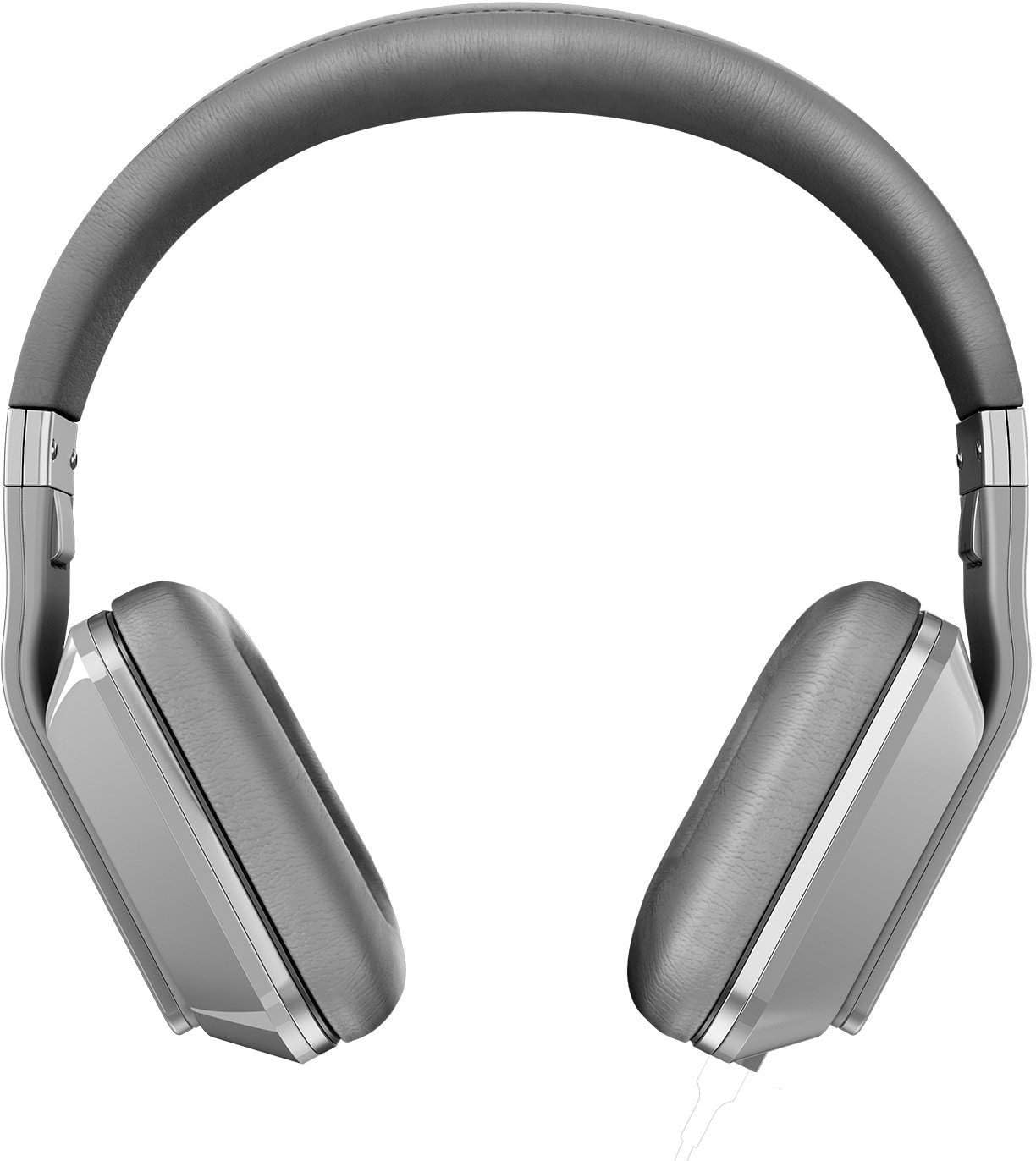
Image: The Monster Inspiration headphones shown with an alternative headband, demonstrating the customization feature.
Maintenance
Cleaning:
Use the provided anti-microbial cleaning cloth to wipe down the earcups and headband. For general cleaning, use a soft, dry, lint-free cloth. Avoid using harsh chemicals, solvents, or abrasive cleaners, as these can damage the headphone's finish and materials.
Storage:
When not in use, store the headphones in their protective travel case to prevent dust accumulation and physical damage. Avoid exposing the headphones to extreme temperatures, humidity, or direct sunlight for prolonged periods.
Battery Replacement:
Replace the AAA batteries when the noise-canceling performance diminishes or the indicator light no longer illuminates. Always use fresh, high-quality AAA batteries.
Troubleshooting
| Problem | Possible Cause | Solution |
|---|---|---|
| No sound or low volume |
|
|
| Noise-canceling not working |
|
|
| ControlTalk functions not responding |
|
|
Specifications
| Feature | Detail |
|---|---|
| Model Name | MH INS OE SLV NC CUA |
| Connectivity Technology | Wired |
| Headphones Jack | 3.5 mm Jack |
| Noise Control | Active Noise Cancellation |
| Ear Placement | Over Ear |
| Form Factor | Over Ear |
| Item Weight | 11.4 ounces (323 grams) |
| Product Dimensions | 2.75 x 4 x 7.5 inches (7 x 10.2 x 19.1 cm) |
| Batteries Required | 2 AAA batteries |
| Manufacturer | Monster |
Warranty and Support
For detailed warranty information and customer support, please refer to the official Monster website or contact their customer service directly. Keep your proof of purchase for warranty claims.
Online Support: Visit the official Monster website for FAQs, driver downloads, and additional support resources.
Contact Information: Refer to the product packaging or Monster's official website for the most current contact details for technical support and service centers.
Ask a question about this manual
Ask about setup, troubleshooting, compatibility, parts, safety, or missing instructions. Manuals+ will review the question and use this page’s manual context to help answer it.