
Introduction
Thank you for choosing the Snapjack Original Union Jack 35mm Camera with Flash. This manual provides essential information for the proper setup, operation, and maintenance of your camera. Please read it thoroughly before use to ensure optimal performance and longevity of your device.
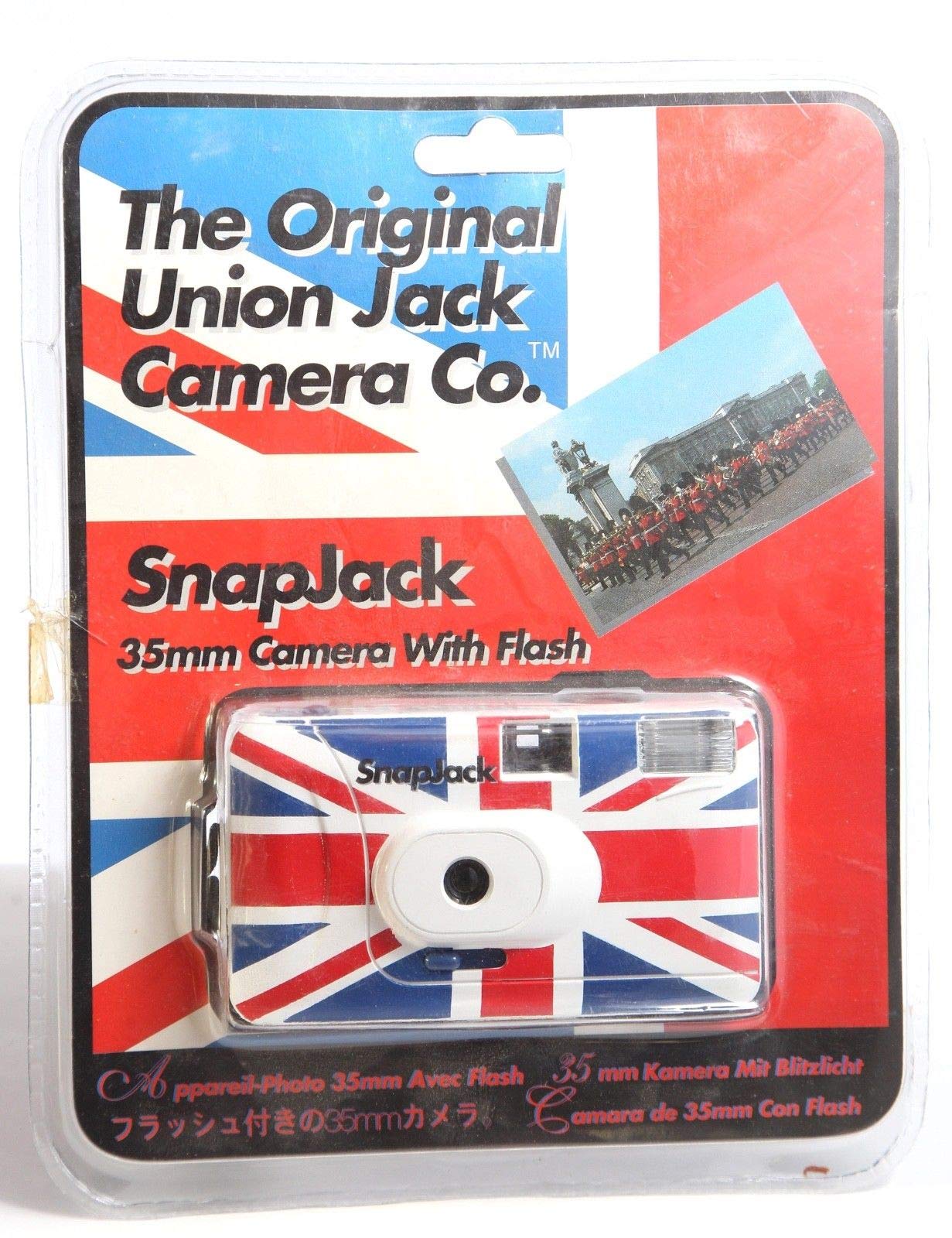
Image: The Snapjack Original Union Jack 35mm Camera with Flash, displayed in its clear retail packaging, featuring the Union Jack flag design.
Setup
1. Loading Film
- Open the camera back by sliding the latch located on the side of the camera.
- Insert a roll of 35mm film into the film chamber on the left side, ensuring the film leader extends across to the take-up spool on the right.
- Gently push the film leader into one of the slots on the take-up spool.
- Turn the film advance wheel slightly to ensure the film is securely engaged.
- Close the camera back firmly until the latch clicks into place.
- Advance the film by turning the film advance wheel and pressing the shutter button until the frame counter shows '1'.
2. Inserting Batteries (for Flash)
- Locate the battery compartment cover, typically on the bottom or side of the camera.
- Open the cover and insert the required batteries (e.g., AA or AAA, refer to packaging for specific type) according to the polarity indicators (+/-).
- Close the battery compartment cover securely.

Image: Front view of the Snapjack Original Union Jack 35mm Camera, showcasing its lens, flash, and Union Jack design.
Operating the Camera
1. Taking Photos
- Look through the viewfinder to compose your shot.
- Press the shutter button located on the top of the camera to take a picture.
- After each shot, advance the film by turning the film advance wheel until it stops, preparing for the next frame.
2. Using the Flash
- To activate the flash, slide the flash switch or press the flash button (if available) to the 'ON' position.
- Wait for the flash ready light (usually a small LED) to illuminate, indicating the flash is charged and ready to fire. This may take a few seconds.
- The flash is recommended for low-light conditions or to fill in shadows in bright sunlight.
3. Rewinding Film
- Once all frames on the film roll have been exposed, locate the film rewind button (often a small recessed button on the bottom of the camera). Press and hold this button.
- Simultaneously, turn the film rewind crank (usually on the top-left of the camera) in the direction indicated by an arrow until you feel the tension release, indicating the film is fully rewound into its canister.
- Open the camera back and remove the rewound film roll for development.
Maintenance
1. Cleaning
- Exterior: Wipe the camera body with a soft, dry cloth. Avoid abrasive cleaners or solvents.
- Lens: Use a lens cleaning cloth or brush to gently remove dust. For smudges, use a specialized lens cleaning solution applied to a cloth, not directly to the lens.
- Viewfinder: Clean with a soft brush or air blower to remove dust.
2. Storage
- Store the camera in a cool, dry place away from direct sunlight and extreme temperatures.
- If storing for an extended period, remove the batteries to prevent leakage.
- Keep the camera in a protective case or bag to prevent dust accumulation and physical damage.
Troubleshooting
- Flash not firing: Check if batteries are correctly inserted and charged. Ensure the flash ready light is on.
- Film not advancing: Verify that the film is properly loaded and engaged with the take-up spool. Ensure the film advance wheel is turned fully after each shot.
- Shutter not releasing: Make sure the film is advanced to the next frame. Check for any obstructions around the shutter button.
- Light leaks on photos: Ensure the camera back is securely closed. Avoid opening the camera back in direct light when film is loaded.
Specifications
| Model | 35mm |
| Film Type | 35mm film |
| Flash | Built-in flash (requires batteries) |
| Lens | Fixed focus lens |
| Dimensions | Approximately 24.9 x 19.8 x 6.1 cm (packaged) |
| Weight | Approximately 230 g (packaged) |
| UPC | 047007000381 |
Warranty and Support
Specific warranty information for the Snapjack Original Union Jack 35mm Camera with Flash is typically provided with the product packaging or at the point of purchase. Please refer to your sales receipt or contact the retailer for details regarding warranty coverage.
For technical support or further assistance, please contact the retailer or the manufacturer, Snapjack, through their official channels. Contact information may be available on the product packaging or their official website.


