1. Introduction
Thank you for choosing the Vivitar 75x/150x Refractor Telescope. This manual provides essential information for the proper assembly, operation, and maintenance of your telescope. Please read it thoroughly before use to ensure optimal performance and longevity of your device.
2. Safety Information
- WARNING: Never look directly at the sun through the telescope or its finderscope. Doing so can cause immediate and irreversible eye damage, including blindness.
- Always supervise children when they are using the telescope.
- Ensure the tripod is stable on a flat, firm surface to prevent tipping.
- Keep all optical components clean and free from dust.
3. Package Contents
Verify that all items are present in your package:
- Telescope Optical Tube
- Full-Sized Adjustable Tripod
- Eyepieces (e.g., 20mm, 12.5mm)
- Diagonal Mirror
- Finderscope
- Accessory Tray (if included)
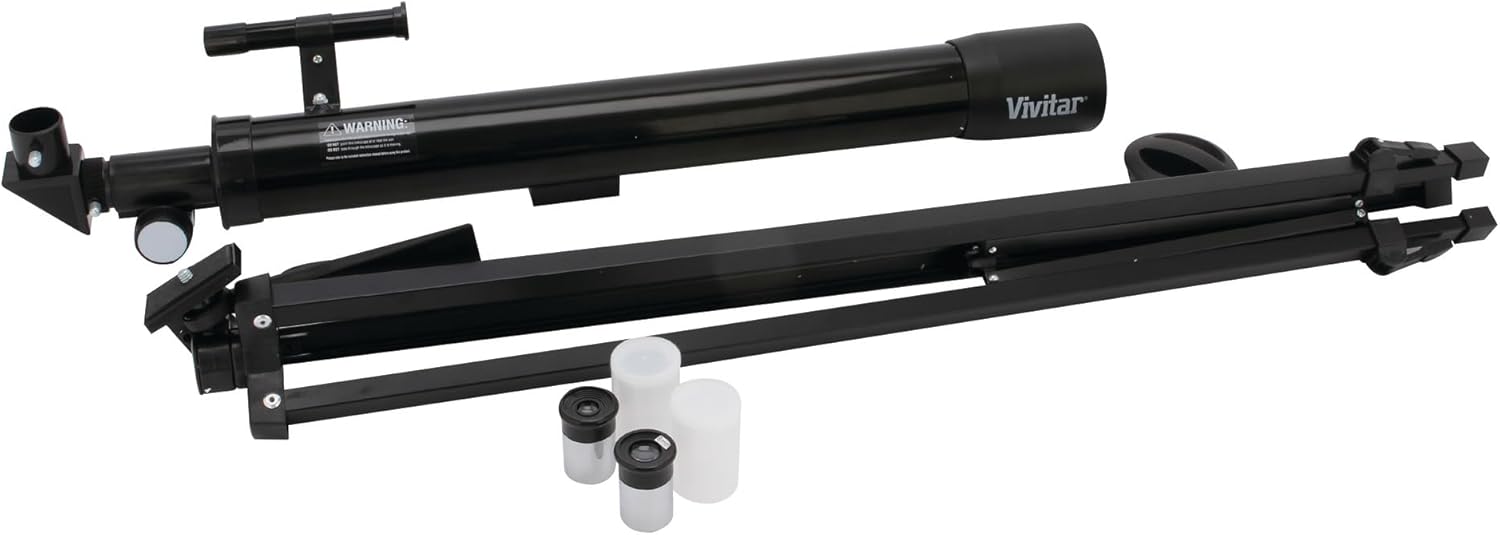
Image: All components of the Vivitar Refractor Telescope, including the main optical tube, the foldable tripod, and two different eyepieces, are shown laid out.
4. Setup
4.1. Assembling the Tripod
- Unfold the tripod legs and extend them to the desired height. Secure each leg with the locking clamps.
- Ensure the tripod is stable and level on a flat surface.
4.2. Attaching the Telescope Optical Tube
- Locate the mounting plate on the top of the tripod head.
- Align the telescope optical tube with the mounting plate and secure it using the provided screw. Ensure it is firmly attached.
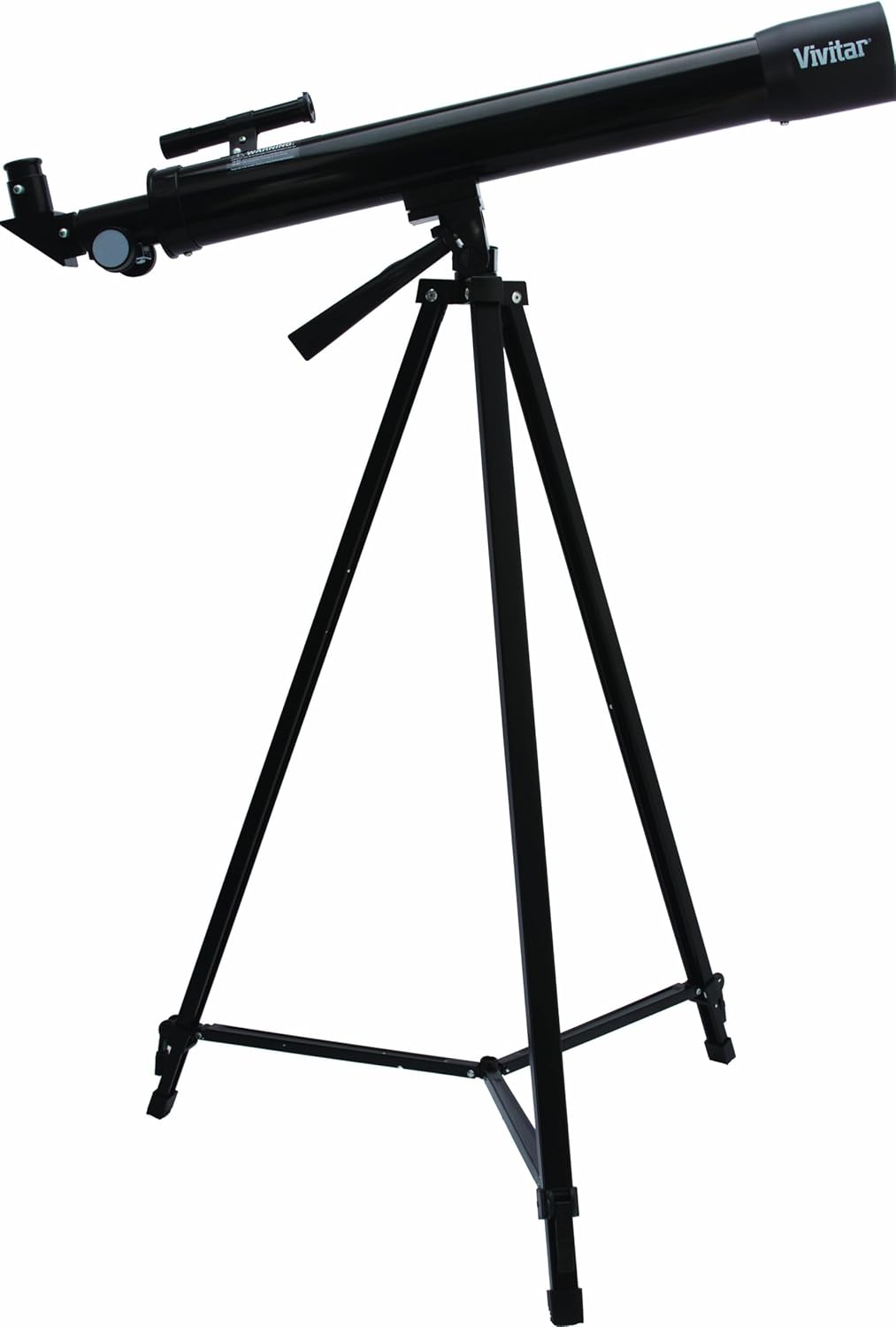
Image: The Vivitar Refractor Telescope is shown fully assembled on its adjustable tripod, with the optical tube securely mounted and the eyepiece in place.
4.3. Installing the Diagonal Mirror and Eyepiece
- Remove the dust cap from the focuser tube at the back of the telescope.
- Insert the diagonal mirror into the focuser tube and tighten the small thumbscrew to secure it.
- Insert your chosen eyepiece (e.g., 20mm for lower magnification, 12.5mm for higher magnification) into the diagonal mirror and secure it with the thumbscrew.
4.4. Attaching the Finderscope
- Attach the finderscope to its bracket on the main telescope tube.
- Align the finderscope with the main telescope by looking through both at a distant object during daylight. Adjust the finderscope until the object is centered in both views.
Video: This video demonstrates the assembly and basic usage of a telescope, including attaching the optical tube to the tripod, inserting the diagonal mirror, and securing the eyepiece. It also shows how to adjust the focus and position the telescope.
5. Operating the Telescope
5.1. Finding an Object
- Begin with the lowest magnification eyepiece (e.g., 20mm) for a wider field of view, making it easier to locate objects.
- Use the finderscope to aim at your desired object. Once centered in the finderscope, it should be visible in the main telescope eyepiece.
- Adjust the telescope's position using the panhandle mount for precise aiming.
5.2. Focusing
- Turn the focus knob slowly until the image appears sharp and clear.
- If the image is blurry, continue adjusting the focus knob in small increments until clarity is achieved.
5.3. Changing Magnification
- Once an object is in focus with a low-power eyepiece, you can switch to a higher-power eyepiece (e.g., 12.5mm) for greater magnification.
- Re-focus as necessary after changing eyepieces.

Image: A close-up view of the Vivitar Refractor Telescope's optical tube, focuser, and eyepiece, illustrating the main viewing components.
6. Maintenance
- Cleaning Lenses: Use a soft, lint-free cloth specifically designed for optical lenses. Gently wipe the lens surface. For stubborn smudges, use a small amount of optical lens cleaning fluid.
- Storage: Store the telescope in a dry, dust-free environment. Keep all dust caps on the optical tube and eyepieces when not in use.
- Avoid Extreme Temperatures: Do not expose the telescope to extreme hot or cold temperatures, as this can damage the optical components.
7. Troubleshooting
| Problem | Possible Cause | Solution |
|---|---|---|
| Image is blurry | Out of focus; atmospheric conditions | Adjust the focus knob slowly. Wait for better viewing conditions if atmospheric distortion is suspected. |
| Cannot find object | Finderscope not aligned; using too high magnification | Align the finderscope during daylight. Start with the lowest magnification eyepiece. |
| Image is dim | Light pollution; small aperture; high magnification | Move to a darker viewing location. Use a lower magnification eyepiece. |
8. Specifications
- Model Name: VIV-TEL-150X
- Product Dimensions: 8.5 x 29 x 3.5 inches
- Item Weight: 6.1 pounds
- Eye Piece Lens Description: Plossl
- Telescope Mount Description: Altazimuth Mount
- Focus Type: Manual Focus
- Finderscope: Reflex
- Lens Coating Description: Fully Coated
- Exit Pupil: 0.25 Millimeters
9. Warranty and Support
Vivitar products are designed for reliability and performance. For specific warranty details and customer support, please refer to the warranty card included with your purchase or visit the official Vivitar website. Keep your proof of purchase for any warranty claims.
If you encounter any issues not covered in this manual, please contact Vivitar customer support for assistance.


