
Product Overview
The Plugfones Basic Earplug Headphones combine comfortable, noise-reducing earplugs with high-quality audio speakers, offering both hearing protection and an enhanced listening experience. Designed for use in noisy environments, these wired headphones feature a 25 dB Noise Reduction Rating (NRR) and are compliant with ANSI S3.19-1974 noise reduction standards, meeting NIOSH criteria.

Image: Plugfones Basic Earplug Headphones, showcasing the yellow earplugs, blue cord, and 3.5mm audio jack.
- Earplugs Meet Earbuds: Combines comfortable, noise-reducing earplugs with high-quality audio speakers for hearing protection and listening.
- Block Environmental Noise: Ideal for activities in noisy environments such as gyms, workshops, shooting ranges, or during travel.
- Noise Reduction Rating (NRR): Features a 25 dB NRR, significantly reducing unwanted outside sound to protect hearing.
- Engineered to Last: Designed with a double-reinforced jack and flexible wire casing for durability, and are sweat-resistant.
- Comfortable and Compliant: Compliant with ANSI S3.19-1974 noise reduction standards and meets NIOSH criteria. Made from durable soft foam for comfortable, long-term wear.

Image: Close-up of Plugfones Basic Earplug Headphones highlighting the 25dB Noise Reduction Rating and ANSI certification.

Image: Features of Plugfones Basic Earplug Headphones, including a 54-inch long cable, lightweight design (0.4 oz), and a 3.5mm connector.

Image: Collage showing versatile uses of Plugfones Basic Earplug Headphones in different settings like construction, gardening, and DIY.

Image: Diagram demonstrating the 25dB noise isolation provided by Plugfones, blocking harmful sound waves from the inner ear.

Image: A construction worker wearing Plugfones, illustrating the 'Engineered to Last' and sweat-resistant features.
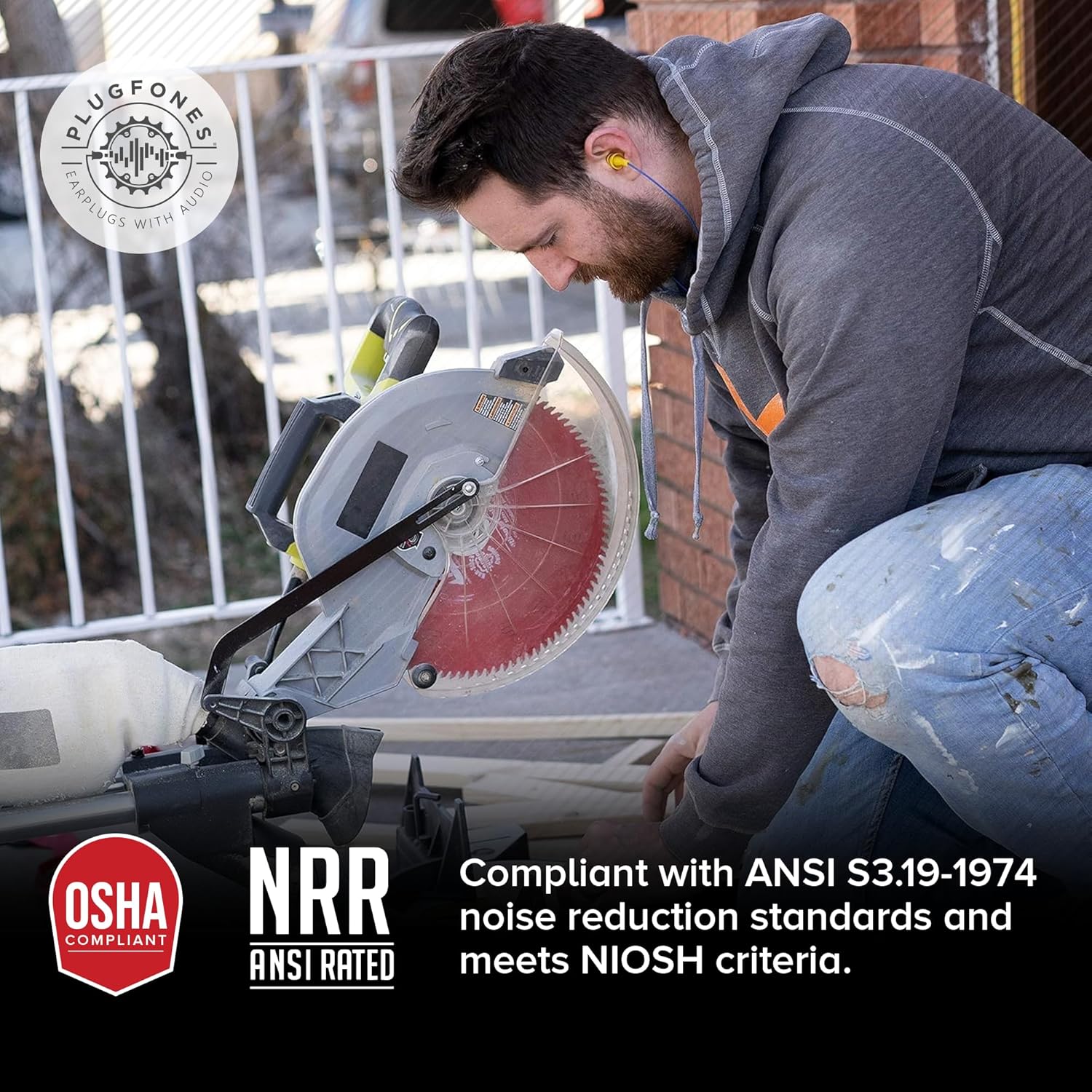
Image: A person operating a saw while wearing Plugfones, emphasizing OSHA compliance and NRR certification.
Setup and Installation
1. Earplug Insertion
For optimal noise reduction and comfort, proper insertion of the earplugs is crucial. Follow these steps:
- Gently roll or compress the foam earplug tips into a small, thin cylinder.
- Reach over your head with one hand and pull your outer ear up and back to straighten the ear canal.
- With the other hand, insert the compressed earplug tip into your ear canal.
- Hold the earplug in place for 30-60 seconds while it expands to fill the ear canal.
- Repeat for the other ear.

Image: Proper technique for inserting a Plugfones earplug into the ear canal.
2. Connecting to Audio Device
The Plugfones Basic model features a standard 3.5mm audio jack for universal compatibility.
- Locate the 3.5mm audio port on your smartphone, tablet, computer, or other audio device.
- Insert the 3.5mm jack of your Plugfones firmly into the audio port until it clicks into place.
- Ensure the connection is secure to prevent audio interruptions.
Operating Instructions
Audio Playback
Once connected, your Plugfones Basic will function like standard wired headphones. Control playback and volume directly from your connected audio device.
- Play/Pause: Use the controls on your audio device to start or stop music/audio.
- Volume Adjustment: Adjust the volume using your audio device's volume controls.
Noise Reduction
The primary function of Plugfones is to provide hearing protection while allowing you to listen to audio. The 25 dB NRR helps to significantly reduce ambient noise, making your listening experience clearer and safer in loud environments.
Video: Official Plugfones video demonstrating the use of earplugs with audio in various noisy work and leisure environments, highlighting noise blocking and music listening capabilities.
Video: This video showcases the Plugfones Guardian model, a similar product, demonstrating its noise reduction and audio features in various settings. It illustrates the core benefits of Plugfones for blocking noise and enjoying music.
Maintenance
Cleaning
Regular cleaning helps maintain hygiene and prolong the life of your Plugfones.
- Gently wipe the earplug tips with a damp cloth and mild soap.
- Ensure the earplugs are completely dry before re-inserting them into your ears.
- Do not submerge the entire unit in water.
Storage
Store your Plugfones in a clean, dry place away from extreme temperatures and direct sunlight when not in use. Avoid tangling the cord to prevent damage.
Troubleshooting
No Sound
- Ensure the 3.5mm jack is fully inserted into your audio device.
- Check the volume level on your audio device and ensure it is not muted.
- Test the Plugfones with a different audio device to rule out device-specific issues.
Poor Noise Reduction
- Re-insert the earplugs following the instructions in the Setup section to ensure a proper seal.
- Ensure the earplug tips are clean and free from debris that might affect the seal.
- Consider replacing the earplug tips if they appear worn or damaged, as this can compromise noise reduction.
Specifications
| Feature | Detail |
|---|---|
| Sensitivity | 25 dB (Noise Reduction Rating) |
| Headphones Jack | 3.5 mm Jack |
| Model Name | SB-002 |
| Connectivity Technology | Wired |
| Material | Foam |
| Recommended Uses | Noise Protection |
| Compatible Devices | Cellphones, Laptops, Desktops |
| Noise Control Features | Passive Noise Cancellation |
| Cable Feature | Retractable (Note: Actual product may feature a standard cable) |
| Water Resistance Level | Waterproof (Note: Refer to product packaging for specific IP rating if available) |
| Item Weight | 0.317 ounces |
| Included Components | Earbuds, Earplugs |
Warranty and Support
Warranty Information
Plugfones Basic Earplug Headphones come with a 30-day no-hassle warranty. Please retain your proof of purchase for any warranty claims.
Customer Support
For further assistance, technical support, or warranty inquiries, please refer to the contact information provided on your product packaging or visit the official Plugfones website.