1. Introduction and Overview
The Honeywell HZ-7300 Deluxe Energy Smart Cool Touch Heater is a compact and efficient electric space heater designed to provide customizable comfort while helping to save energy. It incorporates EnergySmart Technology to regulate power consumption, with an indicator displaying energy usage. Key features include a cool-touch safety grille, an auto-off tipover switch, overheat safety protection, digital controls for easy adjustment, two continuous heat settings, and an oscillating design for wide area heating.

Figure 1: Front view of the Honeywell HZ-7300 Deluxe Energy Smart Cool Touch Heater.
2. Important Safety Information
Please read and save these important safety instructions before using this heater. Failure to comply with these instructions may result in fire, electric shock, injury to persons, or property damage.
- Cool-Touch Housing: The exterior housing is designed to remain cool to the touch during operation, reducing the risk of accidental burns.
- Auto-Off Tipover Switch: The heater is equipped with an internal switch that automatically turns the unit off if it is accidentally tipped over.
- Overheat Protection: The heater will automatically shut off if it overheats due to blocked air inlets/outlets or other malfunctions.
- Placement: Always place the heater on a firm, level surface. Keep combustible materials such as furniture, pillows, bedding, papers, clothes, and curtains at least 3 feet (0.9 m) from the front of the heater and keep them away from the sides and rear.
- Electrical Connection: Always plug heaters directly into a wall outlet/receptacle. Never use with an extension cord or relocatable power tap (outlet/power strip).
- Supervision: Extreme caution is necessary when any heater is used by or near children or invalids and whenever the heater is left operating and unattended.
3. Setup
- Unpack the Heater: Carefully remove the heater from its packaging. Retain the packaging for off-season storage.
- Inspect for Damage: Check the heater for any signs of damage during shipping. Do not operate if damaged.
- Placement: Place the heater on a stable, level surface. Ensure there is adequate clearance around the heater for proper airflow (at least 3 feet from walls, furniture, and other objects).
- Power Connection: Plug the heater directly into a 110-Volt AC wall outlet. Do not use extension cords or power strips.
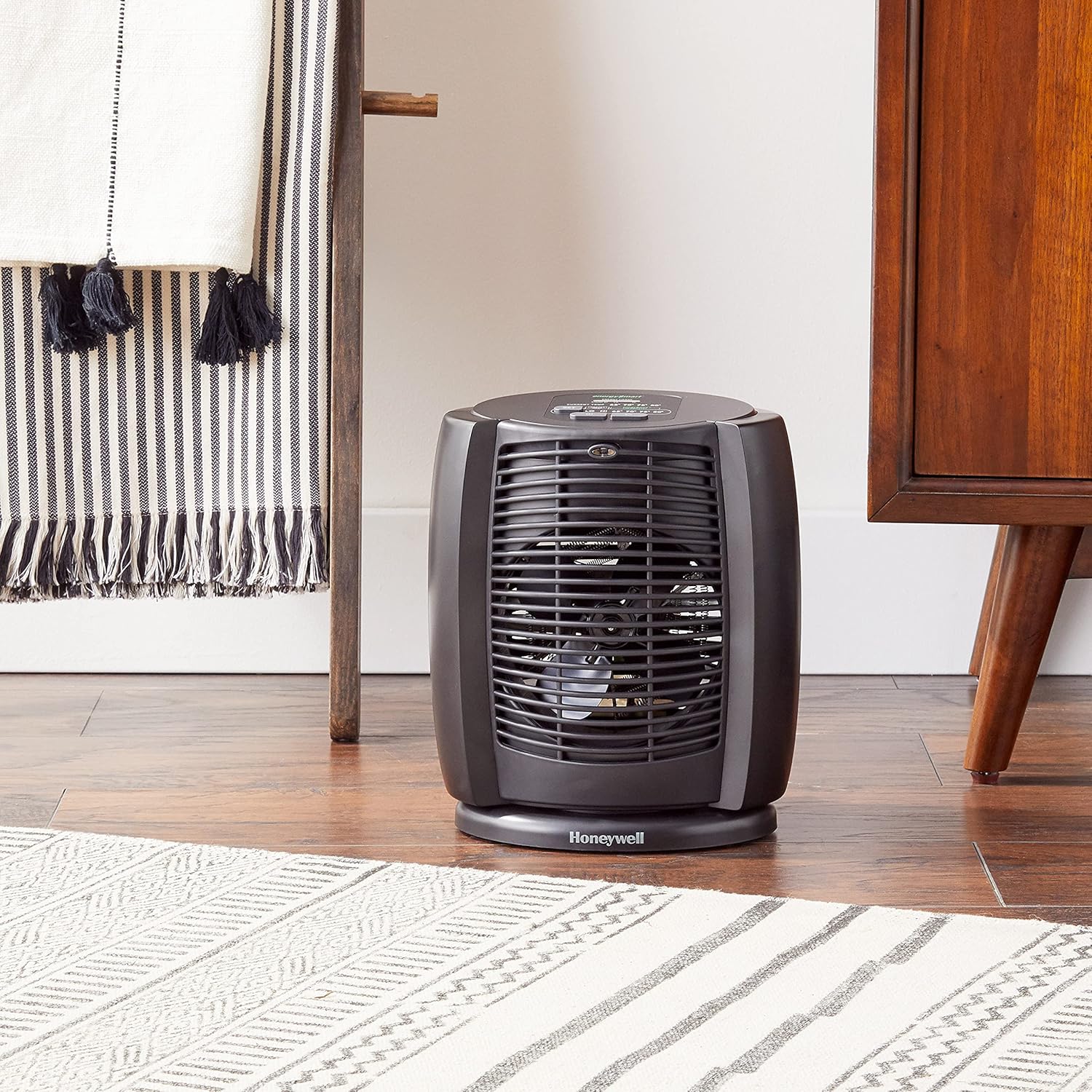
Figure 2: Proper placement of the heater in a room, ensuring adequate clearance.
4. Operating Instructions
The Honeywell HZ-7300 features intuitive digital controls for easy operation.

Figure 3: Digital control panel with various settings.
4.1 Power On/Off
- Press the Power button () once to turn the heater ON.
- Press the Power button again to turn the heater OFF.
4.2 Heat Settings
The heater offers two continuous heat settings and an EnergySmart Thermostat mode.
- Low (LO): Provides a continuous low heat output.
- High (HI): Provides a continuous high heat output.
- EnergySmart Thermostat: Use the SET button to cycle through preset temperatures: 65°F, 70°F, 75°F, and 80°F. The heater will cycle on and off to maintain the selected temperature, optimizing energy usage.
4.3 Oscillation
To distribute heat across a wider area, activate the oscillation feature.
- Press the Oscillation button () to start the heater oscillating.
- Press the Oscillation button again to stop oscillation.
4.4 Timer Function
The heater includes a timer function to automatically turn off the unit after a set period, helping to prevent overheating during sleep or when leaving the room.
- Press the Timer button () to activate the timer. Each press will increase the timer duration, typically in half-hour increments, up to a maximum of 8 hours.
- The display will show the remaining time before the heater automatically shuts off.
4.5 Energy Usage Indicator
The EnergySmart feature includes an indicator that displays the amount of energy being used, allowing you to monitor and manage power consumption.
- Observe the indicator lights on the control panel to see real-time energy usage.
Video 1: Demonstration of the Honeywell Deluxe EnergySmart Cool Touch Heater's features and operation.
5. Maintenance
Regular maintenance ensures optimal performance and longevity of your heater.
- Cleaning: Always turn off the heater and unplug it from the wall outlet before cleaning. Use a soft, damp cloth to clean the exterior surfaces. Do not use abrasive cleaners or solvents.
- Grille Cleaning: Use a vacuum cleaner with a brush attachment to remove dust and lint from the air intake and output grilles.
- Storage: If storing the heater for an extended period, clean it thoroughly and store it in a cool, dry place. It is recommended to store it in its original packaging to protect it from dust and damage.
- No User-Serviceable Parts: Do not attempt to open or repair the heater yourself. Refer all servicing to qualified service personnel.
6. Troubleshooting
If your heater is not operating correctly, please refer to the following common issues and solutions:
| Problem | Possible Cause | Solution |
|---|---|---|
| Heater does not turn on | No power to the unit; Tipover switch activated | Ensure unit is plugged into a working outlet; Place heater on a firm, level surface. |
| Heater turns off unexpectedly | Overheat protection activated; Tipover switch activated | Unplug, wait 10 minutes, clear any obstructions, then restart; Place heater on a firm, level surface. |
| Heater is on but no heat | Thermostat set too low | Increase the thermostat setting using the SET button. |
7. Specifications
- Brand: Honeywell
- Model: HZ-7300
- Color: Black
- Form Factor: Tower
- Indoor/Outdoor Usage: Indoor
- Product Dimensions: 11.34"D x 8.15"W x 12.91"H
- Item Weight: 5 pounds
- Voltage: 110 Volts
- Number of Heat Settings: 2 (Continuous Low/High) + Thermostat settings
- Fuel Type: Electric
- Special Feature: Digital Energy Smart Technology with energy usage indicator, Oscillation, Programmable Thermostat, Tip Over Switch, Overheat Protection.
- Heating Coverage: Up to 5115 square feet (Note: Actual effective heating area for personal comfort may vary based on room insulation and external factors).

Figure 4: Dimensions of the Honeywell HZ-7300 heater.
8. Warranty and Support
- Warranty: This Honeywell HZ-7300 Deluxe Energy Smart Cool Touch Heater comes with a 3-year limited warranty.
- Manufacturer: Kaz
- Support: For warranty claims, technical assistance, or product inquiries, please refer to the contact information provided in your product packaging or visit the official Honeywell website.


