
1. Introduction
Thank you for choosing the IMETEC Professional Serie VM 1000 Vacuum Sealer. This appliance is designed to preserve food by removing air from specially designed bags and then sealing them, extending the freshness and shelf life of your food items. Please read this manual carefully before operating the device to ensure safe and efficient use.
2. Safety Instructions
Always follow basic safety precautions when using electrical appliances to reduce the risk of fire, electric shock, and injury.
- Do not immerse the appliance, power cord, or plug in water or other liquids.
- Keep the appliance out of reach of children.
- Unplug the appliance from the outlet when not in use and before cleaning.
- Do not operate any appliance with a damaged cord or plug, or after the appliance malfunctions or has been damaged in any manner.
- Use only accessories recommended by the manufacturer.
- Do not use the appliance outdoors.
- Avoid contact with moving parts.
- The sealing bar becomes hot during operation. Avoid touching it directly.
3. Product Overview
Familiarize yourself with the components of your IMETEC Professional Serie VM 1000 Vacuum Sealer.

Figure 1: The IMETEC Professional Serie VM 1000 Vacuum Sealer. This image displays the overall design of the vacuum sealer, featuring its white body, control panel, and the area where bags are inserted for sealing. A vacuum-sealed package of meat is shown next to the device.

Figure 2: Close-up of the control panel. This image highlights the main control buttons and indicators on the top surface of the vacuum sealer, including the power switch and the automatic operation button.
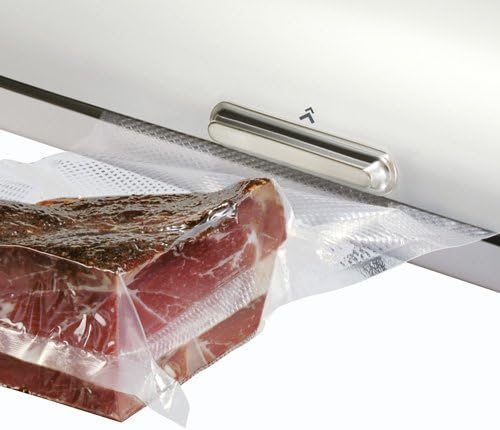
Figure 3: Detail of the sealing mechanism. This close-up shows the sealing bar and the vacuum channel where the bag is placed for processing. A vacuum-sealed bag containing food is partially visible, demonstrating the sealing process.
4. Setup
- Unpack: Carefully remove the vacuum sealer from its packaging. Retain packaging for future storage or transport.
- Inspect: Check the appliance for any signs of damage. Do not use if damaged.
- Placement: Place the vacuum sealer on a flat, stable, and dry surface. Ensure there is enough space around the unit for proper ventilation.
- Power Connection: Plug the power cord into a suitable electrical outlet (230 Volts). The appliance features an illuminated on/off switch.
- Prepare Bags: The appliance comes with 25 bags. Ensure the bags are specifically designed for vacuum sealing and are compatible with the IMETEC VM 1000.
5. Operating Instructions
5.1. Automatic Vacuum Sealing
The IMETEC Professional Serie VM 1000 is designed for automatic vacuum sealing, quickly transitioning from vacuum to sealing.
- Power On: Turn on the appliance using the illuminated on/off switch.
- Prepare Food: Place the food item inside a vacuum sealer bag. Ensure there is at least 5-7 cm (2-3 inches) of empty space at the top of the bag to allow for proper sealing.
- Position Bag: Open the lid of the vacuum sealer. Place the open end of the bag flat into the vacuum channel, ensuring it is smooth and free of wrinkles.
- Close Lid: Close the lid firmly until it latches securely.
- Start Process: The appliance will automatically begin the vacuum process, removing air from the bag. The vacuum level indicator will show the progress.
- Sealing: Once the desired vacuum level (approximately 90%) is reached, the appliance will automatically proceed to seal the bag. A luminous indicator will confirm the sealing process is active. The temperature of the sealing bar is adjustable for optimal results.
- Release: Once the sealing indicator turns off, the process is complete. Open the lid and remove the sealed bag.
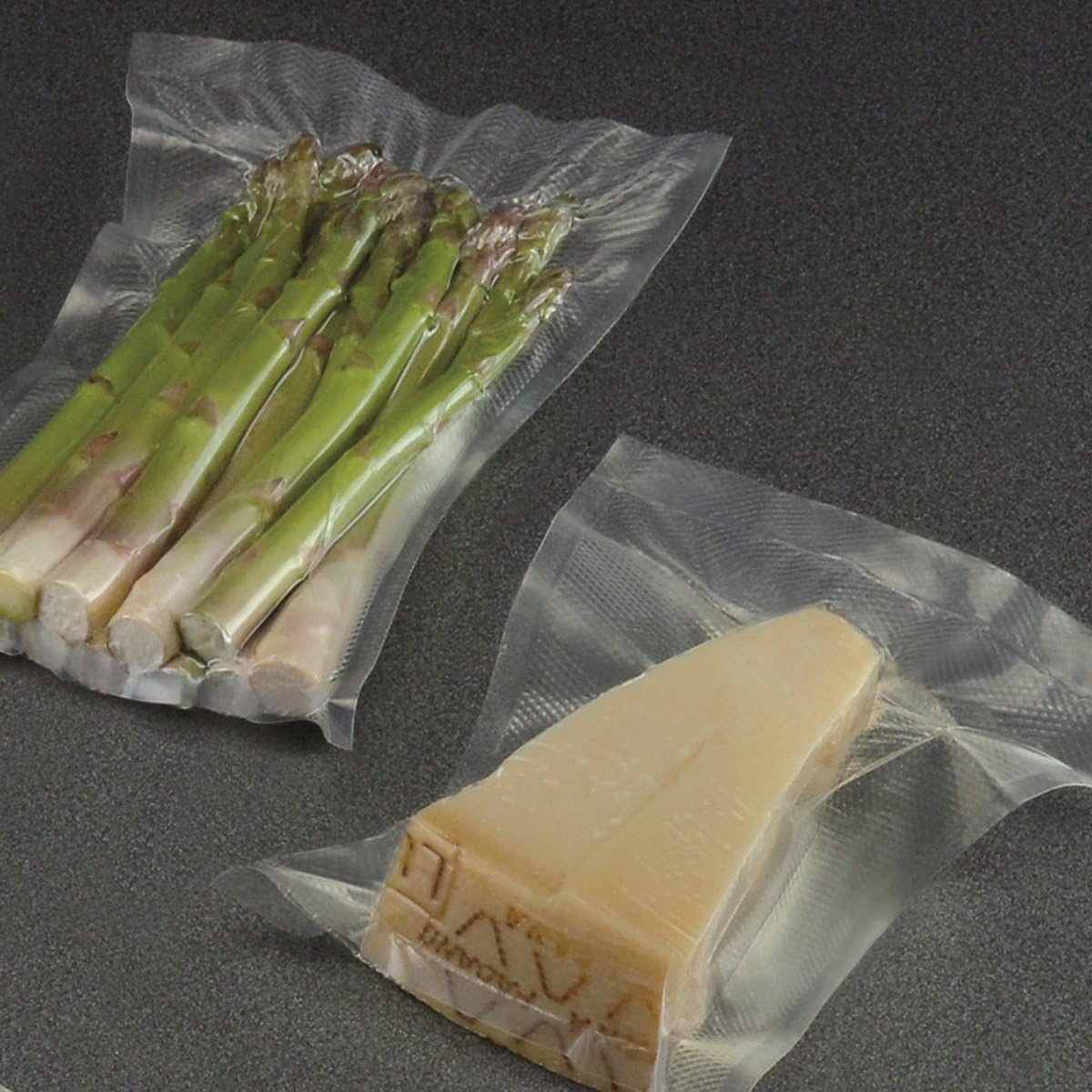
Figure 4: Fresh asparagus preserved using the vacuum sealing process. This image illustrates how the appliance effectively removes air to keep produce fresh.

Figure 5: A block of cheese vacuum-sealed for extended freshness. This demonstrates the appliance's capability to preserve various food types.
6. Maintenance and Cleaning
Regular cleaning ensures optimal performance and extends the life of your vacuum sealer.
- Unplug: Always unplug the appliance before cleaning.
- Exterior: Wipe the exterior of the appliance with a damp cloth. Do not use abrasive cleaners or solvents.
- Vacuum Channel: Clean the vacuum channel and sealing area with a damp cloth to remove any food particles or moisture. Ensure these areas are completely dry before next use.
- Sealing Bar: Allow the sealing bar to cool completely before cleaning. Gently wipe it with a dry cloth. Do not scratch or damage the sealing strip.
- Storage: Store the appliance in a clean, dry place with the lid unlatched to prevent compression of the sealing gaskets.
7. Troubleshooting
| Problem | Possible Cause | Solution |
|---|---|---|
| Appliance does not turn on. | Not plugged in; power switch off. | Ensure the power cord is securely plugged into a working outlet and the on/off switch is illuminated. |
| Vacuum pump runs, but no vacuum is created. | Bag not properly placed; bag is damaged; lid not fully latched. | Reposition the bag, ensuring the open end is flat within the vacuum channel. Check the bag for holes or tears. Ensure the lid is securely closed and latched. |
| Bag does not seal properly. | Sealing bar dirty; bag end is wet or wrinkled; sealing bar temperature setting incorrect. | Clean the sealing bar and ensure it is dry. Ensure the bag end is clean, dry, and flat. Adjust the sealing bar temperature if applicable (refer to specific controls on your unit). |
| Appliance is excessively noisy or vibrates. | Normal operation for high-power vacuum pump; unstable surface. | Some noise and vibration are normal due to the powerful vacuum pump. Ensure the appliance is on a stable, flat surface to minimize vibration. |
8. Specifications
- Model: IMETEC Professional Serie VM 1000
- Model Number: 7146
- Power: 145-200 W
- Voltage: 230 Volts
- Vacuum Power: 90% (+/- 5%)
- Dimensions: 14.4 x 23.01 x 47.19 cm (L x W x H)
- Weight: 3.31 kg
- Color: White
- Included Accessories: 25 vacuum bags
9. Warranty and Support
For warranty information and customer support, please refer to the documentation provided with your purchase or visit the official Imetec website. Keep your proof of purchase for warranty claims.
