
1. Overview
The Cuisinart SS-700 Single Serve Brewing System is designed for convenient preparation of coffee and other beverages using K-Cup portion packs or your own ground coffee. It features an 80-ounce removable water reservoir, multiple cup size options, and programmable settings.
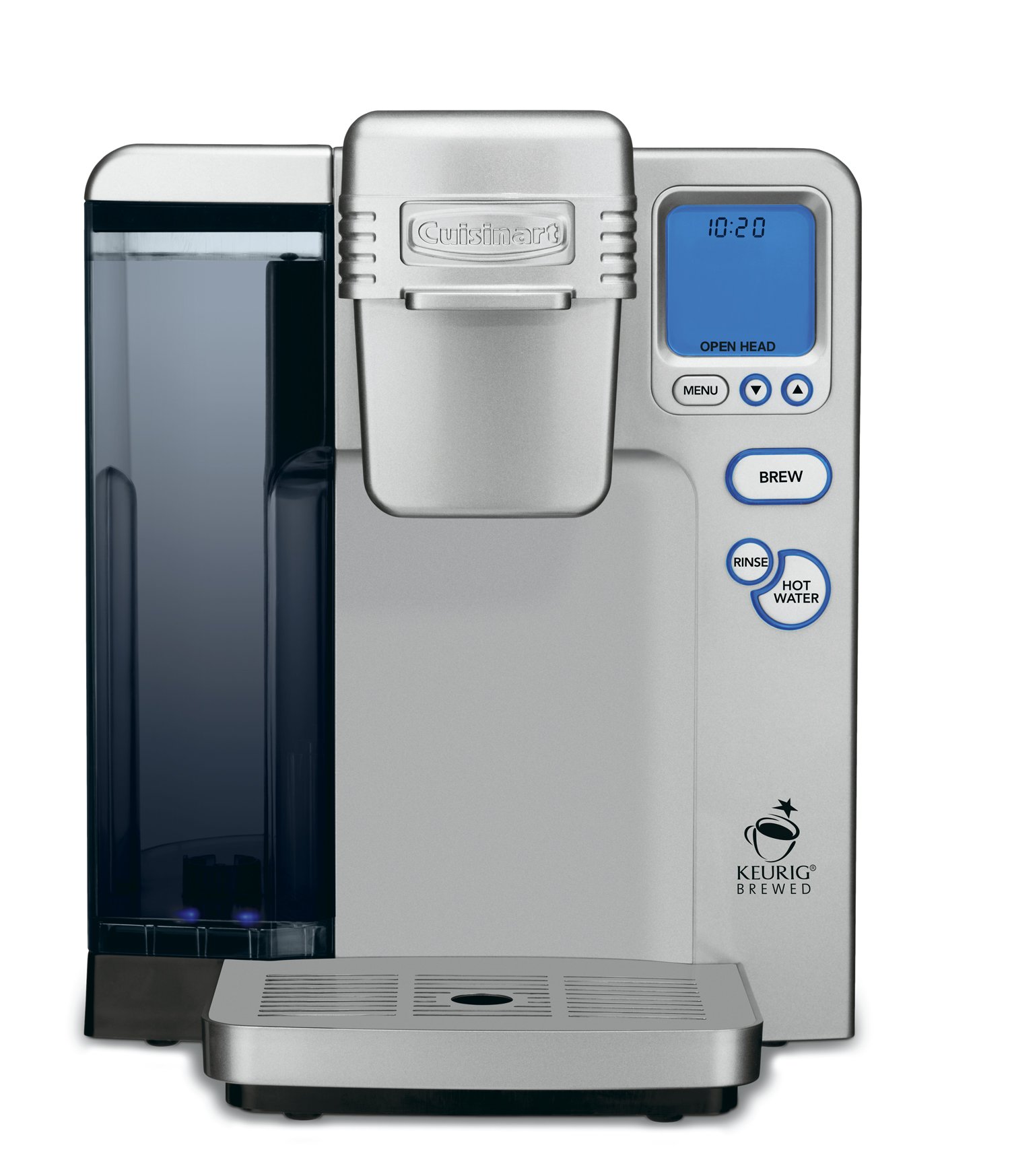
2. Setup
- Unpacking: Carefully remove all packaging materials and ensure all components are present.
- Initial Cleaning: Wash the removable water reservoir and drip tray in warm, soapy water. Rinse thoroughly.
- Water Filter Installation: Insert the charcoal water filter into the filter holder located within the water reservoir.
- Fill Water Reservoir: Fill the 80-ounce removable water reservoir with fresh, filtered water. Place it back onto the brewing system.
- Initial Rinse Cycle: Before first use, perform a rinse cycle without a K-Cup to prime the system. Place a large mug on the drip tray, close the K-Cup holder, and press the 'Rinse' button.
3. Operating Instructions
3.1 Brewing with K-Cup Portion Packs
- Lift the handle to open the K-Cup holder.
- Place a K-Cup portion pack into the holder.
- Lower the handle firmly until it clicks into place.
- Place a mug on the drip tray.
- Select your desired cup size using the control panel. Options include various sizes and an iced beverage setting.
- Press the 'Brew' button to start the brewing process.
3.2 Using the My K-Cup Reusable Coffee Filter
The My K-Cup reusable filter allows you to use your own ground coffee. To use:
- Remove the inner K-Cup holder from the brewing system by pulling it upwards.
- Fill the My K-Cup filter with your preferred ground coffee.
- Place the filled My K-Cup filter into the brewing system.
- Close the handle and proceed with brewing as described above.
3.3 Adjustable Temperature and Programmable Features
- The brewing system features an adjustable temperature setting, allowing you to customize the brewing temperature. Refer to the full user manual for specific instructions on adjusting this setting.
- The blue backlit LCD includes a digital clock and programmable auto on/off functions. This allows you to set the machine to turn on or off at specific times.
3.4 Rinse and Hot Water Functions
- Rinse Feature: Press the 'Rinse' button to clean the internal brewing head. This is useful when switching between different beverage types (e.g., flavored coffee to tea) to prevent flavor transfer.
- Hot Water Feature: Press the 'Hot Water' button to dispense hot water for instant oatmeal, soup, or other hot beverages. The amount dispensed will correspond to the selected serving size.
4. Maintenance
- Drip Tray: The drip tray is removable for easy cleaning. Empty and clean regularly to prevent overflow and maintain hygiene.
- Water Filter Replacement: The charcoal water filter should be replaced periodically to ensure optimal water quality and taste. Refer to the full user manual for recommended replacement intervals.
- Descaling: Over time, mineral deposits can build up in the brewing system. Regular descaling is recommended to maintain performance. Consult the full user manual for detailed descaling instructions.
5. Troubleshooting
If you encounter issues with your Cuisinart SS-700, please refer to the comprehensive troubleshooting section in the full user manual. Common issues may include:
- Brewing system not turning on.
- Coffee not dispensing or dispensing slowly.
- Water not heating properly.
- Error messages on the LCD display.
Many operational problems can be resolved by ensuring the water reservoir is properly seated, the K-Cup holder is closed correctly, or by performing a rinse cycle.
6. Specifications
| Brand | Cuisinart |
| Model Number | SS-700FR |
| Capacity | 2.37 Liters (80 ounces) |
| Color | Silver |
| Special Feature | Programmable |
| Coffee Maker Type | Drip Coffee Machine |
| Operation Mode | Fully Automatic |
| Wattage | 1100 watts |
| Voltage | 120 Volts |
| Coffee Input Type | Single Serve Pods |
| Filter Type | Reusable |
| Item Weight | 7.85 Pounds |
| Material | Plastic |
7. Warranty and Support
This Cuisinart SS-700 Single Serve Brewing System (Renewed) typically comes with a 90-day warranty. For detailed warranty information, product registration, or further assistance, please refer to the official Cuisinart website or the full user manual provided with your product.
A digital version of the user manual can be found here.


