
1. Introduction
This instruction manual provides essential information for the installation, operation, and maintenance of your DB Electrical ADR0139 Alternator. Please read this manual thoroughly before proceeding with installation or use to ensure proper function and safety. This alternator is designed as a direct replacement for specified Honda and Acura models.
2. Product Overview
The DB Electrical ADR0139 is a new aftermarket alternator designed to meet OEM specifications, providing reliable electrical power for your vehicle's systems. It features a Delco CS130D family design, operating at 12 volts and producing 105 amps.

Figure 2.1: Front view of the DB Electrical ADR0139 Alternator, showing the pulley and main housing.
3. Vehicle Compatibility
This alternator is compatible with the following vehicle models and years:
- Acura CL: 1997, 1998, 1999 (3.0L V6 models)
- Honda Accord: 1998, 1999, 2000, 2001, 2002 (3.0L V6 models, including EX and LX trims)
Please verify your vehicle's specific requirements and existing part numbers against the specifications provided in Section 4 to ensure proper fitment.
4. Technical Specifications
| Feature | Specification |
|---|---|
| Alternator Family | Delco CS130D |
| Voltage | 12 Volts |
| Amperage | 105 Amps |
| Condition | New Aftermarket |
| Regulator Clock Position | 2:00 |
| Fan Location | Internal |
| Regulator Location | Internal |
| Terminal ID 2 | B+ |
| Terminal 2 Size | M6x1.00 |
| Polarity | Negative |
| Model Number | 400-12146 |
| Item Weight | 11.44 pounds |
| Product Dimensions | 5.71 x 4.78 x 4.2 inches |
Replaces OEM Part Numbers:
- AC Delco Tools: 321-1765
- Arrowhead: ADR0139
- Bosch: AL1277N, AL1277X
- Delco: 10463963, 10464417, 10480228, 10480453, 321-1765
- Denso: 210-5233
- Honda: 31100-P8A-A01, 31100P8A-A01, 31100-P8A-A02, 31100P8A-A02, 31100-P8C-A02, 31100P8C-A02
- J&N Electrical Products: 400-12146
- JANNCO: 400-12146R
- Lester: 8220
5. Safety Information
Always observe the following safety precautions when working on your vehicle's electrical system:
- Disconnect the negative battery terminal before beginning any work on the electrical system to prevent electrical shock or short circuits.
- Wear appropriate personal protective equipment, including safety glasses and gloves.
- Ensure the vehicle is on a stable, level surface and properly supported with jack stands if lifting is required.
- Allow the engine to cool completely before working on engine components.
- Consult a qualified automotive technician if you are unsure about any step of the installation process.
6. Installation Guide
Replacing an alternator can be complex. Professional installation is recommended. If you choose to proceed yourself, follow these general steps. Specific procedures may vary by vehicle model; consult your vehicle's service manual for detailed instructions.
6.1. Tools and Preparation
- Socket set and wrenches (metric)
- Serpentine belt tool or pry bar
- Battery terminal wrench
- Wire brush for cleaning terminals
- Safety glasses and gloves
- Disconnect the negative battery cable.
- Locate the alternator and identify all electrical connections and mounting bolts.
6.2. Removal of Old Alternator
- Relieve tension on the serpentine belt and remove it from the alternator pulley.
- Disconnect the main power wire (B+) from the alternator. This is typically a large gauge wire secured with a nut.
- Disconnect any other electrical connectors (e.g., regulator plug) from the alternator.
- Remove the mounting bolts securing the alternator to the engine bracket. Note their positions.
- Carefully remove the old alternator from the engine bay. This may require maneuvering around other components.

Figure 6.1: Rear view of the alternator, highlighting the B+ terminal and electrical connector.
6.3. Installation of New Alternator
- Position the new DB Electrical ADR0139 Alternator into the engine bay and align it with the mounting brackets.
- Install the mounting bolts and tighten them to the manufacturer's specifications. Do not overtighten.
- Reconnect all electrical connectors, ensuring they are secure and free from corrosion. Clean terminals with a wire brush if necessary.
- Reconnect the main power wire (B+) and tighten its nut securely.
- Route the serpentine belt back onto the alternator pulley and apply tension according to your vehicle's specifications. Ensure the belt is properly seated on all pulleys.
- Reconnect the negative battery cable.
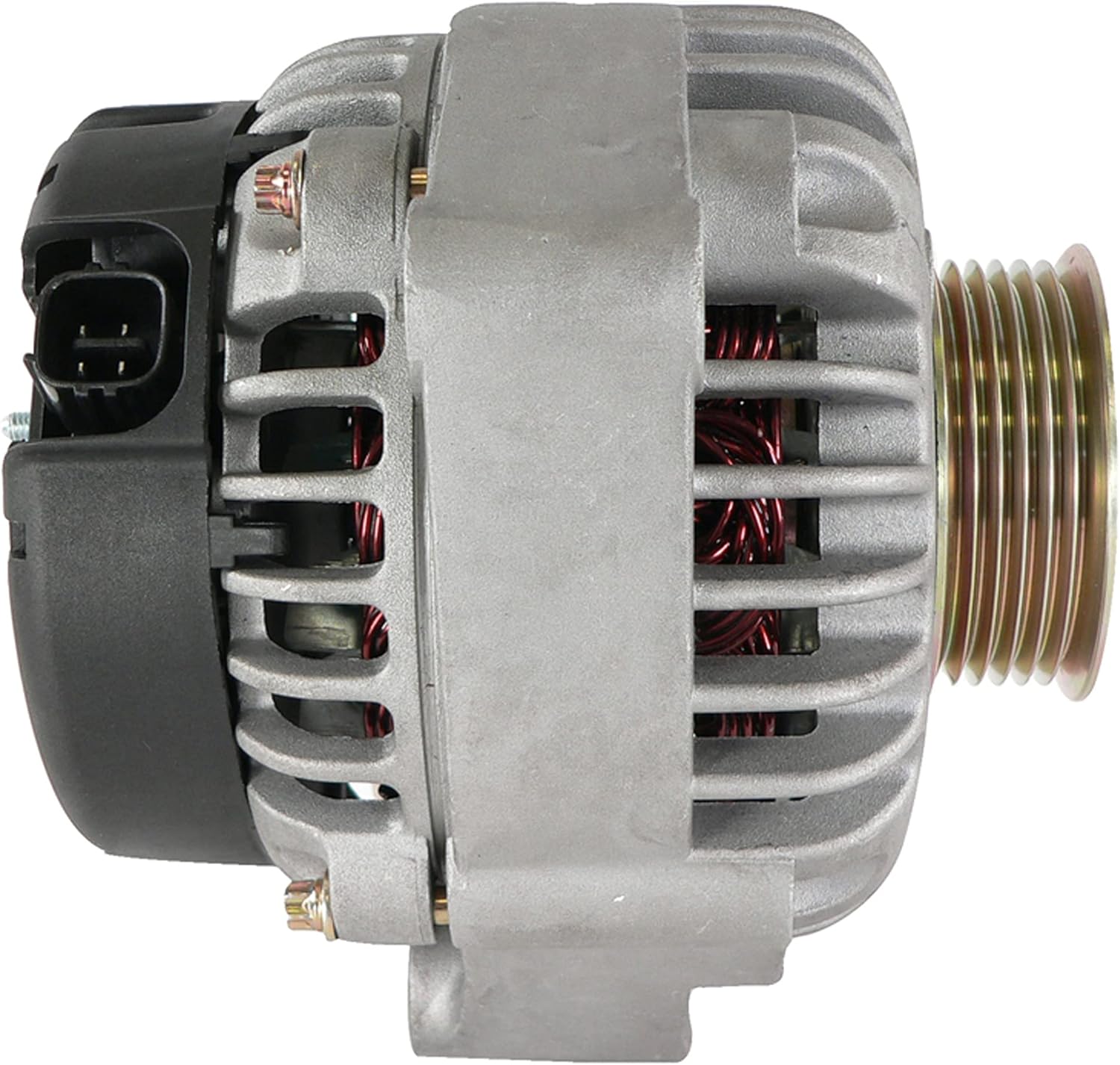
Figure 6.2: Side view of the alternator, showing mounting points and overall dimensions.
7. Operation
After installation, start the vehicle and observe the dashboard warning lights. The battery light should turn off shortly after the engine starts. Check the vehicle's voltage gauge (if equipped) or use a multimeter to verify that the charging system is operating correctly, typically between 13.5V and 14.8V at idle.
A slight whine may be audible immediately after installation, which often dissipates after a short period of operation as the new components settle. If the battery light remains on or flickers, or if abnormal noises persist, refer to the Troubleshooting section.
8. Maintenance
The DB Electrical ADR0139 Alternator is designed for long-term, maintenance-free operation. However, regular vehicle maintenance practices contribute to its longevity:
- Periodically inspect the serpentine belt for wear, cracks, or proper tension. A worn or loose belt can affect alternator performance.
- Ensure battery terminals are clean and tight to maintain good electrical conductivity.
- Avoid exposing the alternator to excessive moisture or contaminants.
9. Troubleshooting
| Symptom | Possible Cause | Solution |
|---|---|---|
| Battery light remains on after starting | Loose or corroded battery/alternator connections, faulty belt, internal alternator issue. | Check all connections for tightness and corrosion. Inspect serpentine belt. Test alternator output with a multimeter. |
| Dim headlights or interior lights | Low voltage output from alternator, weak battery. | Test battery and alternator output. Ensure proper belt tension. |
| Grinding or whining noise from alternator | Bearing failure, loose pulley, improper belt tension. | Verify belt tension. If noise persists, professional inspection is recommended. (Note: A slight whine may be normal initially). |
| Battery not charging | Alternator failure, wiring issue, blown fuse. | Check fuses related to charging system. Test alternator output. Inspect wiring harness. |
If troubleshooting steps do not resolve the issue, it is recommended to seek assistance from a certified automotive technician.
10. Warranty and Support
The DB Electrical ADR0139 Alternator comes with a 1-year warranty from the date of purchase. This warranty covers defects in materials and workmanship under normal use and service.
If you experience any issues with your product within the warranty period, please contact DB Electrical customer support. They will assist you with troubleshooting or arranging a replacement if necessary.
For warranty claims or technical assistance, please refer to the contact information provided by DB Electrical at the point of purchase or on their official website.
11. Contact Information
For further assistance or inquiries, please visit the official DB Electrical website or contact their customer service department.
DB Electrical
Kingsport, Tennessee, USA
Note: Always refer to the latest contact details available on the manufacturer's official channels.