
Introduction
This manual provides detailed instructions for the safe and efficient operation, setup, and maintenance of your deli E0130 Heavy Duty Punch. Designed for high-capacity punching, this device features hollow punch head technology for reduced force and an adjustable ruler for precise paper positioning.
Product Overview
The deli E0130 Heavy Duty Punch is engineered for durability and ease of use. Familiarize yourself with its components before operation.

Figure 1: Overall view of the deli E0130 Heavy Duty Punch with the handle in the upright position, ready for use. This image shows the main body, the long metal handle, and the paper guides.

Figure 2: Side view of the deli E0130 Heavy Duty Punch, illustrating the handle folded down for compact storage or transport. The robust construction is visible.
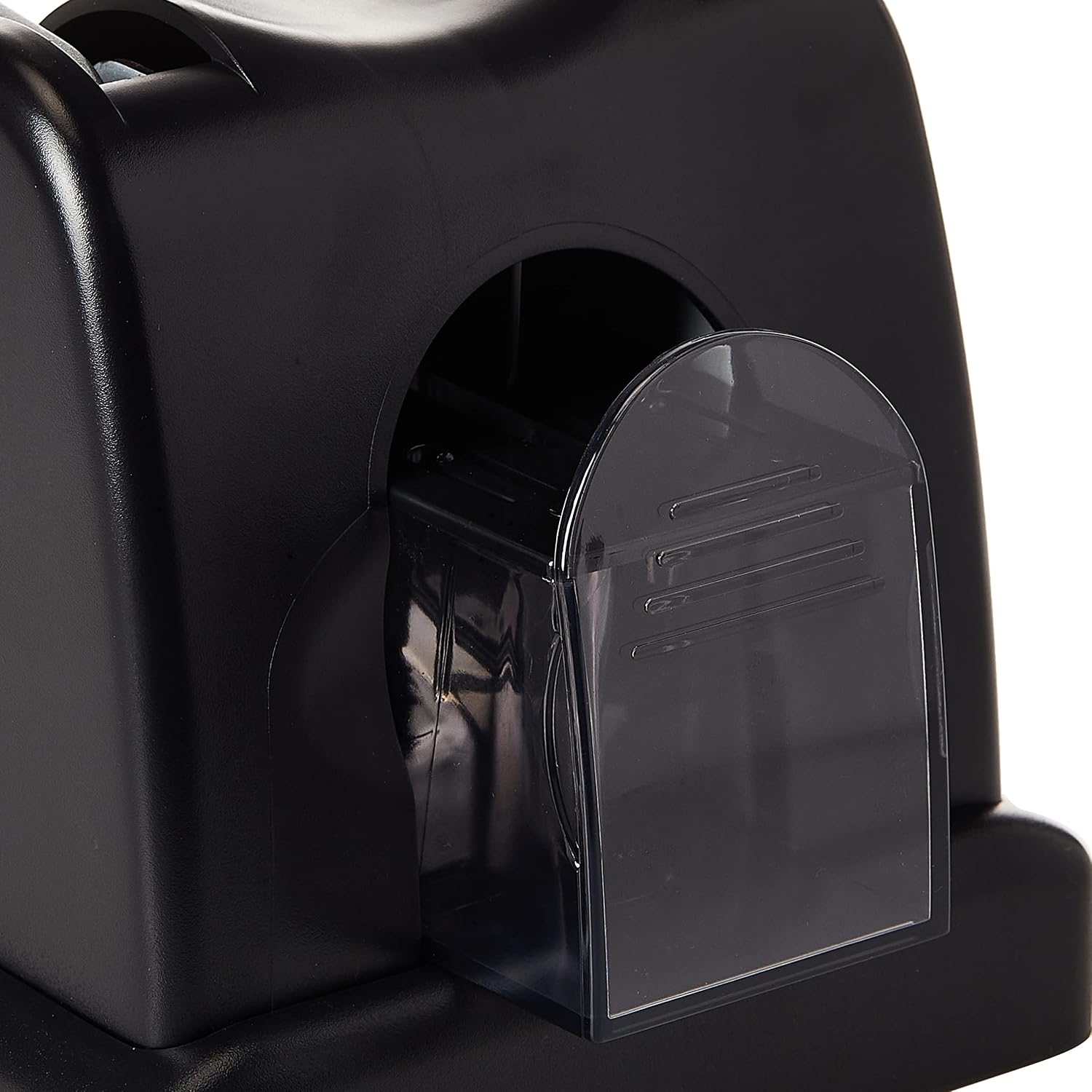
Figure 3: Close-up view of the transparent waste tray located at the base of the punch. This tray collects paper confetti and can be easily removed for emptying.
Setup
- Unpacking: Carefully remove the punch from its packaging. Retain packaging for future storage or transport.
- Placement: Place the punch on a stable, flat surface. Ensure sufficient space around the unit for operation.
- Adjusting the Ruler: The punch features a built-in adjustable ruler. Slide the ruler to the desired paper size or position to ensure accurate and consistent punching.
- Handle Position: Ensure the long metal handle is in the upright position, ready for downward pressure.
Operating Instructions
Follow these steps for effective and safe punching:
- Prepare Paper: Gather the sheets of paper you wish to punch. The deli E0130 is designed to punch up to 100 sheets of standard paper simultaneously. Do not exceed this capacity to prevent damage to the punch or poor results.
- Align Paper: Insert the paper into the punch opening, aligning the edge of the paper with the adjustable ruler for precise hole placement. Ensure the paper stack is even.
- Punching: Firmly press down on the long metal handle. The hollow punch head technology reduces the force required. Apply steady, even pressure until the punch heads fully penetrate the paper.
- Release Handle: Once punched, release the handle, allowing it to return to its upright position.
- Remove Paper: Carefully remove the punched paper from the unit.
Maintenance
Regular maintenance ensures the longevity and optimal performance of your punch.
Emptying the Waste Tray
The transparent waste tray collects paper confetti. Empty it regularly to prevent jams and ensure smooth operation. Simply slide out the tray from the side or front of the unit, dispose of the contents, and slide it back into place until it clicks securely.
Punch Head Replacement
Over time, punch heads may become dull and require replacement. Refer to the diagram below for detailed steps.

Figure 4: Detailed diagram illustrating the three steps for replacing the punch heads. This includes opening the punch, removing the old head, and inserting and securing the new head.
- Step 1: Ensure the punch is in an open situation. Rotate the button anticlockwise to take the punch clip out, then remove the punch head.
- Step 2: Place the replacement punch head in the clip. Ensure the clip key is placed horizontally.
- Step 3: Insert the clip into the lock, and rotate the button clockwise to set the punch heads securely.
Cleaning
Wipe the exterior of the punch with a soft, dry cloth. Do not use abrasive cleaners or solvents. For optimal performance, occasionally lubricate the moving parts with a small amount of machine oil, avoiding contact with the punch heads themselves.
Troubleshooting
If you encounter issues with your deli E0130 Heavy Duty Punch, consider the following common solutions:
- Paper Jams: If paper becomes jammed, first ensure the waste tray is not full. Carefully remove any visible paper fragments. Do not force the handle.
- Incomplete Punching: This may occur if the paper stack exceeds the 100-sheet capacity. Reduce the number of sheets. Also, check if the punch heads are dull and require replacement (refer to Maintenance section).
- Uneven Holes: Ensure the paper is properly aligned with the adjustable ruler and inserted squarely into the punch.
- Difficulty Pressing Handle: Verify that you are not exceeding the maximum sheet capacity. The long handle is designed to minimize effort, but excessive paper will require more force.
If problems persist, contact customer support.
Specifications
| Feature | Detail |
|---|---|
| Brand | deli |
| Model Number | E0130 |
| Product Dimensions | 16.3 x 15.6 x 29 cm |
| Item Weight | 2.26 Kilograms |
| Color | Black |
| Material Type | Metal |
| Number of Holes | 2 |
| Operation Mode | Manual |
| Sheet Capacity | 100 sheets |

Figure 5: A silhouette of a person standing next to the deli E0130 Heavy Duty Punch, providing a visual reference for its physical dimensions and scale.
Warranty and Support
For warranty information or technical support regarding your deli E0130 Heavy Duty Punch, please contact the manufacturer directly. Refer to the product packaging or the official deli website for contact details.
Keep your purchase receipt as proof of purchase for any warranty claims.